
Introduction
Now that our Realme X2 Pro review is out, it's time to see what the company can offer in the mid-range segment. realme is a well-known brand in Asia, especially in India, but it has to make a name for itself once again now that it has started sales in Europe too. And what better way to do it than with a well equipped and affordable midrange like the Realme X2.
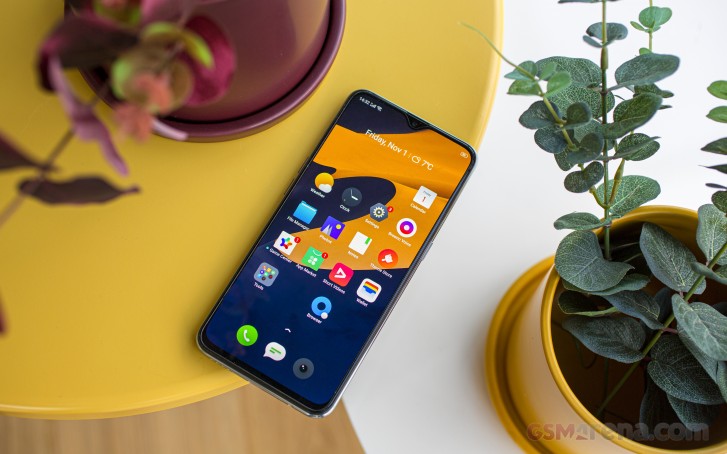
Surely, the X2 is no Pro but that doesn't mean it doesn't pack a punch. The combination of an upper mid-range SoC, an OLED panel, a premium build, and a versatile quad-camera setup at a regular mid-range price is really hard to ignore when shopping on a budget. And quick market research shows that the choice in this particular price range is rather limited. So it's probably safe to say that Realme's aggressive pricing of the standard X2 will bear fruits in the future.
Realme X2 specs
- Body: 158.7 x 75.2 x 8.6mm, 182g; plastic frame, Gorilla Glass 5 front and back.
- Display: 6.4" Super AMOLED, 1080 x 2340px resolution, 19.5:9 aspect ratio, 403 ppi; .
- Rear camera: Primary: 64MP, f/1.8 aperture, 1/1.7" sensor size, 0.8µm pixel size, PDAF. Ultra wide: 8MP, f/2.3, 1/4", 1.12µm pixels; Macro: 2MP, f/2.4, 1/5", 1.75µm; Depth sensor: 2MP; 2160p@30fps, 1080p@30/60/120fps, 720p@480/960fps video recording.
- Front camera: 32MP, f/2.0.
- OS: Android 9 Pie; ColorOS 6.1.
- Chipset: Snapdragon 730G chipset (8 nm), octa-core CPU (2x2.2 GHz Kryo 470 Gold & 6x1.8 GHz Kryo 470 Silver), Adreno 618 GPU..
- Memory: 6GB/8GB of RAM; 64/128/256GB storage; microSD card slot.
- Battery: 4,000mAh; 30W SuperVOOC Flash Charge 4.0.
- Connectivity: Dual-SIM; Cat.15 LTE; USB 2.0 Type-C; Wi-Fi a/b/g/n/ac; GPS + GLONASS, GALILEO, BDS; Bluetooth 5.0; FM radio.
- Misc: Under-display fingerprint reader; NFC, 3.5mm audio jack.
In addition, the handest boasts some hard-to-find standout features for the €299 price tag. We are talking super-fast 30W charging, flagship-grade haptic feedback, and probably the fastest and most reliable under-display fingerprint around. These features elevate the user experience considerably and complement greatly the rest of the package.
Unboxing the Realme X2
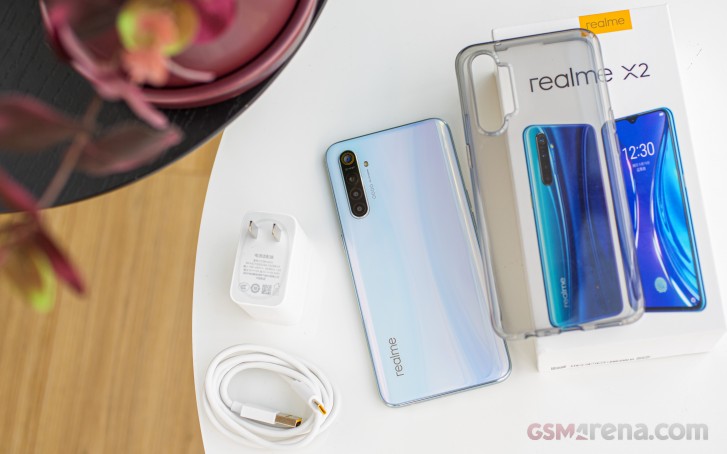
The Realme X2 comes in a well-equipped retail package containing the usual user manuals and a protective, transparent silicone case. There's also the 30W VOOC Flash Charge 4.0-enabled charging brick and the accompanying USB-A to USB-C cable also used for data transfers.
Design
The design of the Realme X2 is pretty similar to the Pro version with a few notable differences. For starters, the side frame is made of plastic instead of metal although, it's mimicking real metal quite nicely. Front and back glasses remain Gorilla Glass 5-protected. It's also considerably lighter tipping the scale at 182g.
Turning the phone around reveals a similar gradient as its more expensive X2 Pro sibling, but this time we have the Pearl White, which in our opinion is the better choice - fingerprints and smudges are less visible. The name of the color perfectly describes the paint job, and it looks like a pearl with changing colors depending on the angle.
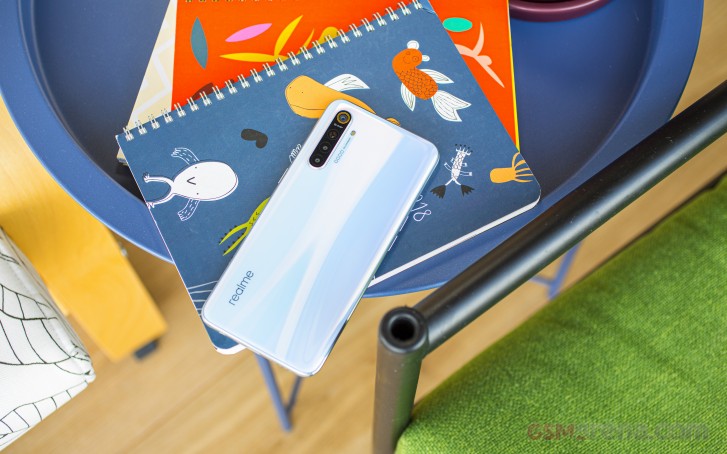
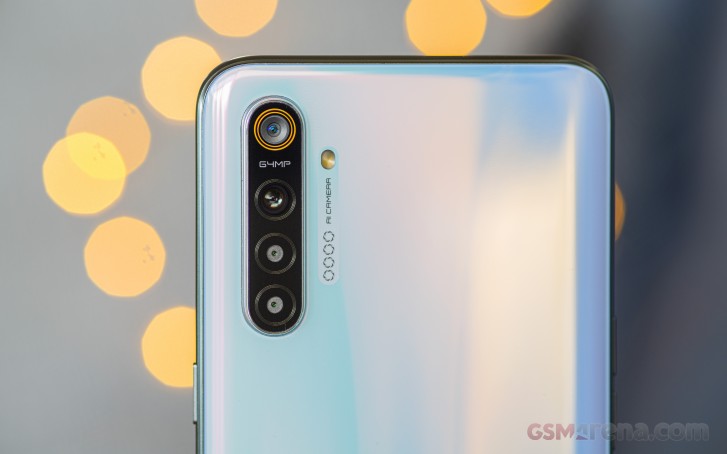
The quad-camera array has been moved to the upper-left corner of the panel, and the bump is a thick one. It makes the phone wobble when placed on its back. Otherwise, the curved shape of the back helps with the grip, and the glass sheet seamlessly transitions into the metal frame with a barely noticeable gap.
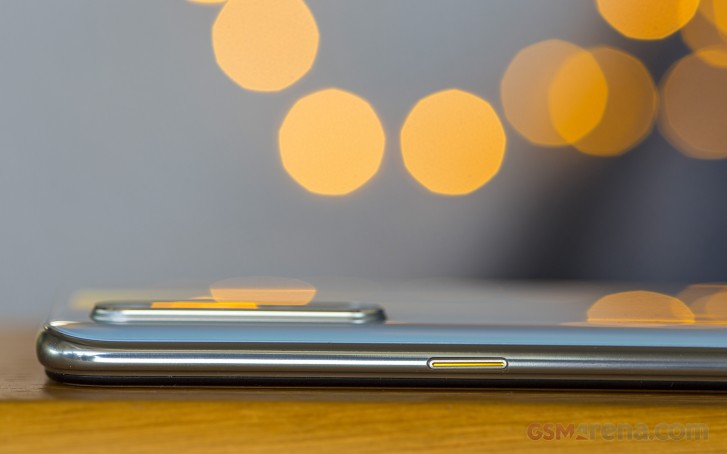
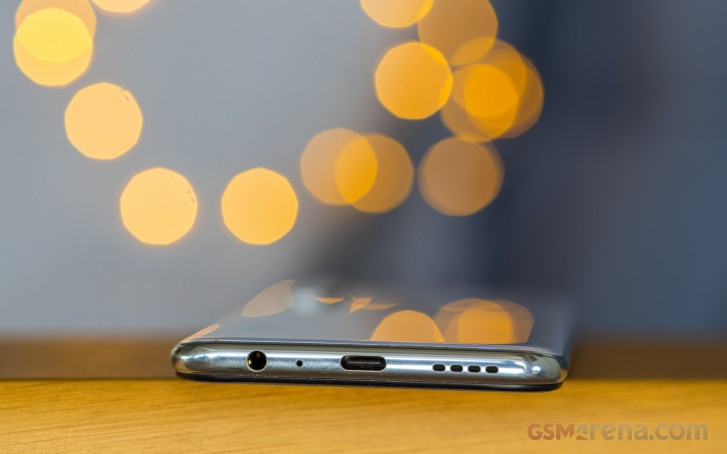
The frame feels a lot like glossy metal but don't get fooled - it's not. The accented power key is on the right side, the volume rocker along with the SIM card tray is on the left, and the bottom's USB-C connector is flanked by a speaker grille and a 3.5mm audio jack.
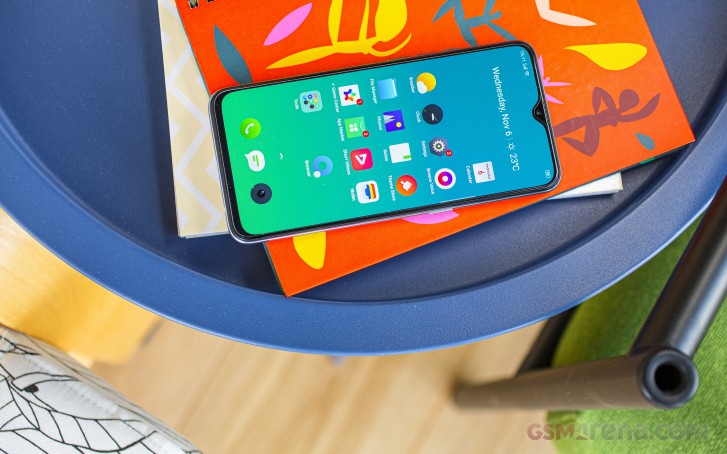
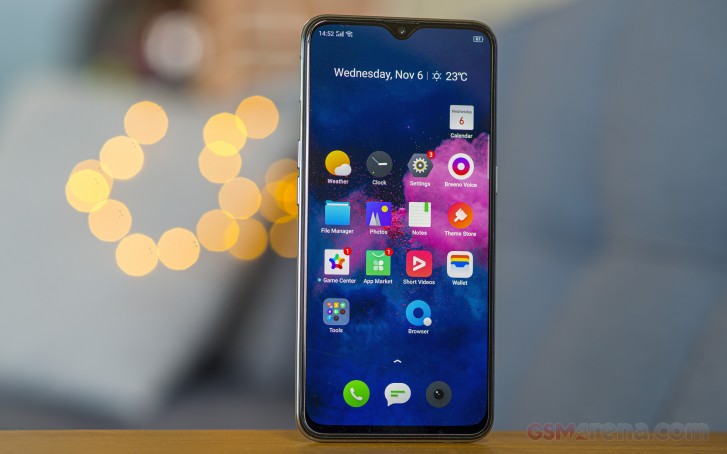
Under the front glass, we find a 6.4-inch display with thin enough bezels. We've seen better, but they are also largely unobtrusive, especially the bottom one. The notch, on the other hand, is slightly wider than the one on the X2 Pro but doesn't displace enough status bar icons to pose an issue. The top bezel is big enough to house the earpiece and some of the sensors like the proximity and ambient.
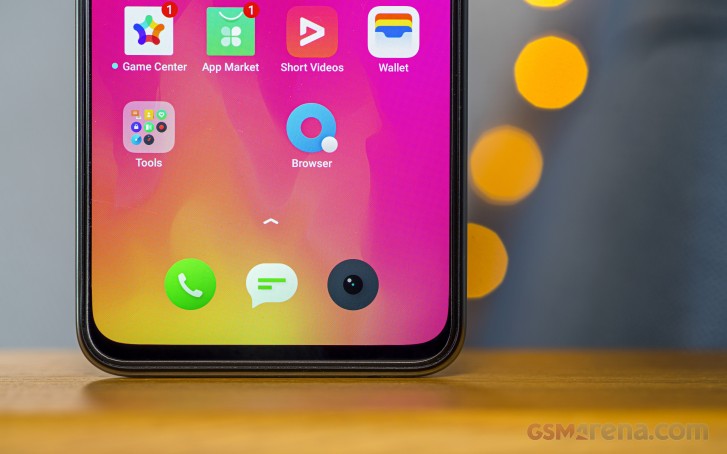
The display isn't curved to the sides and even looks like it's been slapped on top of the chassis. The frame doesn't overlap the front glass, so it may be more prone to breaking if dropped. That's just a theory, though. When you are holding the phone with your hand, you can easily feel the protruding edge of the front panel.
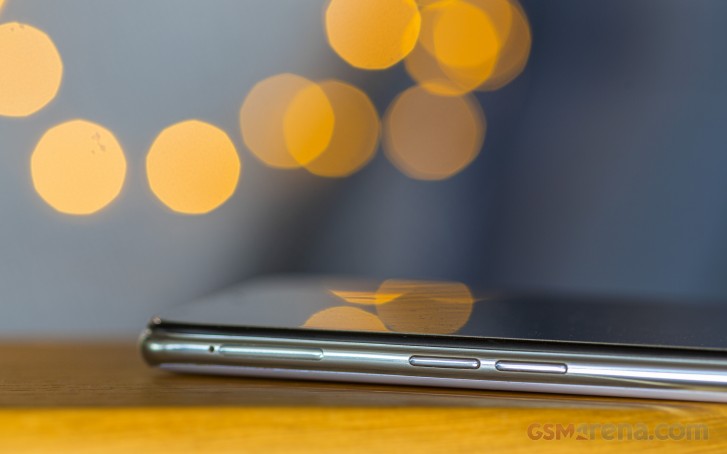
All in all, the X2 is a well-built device with a couple of trade-offs compared to the X2 Pro, but it's expected. At least the vanilla X2 doesn't cut corners where it shouldn't. It's fairly easy to handle with one hand, as far as tall 19.5:9 phones go, of course. It also seems to be bottom-heavy, which is the better option compared to being top-heavy as it doesn't tip over your hand when holding it.
Here's a 360-degree view of the Realme X2 so you can take a better look at it from all sides.
Notched OLED for the masses
As opposed to its predecessor, the Realme X2 comes with a notched Super AMOLED screen featuring a waterdrop-styled notch, 1080 x 2340px resolution making for 19.5:9 aspect ratio. The panel fits in a 6.4-inch diagonal - a small step back from the 6.53" size on the Realme X.
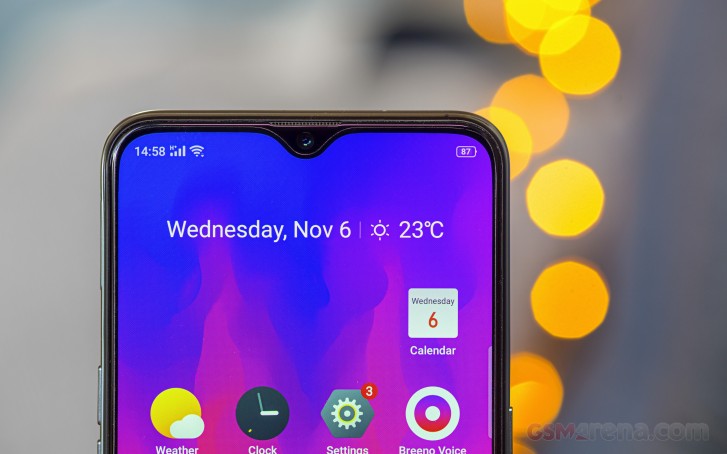
Unfortunately, the screen inherits one issue with pretty much all of Realme's OLED implementations (except for the Realme X2 Pro). We measured a maximum brightness of 432 cd/m2, which might not be enough for comfortable outdoor use if the sun is shining bright. And there's no Max Auto to compensate for that.
But in most cases, 430 nits is still dependable but it's not really competitive.
| Display test | 100% brightness | ||
| Black, cd/m2 | White, cd/m2 | ||
| 0 | 448 | ∞ | |
| 0 | 447 | ∞ | |
| 0 | 500 | ∞ | |
| 0 | 708 | ∞ | |
| 0 | 432 | ∞ | |
| 0.273 | 512 | 1875 | |
| 0 | 407 | ∞ | |
| 0 | 607 | ∞ | |
| 0.371 | 498 | 1342 | |
| 0.421 | 585 | 1390 | |
| 0 | 449 | ∞ | |
| 0.347 | 460 | 1326 | |
| 0.486 | 640 | 1317 | |
The good news is that the panel offers exemplary color reproduction. At least with the so-called Gentle mode, that is. You can expect typical blue-ish whites from the default Vivid color mode and largely overblown reds. Greens, blues, and yellows are also a bit off. The final result is average dE2000 of 6.9 and max dE2000 of 14.8. The gentle mode fixes all of the said inconsistencies and produces nearly perfect colors. The average dE2000 is 1.7 and the maximum is 3.3. This means that the panel reproduces colors that are almost indistinguishable from the reference colors with a naked eye.
Battery life
Having the same battery as the Realme X2 Pro, we expect the vanilla X2 to get more out of the 4,000 mAh unit given that the SoC is more energy-efficient and the screen's refresh rate is 60Hz. The standby score is just about average, but the screen-on tests are what boosted the phone up to a respectable 105h rating, especially the video playback time.
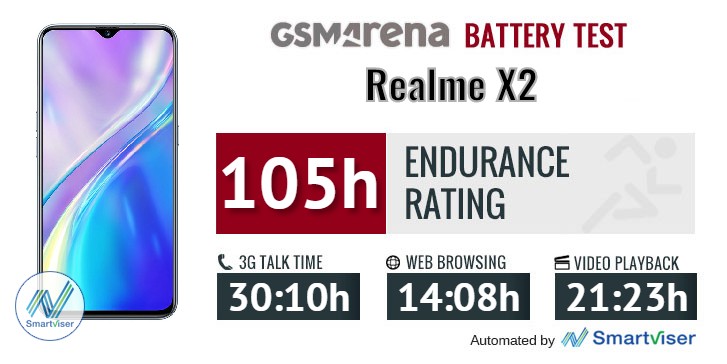
But in case that's not enough, you can rely on the super-fast 30W VOOC Flash Charge 4.0 charging that can charge the battery from 0 to 100% in 1:13h and charged 67% in the first 30 minutes. That's plenty fast considering the 4,000 mAh capacity.
But just like the X2 Pro, the X2 also gets a bit warm during charging. It's nothing to be alarmed about, but it may pose some concerns about the longevity of the battery since Li-Ion and Li-Po batteries don't like prolonged exposure to heat.
Loudspeaker
The phone has a single bottom-firing speaker that's loud enough but not one of the loudest handsets around. On the other hand, the loudspeaker sounds clear enough, so you do get a rather good sound quality that compensates for the lack of loudness.
| Speakerphone test | Voice, dB | Ringing |
Overall score | |
| 64.8 | 71.2 | 82.2 | Good | |
| 68.5 | 69.5 | 81.7 | Very Good | |
| 67.9 | 73.5 | 80.4 | Very Good | |
| 68.5 | 72.7 | 81.0 | Very Good | |
| 66.5 | 71.9 | 85.3 | Very Good | |
| 70.6 | 74.8 | 81.2 | Very Good | |
| 68.9 | 74.3 | 89.8 | Excellent | |
| 82.9 | 75.8 | 91.0 | Excellent |
Audio quality
When hooked up to an active external amplifier in our audio output quality test via the audio jack, the Realme X2 delivered clear output with nice loudness.
Much like most of its stablemates, though, it lost a fair bit of accuracy when headphones came into play. Stereo separation suffered significantly, and some intermodulation distortion crept in, while frequency response got slightly shaky. The volume also dropped to average, so it's a rather mediocre showing in this second test scenario.
| Test | Frequency response | Noise level | Dynamic range | THD | IMD + Noise | Stereo crosstalk |
| +0.03, -0.06 | -92.6 | 92.6 | 0.0020 | 0.0080 | -88.1 | |
| +0.30, -0.37 | -87.2 | 91.0 | 0.0081 | 0.356 | -48.4 | |
| +0.03, -0.06 | -91.3 | 91.8 | 0.0011 | 0.0077 | -92.5 | |
| +0.21, -0.34 | -90.3 | 91.4 | 0.0066 | 0.297 | -51.5 | |
| +0.08, -0.08 | -92.2 | 92.1 | 0.0012 | 0.0081 | -91.4 | |
| +0.50, -0.16 | -92.1 | 91.9 | 0.007 | 0.363 | -48.9 | |
| +0.02, -0.13 | -94.0 | 94.0 | 0.0013 | 0.0081 | -93.6 | |
| +0.18, -0.11 | -85.6 | 84.8 | 0.0062 | 0.108 | -52.6 | |
| +0.02, -0.02 | -93.0 | 92.8 | 0.0012 | 0.007 | -89.4 | |
| +0.25, -0.30 | -91.8 | 91.7 | 0.0045 | 0.312 | -57.3 |
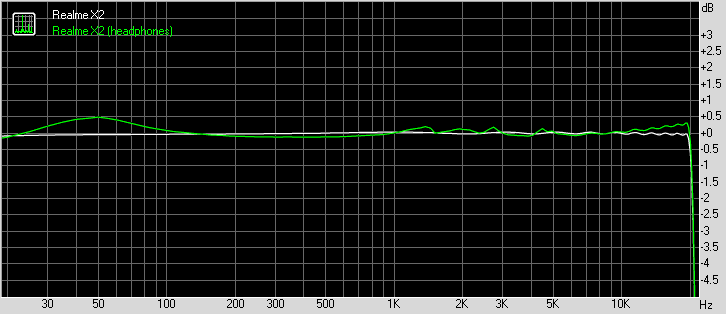
Realme X2 frequency response
You can learn more about the tested parameters and the whole testing process here.
ColorOS 6.1 on top of Android 9 Pie
The handset comes pre-equipped with Android 9 Pie with Oppo's own ColorOS on top and while we were a bit disappointed to see the Realme X2 Pro not being released with the latest version of Google's OS, we can let that one slide with the considerably less expensive Realme X2. Still, Realme has promised a swift upgrade to Android 10 For both phones.
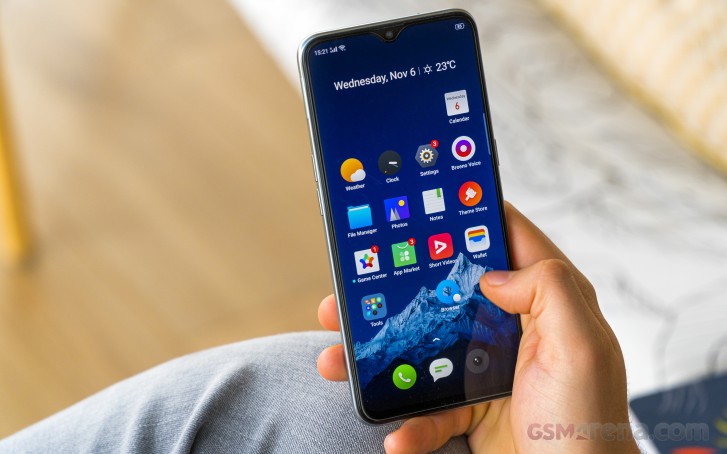
Anyway, the ColorOS 6.1 is a familiar thing, especially since we've reviewed it on the Realme X2 Pro, Although, this phone is currently running the Chinese ROM so we might see some small, negligible differences. Feature-wise, it's almost on par with the X2 Pro.


Lock screen, home screen, recent apps menu
You get to choose between the standard app drawer and displaying all of the apps on the home screen. In the home screen customization sub-menu, you can also find a rather exciting option to speed up animations related to opening and closing apps. It's set to "fast" by default, so we suggest keeping it that way.
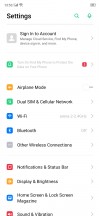
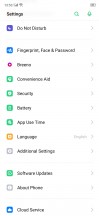
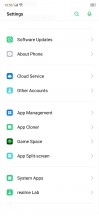

General settings menu and home screen settings
The notification shade is different from most we've seen - it drops down with a single swipe displaying two rows of the quick toggles and the notifications as opposed to showing just one row of quick toggles. The brightness slider is also the first one to show up.
A second swipe down reveals the other two rows of toggles. It reminds us of the old days before Android 5.0 Lollipop when a single swipe was all you need to bring down the notification shade. We kind of like that implementation here - it requires fewer swipes depending on what you are looking for.

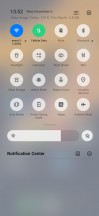
Notification shade
Speaking of navigation, we are happy to see the broad choice of navigation methods Realme provides with ColorOS. The default option is set to "Swipe Gestures from Both Sides", which is basically Android 10's new gestures. Swiping from the left or right edge of the screen takes you one step back, a single swipe from the bottom bezel acts as a home button while swipe and hold brings out the recent apps menu.
The quick switch gesture is rather tricky. Swipe up, hold and imagine you are throwing the app window to the right - this gesture will switch over to the last used app. However, we find that gesture quite fiddly and it works around 30% of the time. It needs more work. We've had the same issue with the Realme X2 Pro, so it's not ROM version-related.
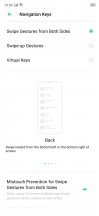

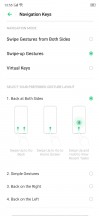
Navigation gestures and navigation keys options
There's an alternative set of gestures that are the same but the back action has been moved to the bottom bar - right or left off-centered swipe up works as a back button. And those of you who are still struggling with the new navigation gestures, you can still use the old software navigation keys if you prefer.
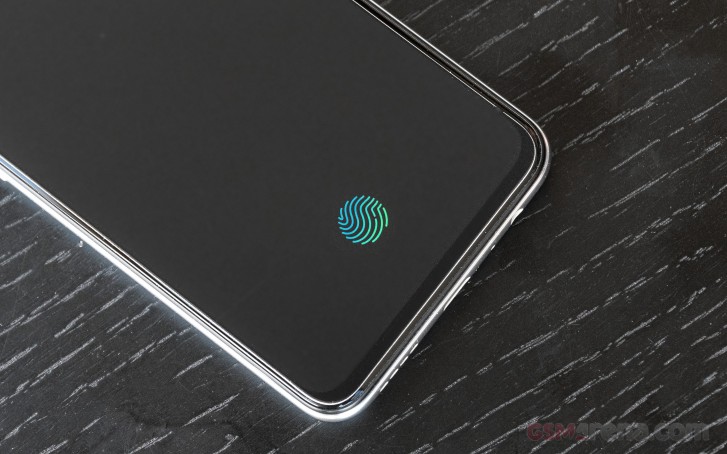
The fingerprint reader is one of the strongest suits of the phone. Just like its more expensive sibling, the phone uses the latest third generation Goodix optic under-display fingerprint reader. It illuminates your finger with white light, as opposed to the green one on the previous generation and it works pretty well. It's super reliable, fast and accurate. We've had just a few misreadings over the course of writing this review and that really says something. We can say it's the best-in-class UD fingerprint scanner.
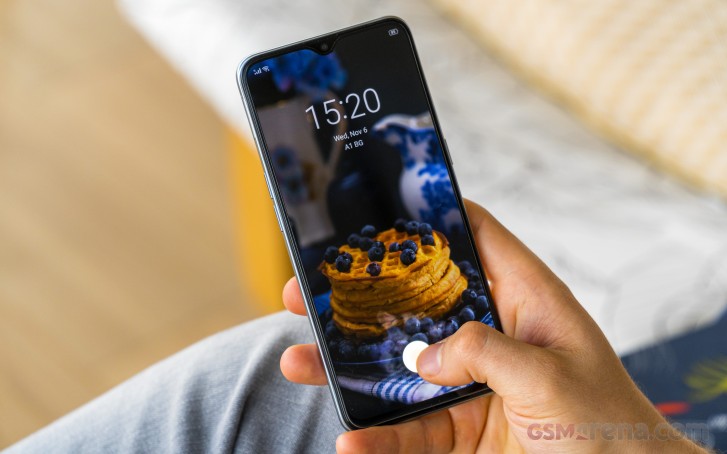
Additional options like per-app lock and different fingerprint animation effects are also available. And for maximum convenience, you can set the screen to illuminate the fingerprint area when you move the phone or when you double-tap on the screen.

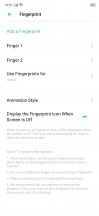
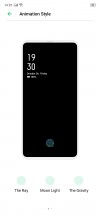
Biometrics options
There's also the less-secure face unlock option using only the front-facing camera, which is also quite fast and reliable although less secure. It can be fooled with a mug shot since the camera doesn't have depth perception.
The so-called Convenience aid menu offers an Assistive ball and Smart sidebar. The first one is basically a ball that can be moved around the screen, and you can execute various gestures with it, helping out with the navigation through menus. The sidebar, on the other hand, offers shortcuts to apps and tasks. You can pull it out from the right edge of the screen and then customize it to your liking. It's something like Samsung's Edge panel but less customizable.
The usual screen-off gestures are also at your disposal. You can summon the camera by drawing "O" or draw "V" on a locked screen to turn on the flashlight. Music control is another useful feature when streaming over a Bluetooth device or headphones without hardware controls.





Assistive ball, smart sidebar and screen-off gestures
The system-wide dark mode that ColorOS 6.1 offers is pretty sweet too. It applies the dark theme not only to the system menus but to third-party apps as well. It works pretty well in most cases and it's nice to have it ahead of the Android 10 release, which promises a more refined dark theme that works with all apps.



Dark mode
And finally, the battery menu holds a couple of additional settings on top of the usual ones that Android Pie offers. There's a power-saving mode that can be triggered at a certain battery level a so-called smart power saver that optimizes apps that you don't use all that often and an App Quick Freeze option. The system freezes apps that you don't often open or use at all to keep them from running in the background and messing up your battery life. It remains questionable whether this is a good solution, especially when having several chat clients with some of them being used rarely. Then again, you can always whitelist some of the apps but less tech-savvy users might be intmidated by the extra legwork needed.
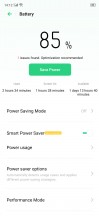
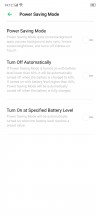



Battery menu
Additionally, three performance modes are at your disposal - an automatic one, which is the default one, one that doesn't improve performance, and the third one is high-performance mode, which is pretty self-explanatory. Use the latter when playing games.
In terms of overall usability and experience, we can't think of anything bad to say about the ColorOS. Aside from the quick switch gesture that needs more tweaking, we found it to be a snappy custom skin overlay with plenty of options and features to play around with. We even found it to be just as fast as on the Realme X2 Pro despite the vanilla X2 having a considerably less powerful SoC. And despite all the bloatware with which the Chinese version of this ROM ships with.
On the other hand, stock Android fans might find themselves overwhelmed by the heavy customization ColorOS has to offer so keep that in mind.
Performance
The Realme X2 is built around a particularly powerful mid-range SoC - the Snapdragon 730G. The chipset is a variation of the vanilla Snapdragon 730 but with a slightly more powerful GPU due to the higher clock speeds. It's still the same Adreno 618 GPU, though. It's just that the 730G has 50 MHz higher clocks than the 500 MHz-clocked vanilla Snapdragon 730.
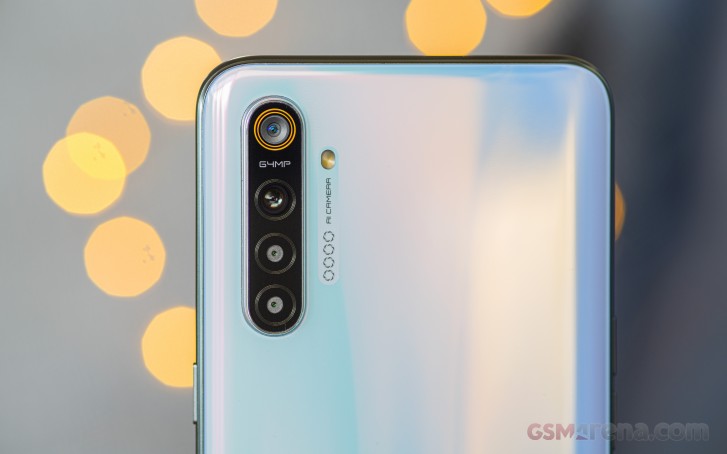
On the CPU front, we have 2x Kryo 470 Gold cores (Cortex-A76 derivatives) ticking at 2.2 GHz and 6x Kryo 470 Silver cores (cortex-A55 derivatives) for less-demanding tasks to save on power. They are clocked at 1.8 GHz. The CPU is built on the 8nm LPP node.
GeekBench 4.1 (multi-core)
Higher is better
- Realme X2 Pro
10373 - Oppo Reno2
7001 - Realme X2
6926 - Oppo Reno2 (High performance mode)
6881 - Xiaomi Mi 9T
6863 - Samsung Galaxy A70
6584 - Realme 5 Pro
6106 - Realme XT
6102 - Realme X
5915 - Nokia 7.2
5440
GeekBench 4.1 (single-core)
Higher is better
- Realme X2 Pro
3527 - Oppo Reno2
2547 - Xiaomi Mi 9T
2537 - Oppo Reno2 (High performance mode)
2536 - Realme X2
2508 - Samsung Galaxy A70
2391 - Realme 5 Pro
1913 - Realme XT
1899 - Nokia 7.2
1534 - Realme X
1475
GeekBench 5 (multi-core)
Higher is better
- Realme X2 Pro
2602 - Oppo Reno2
1752 - Realme X2
1744 - Oppo Reno2 (High performance mode)
1731 - Realme XT
1569 - Nokia 7.2
1425
GeekBench 5 (single-core)
Higher is better
- Realme X2 Pro
589 - Oppo Reno2
548 - Realme X2
547 - Oppo Reno2 (High performance mode)
544 - Realme XT
410 - Nokia 7.2
336
AnTuTu 7
Higher is better
- Realme X2 Pro
396827 - Redmi Note 8 Pro
224759 - Oppo Reno2 (High performance mode)
217008 - Realme X2
215578
Oppo Reno2 - Xiaomi Mi 9T
211915 - Realme XT
185193 - Realme 5 Pro
182765 - Samsung Galaxy A70
167750 - Nokia 7.2
139495
214097
GFX 3.1 Manhattan (1080p offscreen)
Higher is better
- Realme X2 Pro
78 - Oppo Reno2
30 - Oppo Reno2 (High performance mode)
30 - Realme X2
29 - Redmi Note 8 Pro
29 - Realme 5 Pro
27 - Xiaomi Mi 9T
27 - Realme XT
26 - Nokia 7.2
15 - Samsung Galaxy A70
15
GFX 3.1 Manhattan (onscreen)
Higher is better
- Realme X2 Pro
57 - Oppo Reno2
26 - Oppo Reno2 (High performance mode)
26 - Realme X2
24 - Redmi Note 8 Pro
24 - Xiaomi Mi 9T
24 - Realme XT
23 - Realme 5 Pro
22 - Nokia 7.2
13 - Samsung Galaxy A70
13
GFX 3.1 Car scene (1080p offscreen)
Higher is better
- Realme X2 Pro
47 - Redmi Note 8 Pro
18 - Oppo Reno2
17 - Oppo Reno2 (High performance mode)
17 - Realme X2
16 - Xiaomi Mi 9T
16 - Realme 5 Pro
15 - Realme XT
15 - Nokia 7.2
9 - Samsung Galaxy A70
8
GFX 3.1 Car scene (onscreen)
Higher is better
- Realme X2 Pro
37 - Redmi Note 8 Pro
14 - Oppo Reno2
14 - Oppo Reno2 (High performance mode)
14 - Realme X2
13 - Realme XT
13 - Xiaomi Mi 9T
13 - Realme 5 Pro
12 - Nokia 7.2
8.1 - Samsung Galaxy A70
7
3DMark SSE 3.1 Unlimited
Higher is better
- Realme X2 Pro
5792 - Realme X2
2576 - Oppo Reno2
2573 - Oppo Reno2 (High performance mode)
2556 - Redmi Note 8 Pro
2439 - Xiaomi Mi 9T
2329 - Realme XT
2284 - Realme 5 Pro
2253 - Nokia 7.2
1427 - Samsung Galaxy A70
1112
As expected, the raw single-threaded and multi-threaded CPU performance is pretty strong thanks to those big Cortex-A76 cores.
The higher clocked GPU appears to have a slight edge over its vanilla sibling, which should come in handy during gaming. The combined AnTuTu 7 scores are here to attest.
Still, the difference shown in synthetic benchmarks is too little to felt by most users when gaming. The 50 MHz higher clocks offer insignificant gains. That doesn't mean we are not happy with the overall performance of the SoC, though. The Snapdragon 730G is a pretty competent mid-range SoC - a spiritual successor to the Snapdragon 660.
Quad-camera setup with a dedicated macro lens
Following the steps of its more expensive sibling, the Realme X2 also features a quad-camera setup. However, the setup here is quite different from the X2 Pro - it swaps the telephoto camera for a dedicated macro one and the ultra-wide unit uses a different sensor too. But if you look at it from an upgrade standpoint, the X2 adds an ultra-wide and a dedicated macro lens as both weren't on board of the first Realme X.
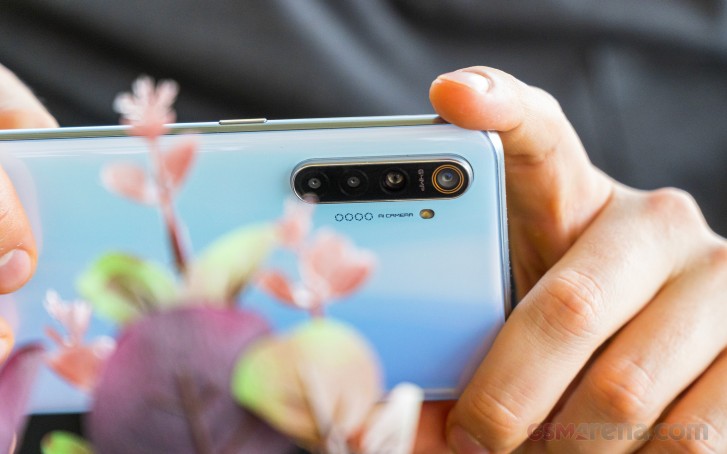
The main camera matches, though - 64MP with f/1.8 aperture, 0.8µm pixels and the sensor itself is one of the biggest in the industry - 1/1.7". The ultra-wide is 8MP with f/2.3 aperture and 1.12µm pixels, the macro camera is 2MP with f/2.4 with relatively large 1.75µm pixels and the last one is a 2MP depth sensor.
Now let's take a look at the menus.
Camera menus
The default camera app is identical to the other ColorOS-powered devices. Swiping left and right switches between the camera modes and there's also a small hamburger menu that shows the rest of the modes that don't fit the screen. The additional settings menu is in the upper right corner giving you control over video resolution and frame rates.
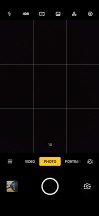
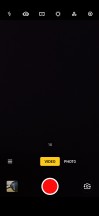
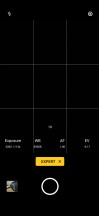


Camera menus
The Expert mode (Pro mode) gives you the usual settings to tinker with - ISO, shutter speed, white balance, manual focus and exposure.
Daylight samples
The main 64MP camera outputs lovely 16MP photos with natural-looking colors, wide dynamic range and generally nice detail. We can say that the overall rendering is similar to the X2 Pro.






16MP daylight samples
Unfortunately, though, we found the noise a bit too much and there's a prominent corner softness (in the lower-right corner).
The 64MP mode is just as grainy, introduces a tad more detail to the image, but the corner softness from the lens is still present. Overall rendition is identical to the 16MP mode, which means that dynamic range is wide here too.






64MP daylight samples
Zoom photos aren't impressive - they don't hold up against proper 2x optical zoom cameras. You can still get some usable images for social media posting if there's enough light in the scene, though.






2x zoom photos
The ultra-wide camera has largely different processing compared to the main camera. The 8MP ultra-wide camera has punchier colors, higher contrast in general and narrow dynamic range that tends to produce underdeveloped shadows.





Ultra-wide daylight samples
Additionally, we've noticed super soft corners, color fringing towards the edge of the pictures and there's plenty of noise too. The images are soft too.
Then again, we can't think of an ultra-wide unit that's doing well in this price range anyway.
Macro samples
Now off to the macro shots, we see entirely different processing - a bit washed out colors, darker images in general and not the best level of detail too. That's what you'd get from a 2MP camera, after all. Yes, you can focus on the subjects really close (up to 2.5cm), but you can also crop out the center of the main sensor and get better results. So once again, we are not sure the dedicated macro camera is worth using at all.




Macro camera samples
Low-light samples
The main camera produces punchy colors at night thanks to the somehow higher contrast and pictures look a little bit darker than you'd expect. The punchier colors come with a price, though - there's a tad more grain. It's an expected trade-off. However, dynamic range is pretty nice and there's obviously an HDR algorithm working here judging by the well-preserved highlights and light sources. And that's without even resorting to the night mode.






Low-light samples in the standard photo mode
Speaking of, the Nightscape's performance is a mixed bag. It produces generally brighter images and extracts plenty of information from the shadows, but it tends to make images softer and there's that image stacking issue that we've noticed with the X2 Pro.






Nightscape samples
It looks as if the night mode algorithm sometimes chooses a blurry image to include in the final image and that jittery effect can be observed as a result. And it can be seen only in certain parts of the image. Having said that, the Nightscape-produced photos look better on the small smartphone screen but upon closer inspection drag behind the normal ones in terms of overall quality.
The ultra-wide camera struggles to produce good low-light images as images are really soft, noisy. They are just supbar. Colors do look nice, though.






Low-light ultra-wide samples: Normal • Nightscape • Normal • Nightscape • Normal • Nightscape
Unfortunately, the night mode doesn't do much for it too - images do get brighter yet, even softer too.
Portraits
Portraits have that natural look to them with nice bokeh, accurate skin tone, punchy colors without going overboard and plenty of detail. The edge detection is impressive and works best at the default 60%. You can adjust the slider for a more dramatic bokeh effect (the second photo is at 100%) but the software will make more mistakes. The overall quality and processing looks strikingly similar to the portraits taken with the X2 Pro, which is a good thing.



Portrait samples
Selfies
Selfies, on the other hand, aren't all that impressive. The dynamic range is narrow, colors look dull and there's some beauty effect going on there (notice the eyes of the subject) that can't be turned off for some reason. Detail is rather nice, though and the Nigthscape helps a lot in poorly-lit environment. Also, keep in mind that the portrait selfies are cropped out to 8MP while the standard ones come out in the native 32MP resolution. And HDR doesn't apply to portrait selfies, as you can see for yourself.






Selfies: Normal • Portrait • Normal • Portrait • Normal • Portrait
And here's the Nightscape selfie mode in action.


Selfie: Normal • Nightscape
Now let's take the time to compare the phone to some of its competitors in a more controlled environment.
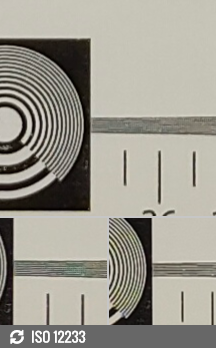


Realme X2 against the Realme X2 Pro and the Xiaomi Mi 9T in our Photo compare tool
And here's how it stacks against other 64MP-capable smartphones.
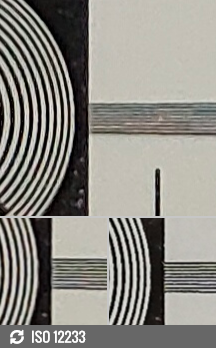

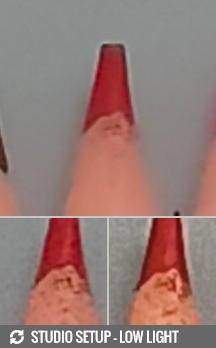
64MP: Realme X2 against the Realme X2 Pro and the Redmi Note 8 Pro in our Photo compare tool
Video recording
The Realme X2 supports video recording in 2160p@30fps and 1080p up to 120fps. It also suppers ultra slow-motion at 960fps at 720p video resolution, which is rather impressive given its price tag. Of course, this doesn't mean that this is native 960fps recording - there's some interpolation going on there.
Anyway, here's how the 4K@30fps mode looks - with nice natural-looking colors but clipped highlights due to overexposing. We think dynamic range looks okay. You also get plenty of detail in 4K resolution except for the lower-left corner of the frame - we've already established that the lens introduces some corner softness.
Naturally, 1080p videos don't look as good due to the lower resolution but we've seen better Full HD videos, nonetheless. The trees look "blocky" and detail is lacking. The processing is the same as in 4K mode, though.
Full HD video recording is also possible using the ultra wide-angle camera but the results are underwhelming to say the least. The dynamic range is an issue and it's soft.
Stabilization is available only in 1080p resolution and you can't turn it off - it's always there. It does the job pretty well. If you need the wider field of view, you have to resort to 4K as it doesn't use EIS in that mode and doesn't crop.
There's also the Ultra Steady mode, which is capped at 1080p (even flagship phones with equivalent feature are capped at 1080p), which looks to be doing a pretty nice job smoothing out pretty much everything. The footage looks like it's taken from an action cam and the 60fps recording help with that. Interestingly, we didn't see any substantial loss of detail in 60fps and as opposed to other phones with the feature, this one uses its main camera and not the ultra-wide unit. Perhaps the big 64MP sensor gives enough headroom for the software to crop out the excess around the frame and stabilize the image.
And here's a nifty comparison for the pixel-peepers.
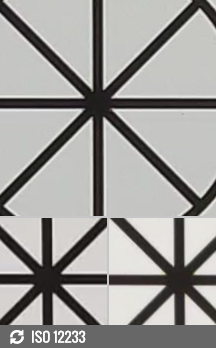
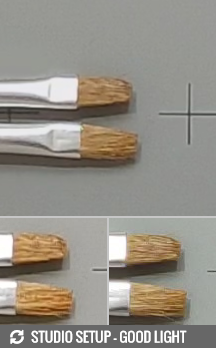

2160p: Realme X2 against the Realme X2 Pro and the Xiaomi Mi 9T in our Video compare tool
Competition
Upon its release, the Realme X2 find itself in the awkward situation of not having any direct rivals in the same price range. And by direct, we mean a similar set of features asking the same price in return, but that doesn't mean there aren't alternatives - cheaper or more expensive. It's really hard to beat such competitive pricing at around €299.
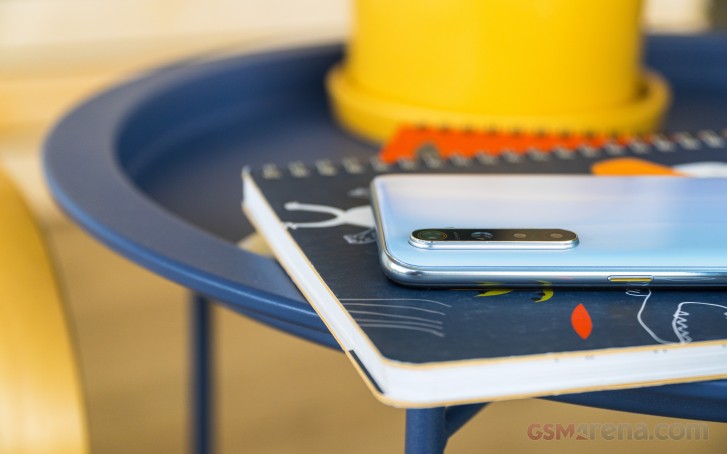
The first option and probably the best one in the following list is the Xiaomi Mi 9T. It costs exactly €300 in most stores around Europe and offers a similar set of features plus a proper telephoto camera. Also, the overall camera experience on the Mi 9T is better - from daylight to nighttime scenery. It packs essentially the same Snapdragon 730 chipset paired with 6GB of RAM and 64GB of internal memory - just like the X2. However, the Mi 9T misses on the microSD card slot while the X2 doesn't.
The Xiaomi's offering also has comparable battery life, slower charging, but a full-screen front design without cutouts or notches of any kind is hard to argue with. The motorized front-facing camera allows it. And the display itself is better too - it's significantly brighter. Moreover, MIUI can be seen by most as a more mature Android skin and perhaps guarantees a tad faster updates than ColorOS. Xiaomi tends to push MIUI updates to its older devices, even though the 2-year Android update limit most OEMs apply is in place here too.



Xiaomi Mi 9T • Samsung Galaxy A70 • Nokia 7.2
Moving down the list we can't miss mentioning one of Samsung's mid-range offerings that seem to be pushing the company in the right direction the last two quarters or so. The Galaxy A70 is a similarly-priced alternative with a big 6.7-inch screen if you are into big phones and Samsung's refined One UI. Sadly, the huge and bright Super AMOLED screen and the dependable battery life are the only things teh A70 has going for it. The Realme X2 is better in every other way - performance, fast charging, camera experience and has arguably longer battery life too.
The recently reviewed Nokia 7.2 also struggles to impress when sitting in the same room as the Realme X2. Design-wise, the Nokia 7.2 looks more mature, but that's more of a subjective opinion. Realme X2 is a lot better choice as it has a far superior chipset, screen, camera, and battery. The Nokia 7.2 makes the X2 look like a no-brainer for the asking price. And HMD Global's contender is merely €20 cheaper, too.
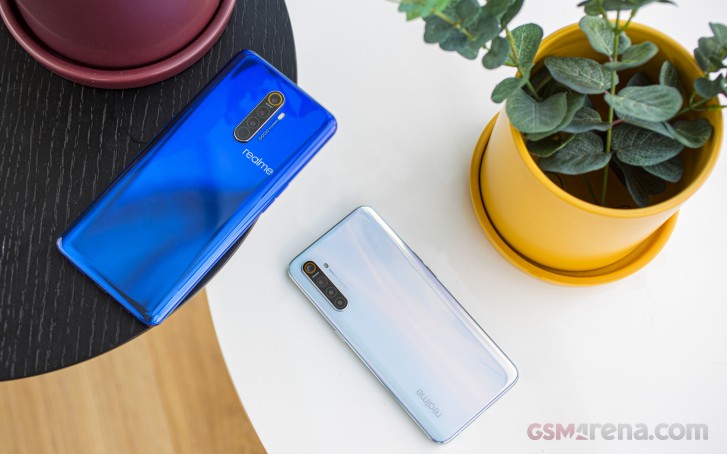 Realme X2 Pro and Realme X2
Now let's talk about what Realme can offer you for €100 less and for €100 more. The Realme 5 Pro is a solid €200 phone that proved to have an excellent price/performance ratio, similar camera experience, long battery life, nice design, but swaps the AMOLED screen for a regular old IPS LCD one. Surely, not all users would mind, but it does give the Realme X2 a run for its money, especially that it has a competent, fast charging tech on board.


Realme 5 Pro • Realme X2 Pro
For €100 more, Realme can sell you the Pro version with outstanding and substantially brighter 90Hz OLED, the same snappy under-display fingerprint reader, flagship Snapdragon 855+ chipset, great-sounding stereo loudspeakers and absurdly fast charging - yes, even faster than this one here. The camera experience is also sensibly better and more versatile - you get a better ultra wide-angle camera and a real telephoto unit capable of 2x optical zoom. So if you are on the fence of buying the X2 Pro, maybe you should go for it. The extra €100 are definitely worth it even though the difference may sound a lot.
Verdict
With the limited amount of direct competent rivals, the Realme X2 is in a comfortable spot. Or is it? Xiaomi's Mi 9T offers a better screen and better cameras for the same price on top of the pop-up camera novelty adding to the coolness factor. So it's a tough decision this one,, and your preference to Android skins could help push you one way or the other.
Then there's the Realme X2 Pro. Sure, more expensive, but you do get unmatched features at a €399 price point, making it the real "bang for the buck" deal. We're not saying the X2 isn't a good choice, we're just saying that if you are looking to maximize your performance per dollar ratio, the Pro version might be the more sensible choice.
Aside the Mi 9T and the X2 Pro, the vanilla X2 still has a lot on the table with a color-accurate AMOLED screen, long battery life, powerful and efficient SoC, microSD card and 3.5mm jack support, unrivaled fast battery charging and UD fingerprint reader in the price range. We can't miss saying a few good words about the haptic engine taken from its costlier sibling - the X2 Pro. It's not one of those must-have features, but it's nice to see it taken seriously in the mid-range and we think it adds to the overall user experience. It's precise and strong at the same time - something you'd expect to see in a real flagship phone.
One thing is for sure, though - it's an easy recommendation, and we can't really think of a reason why you shouldn't get the vanilla X2.
Pros
- Color-accurate AMOLED screen
- The fastest under-display fingerprint reader around (given the price, or course)
- The main 64MP snapper takes nice photos and videos
- Long battery life
- Fast 30W VOOC Flash Charge 4.0 is probably the fastest charging tech in this segment
- Competent and rare to find SoC at this price
- Has 3.5mm audio jack, microSD card slot and flagship-class haptic feedback
Cons
- The ultra-wide camera is underwhelming, so are 1080p videos by all of the cameras
- The Nightscape (night mode) camera mode needs more work
- The max brightness might be a bit low for bright sunlight conditions

No comments:
Post a Comment