
Introduction
T is definitely the new S in the mobile world, and while the Xiaomi Mi 9T Pro is yet another Mi 9, it's the most 'flagship killer' of the bunch. The Pocophone may or may not be dead, but the Mi 9T Pro definitely feels like it's the spiritual successor to that model. The Mi 9T Pro, that is, or the Redmi K20 Pro - the same phone uses both names, depending on the market.
We've clearly hinted at the fact that Xiaomi's naming scheme is becoming incredibly confusing, we're not going to hide that sometimes we're perplexed by their choices. However, we're very curious to see if the Mi 9T Pro is the one Mi 9 that you should remember and keep in mind, above all the others. It certainly seems so when you read its spec sheet and then find out the price tag.
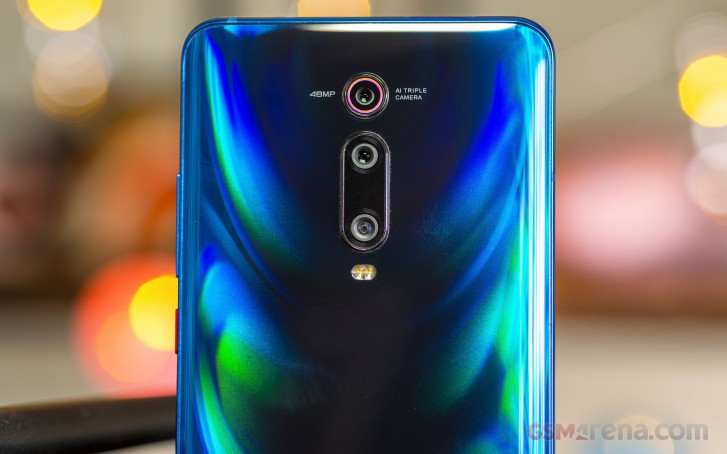
So is the Mi 9T Pro the 'flagship killer' 2.0? Does it do justice to its iconic predecessors in this arena, such as the OnePlus One and the Pocophone F1? To find out, we've been using the Mi 9T Pro as our one and only smartphone for an extended period of time. And yes, we have some thoughts about what this handset is like to live with day in and day out. A lot of thoughts.
So if you want to get an idea of how good a daily driver the Mi 9T Pro is, let's jump over to the next few pages of this long-term review to find out. If you want raw test numbers, though, our normal review is going to provide those. In this long-term review, we're focusing more on how things feel in use, in hand, in day to day life, rather than whether one device or another wins some synthetic competition. So buckle up and let's see what the Mi 9T Pro is all about.
Design, build quality, handling
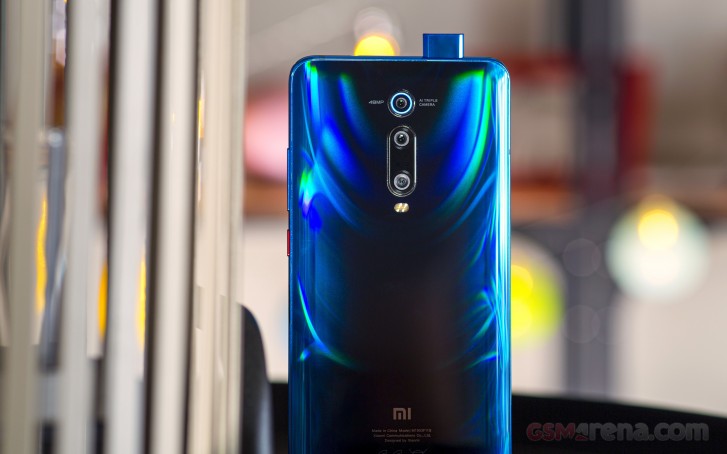
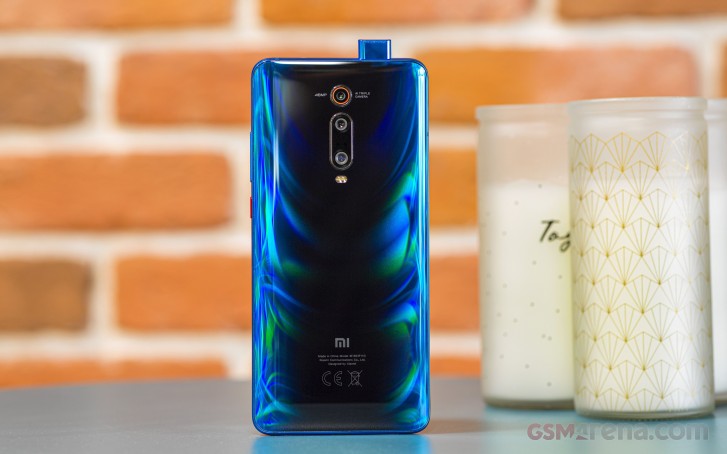
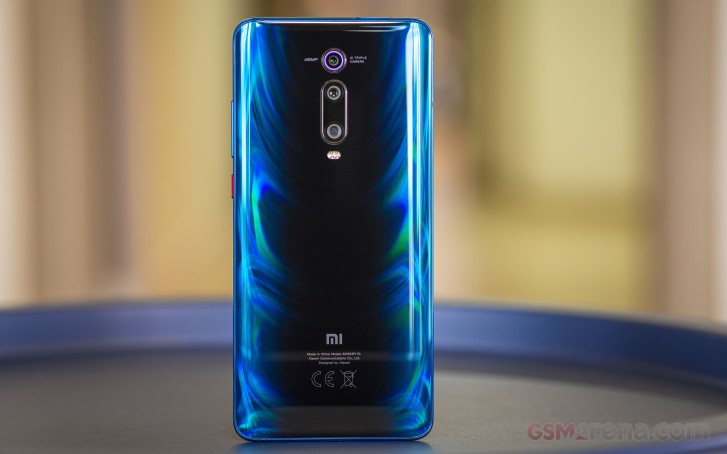
Every Android device maker is now playing with colors, accents, shades, and various effects that show up depending on how light hits a phone's back. The Mi 9T Pro stands out even so, with its very unique pattern on the rear. It's black in the middle, and then blue or red towards the sides, and it all feels very dynamic when you look at it. Like fire. Red fire or blue fire. The design turns heads on the street, literally, and it's been a long time since we had that happen for any smartphone. And dare we say it - the back's design it's so mesmerizing that we found ourselves simply glancing at it for a few minutes every now and then, even if that meant taking the phone out of a case. It's just plain pretty, and if you move it around in your hand the blue-ish lines that go towards the black center just look like they're... dancing, somehow.
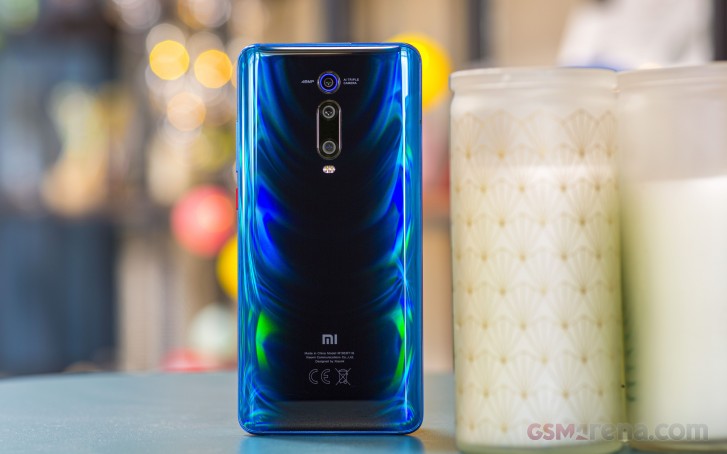
That's probably the most striking feature of the Mi 9T Pro, design-wise, because otherwise, it's a pretty safe package. It's a glass sandwich like many others, slippery as you'd expect - including the metal sides, which are painted blue or red to go with the rest of the colorway you have. To this reviewer's decidedly big hands, it never felt uncomfortable to use; we never thought it was too big. It is hefty though, and just top-heavy enough that you'll notice.
The red power button in our blue review unit is a nice touch that we've appreciated every day, it creates a nice contrast to how blue everything else is around it. The volume rocker is right above, but there were no issues telling which is which, as when hunting for the power button by touch, we'd start from lower and then stop when we hit it.
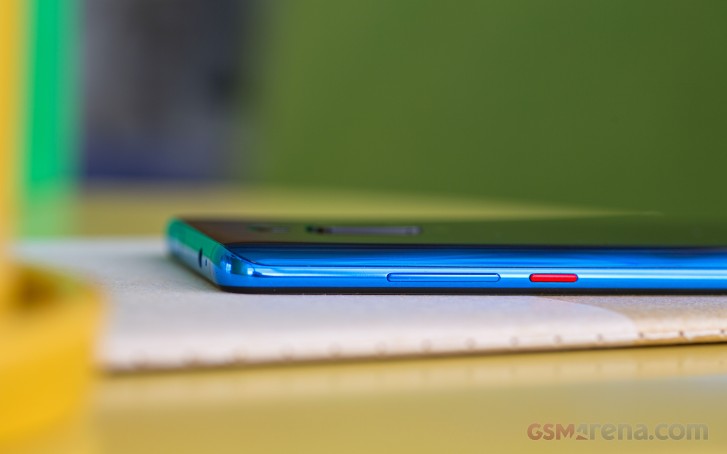
The bare left side is interesting, as it looks like the trend of dedicated physical buttons for virtual assistants is finally dying down. The SIM tray's position on the bottom side interestingly means you can insert or remove a SIM without having to take off the case that Xiaomi includes in the box with this phone. Speaking of, while it's not very thick, it's a very nice case that has a matte finish on the back that is the opposite of the glass on the handset's rear, when it comes to slipperiness.
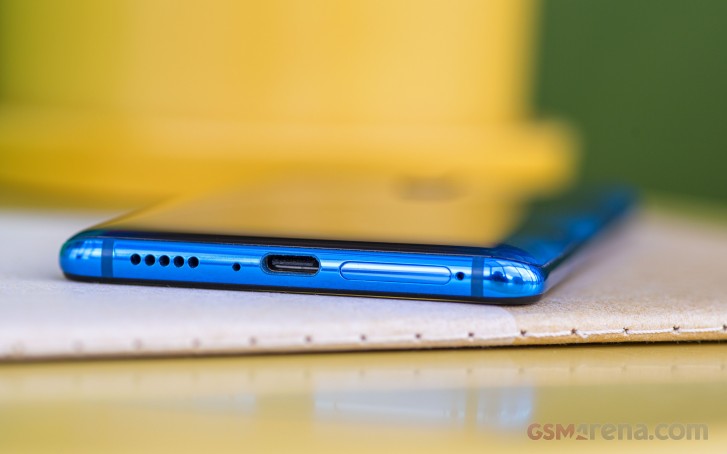
The case still picks up fingerprints, though. It's refreshing to see a bundled case that isn't transparent, and one that feels high quality, but the irony is that this is perhaps the one phone for which you'd really want a transparent case, given how pretty the back is. And if you use the included case, you're missing out on that. You win some, you lose some.
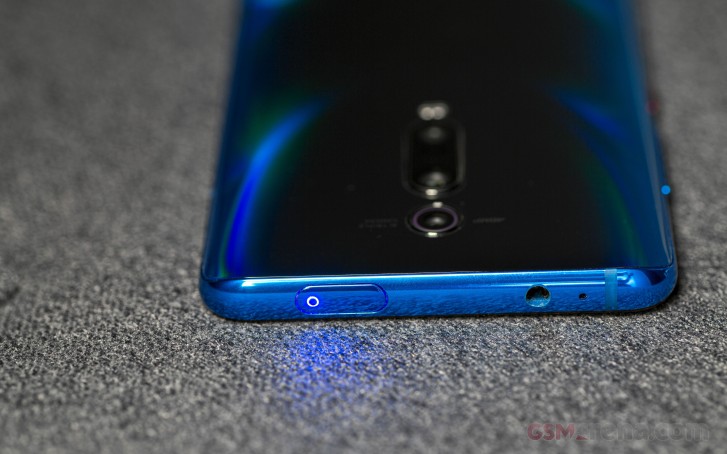
The pop-up selfie camera is itself a unique design element, even though these are starting to be used more and more by various companies. The fact that the lights inside this enclosure work as a notification LED that shows up as a circle at the top of the module is really neat, and a creative way to solve that problem, since they're probably wasn't room for a standalone notification light in any of the screen's tiny bezels.
So while this notification LED that is on the top side isn't in the most useful position ever (since it's not on the front somewhere), it's still there. As, by the way, is a 3.5mm headphone jack. Other Mi 9 models may not have it, but the 9T Pro does, because this handset seems to live by the ethos of giving you as many options as possible.
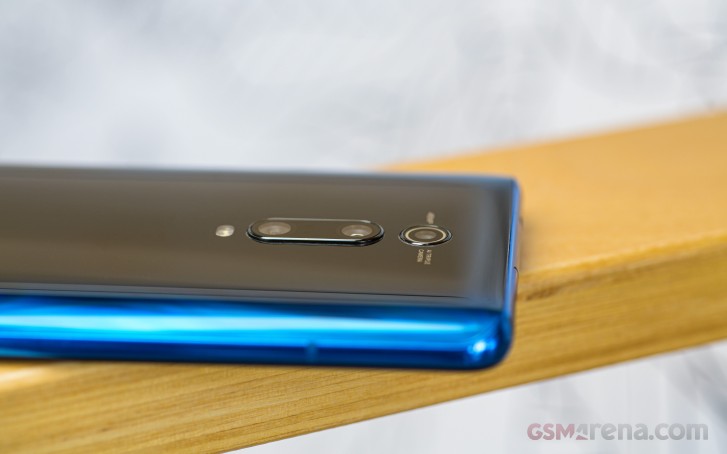
There's a camera bump at the rear, but it's incredibly small and doesn't make the phone wobble at all when it's sitting on a desk, and you type on it. While the device is thicker than others at 8.8mm, that means it can accommodate a 4,000 mAh battery, which we're really appreciate.
The single bottom-firing speaker is passable, but could have been louder, and seems to distort the high-end at high volumes. Its position also means that you might need to 'cup' the phone in your hand to make the sound bounce off more in your direction.
Overall, the Mi 9T Pro is a very well designed phone, and it's also flawlessly built. The pop-up selfie camera introduces moving parts into the package, and that might be worrying for you if you want to keep this phone for many, many years. We can't judge the resilience of the module, but our guess is it should last quite some time.
This handset is easy to handle (unless you have small hands, we assume), it's hefty but not too heavy, its size is what most people would expect nowadays, and it brings you some options you simply don't get in other high-end devices anymore - like a 3.5mm headphone jack and a notification LED. On the other hand, you don't get a microSD slot for storage expansion, so you may want to pick a model with 128 or 256GB of storage, just to be on the safe side.
Display
The Mi 9T Pro has a notchless screen, which is pretty great. The bezels are tiny on all sides, although as usual, the bottom one is bigger than the rest. Not by much, though, and unless you're really OCD you'll stop noticing the size difference within a couple of hours of using the phone.
What you won't stop noticing is how good it is to have a phone that's practically all-screen in your hands, one day after another. The panel is HDR capable, and Xiaomi has a few contrast and color settings you can play with to get things looking just the way you like them. For reference, we went with Automatic contrast, because that's supposed to optimize the display for the available light, and picked Warm colors, because the other two options result in absurdly bluish whites. The Warm setting feels like it skews a little bit too much towards yellow, but there's a color wheel you can play with if you are so inclined.
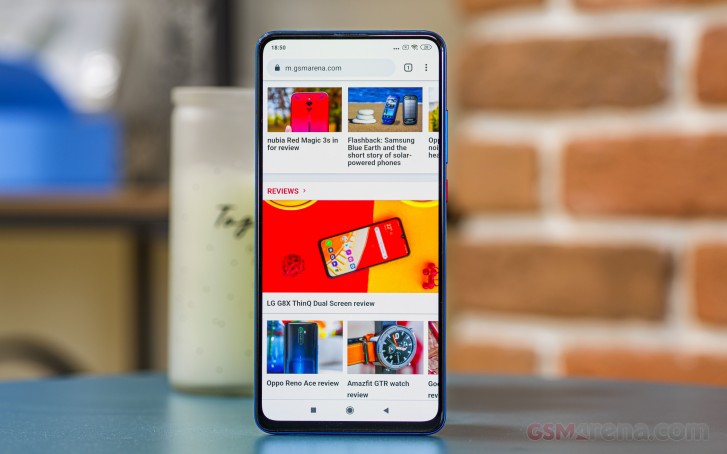
The display is 1080p+ only, but we're willing to bet you'll never ever spot individual pixels unless you go in really close and try to pixel peep. It's a good quality screen, and Xiaomi has been using 6.39-inch 1080p+ panels for quite a while now, in quite a number of devices already, so it does have some experience with that.
Brightness is high enough in Auto mode to make the display visible even in the harshest sunlight, even if the levels aren't record breaking. That said, we do feel like the screen could have gotten dimmer at night, on the lowest setting that it reaches when Auto brightness is on. This isn't actually the 'bottom' of the slider, it's always a bit more than that, even in pitch darkness. If you then manually drag the slider all the way to the left it does get dimmer, but we feel like a lot of competitors do go further in making things easier on the eyes at night.
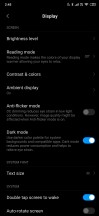
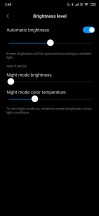
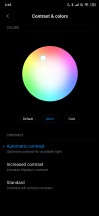
Display settings
To make things confusing, there's a "Night mode" setting that is incredibly vague. You'll see it in Display > Brightness level, and you can adjust two sliders there: Night mode brightness, and Night mode color temperature. The only instructions you get are this: "To turn Night mode on, minimize screen brightness in low light conditions". OK, but why isn't this something that happens automatically? Night mode may, in fact, be why the brightness slider never goes all the way down by itself because it's waiting for you to manually enable Night mode by taking it to the left. It's a strange UX decision, this, and what we said above about the screen feeling just a tad too bright on the lowest setting applies even when "Night mode brightness" is set to the minimum.
Also a MIUI specific 'feature' is that you can't just tap the brightness slider to indicate where you want it to go, you have to swipe from left to right or right to left, even a little. You'll get used to this, but it's one of those things that feel different just for the sake of being different. Like with any other modern Android smartphone, the Auto brightness system should learn from your manual adjustments in time, so there will be less and less need for them after a while.
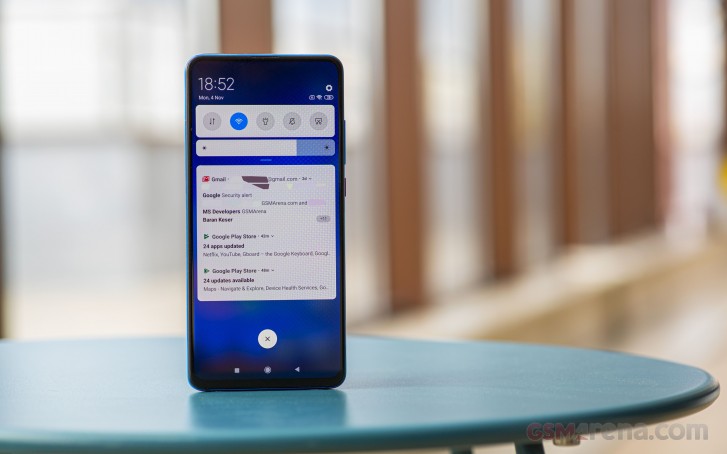
There's an always-on Ambient display which shows you the usual - time, date, notifications - and can be scheduled to come on and turn off at specific times, which is very handy if you sleep in a very dark room and don't want any trace of light to disturb you. Xiaomi's blue light filter, called Reading mode, does its job well, but we do feel it skews a little too much towards yellow (as opposed to orange). Anyway, this effect is adjustable via a slider, and the feature is schedulable, too.
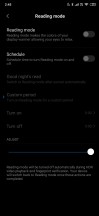
Reading Mode
While we're on the topic of software features related to the screen, DC dimming is there too. Turning this on means the panel won't be dimmed by using pulse width modulation (PWM), but by directly lowering voltages. As some people are really sensitive to PWM, this means they basically get a reprieve and can use the phone as everyone else. This feature is called Anti-flicker mode, because DC dimming does not involve flickering at low brightness levels, unlike PWM, but color reproduction might be affected if you use DC dimming, so if you don't get eye strain from the default PWM, then just leave things as they are.
Fingerprint sensor
The Mi 9T Pro's in-display fingerprint sensor is of the optical variety, like most out there, and these have gotten incredibly good recently. Is this sensor as fast as the fastest capacitive ones (which, incidentally, Xiaomi itself still uses for some lower-priced phones)? No, but it's so close that we're willing to bet you'll only be able to notice a difference if you happen to have the two technologies side by side.
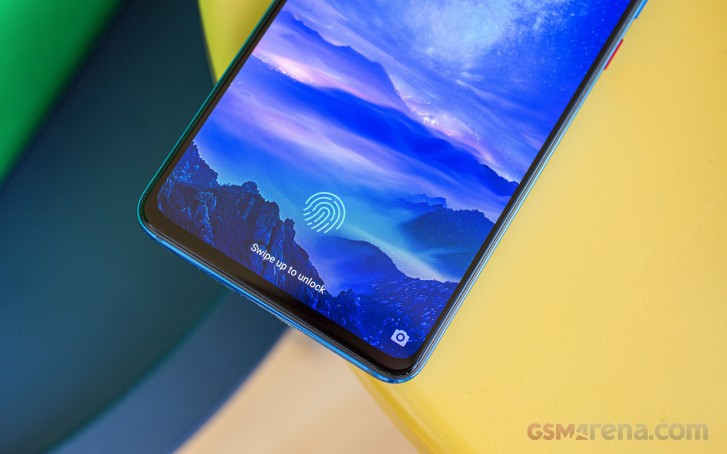
In our extended use, it felt around 99% accurate as well, which is high praise for an in-display unit. Samsung is still struggling with its ultrasonic sensors, while the first generation optical ones were... very far away from where we're at now.
There's a setting that will make the fingerprint image appear on the always-on display when the phone senses it's being moved, so unlocking is made as painless as possible as there's no necessity to press any side-mounted buttons before placing your finger on the sensor.
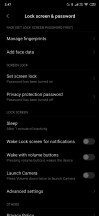
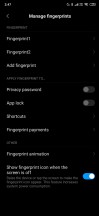

Lock screen settings
Face unlock is available but rather pointless to use because the fingerprint recognition is much faster than the time it takes you to wait for the selfie camera to pop up and recognize your face. This version of face unlock only uses the camera, so it's also much less secure than the fingerprint sensor, which is why we only used it a couple of times to confirm that it works, and then simply stuck with the fingerprint scanner, as that felt like the logical choice.
Software
MIUI has been around for a long time - before there were even any Xiaomi phones. The skin is one of the heaviest out there, it modifies seemingly everything about the stock Android experience when it comes to looks and sometimes messes with functionality too. All this said, MIUI is incredibly popular, and that might be because it strikes a good balance between looking great, bundling a ton of options and choices, and being a champ when it comes to performance.
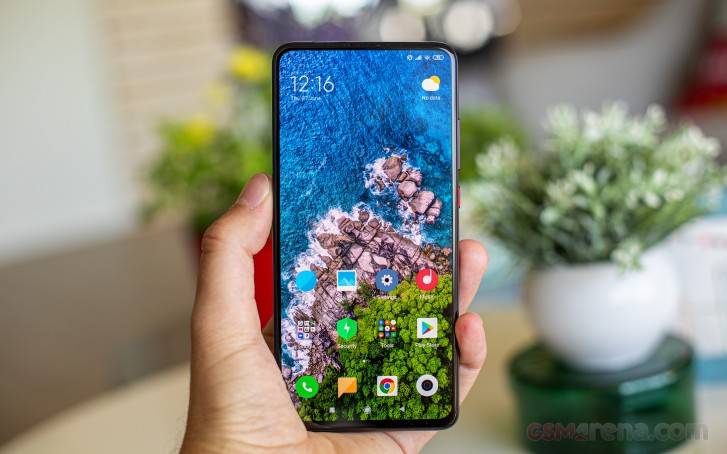
It's bloated, for sure, but it's so fast that you're going to stop using "bloated" as a synonym for "slow." We're talking about MIUI 10 here, which is based on Android 9 Pie. At the time when this review process was finalized, the Mi 9T Pro is running MIUI 10.3.4, the global version, with the September 1, 2019 security patch level.
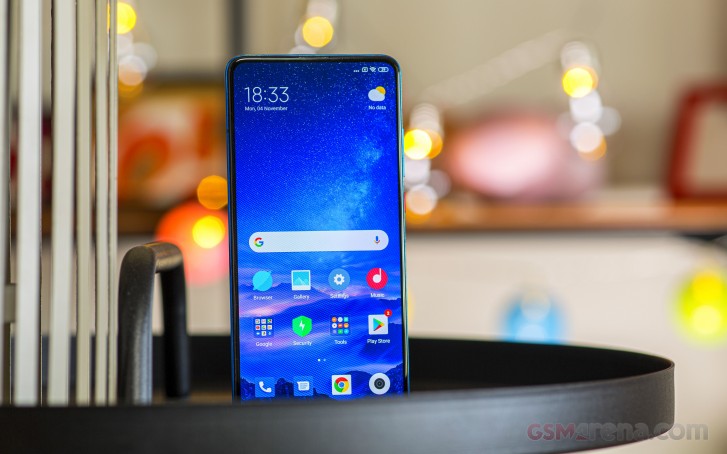
That is pretty bad considering we're already in November, but on the other hand, Xiaomi has sent out quite a few updates to the Mi 9T Pro while we were using it for this long-term review. Not only that, but the update to MIUI 11, based on Android 10, might arrive at some point by the end of the month. We didn't have access to the finalized version of that for this review, so all of our thoughts on software are based on the experience that MIUI 10 provides.
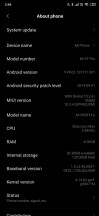

Current software situation
The lack of an app drawer in the default launcher is easily fixable (if you're like us and can't live without one) by installing the Poco Launcher from the Play Store - that is, if you want to stick with software made by Xiaomi. We thought it would be fitting to use for that reason. It's also a very good, very fast, and practically bug-free launcher that's simple and doesn't have a million different options, and yet it still supports icon packs and many types of wallpapers.

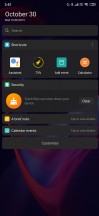
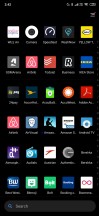
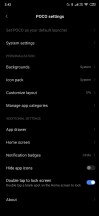
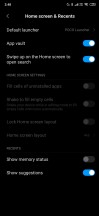
Poco Launcher settings
Since it's developed by Xiaomi as well, the Poco launcher supports the App Vault - which is that 'shelf-like' panel that appears to the left of your leftmost home screen. You can turn App Vault off, by the way, if you don't find any use for it. App Vault is yet another of those things that manufacturers have developed as a response to Google doing something, in this case, the Discover Feed (or whatever it's called today).
Xiaomi's gesture navigation system is, in our subjective opinion, the best one out there, along with Huawei's, which is very similar. Unlike Huawei's, Xiaomi's also offers an option to quickly switch to the previously used app - you have to enable this first, for whatever reason, but if you do you can swipe from the sides as if to go back, and then swipe inwards a bit more. You'll know when to 'release' because the icon of the previously used app will show up.
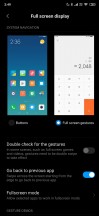
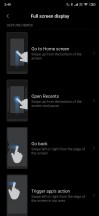
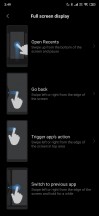
Gesture navigation, explained
Unsurprisingly, you swipe from the bottom to go home, and pause to invoke the app switcher. And yes, you swipe from the sides to go back, the lower 75% that is. Swipe higher than that, and you'll trigger the hamburger-style navigation if the app has one. This is an easy way to fix the conflict between going back and bringing up the drawer, something that Google has chosen to needlessly complicate in the gestures it baked into Android 10.
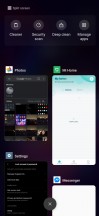
Recent apps
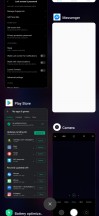
The Recent apps menu is unique in MIUI because the app thumbnails are vertically arranged in two columns. This makes switching faster as more apps are in view at any one time, but it might take some getting used to since most other companies have settled for a horizontal list with one app being in focus at any time.
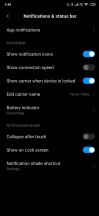
The notification management is closer to what one would call stock Android now, but still not quite there. To dismiss a notification you can't swipe both ways, only to the right. When you swipe a notification to the left, you'll get the options menu. Also, the quick actions for notifications have a very small font compared to what other manufacturers show.
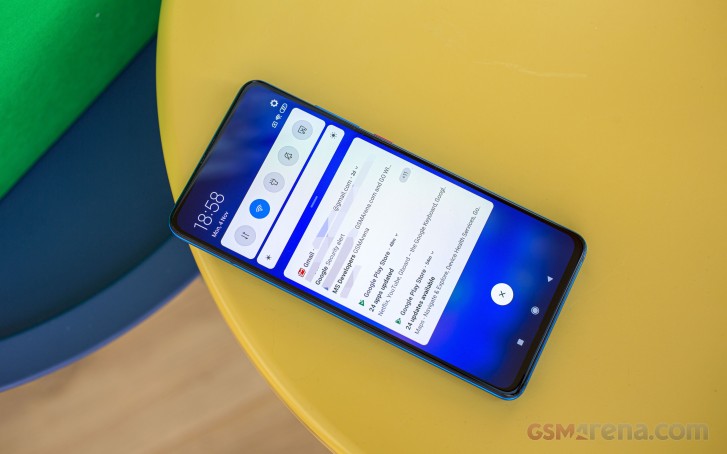
Oh, and MIUI does this too: if your screen is locked and you get a notification from an app, and you then unlock and simply ignore it, the notification will never again be shown on the lock screen, even though it's still there in the notification pane when you swipe it down. This might not affect your user experience in any way, especially if you're coming from a device that did things the exact same way, but we still wish there was a setting to alter this behavior.
Additionally while we're nitpicking, Gmail pop-up notifications (that show at the top of the screen when you're using other apps) only tell you the sender - and not the subject of the email, not to mention the first line or two of the contents.

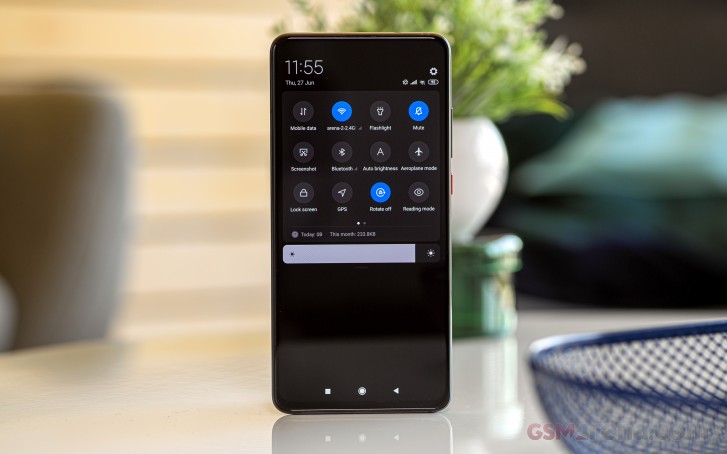
Notification area and Quick Settings
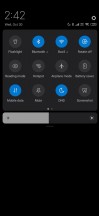
The Quick Settings area is quite far removed, design-wise, from anything resembling stock Android, but it works. We're slightly disappointed that upon the first swipe down you only see five Quick Settings icons, whereas most other companies show six.
MIUI 10 has a Dark Mode, which you can enable in Display settings, and it does what you'd expect it to. Since this year both Apple and Google have finally discovered the concept of a dark theme, more and more app developers can be expected to support the feature. Already Google is busy updating its apps, and a few of them have automatically started to show dark themes while we were using the Mi 9T Pro with the Dark mode enabled.
MIUI is still a control freak about what's going on in the background, which means that some apps that require being allowed to work at all times will misbehave. We haven't seen notifications get delayed (by more than a couple of minutes), so as a general rule, the default settings should be fine for most people. We do have to note that we had to take some extra steps to ensure that the Garmin Connect app (which is what you use when you have one of the company's smartwatches) will work as intended.
That meant digging through Settings to find where to grant it more permissions, including to auto start, and start in the background, and then change the Battery saver option in the Manage apps section to "no restrictions" so it wouldn't try to constantly kill the app. This is unfortunately still a very convoluted process, but thankfully you aren't likely to need to do this for 99% of the apps you use.
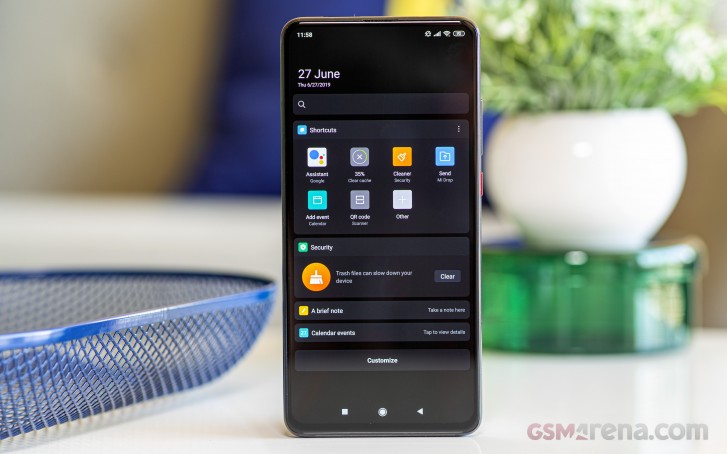
Xiaomi provides a handful of built-in apps, some of which duplicate the functionality of the bundled Google apps (Gallery comes to mind, for example). The company also has its own cloud backup solution called Mi Cloud, although this is limited to 5GB of storage for free accounts (which reminds us of Apple's iCloud, to be honest). The phone will nag you to sign into (or create) your Mi account, which feels a bit redundant if you already have a Google account. On the other hand, you may enjoy Xiaomi's offering better.
A final note about MIUI and ads: we are aware that in certain parts of the world the skin throws ads at you more or less incessantly, but we can't comment on that part of the user experience because we've been using the phone in Eastern Europe and have not seen any ads whatsoever - aside from inside some of the built-in apps. Those, however, are the least intrusive of the bunch.
Performance, smoothness
With a Snapdragon 855 under the hood, the Mi 9T Pro performs like a champ. It's incredibly fast no matter what you throw at it and stays fast even after many days of use with no reboot. We haven't noticed any lag whatsoever, and no stutters either, which makes this one of the smoothest phones we've used recently.
In our innately subjective assessment of smoothness, we wouldn't say it's exactly on par with the usual champs (a new Pixel or OnePlus phone), but it's so close to them that in real life you won't be able to tell there's a difference unless you're also using one of those handsets alongside the Mi 9T Pro at the same time. Since that's probably not the case for most people, the Mi 9T Pro will feel amazingly fast and smooth every single day, with every single minute of use. There isn't anything else to say here, really, because in long-term reviews we forgo synthetic benchmarks in favor of giving you our honest impression of how things feel.
We would like to see the MIUI animations cut short, though, for they are among the longest in the Android world still, and making them shorter would actually add to the overall impression of smoothness. Perhaps Xiaomi has already thought to bake something like this into the upcoming MIUI 11, we'll have to wait and see.
Overall, if you're a performance freak, you won't go wrong with this phone. And if you're a lover of smoothness too, it will deliver, despite how all-encompassing a skin MIUI is. This is further proof that it doesn't have to be a general rule that the more a manufacturer strays from 'stock Android', the less smooth things become. It's just a matter of allocating the software development resources to take speed and smoothness into account at all times.
Battery life
As implied by the size of the 4,000 mAh cell that keeps the Mi 9T Pro running, battery life has been great. There was never a day in which we had to charge the phone before bedtime, and our use case isn't the lightest around.
It involves around 12-16 hours off the charger, with primarily a Wi-Fi connection (but also mobile data for an hour or two on 4G), Bluetooth always on (Location too), about an hour of music streaming, 2-3 hours of calls, and half an hour to an hour of GPS navigation through Waze or Google Maps.
With this use, we would always be able to hit at least 5 hours of screen on time in a day if we'd let the battery fully discharge. This is without any use of the battery saver mode whatsoever. Our record screen on time is over 6 hours with 8% battery life left. With lighter usage, 7 hours seem achievable, but as usual, caveats apply - if you spend most of your day on mobile data, or use GPS navigation much more, the numbers may go down.
Camera app
Camera apps these days - you've seen one, you've seen them all. That might be an exaggeration, but not by much. Xiaomi's also employs the big viewfinder with the shortcuts to switch between the rear sensors, then the text labels for the various modes (which you cycle through by swiping), and then the shutter button flanked by the Gallery circle that shows the last thumbnail and the button that switches to the front-facing cam.
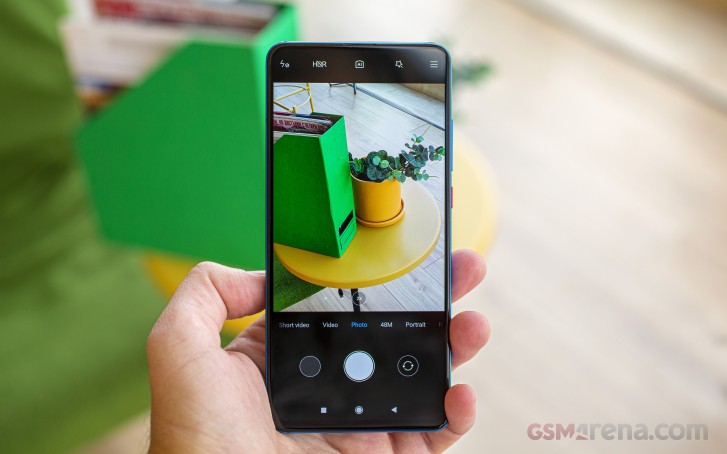
The Mi 9T Pro has a bunch of different shooting modes, which is why we wish there was a setting that allowed us to reorder them based on the ones we're using most often. Alternatively, some AI magic that would automatically do just that. Alas, there's none of that, so if you use Night mode a lot, prepare for a lot of swiping.

Our highest screen-on time number
You can set the device so that a double-tap on the power button will open the camera app, which is not new. However, we found that the implementation in the Mi 9T Pro is quite buggy. We'd only actually get the camera app around 8 or 9 out of 10 times we double tapped, and that's when we do it very fast. If the second press doesn't come right after the first, then nothing happens, and you're just stuck looking dumb at your phone.
Otherwise, the camera app performs very well, we've never had a crash or a hang. Switching between the rear lenses could have been quicker, but that's something we've said for other phones too, and on the Mi 9T Pro it's not painfully slow or anything, it's just not instant.
Camera samples
The Mi 9T Pro's main rear sensor has a Quad Bayer filter so it normally shoots in 12 MP, despite its 48 MP resolution. All of our samples are 12 MP, because while you can shoot in 48 MP by using a special mode in the camera app, images come out worse when that's employed.
When shooting in broad daylight, pictures come out great, with incredible amounts of detail preservation, a good compromise between punchy colors and accuracy, outstanding contrast, and good dynamic range. The images are undoubtedly sharp, but generally not over-sharpened.
























Xiaomi Mi 9T Pro daytime camera samples from the main sensor
The ultrawide lens outputs lower-quality shots than the main sensor, but the point of its existence is that it allows for more creative framing so you may decide to ignore its lesser per-pixel quality. The colors are still nice, and feel very close to what you get from the main sensor - which unfortunately isn't a given in the mobile world nowadays, especially at price points similar to the Mi 9T Pro's. Noise levels are generally low with this shooter too. These samples are shot with lens correction on, which makes things at the outer ends less distorted at the expense of softer corners. If you're not into that, you can just disable the setting.





















Daytime ultrawide samples
The zoom lens offers 2x magnification and shoots very good images in daylight conditions. There's plenty of detail in them, although noise sometimes does creep in.



























Daytime 2x zoom samples
When the night comes, the main sensor still outputs good looking pictures. Noise reduction is happening, but it's not very aggressive. The images are detailed and bright, but in any low-light scenario having OIS on at least the main camera would have helped immensely in reducing the amount of blurry shots you'll end up taking. This is just one of those areas in which the Mi 9T Pro sadly can't compete with the much more expensive flagships out there.















Nighttime samples from the main sensor
The Night Mode would obviously have benefited from OIS, as it could have done even longer exposures without the risk of hand shake interfering with its magic. Xiaomi's Night Mode is decent at creating a well exposed shot with detailed subjects, restored highlights, and increased brightness. It's just not on par with Huawei's, Samsung's, Google's, or Apple's. Note that on the Mi 9T Pro, Night Mode only works when you use the main sensor.















Night Mode samples
The ultrawide camera at night is practically unusable when the surrounding light gets low. It employs some incredibly aggressive noise reduction, to the point that everything just seems to be a smeared mess, while the exposure is way too dark.















Nighttime samples from the ultrawide camera
If you hit the 2x button at night, you won't get a shot from the tele sensor, but a crop from the main one. This results in pretty okay pictures, as if there's direct cropping from the sensor without any digital zoom being involved.















Nighttime samples with 2x zoom
Selfies are reasonably detailed and sharp in good lighting conditions, with great contrast and colors. If you use Portrait mode for selfies, you'll see a drop in sharpness, and subject separation is okay, but not amazing.




Daytime selfies, normal and Portrait mode
At night you can use the screen as a flash of sorts, with it lighting up a warm tone when you hit the shutter button. This aids massively in very dark environments, so that you become visible. Unsurprisingly though, things get blurry and grainy the more ambient light levels drop. So while such shots will definitely not wow anyone, if you use the flash you will at least be able to tell what was going on in the frame.






Nighttime selfies, normal and Portrait mode, last image with fill flash
Conclusion
The Mi 9T Pro is a great phone with an incredibly confusing name. Whether or not there will ever be a second Pocophone, the Mi 9T Pro feels like a worthy successor of the original Pocophone. Yes, its price is slightly higher, but it also packs a much more premium design (if we go by what seems to be the prevailing definition of 'premium' these days, which is a glass sandwich), and much better cameras, while still delivering top-notch performance.
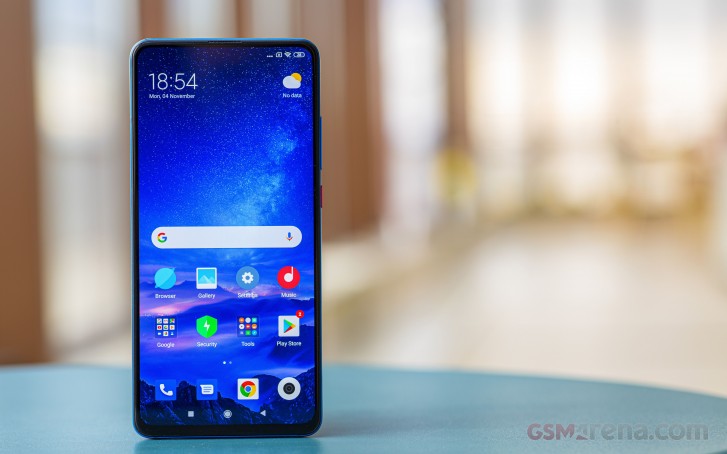
There isn't anything wrong with the Mi 9T Pro, per se, aside from its name. Okay, we'll stop making this point, but seriously, did you know there's also a Mi 9 Pro? And a Mi 9? And a Mi 9 SE? And a Mi 9 Lite? And a non-Pro Mi 9T? And a K20 Pro, which is identical to the Mi 9T Pro.
Anyway, the Mi 9T Pro, should you choose to get one, will give you a very good screen, albeit not the highest-res around (but you're unlikely to notice the lower number of pixels).
It has an outstanding rear panel design if you go with the red or blue version, with lines that seem to be 'moving' when light hits them a certain way. This we surprisingly found literally turned heads on the streets while we were talking on it. The included case in the box feels much better than most transparent ones, but it is ironic that using it means you won't see all that greatness on the phone's back.
Performance is top-notch, and smoothness is so close to perfect that you'll be hard-pressed to tell it isn't unless you just happen to have a new Pixel or OnePlus around to compare to. Battery life is very good, unsurprisingly given the beefy battery. Software-wise, MIUI is a lot to take in if you're coming from stock Android, and it still does some things differently just for the sake of being different.
But here's the thing: bloated as it may be, filled with duplicate apps and all that, it still flies. We have to commend Xiaomi's software development team for the amount of attention it paid to the user experience, from a speed and smoothness perspective. Since so much is changed from stock Android, we're assuming it wasn't easy to make everything work so seamlessly, but it does.
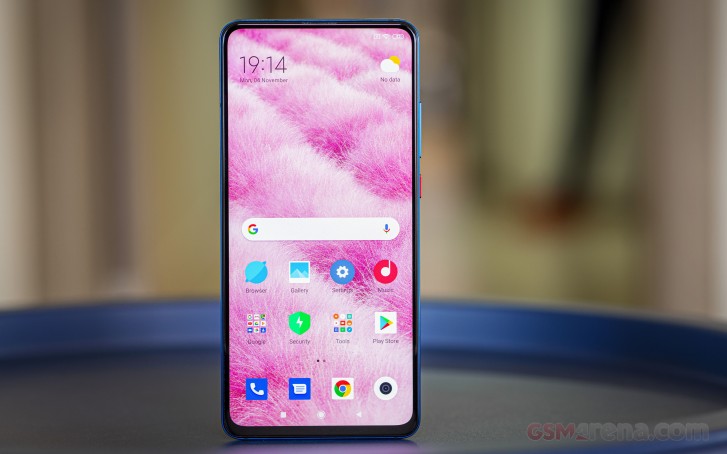
MIUI 11 based on Android 10 should hit the Mi 9T Pro very soon, and it will further refine Xiaomi's software skin, but you still won't be confusing this for something Google or OnePlus or Nokia ship. So there might be an adjustment period, but the upside of Xiaomi's changes to the UI and UX is that you get a lot more options for various things than stock Android ever had. As an example, MIUI 10 on the Mi 9T Pro is based on Android Pie and already has a Dark Mode, which Google only added in Android 10.
So far so good, as the Mi 9T Pro provides a flagship experience worthy of its specs - but not its price tag. The cameras are where things become less top of the line, and more upper-midrange. Don't get us wrong, the image quality is not bad by any stretch of the imagination, it just isn't up there with the best in the business right now - the new iPhones, the Pixels, the flagship Huaweis and Samsungs. And Xiaomi's insistence on not adding OIS to even just the main rear sensor is getting weird.
On the plus side, the handset gives you a lot of flexibility when it comes to framing with its triple rear cameras, of which one is telephoto and one ultrawide. Google isn't providing this amount of choice even today in its latest phones, for example, while Apple forgoes the tele on the entry-level iPhone 11, which is more expensive than the Mi 9T Pro.
And on that note, let's address the thing that neatly ties the entire Mi 9T Pro package together: its price. We're not surprised that it's so cheap because Xiaomi has established a name for itself by basically using this exact formula over and over again: bundling specific specs for a price point that's lower than its competitors'.
The Mi 9T Pro doesn't have all the bells and whistles of the phones that cost twice as much - wireless charging is missing, for example, as is a water and dust resistance rating. But it does pack a 3.5mm headphone jack, support for 27W fast wired charging (although in the box you only get an 18W brick), and an almost bezel-less display with no notch or ugly cutout whatsoever. That is still rare in the mobile world, and while the selfie camera's moving parts may have some worried about longevity, we have to admit that the Mi 9T Pro looks like it's much more expensive than it actually is.
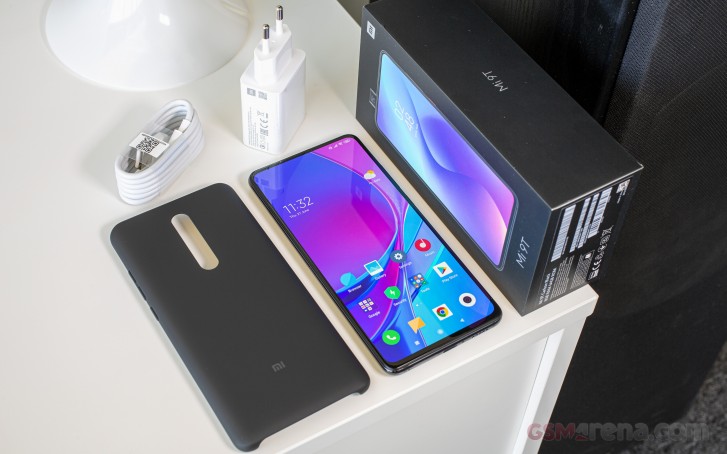
Punching above its weight, that's for sure, and it's true in all aspects except the cameras, which are good, but not amazing. If you can live with that, then you can live with the Mi 9T Pro.

No comments:
Post a Comment