
Introduction
It's been more than two years since our last Lenovo review because the company left it to Motorola to spearhead the company's smartphone business outside of China. The parent company did continue to release Lenovo-branded smartphones running on ZUI in China, but that was it. Up until earlier this months when we were surprised by the market launch of the Lenovo Z6 Pro running on an official Global ROM. How about that?
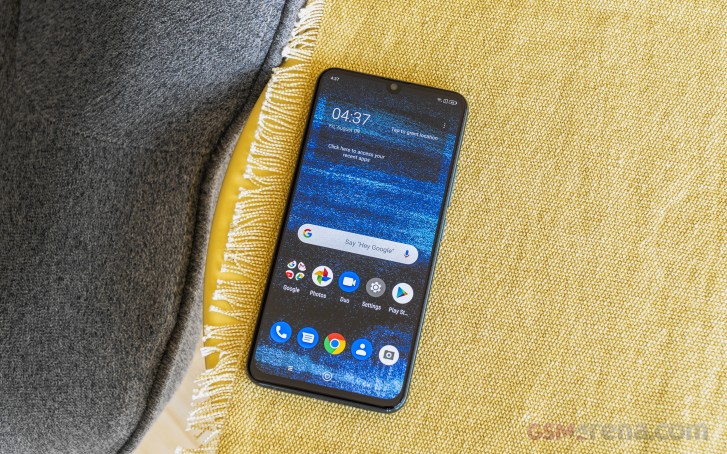
It seems Lenovo is keen on launching some of its most successful phones in markets where Motorola is selling. Currently, a company store in Bulgaria is selling the flagship Lenovo Z6 Pro with an official EU ROM, Malaysia is getting it too, and the phone has already been certified by the authorities in India so it might even reach that market too.
Obviously, the stores where one can get the Z6 Pro are thin on the ground, but the handset is one very interesting device with a flagship-killer potential that we simply had to try. So, without further ado, enter Lenovo Z6 Pro.
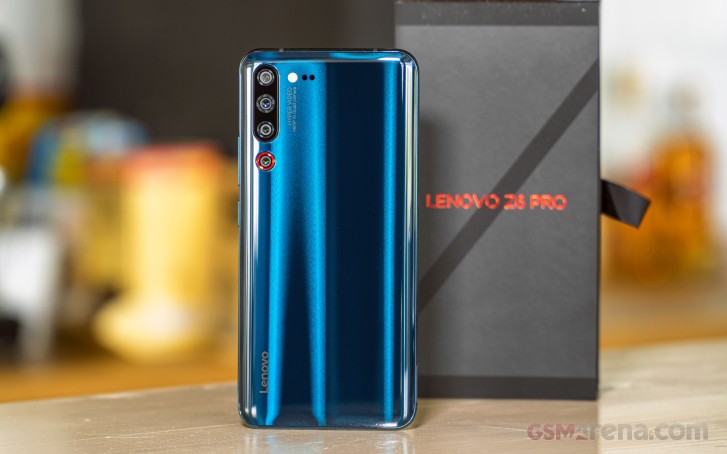
The Z6 Pro is Lenovo's most current flagship and has the looks, the power, and the cameras to prove it. The Z6 Pro is a glass-sandwich phone with dazzling gradient paint job, a large AMOLED at the front with a fingerprint scanner underneath, and the latest Snapdragon 855 chip ticking inside.
The rear camera setup is probably the most interesting bit on the Z6 Pro. It's a penta-camera setup with a 48MP f/1.8 primary, an 8MP f/2.4 tele, a 16MP f/2.2 ultrawide, a 3D TOF snapper, and finally a 2MP f/1.8 OIS shooter for low-light videos. Indeed, it's shaping to be one very interesting camera chapter.
The Lenovo Z6 Pro also comes with a properly large battery and 18W charging capabilities. It runs on vanilla-like ZUI 11 based on Android Pie.
Lenovo Z6 Pro specs
- Body: Dual-glass body with metal frame;
- Screen: 6.39" AMOLED, 2340x1080px resolution (403 ppi); 19.5:9 aspect ratio; HDR10 and DCI-P3 support
- Chipset: Qualcomm Snapdragon 855, octa-core CPU (1x2.84 GHz Kryo 485 & 3x2.42 GHz Kryo 485 & 4x1.8 GHz Kryo 485); Adreno 640 GPU
- Memory: 6GB, 8GB or 12GB RAM; 128GB, 256GB or 512GB storage, microSD slot (uses SIM2)
- OS: ZUI 11 based on Android 9 Pie
- Cameras: Main - 48MP f/1.8, PDAF; Telephoto - 8MP f/2.4, PDAF, 2x zoom; Ultra-wide - 16MP f/2.2, PDAF; 2MP f/1.8, OIS, PDAF (for videos only); TOF 3D camera; Dual LED Flash; Video recording: 2160p @ 30 fps, 1080p @ 30/120fps, 720p @ 30 fps
- Selfie cam: 32MP fixed focus with f/2.0 aperture; 1080p @ 30fps
- Battery: 4,000 mAh; 18W fast charging
- Connectivity: Dual SIM; Wi-Fi a/b/g/n/ac; Dual band GPS; Bluetooth 5.0 + LE; FM radio; USB-Type C; 3.5mm jack
- Misc: in-display optical fingerprint scanner
The Lenovo Z6 Pro omits two things - ingress protection and NFC. But it has a microSD slot, a 3.5mm jack, and even FM radio support and app, so it's a silver lining of sorts.
Unboxing the Lenovo Z6 Pro
The Lenovo Z6 Pro is packed within a sleek matte box with a fabric-like look. The bundle contains a 27W charger with a USB-C port, there is also a USB-C-to-C cable, and Lenovo was kind enough to also pack a USB-C-to-A adapter. The inclusion of the 27W charger was a bit unexpected as the phone only supports charging up to 18W but the higher-rated Power Delivery power brick is a nice perk.
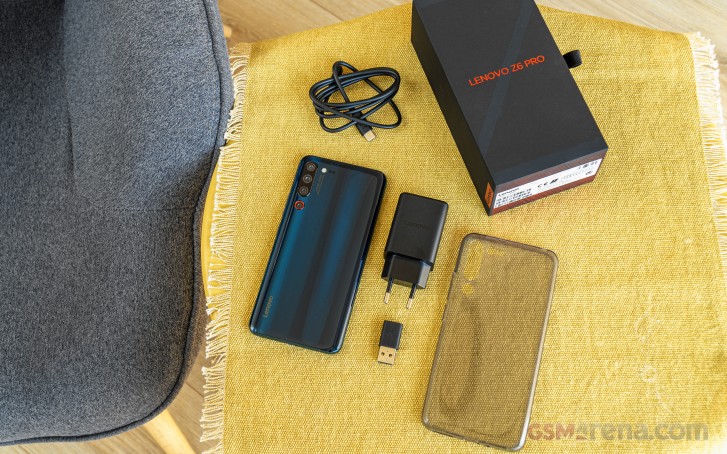
There is also a transparent silicone case inside the large paper compartment, which is much appreciated as the Z6 Pro, spoiler alert, is very slippery.
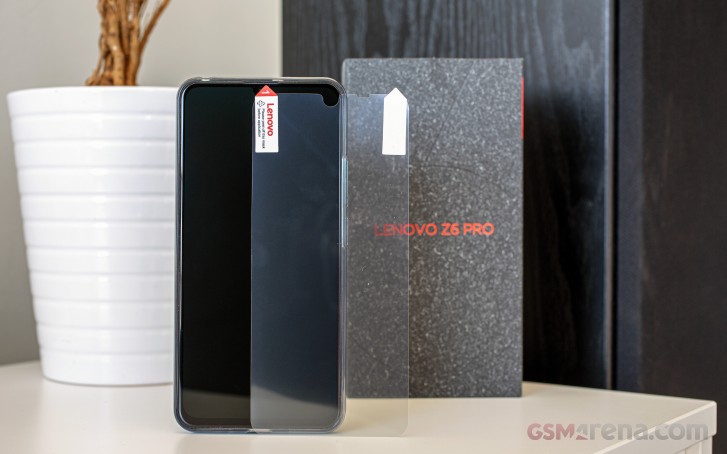
We almost missed it the first time, but the box also includes a screen protector, which Lenovo recommends for a hassle-free fingerprint reader experience.
Design
The Lenovo Z6 Pro is a trendy glass-sandwich smartphone with gradient paintjob, and you've seen many like it. But while the Z6 Pro may look like a flagship it lacks ingress protection and Gorilla Glass-type shielding. With those in mind, let's see what this phone is made of.
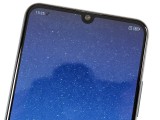
The Z6 Pro is built around a 6.39" Super AMOLED screen of 1080p resolution with a droplet-shaped notch. We've seen this particular panel on quite a few devices already, so we know we are in for a treat.
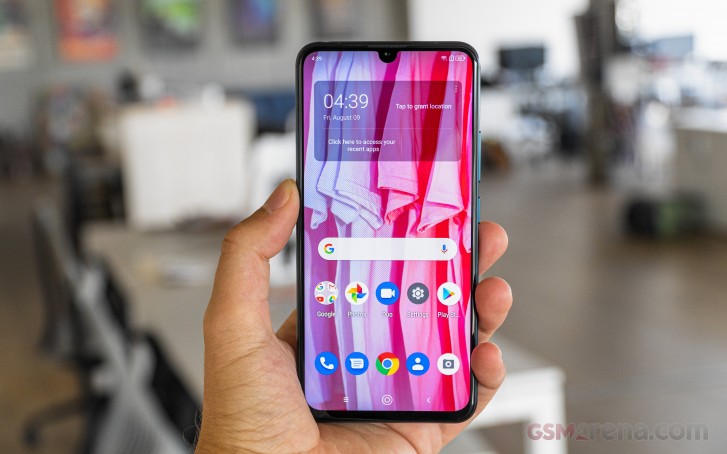
The bezels aren't spectacularly thin. You can see the top and side black strips are thin alright, but there is a chunkier chin at the bottom.
Lenovo Z6 Pro
Lenovo hasn't mention anything about the screen glass maker, so we can only assume it's not a Gorilla Glass or similar. The maker has packed the Z6 Pro with a proprietary screen protector though, and that's appreciated. And while we say Lenovo, we just want to mention that the box says the Z6 Pro was made by Motorola for Lenovo. Which is kind of the same thing, but still.
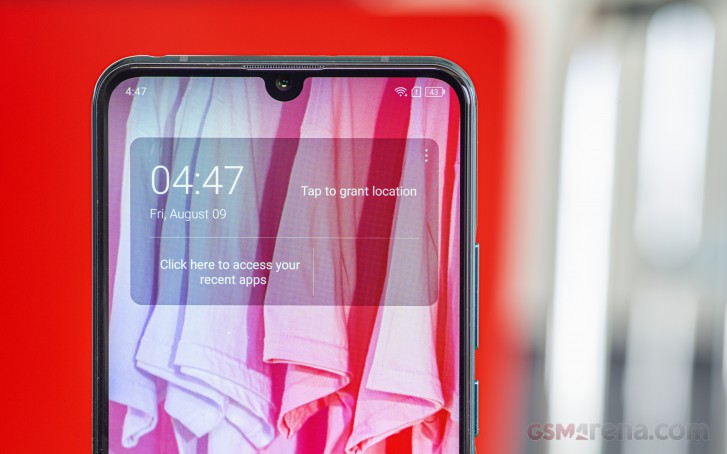
The front is pretty flat and besides the screen and its notch, there is nothing else visible. The 32MP is within the said cutout, while above it is the almost invisible earpiece grille. There is no notification LED on the Z6 Pro.
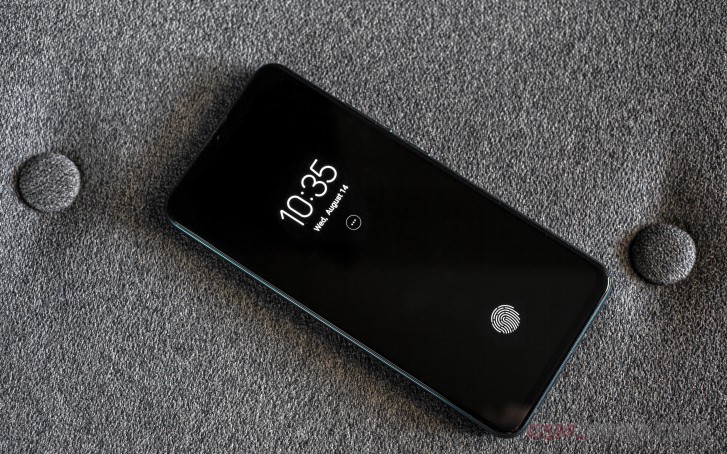
There is also one feature that's very easy to miss - the under-screen fingerprint scanner.It is of our favorite optical kind - almost as responsive and as fast as a conventional one. The sensor lights up the moment you pick up the phone or touch the screen, then scans your finger and unlocks the Z6 immediately.
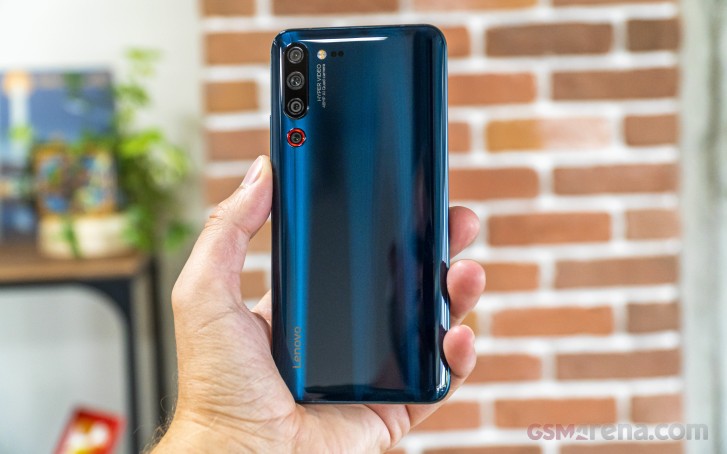
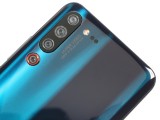
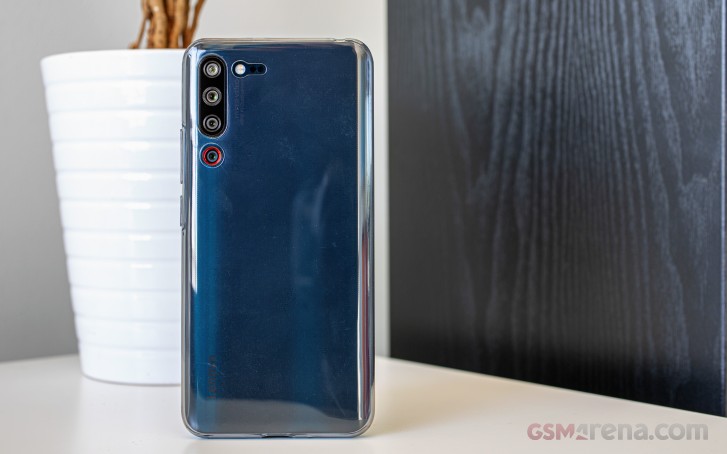
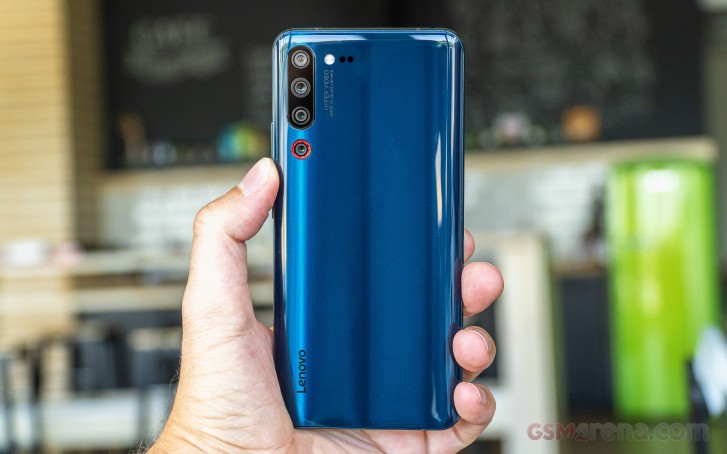
The back of the Lenovo Z6 Pro is gorgeous. The unit we have comes in a color which is called Blue, but some Lenovo websites call it Green. Well, in real life, it's something in between. No matter how you call it, the result is stunning.
The glass is bent towards the edges, just the usual subtle curves but enough to make the Z6 Pro a whole lot sleeker. Once again there is no info whatsoever on the glass source so we'd guess it's not of any special kind either.
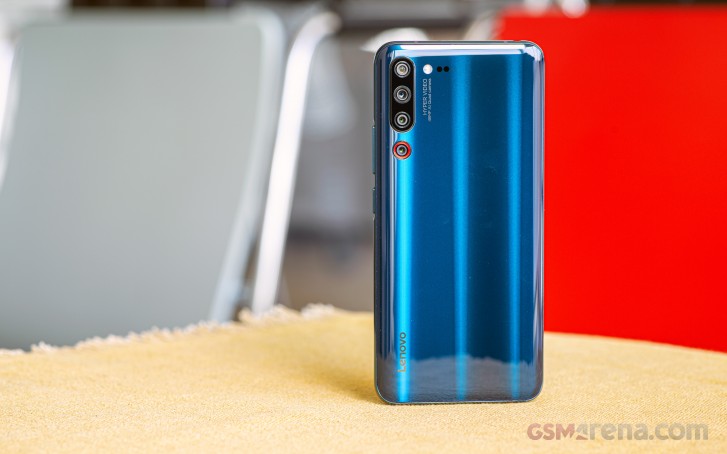
The camera arrangement is one of the most interesting bits of the Lenovo Z6 Pro. There are a total of five snappers on the back of the Z6 Pro, but only three are combined into a more prominent setup. It is humping just a tiny bit that's not enough to make the whole thing wobble annoyingly.
So, top to bottom are the 16MP ultrawide, the 48MP primary, and the 8MP tele shooters. Then outside of this setup, highlighted with a red halo, is the 2MP optically stabilized camera for low-light videos. It triggers automatically in suboptimal conditions and should capture some exceptional 1080p clips.
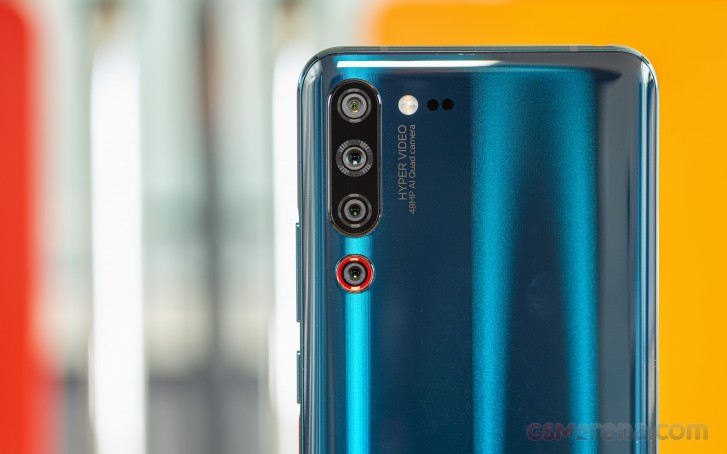
Right of all these snappers are a dual-LED flash and a tiny 3D ToF camera.
The Lenovo Z6 Pro has a curved metal frame that's painted in the same bluish/greenish color as the rear glass. Because of the frame's curviness though the Z6 Pro is a bit of a nightmare to hold securely, especially when shooting stills or videos. We'd suggest using the provided case unless you want to be constantly vigilant when handling it.
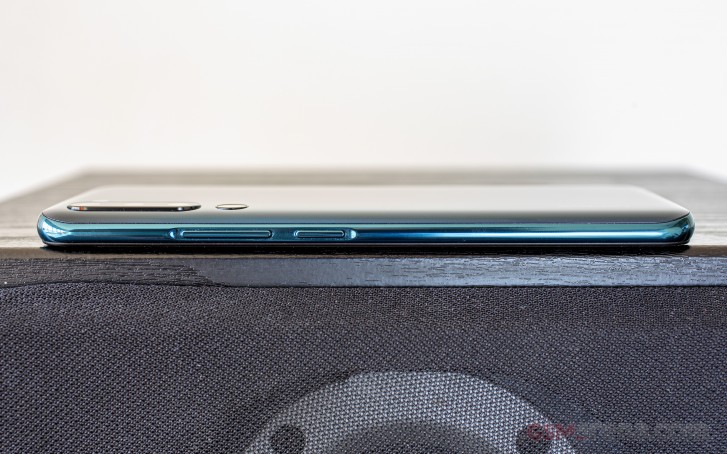
On the left side of this frame is the hybrid SIM/microSD card tray. On top is the audio jack (yay!), the left side has the volume and power keys, while the bottom houses the USB-C port and the speaker grille.
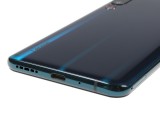
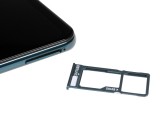
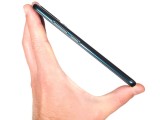
Lenovo Z6 Pro
The Lenovo Z6 Pro measures 157.5 x 74.6 x 8.7 mm and weighs 185g - that's the same size and weight as the Xiaomi Mi 9T's.
The Lenovo Z6 Pro has the looks to win you but it's definitely a challenge to handle. The good news is that while fingerprints do stick, those are tough to spot because of the chosen gradient hue. We'd advice for using the case and screen protector provided in the box.
In fact, the handling is quite alright and we can definitely live with the slippery finish as it's a small price to pay for all these features you're getting at a sub500-euro price point.
Display
One of the key features of the Lenovo Z6 Pro is the 6.39" Super AMOLED screen with a droplet-shaped notch. It has a very familiar resolution of 2,340 x 1,080 pixels (403ppi) and 19.5:9 aspect ratio.
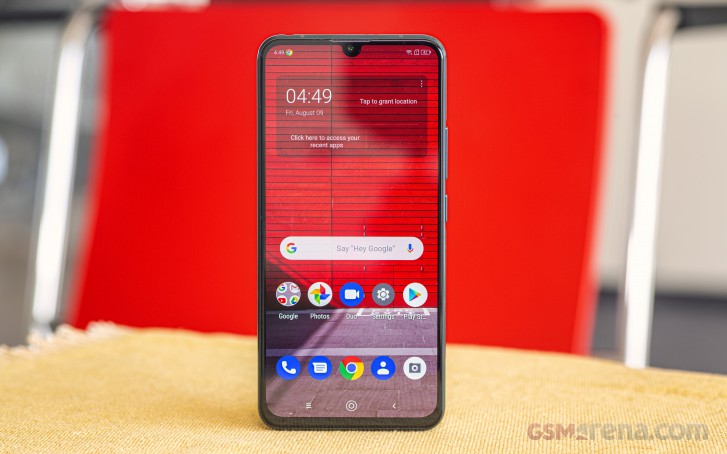
The screen is HDR10-compliant and fully covers the DCI-P3 color space.
We measured an excellent brightness for an OLED panel of 450 nits - this is at the far-right end of the brightness scrubber. Then we tried the auto brightness mode, but unfortunately, we couldn't squeeze any more nits north of the 450 nits mark.
The minimum brightness we measured was just 2.5 nits.
| Display test | 100% brightness | ||
| Black, cd/m2 | White, cd/m2 | ||
| 0 | 450 | ∞ | |
| 0 | 449 | ∞ | |
| 0 | 646 | ∞ | |
| 0 | 444 | ∞ | |
| 0 | 637 | ∞ | |
| 0.371 | 459 | 1237 | |
| 0 | 458 | ∞ | |
| 0 | 645 | ∞ | |
| 0 | 443 | ∞ | |
| 0 | 642 | ∞ | |
| 0 | 389 | ∞ | |
| 0 | 803 | ∞ | |
| 0.353 | 424 | 1201 | |
| 0.399 | 455 | 1140 | |
Lenovo offers two different Color Saturation settings, each one representing a specific color space. The Vibrant one fully covers the DCI-P3 color space and we measured an average deltaE of 3.6. Only in this mode you can choose the color temperature (standard, warm, cool) and the Delta E of 3.7 which we measured was taken at the standard preset. Choosing warm will offer a perfectly accurate presentation with an average deltaE of 1.4.
The Standard Saturation corresponds to sRGB and we recorded an average deltaE of 3.1 for the color accuracy, meaning it's a pretty great one.
Battery life
The Lenovo Z6 Pro is powered by a large 4,000 mAh battery. The phone comes bundled with a 27W Power Delivery charger and it refills 45% of the Z6's depleted cell in half an hour. Oddly, the Lenovo Z6 Pro specs say that the phone only supports 18W (5V/3A) charging so the phone isn't utilizing the full power of the charger.
The phone aced our battery test with excellent screen-on scores, a day of 3G talks, and frugal standby consumption. The great battery performance across our tests returned a final endurance score of 100 hours, an outstanding result!
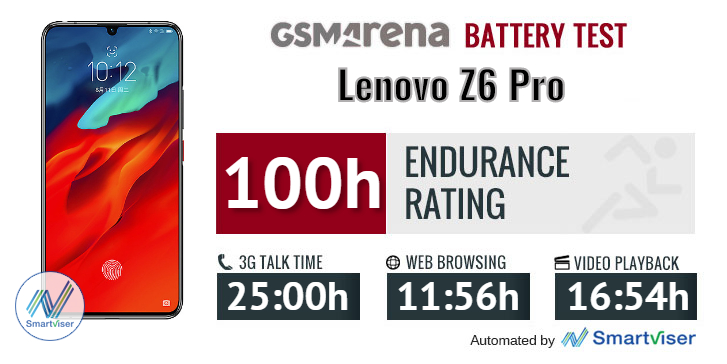
Our battery tests were automated thanks to SmartViser, using its viSerDevice app. The endurance rating above denotes how long a single battery charge will last you if you use the Lenovo Z6 Pro for an hour each of telephony, web browsing, and video playback daily. We've established this usage pattern so that our battery results are comparable across devices in the most common day-to-day tasks. The battery testing procedure is described in detail in case you're interested in the nitty-gritty. You can check out our complete battery test table, where you can see how all of the smartphones we've tested will compare under your own typical use.
Speaker
The Lenovo Z6 Pro features a single bottom-firing loudspeaker. It is quite loud though as it managed to score an Excellent mark in our loudness test.
Oddly, when playing music from YouTube or Play Music through the speaker, the loudness isn't as impressive. But on a positive note, the output is very balanced and rich in both high and low notes.
| Speakerphone test | Voice, dB | Ringing |
Overall score | |
| 68.1 | 73.1 | 82.2 | Very Good | |
| 67.7 | 71.4 | 84.3 | Very Good | |
| 70.8 | 73.6 | 80.7 | Very Good | |
| 70.6 | 74.8 | 81.2 | Very Good | |
| 71.2 | 76.8 | 80.6 | Excellent | |
| 66.4 | 74.3 | 90.8 | Excellent | |
| 77.0 | 75.9 | 81.2 | Excellent | |
| 86.2 | 79.0 | 87.0 | Excellent |
Audio quality
The Lenovo Z6 Pro has an issue with its software that prevented it from showing its full skill set in our audio test. You only get different settings for its system-wide equalizer but no option to fully switch it off, which means that getting accurate output just isn’t possible. We chose the setting with the sanest frequency response, but even so, it was way outside the limits of what we’d consider accurate representation.
We're not saying that many people can tell the difference, but some will. Anyway, it's strange to see that behavior since pretty much every other smartphone these days can output a flat frequency response line.
Frequency response aside, the clarity of the output is actually very decent with all the other scores being excellent both with an active external amplifier and with headphones. Our standard 32-ohm headphones even caused much less damage than usual to the stereo separation.
Then we have to look at loudness, which is below average in both parts of the test. While the equalizer issue might get fixed with a firmware update we are less certain anything can be done about the relatively low volume. It will probably affect users with larger high-impedance headphones.
| Test | Frequency response | Noise level | Dynamic range | THD | IMD + Noise | Stereo crosstalk |
| +1.93, -2.54 | -96.3 | 91.6 | 0.0022 | 0.101 | -97.0 | |
| +1.92, -2.54 | -96.3 | 91.6 | 0.0022 | 0.023 | -71.4 | |
| +0.14, -0.31 | -92.9 | 92.9 | 0.476 | 0.574 | -46.8 | |
| +0.14, -0.24 | -88.7 | 88.1 | 0.0053 | 0.223 | -53.6 | |
| +0.02, -0.01 | -93.5 | 93.9 | 0.0025 | 0.0068 | -93.8 | |
| +0.60, -0.04 | -92.9 | 93.2 | 0.020 | 0.454 | -49.4 | |
| +0.02, -0.01 | -93.9 | 93.1 | 0.0015 | 0.0066 | -91.9 | |
| +0.05, -0.04 | -92.6 | 93.5 | 0.0026 | 0.072 | -58.7 | |
| +0.03, -0.01 | -85.8 | 86.8 | 0.0012 | 0.014 | -76.2 | |
| +0.05, -0.01 | -81.1 | 82.7 | 0.0068 | 0.059 | -52.0 | |
| +0.03, -0.04 | -92.2 | 92.0 | 0.0015 | 0.0079 | -92.7 | |
| +0.06, -0.03 | -91.9 | 91.7 | 0.0020 | 0.037 | -77.0 |
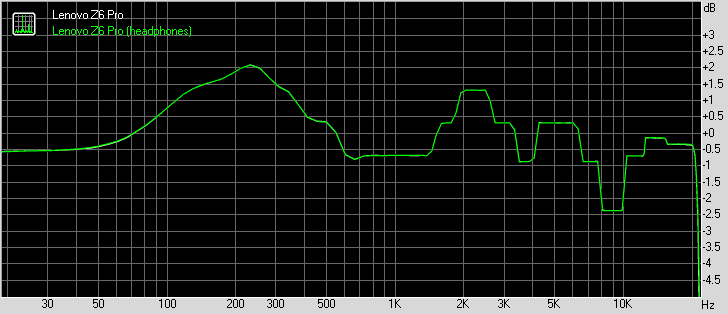
Lenovo Z6 Pro frequency response
You can learn more about the tested parameters and the whole testing process here.
ZUI 11 and Android 9
The Lenovo Z6 Pro boots ZUI 11 based on Android 9 Pie. ZUI is the proprietary Lenovo launcher for where Lenovo phones are available (i.e. China) and looks and feels like a vanilla Android for the most part.
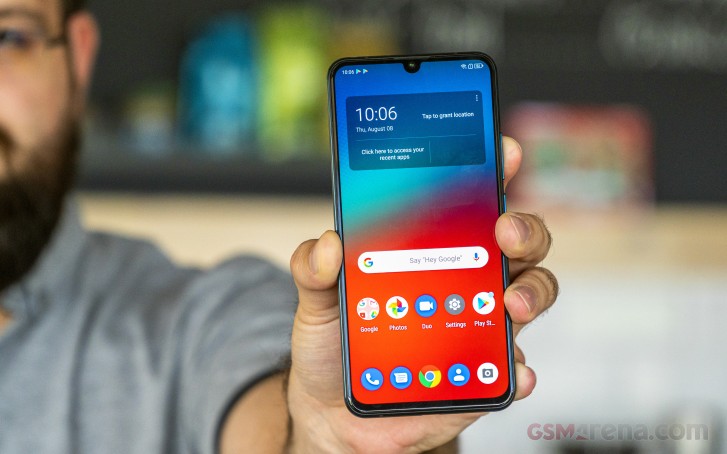
There are the Pie homescreen and Google feed pane, the regular app drawer, and all default Google apps are present. There are four major differences - the notification shade, the task switcher, the settings menu, and the camera app.
The notification shade has been redesigned to include more notifications and toggles. It is semi-transparent and feels a bit slower than the vanilla's implementation.
The Task Switcher has been tweaked to pack more app tiles, though its modus operandi is still the same, including the multi-window capabilities.
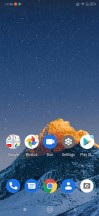

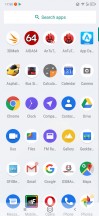
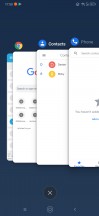
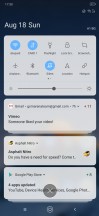
The ZUI11 launcher
The Lenovo Z6 Pro relies on the default Android navigation from simpler times - the usual three navigation virtual keys. But Lenovo is offering the so-called 4D Touch as a replacement if you are keen on getting the full-screen experience with gesture navigation.
The 4D Touch seems really nice - there are no keys or markings anywhere on the screen. For 'Back' you swipe from the bottom of the screen, for 'Recents' - from the edges of the screen, and for Home - again from the bottom but you also hold for a bit. There were a couple of times when the launcher did no register correctly the swipe and hold from the bottom, but that's our only complaint.
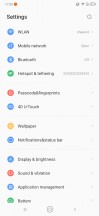
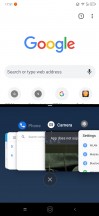
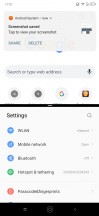
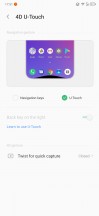
Settings • Multi-tasking • Multi-tasking • 4D Touch
You can unlock the phone via the optical under-display fingerprint scanner. The reader is quick to set up and works snappily after that. The accuracy is very good, too, and overall, it's great for your daily unlocking.

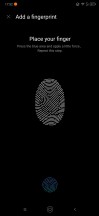
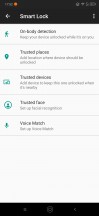
Unlocking options • Fingerprints • Google's Trusted Face
You can also set up face unlock in addition to it (Google's Trusted Face) - it's equally fast as the Z6 Pro wakes up the moment you pick it up, but it's not as secure.
Music, Movies, Files, Drive - everything is handled by Google's default apps. A simpler ZUI Gallery is available, too. There is also FM radio support and app on the Z6 Pro.
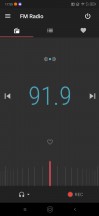
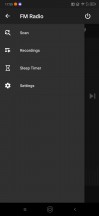
Gallery • Files • FM radio • FM radio
We are a bit baffled why Lenovo insisted on making their own ZUI if they wanted to keep the vanilla looks. The differences are indeed only in the look of the notification shade and the task switcher, but Lenovo has to make it one layer heavier on both the CPU and GPU, for some reason.
And while we are at it, there are some noticeably bad translations from Chinese to English throughout the UI that needs fixing from Lenovo.
Performance and benchmarks
The Lenovo Z6 Pro is powered by the Snapdragon 855 chip, the most current Qualcomm chip, though it's not the overclocked Plus revision. It has an octa-core processor with 1+3+4 configuration - there is a single Kryo 485 Gold core (a Cortex-A76 derivative) clocked at 2.84GHz; three more Kryo 485 Gold cores clocked at 2.42GHz and a cluster of four Kryo 485 Silver cores (Cortex-A55 derivative) ticking at 1.78GHz.
The GPU is Adreno 640 and it's Qualcomm's top-of-the-line graphics processor that can handle pretty much everything you throw at it. And we expect it to ace everything on the Z6's 1080p screen.
The Lenovo Z6 Pro comes with 6, 8, or 12 gigs of RAM depending on the storage option you get - 128GB, 256GB, or 512GB.
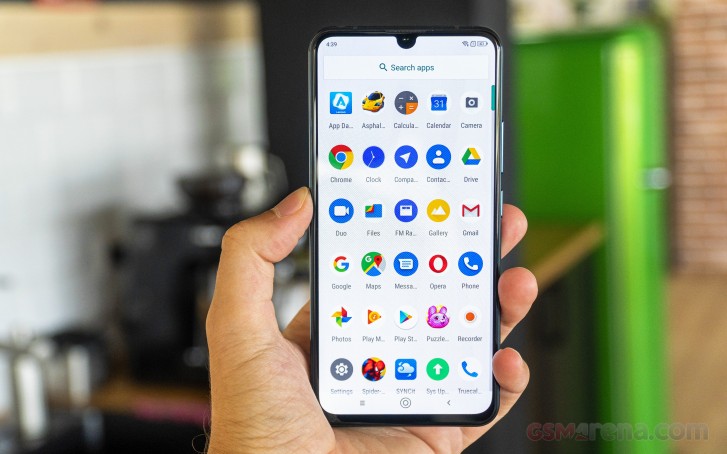
The Z6 Pro has a bit more advanced chip cooling - a copper pipe with a vapor chamber. It should allow for a balanced and sustained performance when the phone uses the maximum power of the Snapdragon 855 SoC.
The Geekbench CPU test shows that the Snapdragon 855's processor is still the Android champ when it comes to multi-core tasks. As far as single-core performance is concerned, the latest custom core by Samsung does much better.
GeekBench 4.1 (multi-core)
Higher is better
- Black Shark 2
11192 - Xiaomi Mi 9
11181 - Lenovo Z6 Pro
11155 - OnePlus 7
11075 - Xiaomi Redmi K20 Pro
10883 - Huawei P30 (perf. mode)
10114 - Samsung Galaxy S10e
10081 - Xiaomi Mi 9T
6863 - Xiaomi Mi 9 SE
6017
GeekBench 4.1 (single-core)
Higher is better
- Samsung Galaxy S10e
4518 - Black Shark 2
3515 - Xiaomi Mi 9
3503 - Xiaomi Redmi K20 Pro
3492 - Lenovo Z6 Pro
3479 - OnePlus 7
3461 - Huawei P30 (perf. mode)
3351 - Xiaomi Mi 9T
2537 - Xiaomi Mi 9 SE
1905
The GPU torture revealed no surprises. The Adreno 640 is a very powerful GPU and matched with the 1080p resolution it delivers impressive framerates even when put under pressure.
GFX 3.1 Manhattan (1080p offscreen)
Higher is better
- Lenovo Z6 Pro
71 - Black Shark 2
71 - OnePlus 7
71 - Xiaomi Mi 9
70 - Samsung Galaxy S10e
67 - Xiaomi Redmi K20 Pro
67 - Huawei P30 (perf. mode)
56 - Xiaomi Mi 9T
27 - Xiaomi Mi 9 SE
26
GFX 3.1 Manhattan (onscreen)
Higher is better
- Lenovo Z6 Pro
57 - Black Shark 2
57 - Samsung Galaxy S10e
57 - Xiaomi Redmi K20 Pro
57 - OnePlus 7
57 - Xiaomi Mi 9
56 - Huawei P30 (perf. mode)
48 - Xiaomi Mi 9T
24 - Xiaomi Mi 9 SE
24
GFX 3.1 Car scene (1080p offscreen)
Higher is better
- Lenovo Z6 Pro
42 - Black Shark 2
42 - Xiaomi Mi 9
42 - Samsung Galaxy S10e
42 - Xiaomi Redmi K20 Pro
42 - OnePlus 7
42 - Huawei P30 (perf. mode)
33 - Xiaomi Mi 9T
16 - Xiaomi Mi 9 SE
15
GFX 3.1 Car scene (onscreen)
Higher is better
- Samsung Galaxy S10e
40 - Lenovo Z6 Pro
36 - Black Shark 2
36 - Xiaomi Redmi K20 Pro
36 - OnePlus 7
36 - Xiaomi Mi 9
35 - Huawei P30 (perf. mode)
28 - Xiaomi Mi 9 SE
14 - Xiaomi Mi 9T
13
3DMark SSE 3.1 Unlimited
Higher is better
- OnePlus 7
6388 - Lenovo Z6 Pro
6351 - Black Shark 2
6330 - Xiaomi Mi 9
5816 - Xiaomi Redmi K20 Pro
5023 - Samsung Galaxy S10e
4545 - Huawei P30 (perf. mode)
4329 - Xiaomi Mi 9T
2329 - Xiaomi Mi 9 SE
2218
Finally, the Z6 Pro did great in the compound AnTuTu test. It matched its Snapdragon 855 peers - exactly what we expected it to do.
AnTuTu 7
Higher is better
- Xiaomi Mi 9
372006 - Xiaomi Redmi K20 Pro
369082 - OnePlus 7
367812 - Lenovo Z6 Pro
357672 - Black Shark 2
343460 - Samsung Galaxy S10e
325192 - Huawei P30 (perf. mode)
314595 - Xiaomi Mi 9T
211915 - Xiaomi Mi 9 SE
180057
The Lenovo Z6 Pro is on par with some of the most powerful smartphones right now. What's even better is that the Lenovo Z6 Pro costs as much as a mid-range phone, so we'd say it's quite the powerhouse and will be one very tempting offer where available for sure.
A penta-camera full of goodies
The Lenovo Z6 Pro has one very interesting camera setup at the back. In addition to the familiar ultrawide/primary/tele trio, the Z6 Pro also packs a 2MP dedicated video camera for nighttime videos and a 3D ToF camera to help the autofocus and in portrait mode.
Let's start from the beginning though. There are four vertically aligned cameras on the Lenovo Z6 Pro. Starting top to bottom you get a 16MP shooter behind f/2.2 12mm lens for ultrawide images. It supports autofocus and can go as close as 2cm for some high-res macro pictures. There is no distortion correction available.
Following is the 48MP primary snapper with 0.8µm pixels behind f/1.8 28mm lens. It produces 12MP images, and while you can opt to save a 48MP one, it's just an upscaled image from the 12MP output.
Third one is the 8MP shooter behind f/2.4 56mm lens for telephoto snaps. It gives you 2x optical zoom over the regular camera. Oddly, the saved images are 12MP, so we guess some upscaling is happening here and we can't think of any reason why it was needed.
Finally, fourth is a 2MP imager with large 2.9µm pixels behind f/1.8 lens. It is the only one with optical stabilization and is used only for shooting videos in suboptimal conditions, though you can switch to it at any time by going for Night or Sport Video.
Next to the dual-LED flash is a 3D ToF camera, which is currently used to help the autofocus for closer subjects and for a depth-sensor when shooting portraits.
The camera app seems very simple to use. There is nothing on the viewfinder but a zoom shortcut. Hitting the More shortcut (three dots) shows HDR options, filters, and advanced settings.
Just above the virtual shutter is the mode selector, which contains Pro (manual mode with up to 1/4s shutter speed), Night, Portrait, Panorama, Wide, and Macro. The last two are basically shortcuts to the Ultrawide-angle camera.
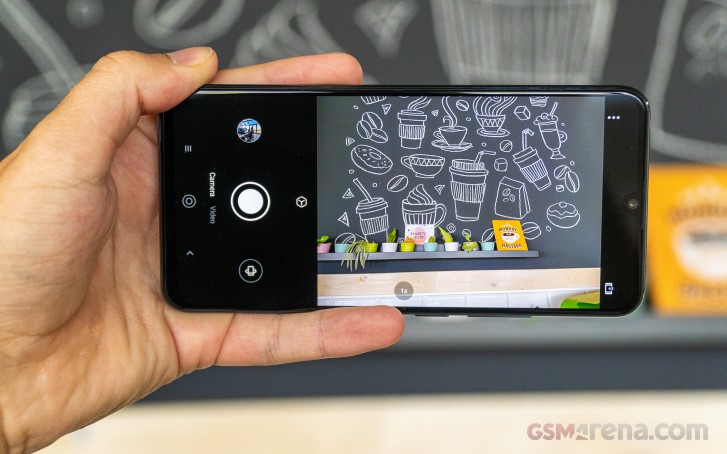
The zoom selector is a nightmare to use. Once you tap on it, it will reveal a tiny scrubber that is nowhere near comfortable to use. Unfortunately, this is the ONLY way to go to the telephoto snapper. And this might explain why the images are upscaled to 12MP. We hope Lenovo adds a native shortcut via a future update and allow for saving the original 8MP shots.
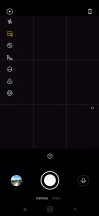
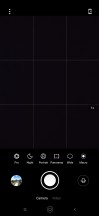
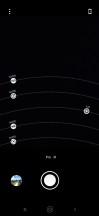
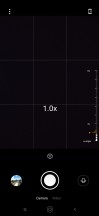
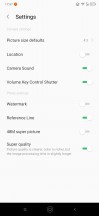
Camera app
Image quality
The 12MP images from the default (48MP) camera are flagship-grade. The detail is very high, and the foliage presentation is excellent. The colors are true to life, the contrast is as high as it can get, and the dynamic range is impressive as well. The pictures are sharp though we didn't observe any excessive over-sharpening.

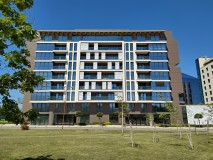







Lenovo Z6 Pro 12MP camera samples
There is an option to save a so-called 48MP super picture, but there is nothing super about it. The image is simply an upscaled version of the 12MP shot, so there are no benefits to using this mode. That's probably why it was put in the extra settings menu.

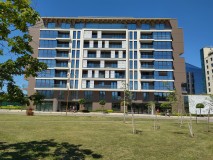

Lenovo Z6 Pro 48MP samples
The tele camera is only 8MP, but the photos to come out of it are 12MP. The only way to get the app to switch to this shooter is to use the zoom scrubber or pinch on the screen. There are separate Wide and Macro modes, which spit 16MP, but there isn't a 2X zoom selector on the Lenovo Z6 Pro.
The good news is the daylight telephoto images are excellent and you can't really tell those were upscaled a bit even when pixel-peeping. They have plenty of detail and match the colors, contrast, and the dynamic range of the regular photos.
When there isn't enough light, the phone won't use this shooter at all and will instead do digital zoom from the main camera.

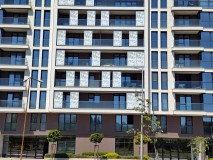







Lenovo Z6 Pro 12MP zoomed photos
Now, let's check the ultrawide-angle camera. There is enough detail at the center of the photos (unless it's something complex that won't come out right), while the corners are a bit blurred and distorted. This is to be expected with such cameras, though. There is no distortion correction to counter the curved buildings.
The color rendition is a bit cooler than it should be and isn't a match for the main camera. Not that it's bad, but it's not as true to reality.
Finally, the dynamic range is often superb and a match for the regular stills.

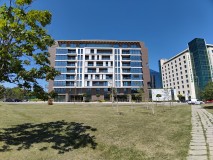

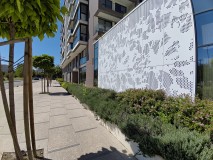




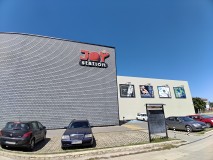
Lenovo Z6 Pro 16MP ultrawide photos
The ultrawide cam can also do for macro shots. If you move the phone too close to a subject the camera app will automatically switch to Macro. But you can also do it manually from the Mode selector. These are quite good in quality and will do for the occasional shooting of flower petals, bugs, and other tiny peculiar things. Yes, blurred corners and chromatic aberration are still noticeable here and there, but nothing that worrisome.


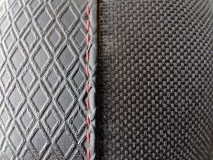


Lenovo Z6 Pro 16MP macro photos
Now, let's see what happens when night falls. The regular cameras insist on firing the HDR when working in low-light and we recommend leaving HDR Auto as is. Otherwise, the photos come out noisy and not very pleasant to look at. And the good news is the impact on the saving time is minor if any.

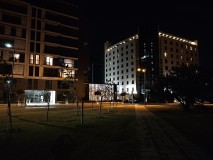

Lenovo Z6 Pro 12MP low-light non-HDR photos
So, the HDR night photos from the regular camera turned out quite fine with realistic exposure and enough detail even in more complex areas such as foliage. No matter the occasion, the Z6 Pro shot a very nice photo even in the darkest of places.

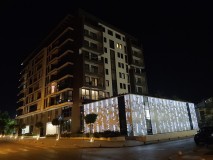
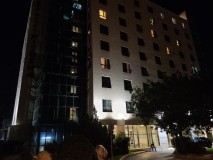
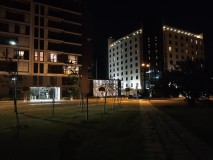

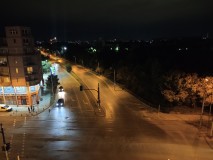
Lenovo Z6 Pro 12MP low-light HDR photos
There is Night mode for the main camera, it takes only a second to snap a shot, and the photos are amazing. The pictures we took with the Night Mode easily rival Huawei's but they do come way faster.
In Night Mode the Z6 Pro captures plenty of light and the nighttime images do pop-up nicely. The noise is kept low, there are almost no blurred people or cars, and the only area where those are a bit lacking is the sky.

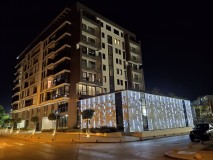

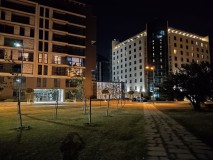

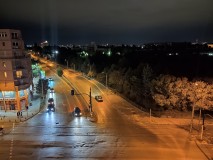
Lenovo Z6 Pro 12MP Night Mode photos
As we mentioned a few paragraphs ago, the tele camera isn't working when the light is low. Instead, you'd get a digitally cropped and zoomed 12MP photos from the main camera.
The photos from the ultrawide cam are quite bad. The noise levels are high, and the resolved detail is far from impressive, often smeared by the noise-reduction algorithm. Surely, those are somewhat usable, but you should stick to using the regular camera during the night. It does splendidly.


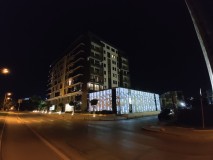

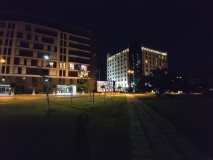

Lenovo Z6 Pro 16MP ultrawide low-light samples
And when you're done with the real world samples, head over to our Photo compare tool to see how the Lenovo Z6 Pro stacks up against the competition.
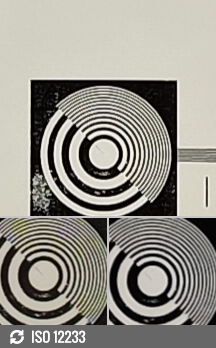
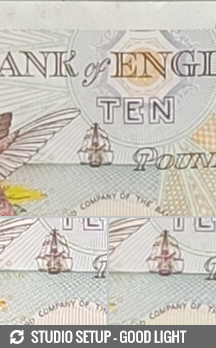

12MP: Lenovo Z6 Pro against the Xiaomi Mi 9T and the OnePlus 7 in our Photo compare tool
Portraits
The Lenovo Z6 Pro has five cameras but only two are involved when taking portraits - the main 48MP one and the ToF snapper. You can choose the blur strength (between 1 and 10, 5 is the default). No other crazy lighting effects are available.
The subject separation in the portrait shots we took is great, among the best we've encountered on a smartphone. The resolved detail is great, the blurred backgrounds looked nice and it didn't really matter if the subject was close or not that close. Very busy and complex backgrounds may fool the algorithm, but still - the ToF snapper does an excellent job in providing the depth map.




Lenovo Z6 Pro 12MP portraits
Selfies
The Lenovo Z6 Pro's selfie camera has the impressive 32MP resolution and an f/2.0 lens, though it lacks autofocus like the majority of these snappers. This particular camera uses pixel-binning and it saves 8MP images. There is no option to shoot in full 32MP.
The 8MP selfies we snapped with the Lenovo Z6 Pro turned out very good when there was enough light. The detail is enough, the contrast and colors are great, while the dynamic range is about the average. But we expected a bit more detail and sharpness from samples that were taken with a 32MP sensor though.





Lenovo Z6 Pro 8MP selfies
Portrait mode is available on selfies, too, and surprisingly it turned out to be a pretty good one on the Z6 Pro. The subject separation is very decent, and the background blur is quite nice.



Lenovo Z6 Pro 8MP portrait selfies
Video recording
The Lenovo Z6 Pro can shoot videos with three of its cameras - the primary, the ultrawide, and the 2MP eye that's dedicated for nighttime videos. The primary and ultrawide snappers shoot in 4K and 1080p resolutions at 30fps and there are no stabilization options available.
The 2MP night cam captures 1080p (Night Mode, OIS) or 720p (Sport Mode, OIS+EIS) clips at 30fps. If you select 1080p resolution in Video settings, the Night Mode will activate automatically when needed. If not, you will need to opt for it manually from the Mode Selector. Not that straightforward, but easy enough to remember.
The 2MP snapper can be used during the day, of course - select Sport or Night Mode and that's it. It won't provide you with better (or worse) videos than the 1080p ones from the main camera, but it offers stabilization, so it might be worth checking out.
The 4K clips we took with the regular camera are rich in detail, with excellent contrast, lively (though a bit over saturated) colors, and notably high dynamic range. The foliage isn't that realistic though - it's either over-sharpened or blurry. Same goes for the 1080p videos - there is plenty of detail, but they are a bit sharper that we would have liked them.
The 4K videos shot on the ultrawide camera have average detail and a bit colder color presentation, and frankly they looked like upscaled 1080p ones. Then the 1080p ultrawide clips are quite rich in detail, sharp, with quite the field of view, but once again the colors are a bit off.
You can select 2X zoom but it won't switch to the dedicated telephoto camera. C'mon, Lenovo! Anyway, if you are at 1080p resolution, the clips will turn out pretty good.
The 2MP camera can shoot during the day, of course, even though it's a bit odd that you must select the Night Mode for that. Nevertheless, the videos are equal in detail to the 1080p regular ones, though they are not over-sharpened and actually have a very true to life color presentation. Add the optical stabilization to these improvements and we think this camera would be of better use both day and night.
Here you can see the gain from shooting with this camera in broad daylight compared to the regular one in 1080p resolution.
And talking about night, here are some 1080p nighttime videos taken with this 2MP camera during different hours. They have amazing level of detail, excellent exposure, and impressively low noise.
Depending on where you tap, you can pop more detail in the shadows at the price of clipped highlights. The playlist below contains three videos to demonstrate this - a 1080p taken with the regular camera, a 1080p taken with the dedicated 2MP snapper, and another 1080p clip with the 2MP camera with manual exposure to keep the highlights from clipping.
And here you can see the gain from shooting with this camera at night over the regular one.
Finally, let's see the stabilization capabilities of the Lenovo Z6 Pro. Unfortunately, there is stabilization available only on the 2MP camera - OIS in 1080p (Night mode) and EIS+OIS in 720p (Sport mode). The OIS does a pretty good job in the 1080p videos, though adding EIS in the Sport mode does show a huge difference and despite the low resolution, the Sport videos could rival the stabilization capabilities of the action cameras.
Here's a glimpse of how the Lenovo Z6 Pro compares to rivals in our Video compare tool. Head over there for the complete picture.
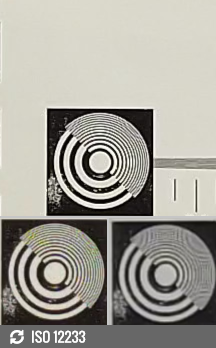


2160p: Lenovo Z6 Pro against the Xiaomi Mi 9T and the OnePlus 7 in our Photo compare tool
Wrap-up
The Lenovo Z6 Pro might the best phone Motorola has assembled in a while. Its limited market availability is exactly because Motorola is Lenovo's phone maker outside China, but after experiencing the Z6 Pro we are hoping things change for the better.
The Z6 Pro is Lenovo's flagship, but in the bigger picture it's more of an upper mid-ranger - a niche that OnePlus once called flagship killers. There are a few omissions like ingress protection, premium glass panels, and NFC, but the gains are a lot more to distract you from those.
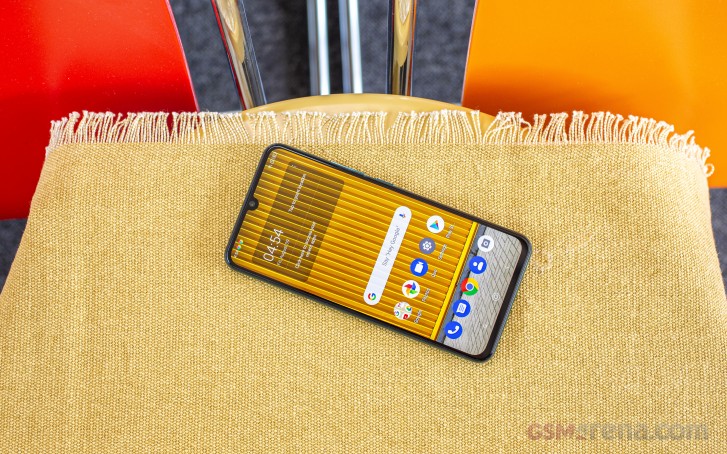
The Lenovo Z6 Pro is a looker and the first impression is quite important no matter what people say. Its AMOLED screen is punchy and with a small notch, has a fingerprint scanner underneath, and the latest Snapdragon 855 chip is present. But the camera department should be the headliner as it is as awesome as it sounds on paper.
Indeed, the Z6 Pro excels both day and night, in both shooting stills and videos. Sure, we'd have liked electronic stabilization on all shooting modes, but we are still beyond happy from what we got. The selfies surprised us with their 8MP resolution, but they are still pretty good, so we'd forgive this omission in the press materials.
The best part is that the Lenovo Z6 Pro costs about €500 where available outside China and that's a pretty reasonable price, if not a tempting one.
The Competition
And because of this mid-range price the Lenovo Z6 Pro is one tough offer to beat and only its scarce availability is sacking its otherwise great chances around the globe.
Naturally, who else if not Xiaomi to offer a great alternative. The Mi 9T Pro/Redmi K20 Pro is sporting the same chipset, and the same screen, but it does get rid of the notch with a pop-up selfie cam. Basically, Xiaomi will offer you an interrupted screen, NFC, and Gorilla Glass protection on both sides, but this will cost you the dedicated video snapper and the ToF shooter.
Or, if you are not after the fastest chipset on the market, you can save north of €150 and get the regular Xiaomi Mi 9T/Redmi K20.
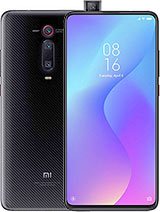
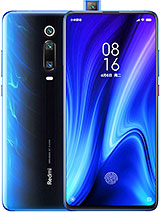
Xiaomi Mi 9T Pro • Xiaomi Redmi K20 Pro • Xiaomi Mi 9T • Xiaomi Redmi K20
The OnePlus 7 is priced closely to the Lenovo Z6 Pro and it does a bit better in everything but camera. The OnePlus 7 has a brighter but similarly notched AMOLED, Gorilla Glasses on both sides, NFC, and its 48MP cam features OIS. The OnePlus 7 has just this one 48MP primary and omits an ultrawide, telephoto, and night video shooters, though. But its Oxygen OS feels faster than ZUI and has tons of reasons to be a fan-favorite.
Then the Huawei P30 will match the screen, the raw power, and the camera prowess of the Z6 Pro, but will also top it longer zoom lens with OIS and better ingress protection. The P30 Leica camera is still one of the best on the market and as far as operation it goes, it's much more intuitive on the P30. The Lenovo Z6 Pro on the other hand is just miles ahead of the P30 when it comes to video quality, so there is that.
The Asus Zenfone 6 is one very interesting offer that's very hard to ignore. It has a notch-less AMOELD of a similar size and resolution as the Lenovo Z6 Pro, same Snapdragon 855 chip, and a similar 48MP primary cam and a 13MP ultrawide shooter. It has dual Gorilla Glasses, a pop-up selfie shooter, a larger 5,000 mAh battery, NFC, and can shoot in a lot more resolutions and framerates, with electronic stabilization at that. It costs the same as the Lenovo Z6 Pro and will deliver all those goodies at the price of a zoom and nighttime video cameras.
Finally, the Samsung Galaxy S10e is still an amazing offer. One of the most compact flagships this year, it tempts with an excellent 5.8" Dynamic AMOLED with a punch-hole for the selfie camera. It has an equally fast chipset, excellent main+ultrawide camera setup, and also offers water protection and stereo speakers.

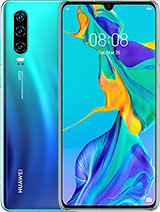
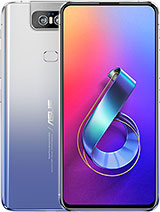

OnePlus 7 • Huawei P30 • Asus Zenfone 6 ZS630KL • Samsung Galaxy S10e
The Verdict
By the end of this review only one thing left us with mixed feelings about the Lenovo Z6 Pro. And no, it's not the surprise launch outside China or the non-sense zoom scrubber in the camera. It's actually ZUI.
Why Lenovo needed a launcher that's vanilla Android for the most part is beyond us. It changed enough on it and so it is a separate layer over the default Android. And sometimes you can feel it slower than the Google's clean OS if you have ever handled an Android One smartphone. It's not that annoying, but why did it need a new notification shade and a task switcher, when they do the same things as Google's? Beats us, but we felt ZUI obsolete. Oh, and Lenovo, please fix that zoom slider within the camera app!
There is no denying the Lenovo Z6 Pro is a great smartphone and we welcome it on the international markets with an open heart. The upper midrange segment will only benefit from this. In addition to the great screen, chip, and battery life, and the usual triple-camera, the Z6 Pro also offers a unique video camera that may win a lot of people on its side. But will it be enough? Only time will tell.
Pros
- Large AMOLED with a small notch
- Flagship Snapdragon 855 chipset
- Excellent battery life
- Great all-round image and video camera, day and night
- 3.5mm jack, microSD slot, FM radio
Cons
- No water or dust resistance
- No stereo speakers, no NFC
- No EIS or 60fps modes in videos
- ZUI is underwhelming

No comments:
Post a Comment