
Introduction
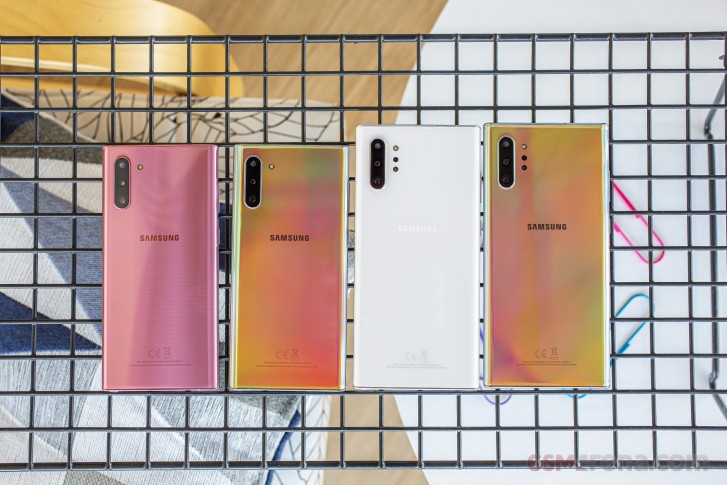
We've lived long enough to see a scaled-down version of the phone that opened the world's eyes to the concept of big phones - meet the Samsung Galaxy Note10. The original Note lives on in the 10+, but the Note10, size small, is the Note for those that didn't think they wanted a Note.
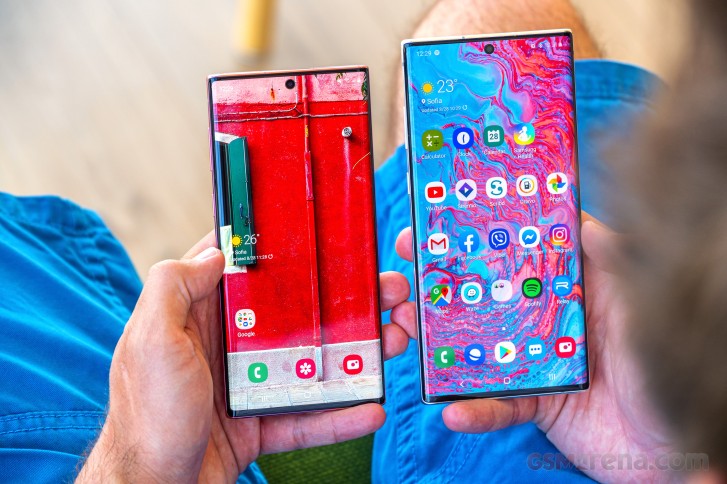
Barely larger than the Galaxy S10 and appreciably more compact than the S10+, the Galaxy Note10 has die-hard Note loyalists reaching for their pitchforks - Notes need to be bigger than the S-series, that's the norm. But if such reasoning stems from a time with one device in each of Samsung's high-end lineups, what's wrong with a double-Note double-S state of affairs (let's pretend for a minute the S10e doesn't exist for the sake of this argument)?
The Note10 features a 6.3-inch display - that's 0.2 inches more than the S10, which you could count as a modern loophole in the laws of the Galaxy universe allowing it to carry the Note badge even if it's smaller than the S10+. The 1080p resolution is what's a bit more troubling - the S10's smaller screen is QHD, and so is the Note10+'s 6.8-incher - that's one in favor of the 'this isn't a Note' team, which also proclaim that Notes need to be equipped with the best available hardware. And this one isn't quite there. But it's got plenty nonetheless.
Samsung Galaxy Note10
- Body: 151x71.8x7.9mm, 168g, curved Gorilla Glass 6 front and back, aluminum frame. IP68 rating.
- Screen: 6.3" Dynamic AMOLED, 1080x2280px resolution; 19:9 aspect ratio; 401ppi; HDR10+ support.
- Chipset (market dependent): Exynos 9825 (7nm) (in EMEA/LATAM): Octa-core (2x2.73 GHz Mongoose M4 & 2x2.4 GHz Cortex-A75 & 4x1.9 GHz Cortex-A55); Mali-G76 MP12. Snapdragon 855 (7nm): Octa-core CPU (1x2.8GHz & 3x2.4GHz Kryo Gold & 4x1.7GHz Kryo 485 Silver); Adreno 640 GPU.
- Memory: 8GB RAM, 256GB built-in UFS 3.0 storage, no microSD slot.
- OS: One UI based on Android 9.0 Pie.
- Rear camera: Wide (main): 12MP, 1/2.55" sensor, f/1.5-2.4 aperture, 26mm equiv. focal length (77° FoV), dual pixel PDAF, OIS. Telephoto: 12MP, 1/3.6" sensor, f/2.1 aperture, 52mm equiv. focal length (45° FoV), PDAF, OIS. Ultra-wide: 16MP, f/2.2 aperture, 12mm equiv. focal length (123° FoV), fixed focus.
- Front camera: 10 MP, f/2.2, 26mm (wide), 1.22µm, Dual Pixel PDAF; 2160p@30fps video recording.
- Battery: 3,500mAh, 25W fast charging over Power Delivery 3.0 (25W charger supplied in the box).
- Misc: Fast Qi/PMA wireless charging 15W; Power bank/Reverse wireless charging 9W; S-Pen stylus; Ultra-sonic under-display fingerprint reader; NFC; FM radio (USA & Canada only); Stereo loudspeakers; Sam sung DeX support (desktop experience).
To go with the smaller screen, the Note10 also has a smaller battery than the 10+ - logical. But a feature got lost in the scaling-down process - while the big phone supports up to 45-watt charging with an optional adapter, the plain 10 is capped at the 25 watts of the bundled brick.
A few other minor differences warrant the plus sign in the bigger phone's name. The missing ToF camera on the back of the Note10 is hardly going to be a dealbreaker for anyone, but we can see how some may lament the lack of a microSD slot, especially with the Note10 only available with just 256GB of storage. The 8 gigs of RAM could also make you feel bad, knowing that you can have the Plus with 12GB, but isn't 8 plenty, really?
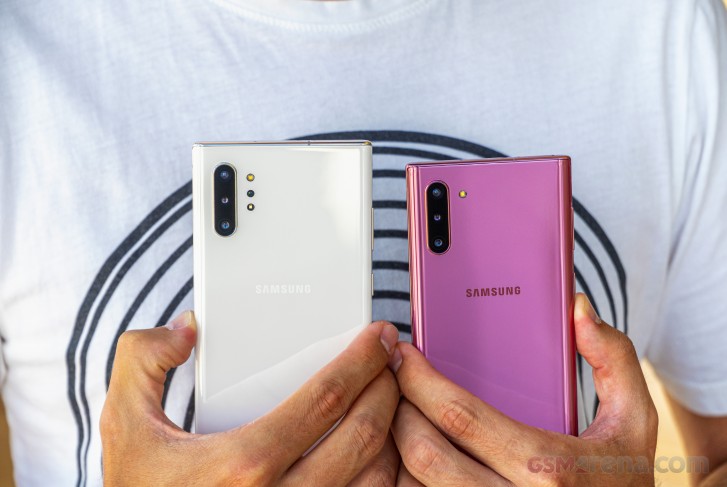
So far we've established that the small Galaxy Note10 isn't the fully tricked out best-of-the-best smartphone that people have come to expect of Notes. But does it need to be? Let's get it out of its box and start on this quest of finding out if the Note10 is worthy of its name and whether it's okay to get one even with all these cutbacks in specs.
Samsung Galaxy Note10 unboxing
The Galaxy Note10 arrives in the same (okay, smaller, but still) black box with a glossy life-size S Pen stamped on top, true to the color of the actual stylus you'll find inside - different paintjobs get a different colored S Pen.
Inside the box, you'll find a reasonably rich accessories package, with one notable absentee - there's no USB-C to 3.5mm adapter. Samsung's first flagship without a headphone jack ships without a solution for your legacy cans. You could try and spin it like it's the environmentally friendly way as there's no need to bundle stuff most people won't use, or you could call Samsung cheap for not including a dongle worth peanuts - your choice. In any case, there's a pair of nice AKG-branded earbuds with a USB-C connector at the far end, so you can get going right out of the box.
In a welcome move, for this generation of Notes Samsung has replaced the ancient QC2.0 compliant 15W Adaptive fast charging power brick with a modern 25W unit that adheres to the USB Power Delivery standard. A USB-C-to-C cable completes the link.

Depending on where you are in the world your Note10 may come with a USB-A-to-C adapter in the box (a couple of retail grade units here didn't), but we're yet to see a bundle that includes both this adapter and the microUSB-to-USB-C adapter we got with the Note10+ (a reviewers' unit sent to us from Samsung).
Fret not, the set of S Pen tips and the familiar pliers to replace them are still part of the package, as expected.
Design and 360-degree view
Perhaps one of the most controversial aspects of the Galaxy Note10's design is size. A descendant of the original phablet, the Galaxy Note of 2011, this compact version of the 9th generation isn't universally loved. It's not a true Note, the haters say, if it's smaller than the current-gen S-series phone.
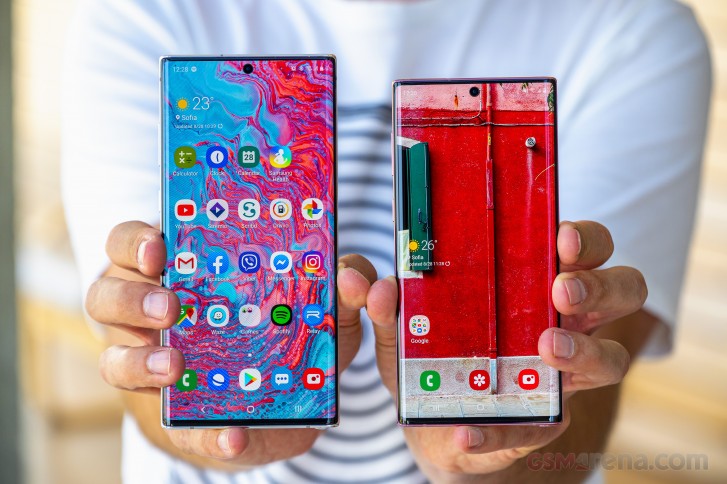
We've gone into dogmatic arguments of this sort before at the office and rarely reached a consensus - we couldn't this time around either. Team 'pure Note' insists that the Note10 shouldn't exist on grounds of not being the ultimate smartphone Samsung offers, size being a part of that. Meanwhile, the less principled folks around (maybe they like to call themselves progressive, but who are they fooling) enjoy it for what it is - a compact Note.
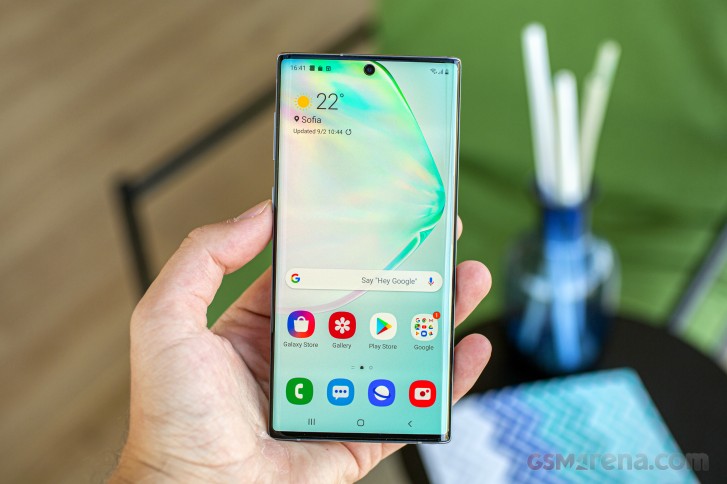
Now, we're saying compact, but it's all relative - it is in fact taller than that original from 8 years ago. Measuring 151x71.8x7.9mm, it stands 4mm above the Note N7000, but is a massive 11mm narrower and some 2mm thinner. The Note10 "Size S" is meaningfully more pocketable than the Note10+, however, and is also smaller in footprint than the S10+. It compares favorably to the S10 too at just 1.1mm taller and 1.4mm wider, while packing a larger display.
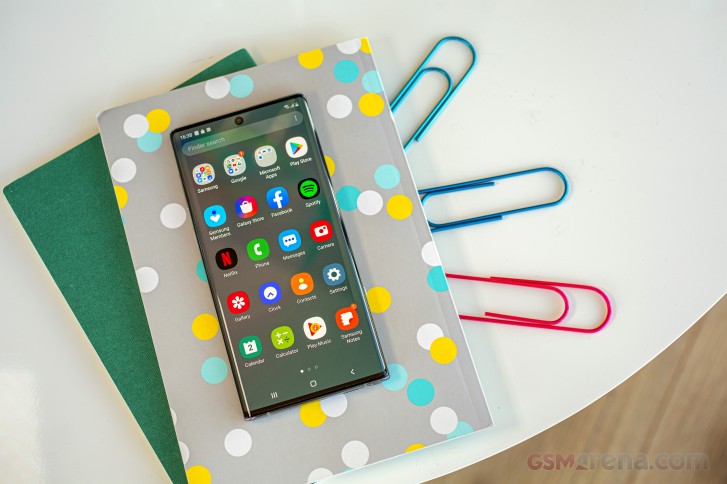
Ah, the display. A gorgeous 6.3-inch Dynamic AMOLED that spans almost the entirety of the Note10's face. Samsung's been fitting exclusively curved-edge displays on its high-end smartphones since the S8, and the Note10 is no different. With the Note10s they've shrunk the top and bottom bezel further from what we had on the S10s and there's little left to shave off in the future.
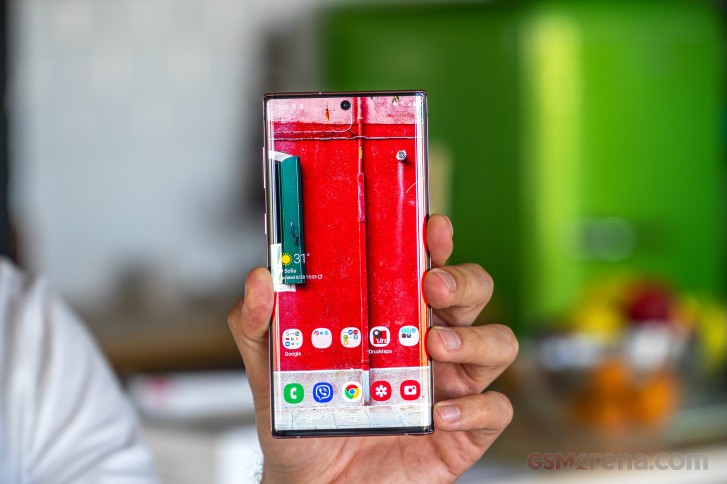
As was the case with previous generations, the Note10 is notably more squarish than the S-series phone it shares a year of release with. It makes for a more technical, this-phone-means-business look than the more fluidly shaped S10 that has a sort of a toyish look next to the Note. Both look good, they're just different.
Another key difference between the S phones and the Notes this year is the selfie camera location. Where the S10s have it (them) inside a cutout in the top right corner of the display, the Note10 goes for a central position. It's just a single cam on the Note, like the vanilla S10, and Samsung's made the punch hole smaller, so potentially less obtrusive.
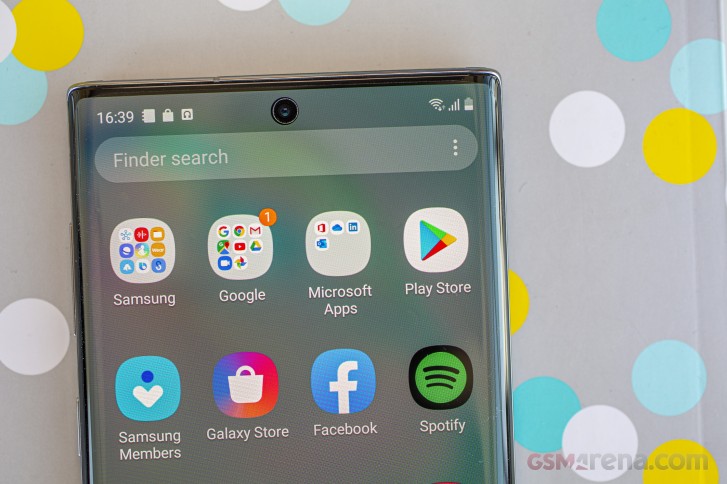
It's worth pointing out that despite the minimal top bezel, Samsung's still fitted a conventional earpiece - not the piezo solutions some other makers have been doing on their bezelless phones. It is located behind the display and directs sound through a several-hairs-thin slit where the front glass meets the aluminum frame. There's an opening on top that serves as a speaker port to let air move more freely and improve frequency response.
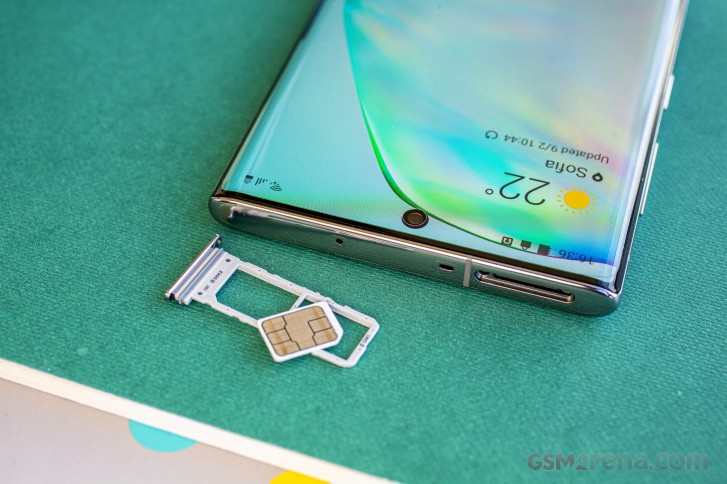
Since we've started on the tour of the frame, the top is also home to a secondary mic for noise canceling and stereo recording in video. The card slot is here as well, and we wouldn't be ourselves if we didn't voice a complaint that there's no option for putting in a microSD card. Regardless of whether it's a single SIM or a dual SIM Galaxy Note10, the 256GB of built-in storage is all the storage you're getting. The Note10+ is superior in this respect as it does have a card slot.
Another thing missing is the headphone jack, but at least that's common between both Note sizes, so the small one doesn't have to face the outcry alone. The bottom of the phone has the USB-C port, primary mic and speaker - in an unbelievable turn of events these are now all placed along the same axis, something that's been bugging folks with mild OCDs in the past.
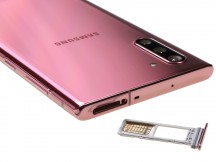
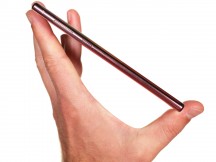
Things are lined up, for once • Card slot up top • All buttons on the left
Down here is where you click the S Pen's rear end so can pull it out its silo. The S Pen looks mostly the same, save for a slightly higher notch for the catch that keeps it inside, when compared to the Note9's. The clicky top end design was introduced way back on the Note5 and has somehow stuck - we do kinda like it.
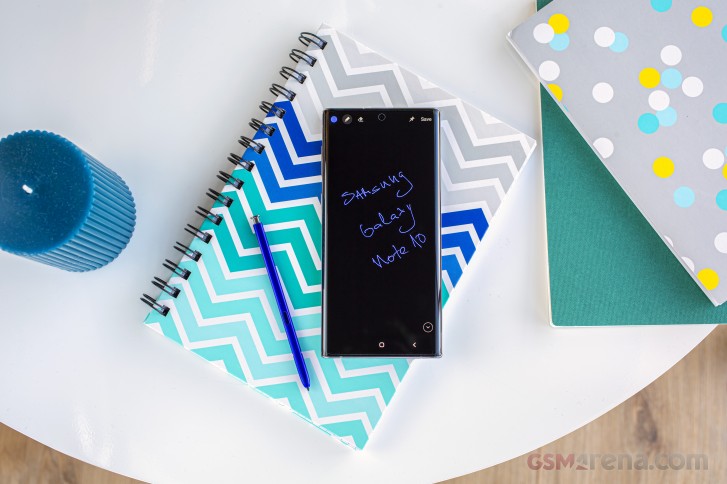
We're not so sure about the power button placement. Samsung power buttons have been on the right side since ages (also correct side), but this year there isn't one. Or, rather, what was introduced as the Bixby button on the Galaxy S8 is now called 'Side key' and serves double duty - Bixby and power. It is customizeable enough that you can get rid of the assistant entirely, which is nice.
However, if you've been using Samsungs exclusively for any number of years, you'll have a lot of muscle memory to battle before you get used to the new position. Even smartphone-lefties who should find this position superior, will require some adjustment after having gotten accustomed to waking the phone by stretching an index finder across the back.
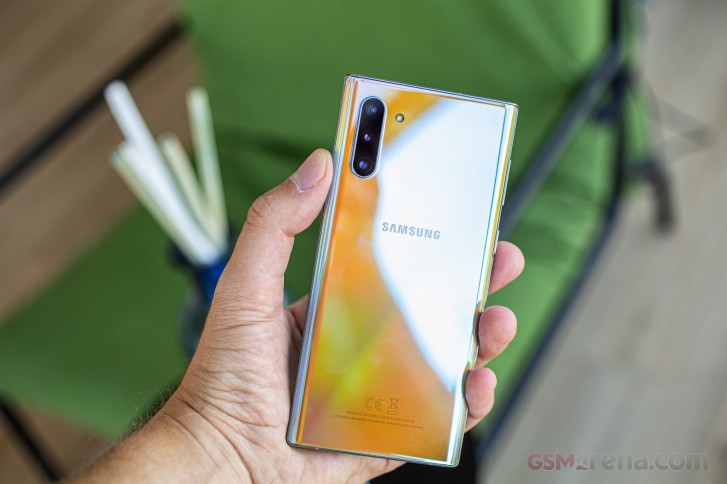
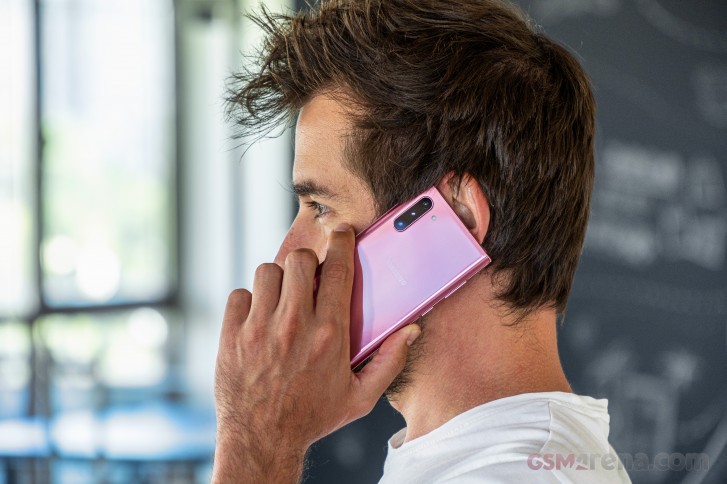
There are new developments on the back as well. Where all previous Notes, going back to the original N7000, had their cameras centered (one way or another - don't get us started on what can only be described as a mess of a camera assembly on the Note8 and Note9 in terms of design and looks), the Note10 and Note10+ have their cameras in the top left corner. We gather that helps with internal design by not forcing the motherboard go around a bunch of cameras.
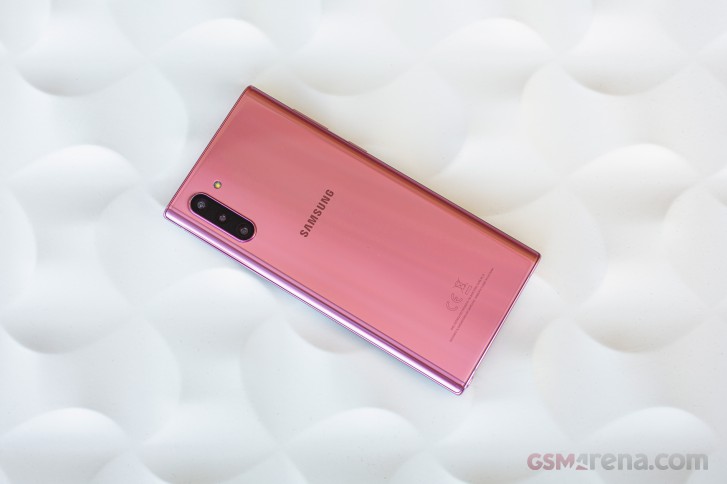
And a bunch of cameras there are - three of them. It's a fairly standard trio of a wide-ish primary cam, an ultra wide angle one, and a modest telephoto delivering 2x 'zoom' from the main unit's perspective. The three share a bump that's about a millimeter thick and yes, it does cause the dreaded wobble on a flat surface, minor as it may be. Put a case on it if bothers you so much.
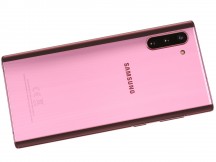
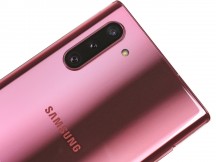
No more 'DUOS' branding • Triple cam
Mind you, a case is a good idea anyway - these glass-backed phones get covered in smudges pretty much instantly, are prone to scratches, and are fairly slippery. These plus the fact that there's barely any meat around the display to absorb the energy of a potential drop make a pretty good case (wink) for adding some extra protection.
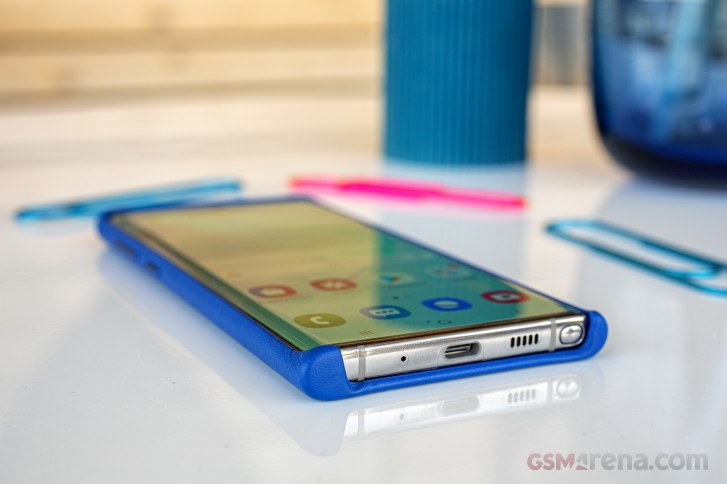
There's protection built-in of course. Both the front and the back of the Note10 are made of Gorilla Glass 6, supposedly Corning best in terms of shatter resistance, though again - glass is glass and a fall is a fall. There's a pre-applied plastic screen protector on the front, too. The phone is also IP68 rated for dust and water resistance as most recent high-end devices.
The smallest Note in a while is still 6.3 inches in diagonal
The Galaxy Note10, compact as it may be, has a 6.3-inch display with a surface area almost the size of the Note8's - a bigger phone in every direction. It's got a 2280x1080px resolution, which results in a pixel density of 401ppi. The display snobs among us insist that it is unacceptable for a Note (and we do have a point), but ultimately a consesus was reached that while not as cutting edge as it's supposed to be, the Note10's panel is plenty sharp enough.
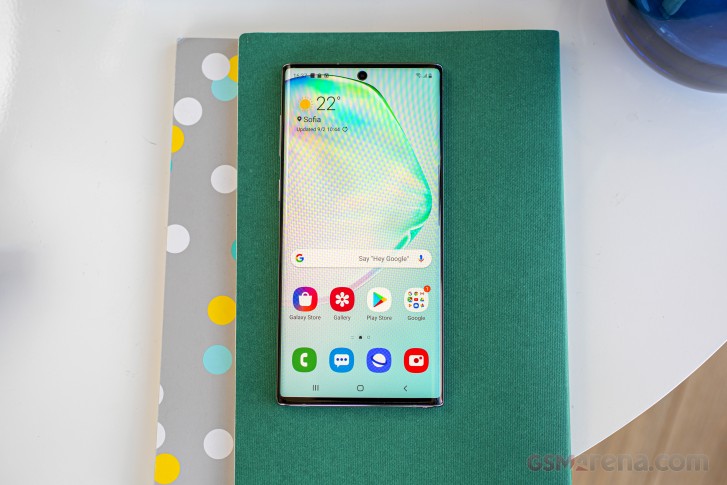
It's also plenty bright, reaching close to 800nits in Auto mode in our testing, virtually the same result as the Note10+. It was marginally less bright than its big brother when adjusting the slider manually, and with just 340-ish nits at your disposal this way. This means you're better off leaving the Auto toggle on. The Vivid color mode does get slightly brighter manually - up to 366nits in our test setup, but there's no meaningful difference in Auto.
| Display test | 100% brightness | ||
| Black, cd/m2 | White, cd/m2 | ||
| 0 | 366 | ∞ | |
| 0 | 789 | ∞ | |
| 0 | 381 | ∞ | |
| 0 | 794 | ∞ | |
| 0 | 396 | ∞ | |
| 0 | 820 | ∞ | |
| 0 | 385 | ∞ | |
| 0 | 793 | ∞ | |
| 0 | 660 | ∞ | |
| 0 | 653 | ∞ | |
| 0 | 426 | ∞ | |
| 0 | 451 | ∞ | |
| 0 | 571 | ∞ | |
| 0 | 605 | ∞ | |
| 0 | 449 | ∞ | |
| 0 | 635 | ∞ | |
| 0 | 391 | ∞ | |
| 0 | 655 | ||
| 0 | 428 | ∞ | |
| 0 | 620 | ∞ | |
| 0 | 440 | ∞ | |
| 0 | 436 | ∞ | |
| 0 | 616 | ∞ | |
| 0 | 391 | ∞ | |
| 0 | 665 | ∞ | |
The Note10's panel gets the Dynamic AMOLED moniker to hint at its HDR10+ video capabilities. HDR10+ video is a standard that Samsung pushes for dynamic metadata control over dynamic range allocation (like DolbyVision, but without the royalty fees) and there's not a ton of content available. HDR10 content, on the other hand,(minus the '+') is ubiquitous and the Note10 will play that just as well.
Color reproduction on the Note10 is handled using Samsung's recently introduced Natural/Vivid approach. Out of the box you get the Natural setting, which is tuned for accurate rendition of sRGB content and delivers an excellent average deltaE of 1.8 though color rendition appears a bit bland. We suspect most users will switch to Vivid mode straight away. The good news is that Vivid is just as accurate - it tests well against a DCI-P3 target, where we got an average deltaE of 3.2 for our set of test color swatches.
In both color modes we measured accurate white points, but a noticeable shift towards green for the grayscale swatches, which comes as a surprise as there is none of that on the Note 10+.
The effect got particularly pronounced as we dropped the brightness to the 200nits we carry out our battery tests at. The good news is that there's a remedy for that, at least in Vivid mode, where you get RGB sliders for adjusting the color balance - R and B around the midpoint and G all the way to the left worked for us.
Samsung Galaxy Note10 battery life
The Note10+ packs a 3,500mAh battery, just barely bigger than the Galaxy S10's 3,400mAh cell. We had our reservations going into the battery testing but as it turned out those had been unfounded. The Galaxy Note10 is pretty much its big bro's equal in our two on-screen tests with 12 hours in web browsing and 18 hours of looping videos. Sure, it can't quite match the Note10+ in voice calls and standby, where more battery simply means more hours, but we're still happy with the numbers.
The Galaxy Note10 posted an overall endurance rating of 92h, short of the Note10+'s 107h but more than respectable nonetheless.
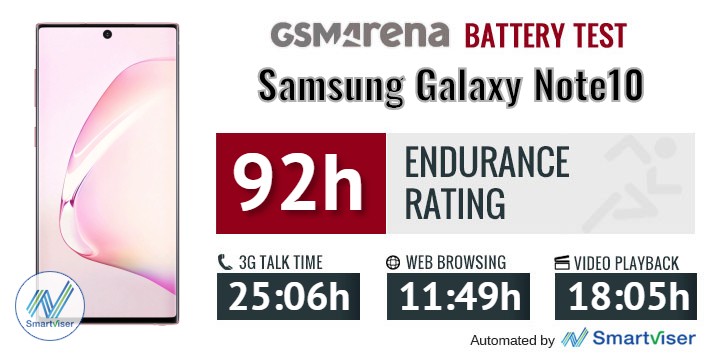
Our battery tests were automated thanks to SmartViser, using its viSer App. The endurance rating above denotes how long a single battery charge will last you if you use the Samsung Galaxy Note10 for an hour each of telephony, web browsing, and video playback daily. We've established this usage pattern so that our battery results are comparable across devices in the most common day-to-day tasks. The battery testing procedure is described in detail in case you're interested in the nitty-gritty. You can check out our complete battery test table, where you can see how all of the smartphones we've tested will compare under your own typical use.
Charging the Note10 is quite speedy with the bundled 25W adapter. Starting from flat we were looking at 57% at the 30-minute mark, while a full charge took us 1:20h. Who needs those 45 watts then, really? Okay, perhaps some of us do.
Loudspeaker
The Galaxy Note10 has a stereo speaker setup in which there's a primary driver firing downwards, and the earpiece serves as the second channel. The two speakers trade channels as you rotate the phone, so left is always left and right is always right in landscape, while portrait orientation gets you the left channel on top every time.
As we mentioned earlier, the earpiece is designed in such a way that sound comes out through a super thin slit towards the front, while the opening on the top plate serves as a port to improve the low-frequency response (within the size constraints of a smartphone, obviously).
The Note10 posted respectable numbers for loudness, really close to the Note10+, and scored an 'Excellent' mark in our test. We're also finding it subjectively one of the best sounding phones you can buy right now.
| Speakerphone test | Voice, dB | Ringing |
Overall score | |
| 68.1 | 73.1 | 82.2 | Very Good | |
| 69.7 | 74.7 | 79.3 | Very Good | |
| 69.8 | 74.5 | 81.0 | Very Good | |
| 70.1 | 74.2 | 81.6 | Very Good | |
| 71.5 | 75.7 | 78.9 | Very Good | |
| 70.6 | 74.8 | 81.2 | Very Good | |
| 68.4 | 73.7 | 86.3 | Excellent | |
| 70.1 | 72.8 | 85.7 | Excellent | |
| 71.2 | 76.8 | 80.6 | Excellent | |
| 70.5 | 74.0 | 84.7 | Excellent | |
| 77.5 | 71.7 | 81.1 | Excellent | |
| 74.4 | 74.2 | 83.6 | Excellent | |
| 68.0 | 74.5 | 92.0 | Excellent | |
| 70.9 | 73.8 | 90.9 | Excellent | |
| 83.2 | 75.6 | 83.5 | Excellent | |
| 82.2 | 74.9 | 85.5 | Excellent | |
| 79.6 | 77.7 | 87.2 | Excellent |
Audio quality
Much like its Plus sibling the Samsung Galaxy Note10 has no audio jack so we tested it using the official Samsung USB-C to 3.5mm adapter. So keep in mind that if you use a different adapter, your experience may vary.
As it turned out the smaller Galaxy Note10 was louder than the Galaxy Note10+, while the clarity was identical between the two. The output was perfect with an active external amplifier, while headphones only took a small toll on stereo separation.
The loudness was great - while the Galaxy Note10+ was already above average, the smaller Galaxy Note10 did even better in both parts of the test.
| Test | Frequency response | Noise level | Dynamic range | THD | IMD + Noise | Stereo crosstalk |
| +0.13, -0.06 | -92.8 | 92.7 | 0.0011 | 0.012 | -94.0 | |
| +0.04, -0.16 | -92.7 | 92.7 | 0.0030 | 0.022 | -69.7 | |
| +0.03, -0.06 | -94.0 | 94.0 | 0.0011 | 0.012 | -95.1 | |
| +0.03, -0.06 | -93.9 | 93.9 | 0.0027 | 0.023 | -69.9 | |
| +0.03, -0.04 | -92.2 | 92.0 | 0.0015 | 0.0079 | -92.7 | |
| +0.06, -0.03 | -91.9 | 91.7 | 0.0020 | 0.037 | -77.0 | |
| +0.02, -0.01 | -93.6 | 93.5 | 0.0010 | 0.007 | -85.2 | |
| +0.31, -0.26 | -92.1 | 91.9 | 0.0060 | 0.302 | -55.1 | |
| +0.03, -0.01 | -93.0 | 92.6 | 0.0023 | 0.021 | -89.6 | |
| +0.10, -0.05 | -92.0 | 91.4 | 0.0034 | 0.106 | -74.8 | |
| +0.04, -0.02 | -90.5 | 90.4 | 0.0014 | 0.013 | -93.0 | |
| +0.14, -0.23 | -90.4 | 90.3 | 0.0046 | 0.211 | -47.0 |
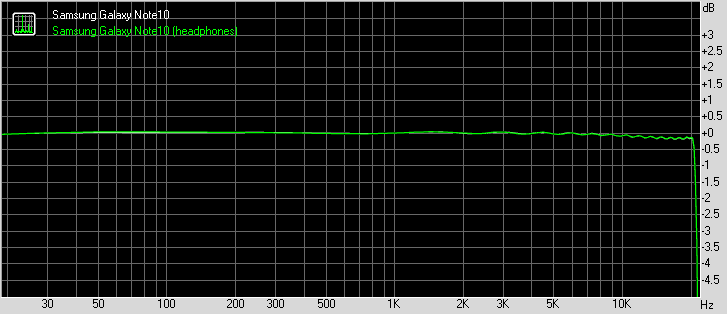
Samsung Galaxy Note 10 frequency response
You can learn more about the tested parameters and the whole testing process here.
Android 9.0 Pie with One UI on top, S Pen goodies too
The Galaxy Note10 runs Android 9.0 Pie with Samsung's custom skin on top - business as usual. We're in One UI times now, the latest iteration of the company's proprietary overlay, introduced with the Galaxy S10-series. The new UI focuses on the one-handed operation and aims to simplify the whole user experience although simplifying Samsung's feature-packed software is a really tough job.
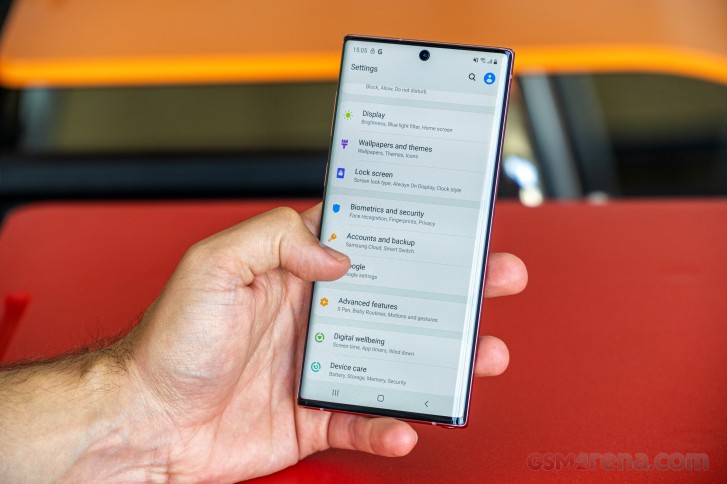
The one-handed use, however, is significantly improved with the One UI, especially in a tall aspect ratio like this one - swiping down in menus drops the UI elements to the bottom half of the display for easier reaching. The same goes for the notification shade - swiping twice will bring the quick toggles within thumb's reach.
Still, some UI items such as search boxes in the app launcher or in Settings require you to stretch your thumb to the top of the screen which is less than ideal so there is still room for improvement.
Feature-wise, the Notes aren't all that different from the S-series, except for the S Pen, of course. We will try to cover the most interesting and perhaps useful functions but keep in mind, the One UI software offers plenty of customizations and it's nigh impossible to go through everything.


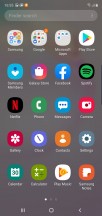

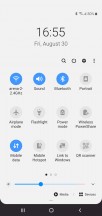
Lockscreen • Homescreen • Folder view • App drawer • Notification shade • Quick toggles
Since the screen is one of the centerpiece features of all flagship Galaxy phones, One UI offers plenty of functionality to play around with on it. You will find a Blue light filter, Night mode (a relatively new feature to Galaxy phones), screen calibration and Edge screen, but on the small Note10 here there's no screen resolution adjustment - it's just the native 1080p.
Edge panels is a well-known long-standing feature that gives you quick access to apps, actions, tools, etc. with a single swipe from the side. You can choose which side the handle is located on, as well as adjust its position along the height of the phone. In the Edge screen sub-menu, you will also find Edge lighting - it lights up the edge of the screen for notifications and as you've probably guessed, there are tons of options and styles to choose from.
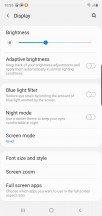
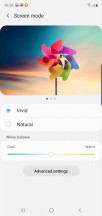
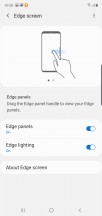

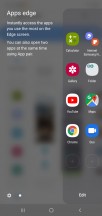
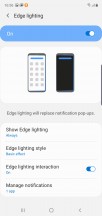
Display settings • Color modes • Edge screen
For a while now, and quite incomprehensibly, the Always-on display hasn't been in the Display menu - Samsung tucked it away in the Lock screen section instead, with a shortcut to it on the bottom of the Display menu. There are different styles and behaviors to play around with, as well as the option to have it actually always on, appear as scheduled, or only show up when you tap the screen.
The fingerprint sensor area can be set up to light up with the always on display aiding you in finding it - a welcome feature that wasn't available when the S10 came out. Still, it takes too much time to light it up - once you touch the screen, it usually takes between one to two seconds for the fingerprint area to show up on the screen. Then again, if you have the always on display show constantly, the fingerprint icon is also there all the time.

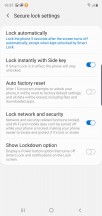

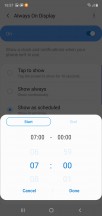
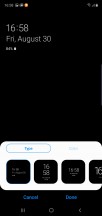
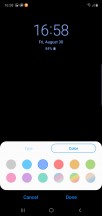
Lock screen options • Always on display
It's especially useful when the phone is lying on your desk and you either need to check for notifications or you want to unlock the phone without guessing where exactly the fingerprint is. Since the scanner is pretty small and takes a small surface of the screen, you need to be pretty accurate when placing your finger.
And while we are on the subject, let's discuss the fingerprint reader performance. It's a mixed-bag experience, where it can be fast and work every time, or feel sluggish and get multiple false readings in a row.
We've discovered that since it's a smallish sensor you need to get your finger placement pretty much just right and then it works like a charm. But that's really the case if you're deliberately testing the speed and being careful.
In real-life use, it's more of a 50-50 chance you'd unlock on the first try. And even then, the unlock animation could feel like it's taking longer than ideal. Overall, competitors generally offer superior unlock experience with their under-display readers.
The lift-to-wake function, especially when lifting it off the table as opposed to out of a pocket, doesn't work very reliably either, so if you're not using the Always-on feature, there are a lot of times when you have to guess where the sensor is.
After using the phone for a while, you start to get used to the sensor positioning and no visual hints will be needed anymore. The overall placement of the reader is quite convenient as well - it's easy to reach and comes naturally from the get-go.
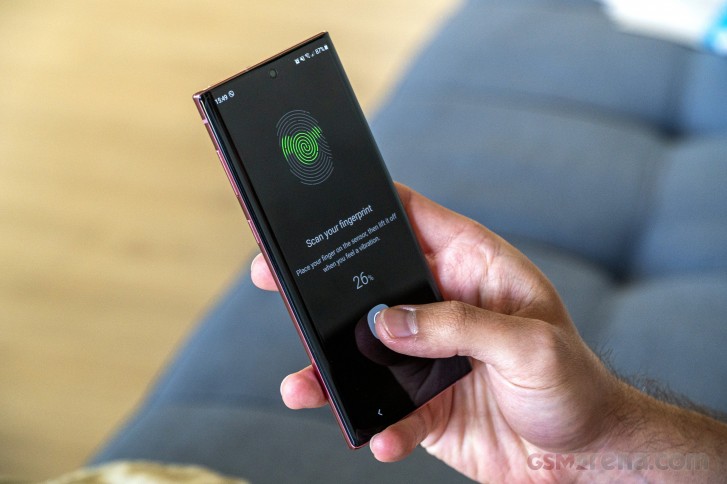
If you are a privacy freak, there's an option in the Fingerprint settings menu just for you. You can turn off the Faster recognition toggle - you will be trading better security with more readings for speed with less readings.
As an alternative to fingerprint recognition, the phone also supports face unlock. It's quite fast and consistent but since it uses only the front-facing camera and software to read your face, it's not as secure as on the Mate 20 Pro or the iPhones, for example.



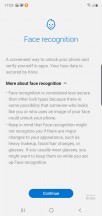
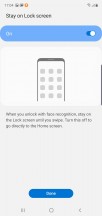
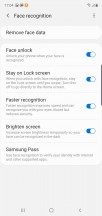
Biometrics and security options
Moving over to the Device care section, we find information and preferences about the battery, storage, memory and security. You are greeted with a big Optimize button that clears background apps and scans for suspicious behavior - that is if you don't trust Android and Google Play Portect to do their job.
The three dots menu in the upper right corner reveals several other options like Auto optimization. You can set a schedule and the phone will run the optimization process automatically. There's also an App issue history sub-menu that helps you keep track of the problematic apps.
Tapping on the Battery icon will take you to the familiar battery menu where you can see what drains the battery the most - apps, screen, other hardware, etc. There are also a couple of power modes - High performance, Optimized, Medium power-saving and Maximum power saving. If don't want to be bothered with switching power modes back and forth, just toggle the Adaptive power-saving feature and let the system decide which power mode is the best depending on your usage patterns. We assume it will turn on High performance while you are playing games and switch it back to one of the other more efficient modes to save up some juice, especially when the battery is low.

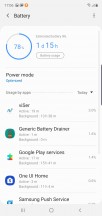
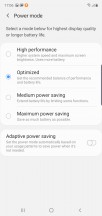
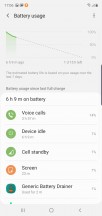
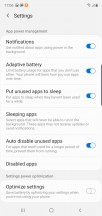
Battery menu and features
The three-dot icon in the upper-right corner of the screen will take you deeper into the battery customization options. There's the app power management and automatic optimization when you aren't using the phone as much. As usual, Samsung has provided the option to opt-out of the fast charging feature. It's set to on by default but if you don't need fast charging, you can turn it off. Oh, and if you're looking to enable the battery percentage indicator in the status bar, it's not here - you need to go to the Status bar settings from the three-dot menu in the expanded quick toggles. Urgh.
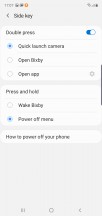
Since the dedicated Bixby button is gone, the power key takes over here - Side key Samsung calls it. The good news is that you can assign the double press to launch the camera (as has been the case with Samsungs since forever) or open an app while the "press and hold" action is limited to waking Bixby and powering off the device. Effectively, you can disable Bixby altogether by setting the double press to launch the camera and the long press to power off the phone.
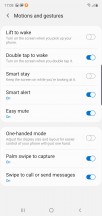
If you are not a fan of the One UI animations, you can cut off some of them and potentially speed up the navigation through menus. Screen recorder and screenshot settings are available as well. And we suggest taking the time to get familiar with all the motions and gestures available. The palm swipe to capture a screenshot is a fun gesture in case you find the standard volume key + power button combination harder to execute now that the keys are on the same side.

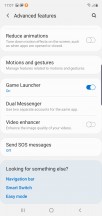
Advanced features menu
S Pen
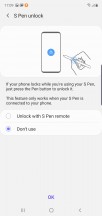
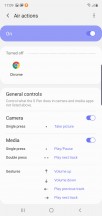
If you've used the S Pen on previous Notes, you'd find yourself in a familiar place. As always, there are a couple of new features that come with the new Note. The first that spring to mind are the new camera gestures and we talk about them in detail in our camera section of the review.

Outside of the camera, one of the main features Samsung wants to promote is AR doodle - it uses the camera to find a face on which you can then and the software then keeps track of it even when it exits the frame and returns back. It's a fun feature to play around with but not necessarily a useful one. The Note10+ uses the ToF sensor for improved depth mapping in this process, but it's not like missing it on the Note10 is critical, really.



S Pen features and options
The hand-written text recognition, however, is something to behold. Samsung specifically boasted about the new algorithm recognition and we can see why. We're not exactly calligraphers around here, but the software is able to pick up our scribbling quite accurately. It's also easier to access, not like in the Note9 where you'd have to dig a bit deeper to summon it.
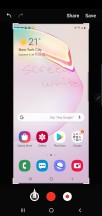




Screen white • Handwriting recognition • PEN UP
A new Write on calendar feature has made an appearance but we couldn't figure out a use case for it. It does exactly what the name says - you write on top of the calendar and that's pretty much it.
Synthetic benchmarks
The Galaxy Note10 is available in two different hardware configurations depending or region. Some markets get the Snapdragon 855 SoC, but in our neck of the woods it's the version with Samsung's in-house Exynos 9825 chipset. The extra 5 on top of the Galaxy S10's Exynos 9820 means a 7nm manufacturing process to match the Snapdragon's and marginally increased clock speeds here and there, but not a ton of difference as we saw while testing the Note10+.
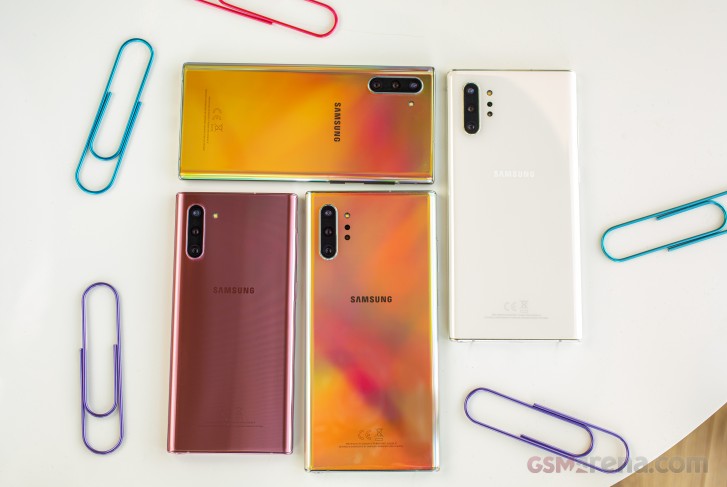
The CPU configuration goes like this - 2 oversized custom Mongoose M4 cores, clocked at 2.73GHz (so same as in the E9820), 2 standard Cortex-A75 cores at 2.4GHz (vs. 2.31GHz on the old model), and 4 Cortex-A55s listed at 1.95GHz. The GPU has also been tweaked but Samsung doesn't disclose clock speeds. The Note10 is only available with 8GB of RAM and 256GB of UFS3.0 storage - if for whatever reason you want 12GB of RAM, you'd need to look at the Note10+, which can also be had with 512GB of onboard memory.
The increased clock speeds result in a minor bump in multi-core CPU benchmarks compared to the S10 and virtually no difference under single-core loads. Single-core performance is still far and away the best in the Android world and only a little behind last year's iPhone (new one on the way). Snapdragon 855 devices still have a slight advantage in multi-core performance.
GeekBench 4.1 (multi-core)
Higher is better
- Apple iPhone XS
11472 - Xiaomi Mi 9
11181 - Lenovo Z6 Pro
11155 - Sony Xperia 1
10985 - OnePlus 7 Pro
10943 - Asus Zenfone 6
10721 - Redmi K20 Pro/Mi 9T Pro
10684 - Samsung Galaxy Note10+
10403 - Oppo Reno 10x zoom
10395 - Samsung Galaxy Note10
10353 - Samsung Galaxy S10
10174 - Huawei P30 Pro (perf. mode)
10014 - Huawei P30 Pro
9649
GeekBench 4.1 (single-core)
Higher is better
- Apple iPhone XS
4823 - Samsung Galaxy Note10
4544 - Samsung Galaxy S10
4543 - Samsung Galaxy Note10+
4541 - Asus Zenfone 6
3505 - Xiaomi Mi 9
3503 - Lenovo Z6 Pro
3479 - Sony Xperia 1
3447 - Oppo Reno 10x zoom
3424 - OnePlus 7 Pro
3402 - Huawei P30 Pro (perf. mode)
3323 - Huawei P30 Pro
3270 - Redmi K20 Pro/Mi 9T Pro
3000
Over in Antutu, there's a marginally more noticeable improvement - we gather it's the combined effect of the higher clocks and the faster UFS3.0 storage (S10 is on UFS2.1). Once again, the Snapdragon competition is ever so slightly ahead.
AnTuTu 7
Higher is better
- Xiaomi Mi 9
372006 - Redmi K20 Pro/Mi 9T Pro
368846 - Oppo Reno 10x zoom
364220 - OnePlus 7 Pro
364025 - Asus Zenfone 6
361679 - Lenovo Z6 Pro
357672 - Sony Xperia 1
356734 - Apple iPhone XS
346379 - Samsung Galaxy Note10
344442 - Samsung Galaxy Note10+
342208 - Samsung Galaxy S10
328366 - Huawei P30 Pro (perf. mode)
316156 - Huawei P30 Pro
290189
In graphics benchmarks, the Note10 shows a notable advantage against its big brother in onscreen tests thanks to its lower resolution. Oddly enough, it can't quite match the Plus' performance in offscreen tests, which we can't quite pinpoint the reason for. The Adrenos of this world still do have the uppoer hand in most gaming applications.
3DMark SSE 3.1 Unlimited
Higher is better
- Lenovo Z6 Pro
6351 - Asus Zenfone 6
6263 - OnePlus 7 Pro
6093 - Oppo Reno 10x zoom
6052 - Xiaomi Mi 9
5816 - Sony Xperia 1
5792 - Samsung Galaxy Note10+
5287 - Samsung Galaxy Note10
5269 - Redmi K20 Pro/Mi 9T Pro
4850 - Samsung Galaxy S10
4550 - Huawei P30 Pro (perf. mode)
4315 - Huawei P30 Pro
3522
3DMark SSE Vulkan
Higher is better
- Lenovo Z6 Pro
5018 - Samsung Galaxy Note10
4862 - Oppo Reno 10x zoom
4840 - OnePlus 7 Pro
4833 - Samsung Galaxy Note10+
4763 - Sony Xperia 1
4505 - Samsung Galaxy S10
4238 - Huawei P30 Pro (perf. mode)
4231 - Xiaomi Mi 9
4068 - Redmi K20 Pro/Mi 9T Pro
3973
GFX 3.1 Manhattan (1080p offscreen)
Higher is better
- Apple iPhone XS
98 - Asus Zenfone 6
71 - Sony Xperia 1
71 - Lenovo Z6 Pro
71 - Redmi K20 Pro/Mi 9T Pro
71 - Xiaomi Mi 9
70 - Samsung Galaxy Note10+
68 - OnePlus 7 Pro
68 - Samsung Galaxy S10
68 - Oppo Reno 10x zoom
67 - Samsung Galaxy Note10
59 - Huawei P30 Pro (perf. mode)
56 - Huawei P30 Pro
54
GFX 3.1 Manhattan (onscreen)
Higher is better
- Apple iPhone XS
60 - Asus Zenfone 6
57 - Oppo Reno 10x zoom
57 - Lenovo Z6 Pro
57 - Redmi K20 Pro/Mi 9T Pro
57 - Xiaomi Mi 9
56 - Samsung Galaxy Note10
55 - Sony Xperia 1
55 - Huawei P30 Pro
50 - Huawei P30 Pro (perf. mode)
50 - Samsung Galaxy Note10+
38 - Samsung Galaxy S10
37 - OnePlus 7 Pro
33
GFX 3.1 Car scene (1080p offscreen)
Higher is better
- Apple iPhone XS
60 - Samsung Galaxy Note10+
43 - Samsung Galaxy S10
43 - Xiaomi Mi 9
42 - Asus Zenfone 6
42 - Sony Xperia 1
42 - Lenovo Z6 Pro
42 - Redmi K20 Pro/Mi 9T Pro
42 - OnePlus 7 Pro
41 - Oppo Reno 10x zoom
40 - Huawei P30 Pro (perf. mode)
33 - Huawei P30 Pro
29 - Samsung Galaxy Note10
28
GFX 3.1 Car scene (onscreen)
Higher is better
- Apple iPhone XS
47 - Asus Zenfone 6
36 - Lenovo Z6 Pro
36 - Redmi K20 Pro/Mi 9T Pro
36 - Xiaomi Mi 9
35 - Oppo Reno 10x zoom
35 - Sony Xperia 1
33 - Huawei P30 Pro (perf. mode)
29 - Samsung Galaxy Note10
28 - Huawei P30 Pro
27 - Samsung Galaxy Note10+
24 - Samsung Galaxy S10
23 - OnePlus 7 Pro
19
Aztek Vulkan High (onscreen)
Higher is better
- Apple iPhone XS
36 - Xiaomi Mi 9
23 - Samsung Galaxy Note10
19 - Samsung Galaxy Note10+
13 - OnePlus 7 Pro
13 - Samsung Galaxy S10
13
Predictably, the Galaxy Note10 delivers great performance, worthy of its top-tier status. The one slight issue is that it can heat up significantly under sustained load, with thermal throttling taking away some 10% of its absolute maximum potential.
No ToF camera, but all three regular ones are here
The Galaxy Note10 has, for the most part, the same camera setup as the Note10+. It has a lot in common with what you'd find on a Galaxy S10 and S10+ too, so in terms of hardware things are pretty well proven.
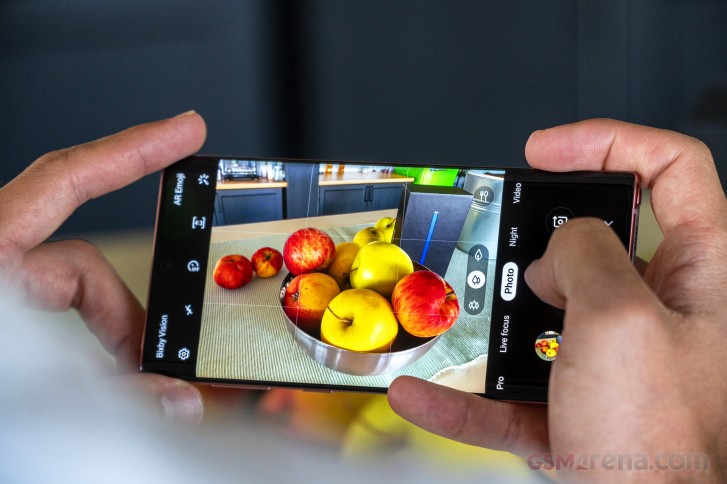
The primary module has been around in one form or another since the S7, getting a somewhat major update in the S9 with the addition of a dual aperture f/1.5-2.4 lens. It has a 26mm equivalent focal length, just as before. The 1/2.55" sensor behind it has a 12MP resolution and 1.4µm pixel size.
There's an ultra wide angle camera covering a 123-degree field of view (that would be an equivalent focal length around 12mm, though the EXIF data says 13mm), which captures 16MP images.
And then there's the telephoto module offering 2x optical zoom (counting from the main cam). This one has an improved lens, compared to previous iterations and it now has a wider f/2.1 aperture. As we'll observe later, this has allowed Samsung to more confidently use it in low light, as opposed to defaulting to a digitally zoomed in view from the main cam..
What's missing is the ToF camera from the Note10+ - the vanilla Note10 can only rely on its regular and telephoto cams for depth detection, and should be missing the Plus' advanced depth mapping.
Over on the front, the display punch hole houses the same 10MP sensor with 1.22µm pixels that was introduced on the S10. However, in the push for making the opening smaller, Samsung was forced to make the lens dimmer - the aperture is now f/2.2 instead of f/1.9.
Camera software
The Note10 uses the One UI camera app that you'd find on the S10 series and the Note10+. Swiping left and right will switch between all available modes and there's also an option to re-arrange or remove some of the modes from the viewfinder.
Out of the box, you have all available modes enabled - starting from left to right, the app offers Food mode, Night mode, Panorama, Pro, Live focus, the standard Photo mode, Video, Live focus video, Super Slow-mo, Slow motion and Hyperlapse.



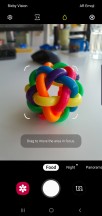

Camera UI
Most of them are pretty self-explanatory - you wouldn't shoot landscapes in Food mode and Night mode is best used after dark. There's a Pro mode too, and it's one of the pro-est around. You can select ISO (50-800), push shutter speed around (1/24000s-10s), manually select the aperture of the main cam (f/1.5 or f/2.4), focus manually (with peaking to aid you), and select the white balance (by light temperature). Metering mode and AF area options are available too, as well as a set of picture controls for contrast, saturation, and whatnot. Sadly, there's still no live histogram.
In live focus mode, Samsung is keeping the option to shoot portraits with the main camera and the telephoto lens - whichever you prefer. You can also expect better low-light performance from the telephoto unit since it has a wider aperture. A couple of background effects are in tow.
The settings icon is located in the upper left corner of the screen and gives you fine control over the cameras. The usual stuff like video resolution, grid lines, location data, etc., can be found there. You can also turn on and off the Scene optimizer and set the HDR to auto or manual.
The so-called shot suggestion feature will help you with your photo composition for better results while Tracking auto-focus will keep the selected subject locked on focus even if it moves.
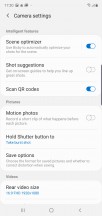
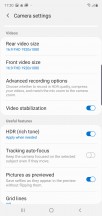
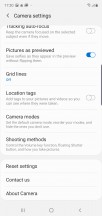
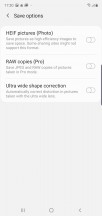

Camera settings
Oh, and let's not forget about the available S-Pen actions. If you pull out the stylus, a small window with instructions will pop-up briefing you about the available actions and gestures. You can snap photos, switch between modes and even zoom in and out. Now, zooming is fiddly at best, and there is no way to switch straight to the wide, regular and telephoto cams, which we believe should be addressed with a software update. The others gestures, however, work great even if with a slight delay.
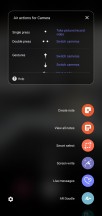
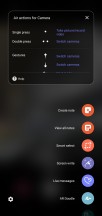
Available S-Pen camera actions
Daylight image quality
Not unexpectedly, the Galaxy Note10 takes great photos in daylight. Dynamic range is impressive in the default Auto HDR state with well developed tonal extremes, but preserved contrast. The phone resolves lots of fine detail and there's hardly any noise to speak of - a signature Samsung clean look. The HDR processing does tend to make for a particularly busy rendition in intricate detail like grass as you can observe if you zoom in 1:1 in the second sample below, for example.






Daylight samples, main camera
The colors of the Galaxy's images are nicely vivid, though if you're more conservatively inclined, you could find them a little too much. What's more objectively good is the Note10's consistently spot-on white balance.






Daylight samples, main camera
The Note10's telephoto camera is a revised version of the one found in the S10 with new optics and we are seeing improved contrast and better sharpness than the old unit. Detail is nice and noise is once again nowhere to be found. There's a concistency between the color reproduction between the two cameras too, so you can count on the same lively output.









Daylight samples, telephoto camera
The ultra wide angle cam stays true to the general characteristics of the other two when it comes to color and dynamic range (thanks, Auto HDR). One caveat is that it lacks autofocus, and if you bring the phone too close to a subject, it'll come out a little blurry - stay beyond 15cm and you'll be fine.









Daylight samples, ultra wide angle camera
Low-light image quality
The Galaxy Note10's excellent performance in stills continues into the night. Its main cam opens its aperture to f/1.5 from the usual f/2.4, letting in about 1.5 stops more light. Photos have good detail and well controlled noise, while dynamic range is excellent as well. There's no loss in saturation either.
If we have to note one thing that's less than ideal, it would be the halos around neon signs - we've seen other phones define those edges better.






Low-light samples, main camera, Photo mode
Night mode helps a bunch with that and renders point light sources with better definition and truer colors - where photo mode would have them blown out, night mode retains the colors. The overall saturation gets a boost too. Night mode also smooths out whatever noise there was left in photo mode, but that does come at the expense of some fine detail.






Low-light samples, main camera, Night mode
The telephoto camera's behavior is very dependent on the amount of available light, as before. If it's below a certain threshold, the Note10 will default to a cropped in view of the main cam to match the 2x coverage. If there's enough light it'll use the actual tele module.
Images are generally decent with good colors and dynamic range. Detail is reasonably nice too, and if the phone chose one particular cam to use over the other, it's likely that this is the better result under the conditions.






Low-light samples, telephoto camera, Photo mode
With night mode now available on all three cams the Note10 does produce nicer zoomed in shots in the dark. A peculiar fact is that it'll actually use the telephoto camera for the task in scenes where it would opt for the main one if you're in Photo mode.






Low-light samples, telephoto camera, Night mode
The ultra wide angle camera's low-light performance is okay too, if not amazing. If you're looking at fit to screen magnifications, the images are more than usable, but best refrain from pixel-level scrutiny.






Low-light samples, ultra wide angle camera, Photo mode
Night mode gives the ultra wide angle shots a healthy boost in saturation and it lifts the shadows a bit. Again, you can expect less noise, but also a slight drop in sharpness even in the well lit areas that were otherwise well defined in the Photo mode images.






Low-light samples, ultra wide angle camera, Night mode
Once you're done with the real world samples, head over to our Photo compare tool to see how the Samsung Galaxy Note10 stacks up against the competition.



Samsung Galaxy Note10 against the Huawei P30 Pro and the Sony Xperia 1 in our Photo compare tool
Portraits
A chief concern with the Note10 was whether the lack of a ToF camera will impact the quality of Live focus portraits, compared to the Note10+ fully tricked-out camera system. The answer is no - the Note10 takes equally good portraits. Subject isolation is excellent, as long as you don't have the messiest of hair, and the blur looks natural.



Portraits with the telephoto camera
A welcome addition in Samsung's software recently was the ability to use the main camera or the telephoto one for portrait capture and we've got samples with both. As before, you can adjust the strength of the blur and play around with different effects - you can check those out in our Note10+ review.



Portraits with the main camera
Live focus works very well on non-human subjects too, letting you nicely isolate something or lose a messy background.








Live focus mode applied to non-human subjects
Selfies
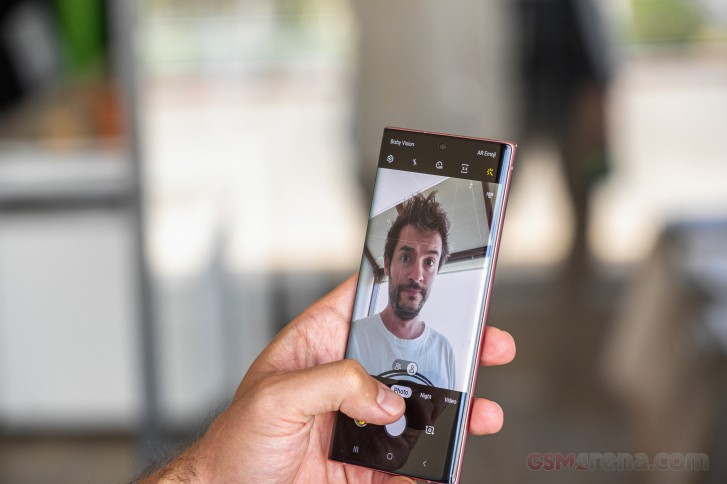
The selfie camera has been carried over from the S10, sortoof - it's the same 10MP sensor, only on the Note10 it has a slightly smaller aperture (f/2.2 as opposed to the f/1.9). It still has autofocus which remains a rather rare feature even on high end devices. Selfies turn out great with excellent dynamic range, good detail and nice skin tones.




Selfie samples
The selfie camera of the Note10 defaults to a the 6.5MP cropped in mode - an unfathomable choice on Samsung's part, which has stuck since the S10 and was retroactively added to the S9 as well. Even if you switch to wide in Photo and then change modes to Live focus, it'll revert to cropped in view once again.



Selfie samples, cropped mode
Speaking of selfie portraits, the Note10 does okay. A second sensor would have helped with depth detection so if that's super important to you maybe look in the S10+'s way. For the occasional shot, the Note10 will offer decent edge detection.




Portrait selfies
Video recording
The Galaxy Note10 is a capable video recording machine, just as it is a great stills camera. It captures video up to 2160p@60fps, there's 720p@960fps Super slow-mo, HDR10+ recording is supported (which pairs nicely with the HDR10+ capable display), and you can choose between the h.264 and h.265 codecs.
Videos out of the main cam have true flagship quality, with excellent dynamic range, lively colors and a lot of fine detail. 4K30 is superior to 4K60 in terms of fine detail and has more natural processing, while 4K60 has some excessive sharpening applied. There's hardly any difference between the two 1080p modes.
The telephoto cam says it has 4K60, but in reality the Note10 uses the main sensor in this mode - the familiar crop-and-upscale routine. It's then of much lower quality than 4K30 which uses the actual tele cam. That mode, on the other hand, produces footage which is noisier than usual - still usable, just not quite impeccably noise-free. There's significant gap in quality between the 1080p modes as well, with the 30fps looking much nicer, but 1080p60 does come out of the tele cam.
The ultra wide angle cam makes no 60fps claims and captures more than adequate videos - both 4K and 1080p.
Live focus video mode is available on the Note10 and we initially figured it would be there just for the sake of parity with the Note10+. We didn't expect it to be any good due to the lack of the ToF cam which supposedly aids the big model in subject detection. The reality turned out more than a little surprising.
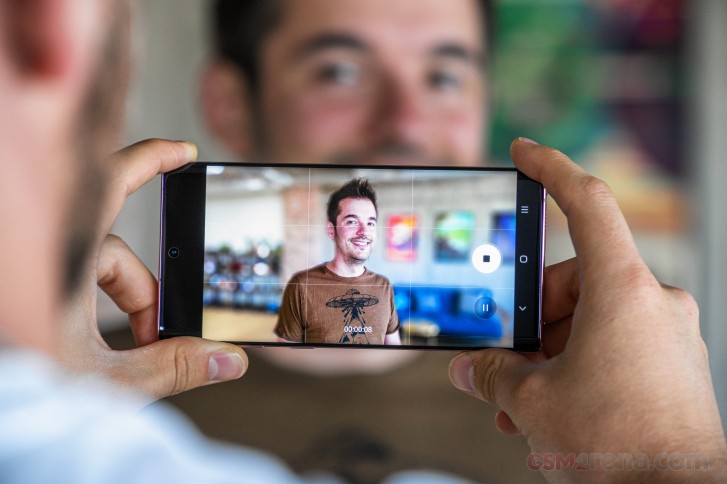
We shot on the Note10 and Note10+ side by side and we're really liking the plain 10's footage better. Where on the 10+ the subject's outline follows it like a shadow leaving sharp areas where it's supposed to be blurry background, the Note10 mostly keeps up. Additionally, the background blur on the Note10 has a distinctly more natural look, while the Note10+'s background in Live focus videos is particularly artificially looking.
Samsung highlighted the Super Steady video recording in its Note10 presentation and said that engineers managed to improve the stabilization over the Galaxy S10-series. When we reviewed the Note10+ we spliced together a comparison video between that and the S10+, which is representative of the small Note's performance as well.
The improvement is rather subtle but the field of view has been expanded a little. However, you will notice at the end of the video that when extreme vertical motion is introduced, the Note10+ produces a choppier video for some reason.
Here's a whole bunch of samples taken on the Note10 exploring its stabilization capabilities in the different modes on the different cameras. Mind you, it's a long playlist that starts with a 4K60 clip where there's no electronic stabilization - just the OIS.
Another cool feature of the Note10s is the Zoom-in mic. What it does is honing in on the filmed subject and once you zoom on it, it will also increase the sound coming from that direction. We'll be referring you back to the Note10+'s review for a sample of that.
Here's a glimpse of how the Samsung Galaxy Note10 compares to rivals in our Video compare tool. Head over there for the complete picture.
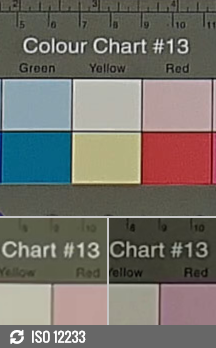
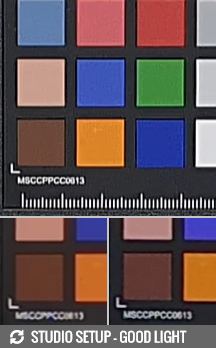
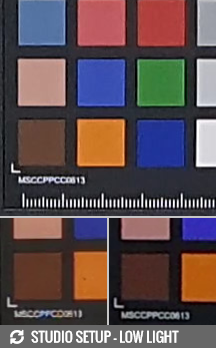
Samsung Galaxy Note10 against the Huawei P30 Pro and the Sony Xperia 1 in our Video compare tool
Competition
The Galaxy Note10 faces stiff competition in its home camp before it even goes up against other makers. The Note10+ is the obvious first choice and it's the true pull-no-punches flagship. Superior display, even faster charging, ToF camera, storage expansion - it's the modern Note for Note purists (especially if they are flexible about audio jacks). In this price range does it even really matter that it's $150 more expensive?
If you are after a more affordable Galaxy, there's always the several-months-old S10+, which can even be had for less than the small Note. You'd be getting storage expansion (though not as much base internal storage, and a slower UFS2.1 one) and a headphone jack, plus a higher-res screen. Obviously there are no S Pens on Galaxy S phones.
If you've already conceded the lack of a stylus, but you're after pocketability, there's always the small S10 - not much along the lines of feature differentiation between the S-series models (other than a depth sensing front cam on the big one) means the S10 is just as good as the S10+, only easier on your pocket in more ways than one.



Samsung Galaxy Note10+ • Samsung Galaxy S10+ • Samsung Galaxy S10
Outside of the Korean maker's roster, the Note10's main rivals are due to be announced in the coming weeks. In the absence of the iPhone 11 (or whatever they call it), Pixel 4, Mate 30, maybe the OnePlus 7T, and why not even the Xperia 2 (a compact flagship from the used-to-be-king of compact flagships?) the Note10 hardly has any flagship competition for the time being.
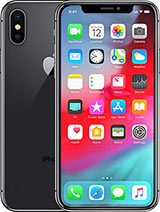
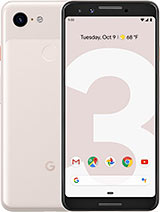


Apple iPhone XS • Google Pixel 3 • Huawei P30 Pro • Sony Xperia 1
There's always the iPhone XS, if you absolutely must buy one today, but it's missing an ultra wide angle camera, has the mother of notches in its smaller display, and has worse battery life. Seriously though, it's getting replaced in a few weeks, wait them out at least for the price cut on the current model.
The Pixel 3 generation is even more cameras short on their backs, but Google's phones do come with perks like their unique camera experience, Pixel-style Android, and unlimited photo storage, plus they're a bargain these days. The Note10 is a superior phone in most respects though - there's little point in trying to list them here.
Perhaps least obsolete is the P30 Pro - Huawei's S10+ of sorts. It's got a 5x periscope zoom telephoto cam bringing stuff much closer than what the Note can do, has better battery life and faster charging, and offers storage expansion (albeit a niche NM standard). Ah, the Huawei also has an IR blaster, what's the last Note that had one? The P30 Pro is substantially cheaper too, being half a year old already. The Note10's chipset is more powerful (we'll see what the Mate 30s and their next-gen Kirins will bring) and Galaxies capture great video next to Huawei's generally dismal footage. The Samsung handset is also the much more compact phone, which can't be irrelevant if you've come this far in a Galaxy Note10 review.
We did mention the Xperia 2, but since it's not looking like a straight up replacement to the 1, the Xperia 1 could be a viable alternative to the Note10 today. A much taller phone, but slender as the Note10, the 1 is only a little heavier than the 10 and may tick the pocketability checkbox, just maybe. A much sharper display in a cinematic 21:9 aspect could be more important than an S Pen, though the Xperia's much shorter battery life might end up being an issue, coupled with not overly fast charging. We'd go ahead and call this a tie in the imaging department so that's out as a deciding factor. Maybe the stock-ish Xperia launcher beats OneUI in your book?
Verdict
We've been hearing a lot of people question the premise behind the very existence of a small Note - it is, after all, the branch of Galaxy phones that conceived the phablet. But as phablets became the norm (so much so that we seem to have stopped using the word), isn't there enough room in this diverse market for a reasonably compact Galaxy with an S Pen?
Samsung thinks there is. Not without heated debate, and certainly with some naysayers remaining, we've reached a majority vote at the office to agree with them.
The Galaxy Note10 is easy to recommend to someone looking for a compact high-end phone with a stylus - there simply isn't any other. And it's an amazing phone even if the S Pen doesn't do anything for you. It also feels fresh enough design-wise if you are already bored of the design language used for the Galaxy S8 through S10.
Pros
- The most compact Galaxy Note ever.
- Bright OLED screen with a small punch hole and razor-thin bezels.
- Excellent battery life, fast charging.
- Great-sounding stereo loudspeakers.
- S-Pen with tons of unique features.
- Nice camera experience all-around, great image quality.
- High performance, generous 256GB of storage.
Cons
- The arbitrary feature cuts from the big model are at odds with the Note's all-out ethos.
- No 3.5mm audio jack.
- Controversial power button placement.
- The in-display fingerprint reader needs more optimization (mostly software-wise).
- Only 2x telephoto cam while competitors are already at 3x and even 5x.
- The Night mode needs more work.
- The ultra-wide angle camera lacks autofocus.

No comments:
Post a Comment