
Introduction
It's been a while, hasn't it? Since the last Motorola flagship, that is. Was it the Moto Z2 Force from 2017? It certainly wasn't the Moto Z3 with its anachronistic Snapdragon 835, much less the Moto Z4 with a midrange Qualcomm chip. Alright, so some three years later we have the Motorola Edge+ to mark the company's return to the top shelf.
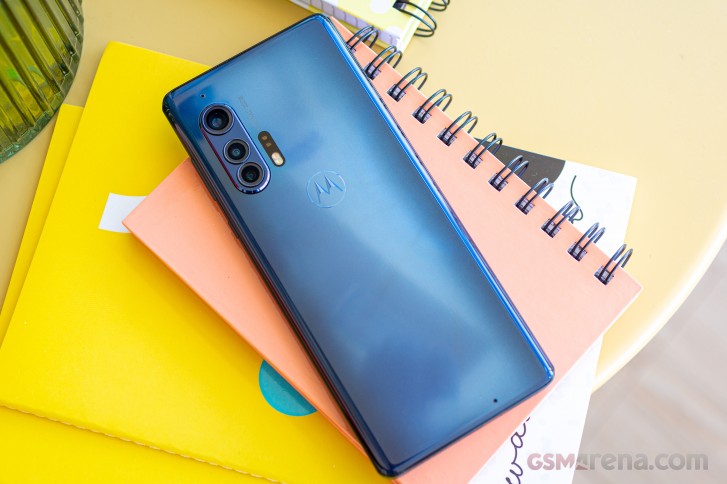
It's a bold return too - with a price tag of €1200, the Edge+ isn't simply expensive, it's Galaxy S20 Ultra expensive. On the other side of the Atlantic, a more reasonable $1000 makes the Verizon-exclusive Edge+ an already much more enticing proposition even before looking at what the new Moto has to offer.
And it's a lot. An Endless Edge display is atop that list - some call it a waterfall display, but the essence is that it spills over the sides of the handset in a way not even Samsungs do. An OLED panel, it supports HDR10+, and has a high-ish refresh rate - 90Hz on this one. A flagship display by the looks of it, though with a 1080p resolution (as opposed to 1440p) and 90Hz refresh rate (with a bunch of 120Hz competitors out there), the Edge bit remains the most premium feature. But you can have that same display on the Moto Edge (non-plus) with a HDR10 (similarly non-plus) certification, at half the price of the Edge+ - hmm.
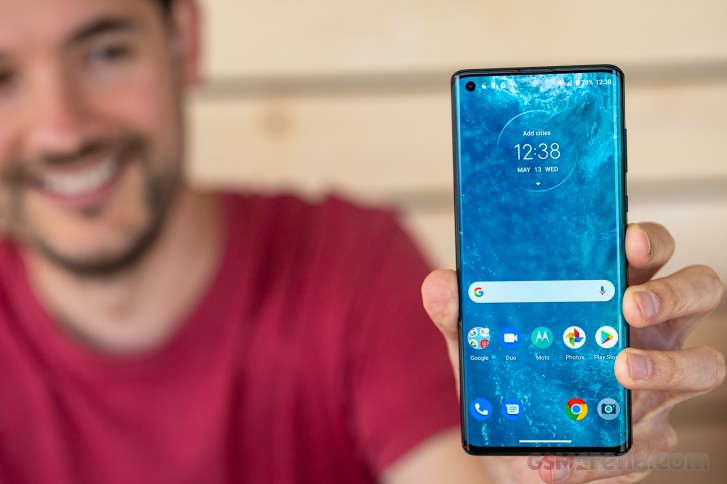
A bunch of things you can't get on the lesser phone, however. The Edge+ is equipped with a high-end Snapdragon 865 chip (765G on the Edge), packs 256GB of fast UFS 3.0 storage (128GB of UFS 2.1 on the midranger) and with 12GB of RAM it's got 2 to 3 times more of it than the Edge (available in 4GB and 6GB trim levels). Okay, these differences do make a case for the top-dollar (top-euro?) pricing.
There's more too. A 108MP main cam on the Motorola Edge+ puts it in select group of phones that includes just a couple of Xiaomis and that very Galaxy S20 Ultra. Okay, exclusivity mandates a premium, indeed. Meanwhile, the plain Edge makes do with a 64MP primary camera. The 3x zoom telephoto cam of the Edge+ is neither here nor there, with competitors at this price point having 5x periscopes, but it's not a run-of-the-mill 2x module either, so we'll allow it.
Motorola Edge+ at a glance
- Body: 161.1x71.4x9.6mm, 203g; Gorilla Glass 5 front.
- Screen: 6.7" OLED, 1080x2340px resolution, 19.5:9 aspect ratio, 385ppi; 90Hz refresh rate, HDR10+ support.
- Chipset: Snapdragon 865 (7nm+): Octa-core CPU (1x2.84 GHz Kryo 585 & 3x2.42 GHz Kryo 585 & 4x1.8 GHz Kryo 585); Adreno 650 GPU.
- Memory: 12GB LPDDR5 RAM, 256GB built-in UFS 3.0 storage, no microSD slot.
- OS/Software: Android 10.
- Rear camera: Wide (main): 108MP, 1/1.33" sensor, 0.8µm pixel size, 26mm equiv. focal length, f/1.8 aperture, PDAF, OIS. Telephoto: 8MP, 1/4.4", 1.0µm, 81mm, f/2.4, PDAF, OIS. Ultra wide angle: 16MP, 1/3.06", 1.4µm, 13mm, f/2.2, AF. 6K/30, 2160p/30fps video recording.
- Front camera: 25MP, 1/2.9", 0.9µm, f/2.0, fixed focus. 1080p/30fps video recording.
- Battery: 5,000mAh, 18W wired charging support, 15W fast wireless charging, 5W reverse wireless charging.
- Misc: Optical under-display fingerprint reader; NFC; stereo loudspeakers; 3.5mm headphone jack.
A few other differentiators exist between the two Edges, like the flagship's 6K video recording capability and its two-way wireless charging support. The Edge non-plus does have a microSD slot, while the Edge+ doesn't, but 256GB sounds plenty and it's not like all high-end models have the option for expansion, so we won't mention it again.
There's a bit Moto's latest share that is moderately impressive - the headphone jack. While it's hardly news for the mid-tier model, it's a true standout feature for a flagship in 2020. Totally worth the €1200?
Motorola Edge+ unboxing
The Motorola Edge+ arrives in a relatively low-key black cardboard box. There's a bat logo and the phone's name embossed with a shiny effect to add a little pizzazz. Very little.
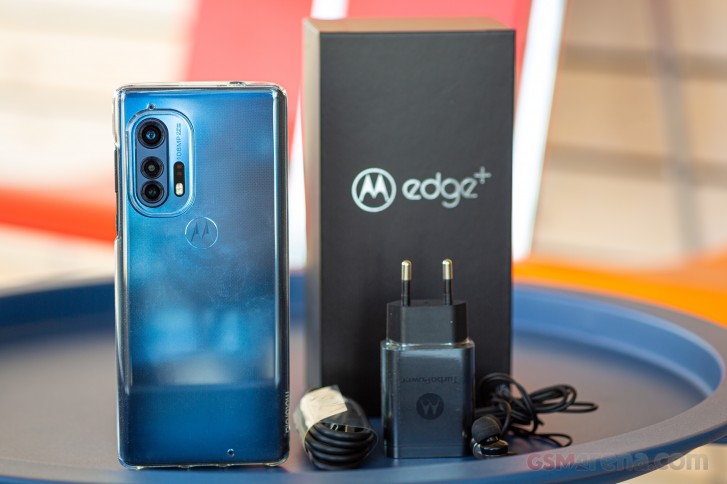
Inside the box you'll find the phone and below it is a sleeve full of paperwork. Underneath that is the adapter with TurboPower branding but it's not very turbo at just 18W of maximum power output. It's also got a USB Type-A output as opposed to Type-C, so it's on the QuickCharge side of the QC/PD compatibility. Motorola does provide the right cable (USB-A-to-C), of course. A zipper bag (we hadn't seen one in a while) holds a set of in-ear headphones.
In another sleeve that you need to pry out of the box' lid you'll find a silicone protective case for the phone. It has lips on the top and bottom to distance the display from the surface of a table if you're one to leave your phones face down.
Design
Ah, the Galaxy Note Edge - the iconic smartphone that started us on a trend, which now means all Samsung top-tier phones come with at least some curvature on their displays. That was in 2014, almost as far back in time as the last Motorola flagship. Okay, technically, that was in 2017 with the Moto Z2 Force, but 3 years is still ages in this industry. In any case, we have the Motorola Edge+ here with us, with display curves that don't quite match the Note Edge's, but are still pretty impressive.
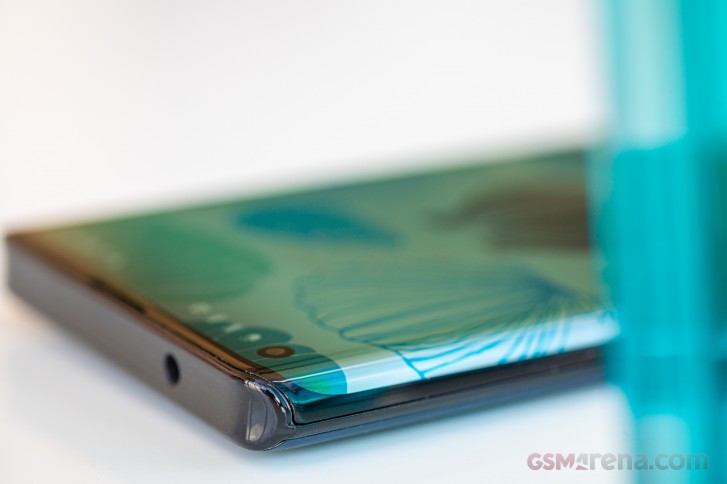
It's the single most distinct design element of the Edge,+ and it's one we really like - strictly from a design standpoint, that is. Curved displays are always going to be cooler than plain flat ones in our book, and as curves go, the ones on the Edge+ are only matched by the Mate 30 Pro and the vivo NEX 3. And the Motorola Edge non-plus, of course.
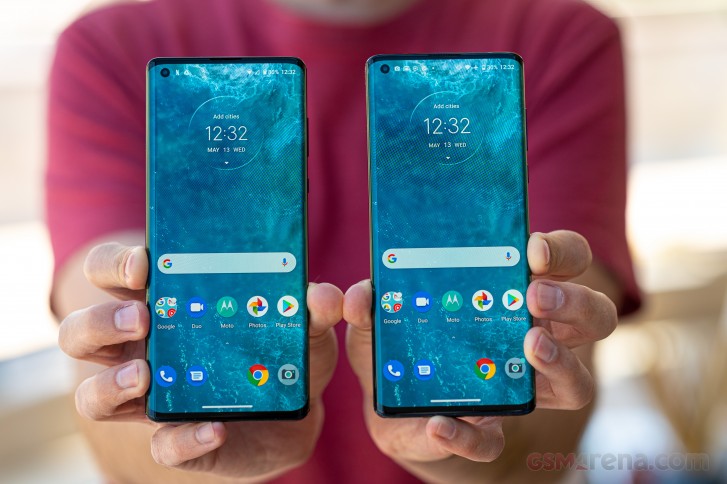
The display has virtually no borders on the sides with some more bezels top and bottom. The top one has a cutout through which the earpiece/second speaker fires and it doesn't have a grille or a mesh covering it, and we can imagine that will get filled with lint as time goes by.
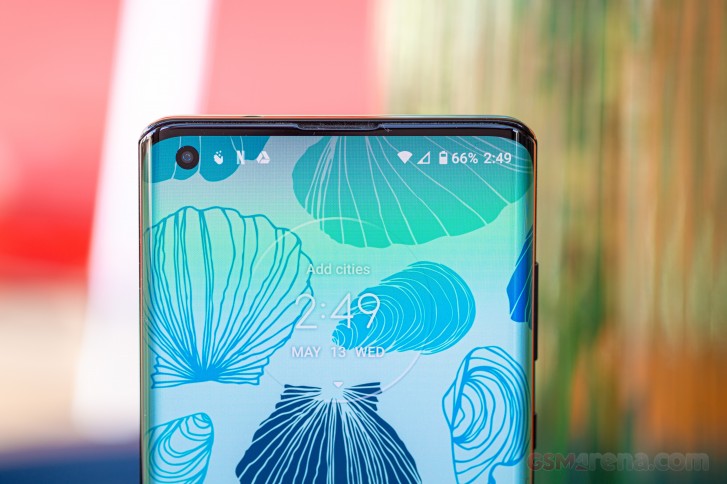
What Motorola calls Endless Edge display does eventually end, but it's way past the middle of the sides. Technically, however, the actual display stops a bit higher while the glass reaches down some 2mm more. It's met there by the thin edge of the aluminum midframe that sticks out just a bit. With the frame this thin, the buttons do end up on the small side as well, but at least they do click nicely.
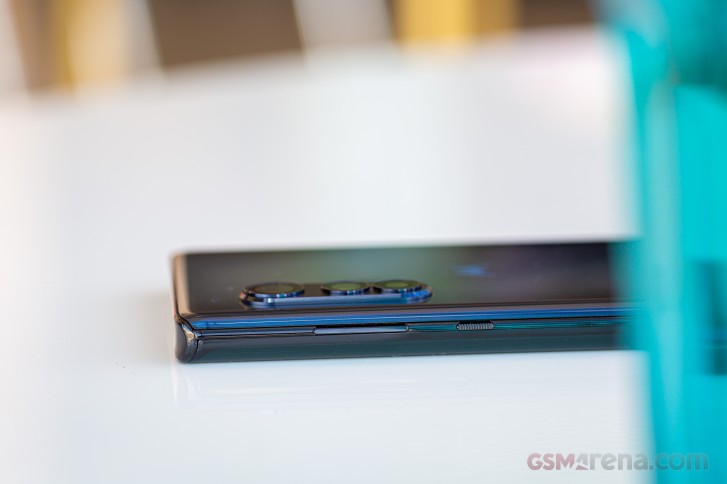
There's a lot more of the frame exposed on the top and bottom of the phone and there it's looking like it's covered in some thick finish that robs it of some premium points. For what it's worth, the top and bottom are flat enough for the Edge+ to be able to stand upright. It's a rather precarious balancing act, but it will stand nonetheless.
Down on the bottom, you'll find the USB-C port with the main loudspeaker to one side and the primary mic and the SIM slot to the other. The Edge+ only comes in single-SIM trim and there's no option for memory expansion either, so it's a tiny tray. Up top, a welcome surprise awaits - there's a headphone jack. On a flagship. Yay!
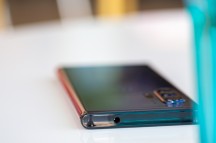
Single-SIM slot on the bottom • 3.5mm jack up top
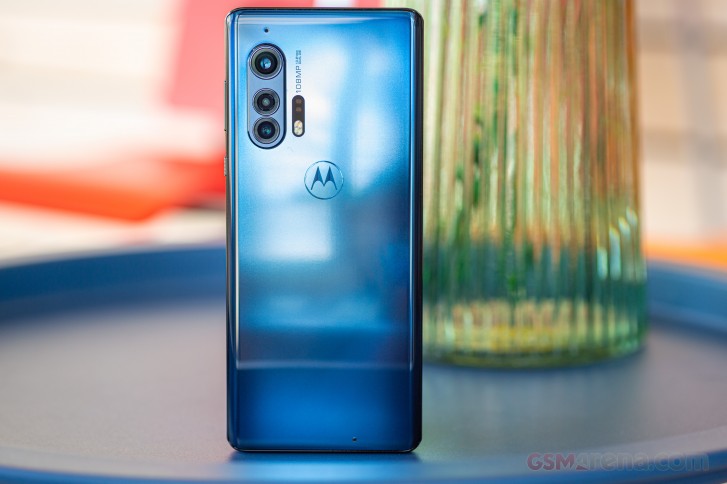
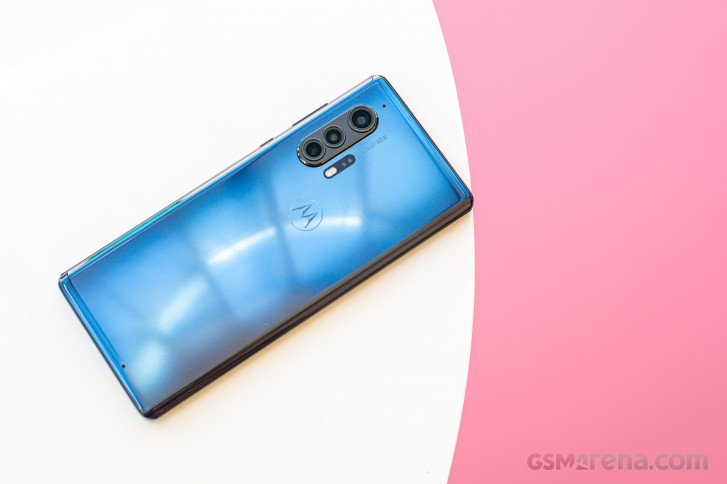
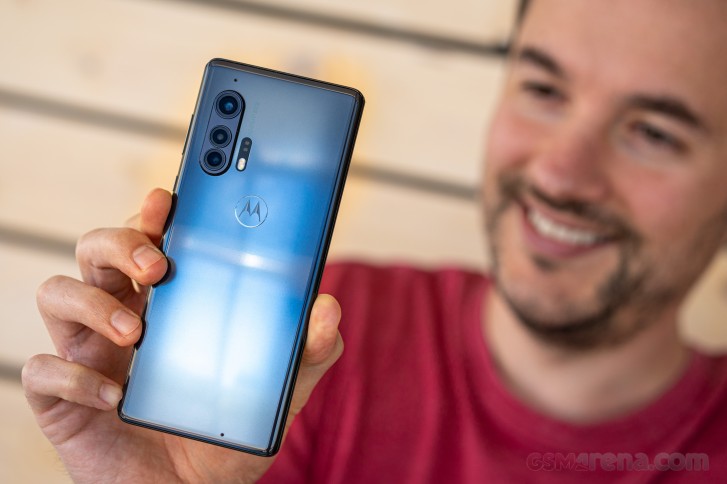
The back of the Edge+ is made of glass, unlike the plastic-backed Edge. Whether it's Gorilla Glass 5 as the front, we're not entirely certain. Our Baltic Gray review unit is more blue to our eyes, but marketing colors rarely work like real colors. It has a nice vignette effect towards the sides and Motorola bat logo as an accent in the middle.
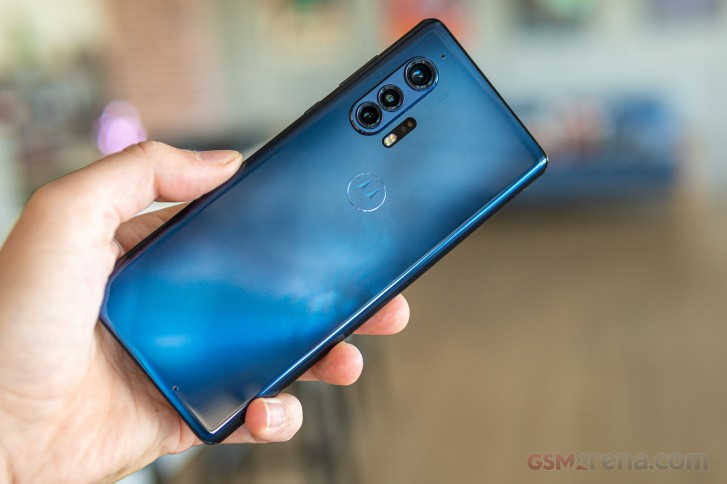
Onto that camera bump. It's quite the chunky assembly and sticks out by a millimeter, with each module's metal ring protruding a further 0.7mm. The whole thing does make the Edge+ prone to wobbling. The way they've made the case, that too doesn't help with the wobble, though it does protect the cameras. A ToF pair keeps company to the dual LED flash and those sit flush with the back panel.
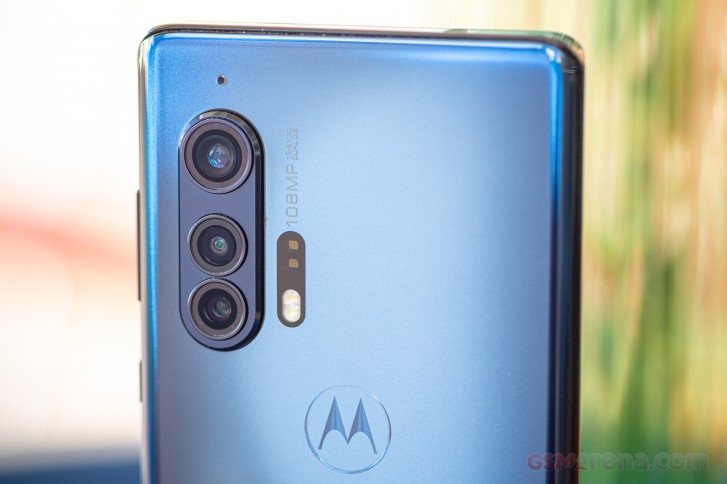
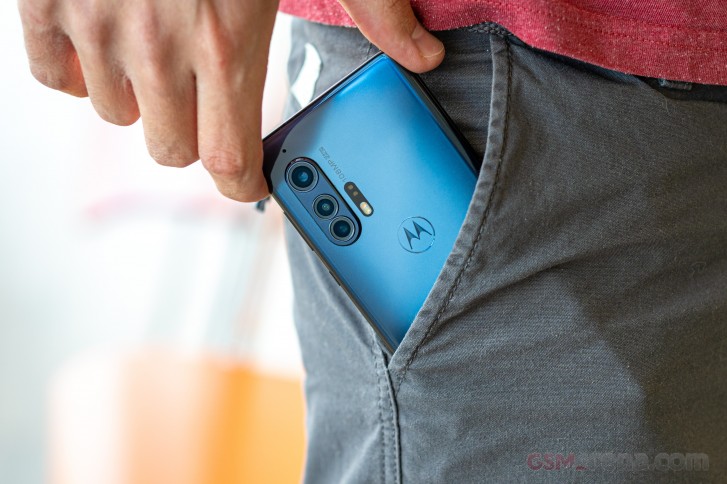
The Motorola Edge+ measures 161.1x71.4x9.6mm and weighs in at 203g. It's on the thick side of average, but that 5,000mAh battery had to go somewhere. The Edge+ does have a more premium in-hand feel than the non-plus, in part due to the glass on the back, in part due to the extra heft.
One notable omission on the Edge+ is proper dust and water protection. Motorola promo materials state it has a 'Water repellent design', and they specifically say it should be fine in the event of water spills, splashes, and light rain. Submersion is a no-no, however. Out of the flagships on the market today, only the Mi 10 Pro comes without an IP68 rating.
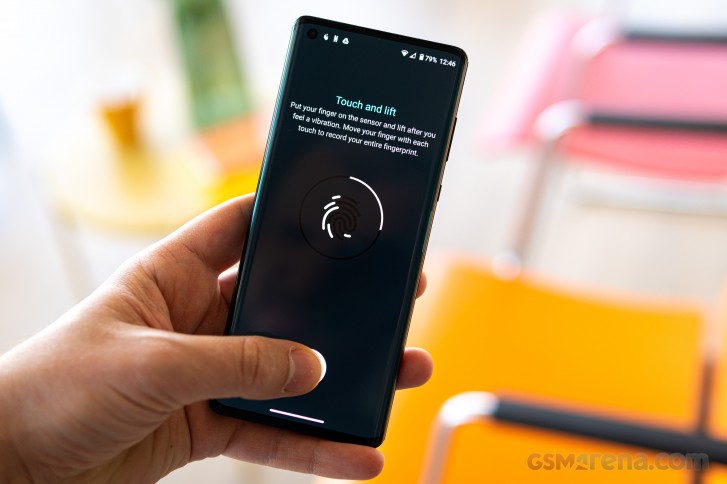
The Edge+ does feature a nice under display fingerprint reader of the optical variety that offers a pleasingly quick and reliable unlocking experience. It's worth pointing out that the sensor is always on, sort of - even if it's not lit up before you touch it, it'll quickly engage and light up once it detects a finger. It's one better than having to wake up the phone first.
6.7-inch waterfall OLED gets bright, not very accurate
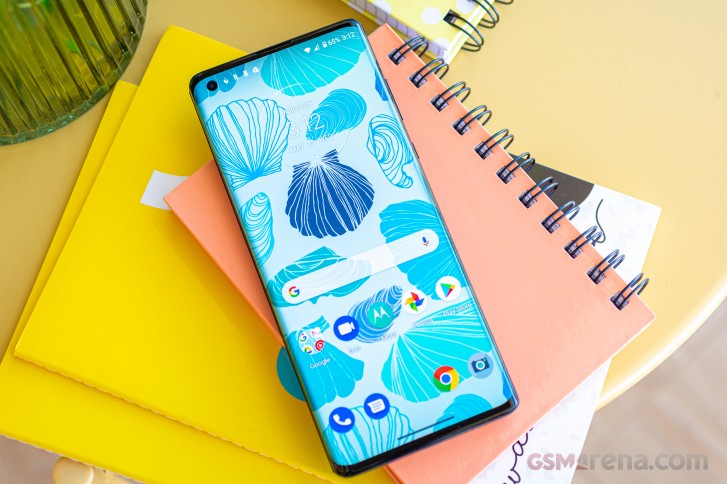
The Motorola Edge+ is equipped with a 6.7-inch OLED display that spills over to the sides making it look narrower than the number of pixels suggest - it's, in fact, in a 19.5:9 ratio with a 2340x1080px resolution. That works out to a 385ppi density, which isn't bad, but isn't overly flagshippy either in a world of 1440p displays.
In our brightness measurements we got 422nits out of the Moto Edge+ when adjusting the slider manually and 607nits when shining a bright light at it and leaving the adaptive brightness in charge - a handful of nits above the non-plus Moto, but such minuscule differences can easily be attributed to sample variation.
Top-tier smartphones of the day can push high 800s in auto mode, and the Edge+ is trailing in this regard. Having said that, the other two 'waterfall' displays we've had at the office, the Mate 30 Pro and the vivo NEX 3, aren't quite up to the flat-screen standard either.
| Display test | 100% brightness | ||
| Black, |
White, |
||
| 0 | 422 | ∞ | |
| 0 | 607 | ∞ | |
| 0 | 416 | ∞ | |
| 0 | 595 | ∞ | |
| 0 | 464 | ∞ | |
| 0.028 | 683 | 24393:1 | |
| 0 | 415 | ∞ | |
| 0 | 610 | ∞ | |
| 0 | 379 | ∞ | |
| 0 | 797 | ∞ | |
| 0 | 536 | ∞ | |
| 0 | 871 | ∞ | |
| 0 | 518 | ∞ | |
| 0 | 850 | ∞ | |
| 0 | 510 | ∞ | |
| 0 | 858 | ∞ | |
| 0 | 425 | ∞ | |
| 0 | 531 | ∞ | |
| 0 | 538 | ∞ | |
| 0 | 888 | ∞ | |
| 0 | 518 | ∞ | |
| 0 | 848 | ∞ | |
| 0 | 511 | ∞ | |
| 0 | 622 | ∞ | |
Color reproduction on the Moto Edge+ is handled in the default Android way with a three-way Natural-Boosted-Saturated setting and no fine adjustment options of any sort. The out of the box state is Saturated and that offers a wide color gamut. It has a pronounced blue shift to the whites (to the tune of a deltaE of 8) but a decent average deltaE of 3.7 when examining a set of DCI-P3 test swatches.
Boosted mode bumps the average deltaE to 4.5 for the same swatches and covers a slightly narrower color gamut. Natural mode should be tuned for sRGB content, and it does indeed match that color space with an average deltaE of 3.9, bluish whites (~8), you get the drift.
All of this is in addition to the strong blue shift around the sides of the display, which is an inevitable result of the extreme curvature. Your brain is likely to quickly learn to ignore it in everyday operation, but it's there nonetheless.
The Motorola Edge+ is HDR10+ certified. The most easily accessible source of HDR10+ content is Amazon Prime Video and we did see an HDR icon next to compatible titles. The same goes for YouTube and HDR content there and with both sources, you can see the phone shift its display color reproduction when you play an HDR video. It actually even fixes the cold blue shift of the whites in this state - so it can be done, just not by yourself in settings.
Netflix, on the other hand, wouldn't serve our review unit HDR of any sort, with the HDR support field in the app's playback specification page showing a discouraging 'None'. That's not overly surprising since the supported devices page on the Netflix website doesn't list the Edge+ or any other Moto for that matter. That could, of course, be resolved in the future. The phone does cover the required Widevine L1 for DRM so it's up to Netflix.
Motorola Edge+ battery life
The Motorola Edge+ is powered by a 5,000mAh battery - quite the sizeable capacity. The Galaxy S20 Ultra does have the same capacity, but the Mi 10 Pro and the OnePlus 8 Pro are in the 4,500mAh ballpark, while the Find X2 Pro and the P40 Pro pack the least amount of juice at 4,200mAh or thereabout.
The Moto is quite frugal with it too, and we clocked some impressive numbers. Offline video playback worked out to over 20 hours, while Wi-Fi web browsing took fourteen and a half hours to deplete a full battery. Some 38+ hours of voice calls are more than plenty as well. Standby performance wasn't as great, but even so, the Motorola Edge+ posted a class-leading Endurance rating of 100 hours.
That's with the display set at 90Hz (a setting which the phone does observe in both web browsing and video playback). We measured no appreciable difference in battery life when setting it at 60Hz.
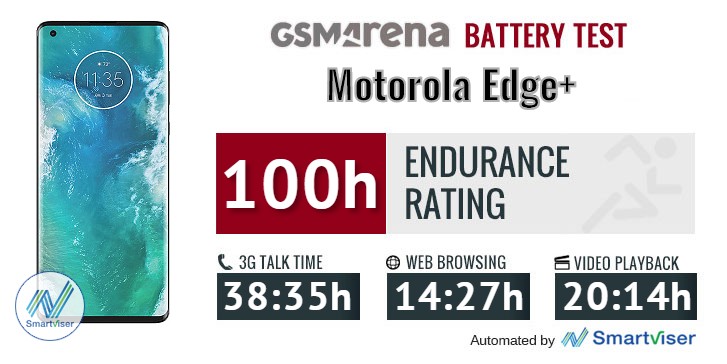
Our battery tests were automated thanks to SmartViser, using its viSer App. The endurance rating above denotes how long a single battery charge will last you if you use the Motorola Edge+ for an hour each of telephony, web browsing, and video playback daily. We've established this usage pattern so that our battery results are comparable across devices in the most common day-to-day tasks. The battery testing procedure is described in detail in case you're interested in the nitty-gritty. You can check out our complete battery test table, where you can see how all of the smartphones we've tested will compare under your own typical use.
What's nowhere as impressive - disappointing, in fact - is the charging speed, though it was to be expected from the 18W charger. Still, the 30% in half an hour and 2:37h to a full charge aren't numbers befitting a 2020 flagship smartphone. It is a big battery, admittedly, but faster charging solutions do exist too. The Galaxy S20 Ultra takes just under an hour to a full charge (with the bundled 25W brick), the Mi 10 Pro and P40 Pro need 50 minutes for that, while the Find X2 Pro does it in just 36 minute. The 30-minute results on these are similarly way better than on the Moto.
Speaker test
The Motorola Edge+ has a stereo speaker system with a fairly conventional configuration - there's a main driver that fires out the bottom and the earpiece doubles as a second speaker. The earpiece gets the left channel in portrait orientation, and it switches if need be to match the correct direction in landscape.
The speakers have been allegedly tuned by a company called Waves with the goal of providing class-leading loudness and output quality.
The Edge+ earned a Very Good score in our speaker loudness testing, matching the scores of the Mi 10 Pro, OnePlus 8 Pro, and Galaxy S20 Ultra.
It also delivers reasonable sound quality - we can safely call it Above average if not better - it's all a bit too subjective. But we feel there's hardly any punch in the lower register, and the highs come out a bit harsh. It's okay, but it's no Mi 10 Pro or iPhone 11 Pro.
Use the Playback controls to listen to the phone sample recordings (best use headphones). We measure the average loudness of the speakers in LUFS. A lower absolute value means a louder sound. A look at the frequency response chart will tell you how far off the ideal "0db" flat line is the reproduction of the bass, treble, and mid frequencies. You can add more phones to compare how they differ. The scores and ratings are not comparable with our older loudspeaker test. Learn more about how we test here.
Audio output quality
We've recently discontinued our audio output quality test.
The reason for that is that most phones that arrived for testing were already excellent in this regard and whatever difference there was, it was marginal and probably indistinguishable to anything but our lab equipment.
Android 10, lightly Moto-modded
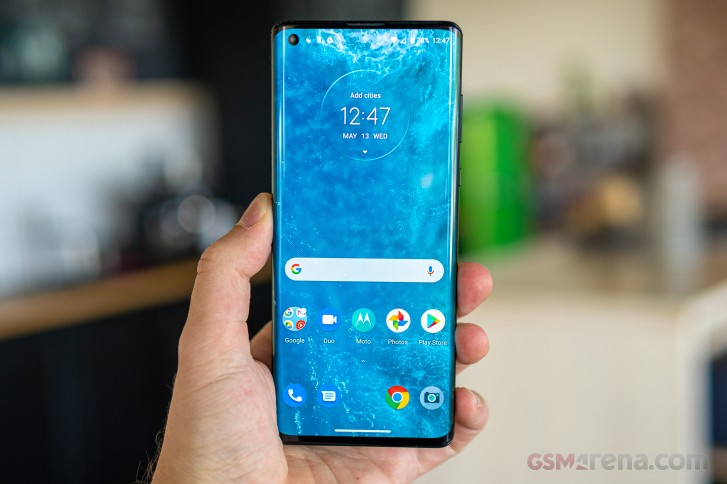
Motorola has settled on a mostly stock Android experience for its smartphones, even the ones that aren't part of the Android One program. Even so, there's a an extensive list of custom features nicely bundled in the Moto App.
Moto Actions are an assortment of clever ways for interacting with the phone - including a karate chop for toggling the flashlight on or off, twist motion to launch the camera app, three-finger screenshot gesture, accelerometer-based ringtone silencing.





Moto app • Actions
Moto Display is a bit more feature rich on the Edge+ than on your average Moto. Edge Touch is an action bar on the side which you can use in a number of ways - swipe in for customizeable shortcuts, swipe down for access to the notification shade and quick toggles, swipe up for the task switcher and app drawer. You can adjust the bar's location along the height of the phone as well as pick the left or right edge, but you can't have both.


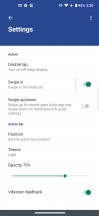


Moto Display: Edge Touch
Edge lights is a set of features that will light up the curved sides of the display for calls and notifications, as well as when charging the phone. You can set those to only be active when the screen is facing down for maximum coolness effect. This is when the bundled case with its raised top and bottom lips comes in handy.
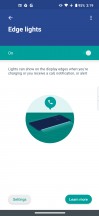
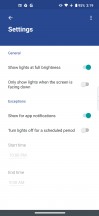



Moto Display: Edge Lights
The other two features in this category aren't Edge exclusives. Peek Display, the not-always-on display, will show notifications and let you interact with them right there on the lock screen plus it will wake up when you pick up your phone. The 'Attentive display' will keep the screen on as long as you are looking at it.
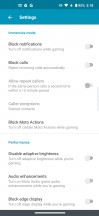
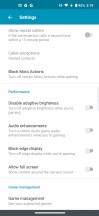
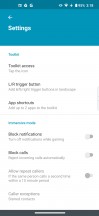
Moto Gametime is the company's set of tools for enhancing mobile gaming and now it offers a cool new feature - you can add virtual triggers on the edge, which you can use on popular action games and is a rather unique feature.
If you turn on Immersive mode, it will filter out calls and notifications for you, while the Performance section allows you to turn off adaptive brightness, disable the edge portions of the display and turn on audio enhancements.
An optional in-game floating icon called Toolkit gives you quick toggles for calls and notifications, access to your choice of two messaging apps as well as access to the full Gametime settings.


Moto Gametime
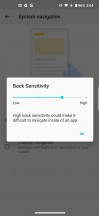
Gestures are the means of choice for navigation on the Edge+. It's a relatively custom implementation with a single elongated bar on the bottom of the screen. Swiping upwards takes you to the home screen, a swipe up with a pause brings out the recent apps menu while swiping further up brings up the app drawer. You can quickly switch between recently used apps by swiping sideways on the bar. Sadly, you can't hide it and it's there, eating up screen estate at all times, except for full-screen videos and games. If you want Back, then just swipe in from the edge of the screen - that gesture's sensitivity is adjustable too, though we didn't find any issues with the default 3/4 setting.
If, on the other hand, you want to have the classic three-button navigation bar, Motorola still gives you the option to switch to it from Settings.





System navigation
All of these aside, the rest is pretty much Android 10 as Google intended it to be - well, there's also the blue-greenish hue of the quick toggles too.





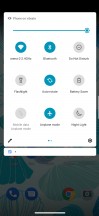
Lockscreen • Homescreen • Folder view • App drawer • Task switcher • Quick toggles
Synthetic benchmarks
The Motorola Edge+ has the Snapdragon 865 inside, in true top-tier fashion. There are no RAM and storage configurations other than the 12GB/256GB one we have here for review and that too makes a flagship statement. Let's see how it ranks next to other flagships.
Rather nicely, in fact. That is to say, it posts virtually identical single-core results in Geekbench as the rest of the Snapdragon 865 crew and places around the middle of the (still tightly spaced) pack in multi-core.
GeekBench 5.1 (single-core)
Higher is better
- Apple iPhone 11 Pro Max
1332 - nubia Red Magic 5G
929 - vivo iQOO 3 5G
928 - Realme X50 Pro
911 - Motorola Edge+
910 - Galaxy S20 Ultra 5G (60Hz, 1440p)
910 - LG V60 ThinQ 5G (new run)
910 - Xiaomi Mi 10 Pro 5G
905 - Galaxy S20 Ultra 5G (120Hz, 1080p)
904 - OnePlus 8 Pro (120Hz, 1440p)
902 - Oppo Find X2 Pro (120Hz, 1440p)
900 - Huawei P40 Pro
780 - Motorola Edge
586
GeekBench 5.1 (multi-core)
Higher is better
- Apple iPhone 11 Pro Max
3503 - vivo iQOO 3 5G
3402 - nubia Red Magic 5G
3387 - OnePlus 8 Pro (120Hz, 1440p)
3374 - Xiaomi Mi 10 Pro 5G
3331 - Motorola Edge+
3295 - LG V60 ThinQ 5G (new run)
3289 - Oppo Find X2 Pro (120Hz, 1440p)
3269 - Huawei P40 Pro
3197 - Realme X50 Pro
3175 - Galaxy S20 Ultra 5G (60Hz, 1440p)
2728 - Galaxy S20 Ultra 5G (120Hz, 1080p)
2697 - Motorola Edge
1862
Antutu places the Edge+ a notch below the Android overachievers, but still comfortably ahead of an Exynos-powered Galaxy S20 Ultra or a Huawei P40 Pro.
AnTuTu 8
Higher is better
- Xiaomi Mi 10 Pro 5G
595246 - Oppo Find X2 Pro (120Hz, 1440p)
593717 - Realme X50 Pro
592447 - vivo iQOO 3 5G
575601 - Motorola Edge+
574155 - OnePlus 8 Pro (120Hz, 1440p)
573276 - nubia Red Magic 5G
557056 - Apple iPhone 11 Pro Max
536883 - Galaxy S20 Ultra 5G (60Hz, 1440p)
528631 - LG V60 ThinQ 5G (new run)
527612 - Galaxy S20 Ultra 5G (120Hz, 1080p)
514485 - Huawei P40 Pro
496356 - Motorola Edge
305989
The Moto pulls ahead in the GPU tests topping charts in GFXBench left and right. It's not a huge advantage, just the odd frame per second, but Edge+ is consistently ever so slightly better.
GFX 3.1 Manhattan (1080p offscreen)
Higher is better
- Apple iPhone 11 Pro Max
120 - Motorola Edge+
89 - Oppo Find X2 Pro (120Hz, 1440p)
87 - nubia Red Magic 5G
86 - vivo iQOO 3 5G
86 - Xiaomi Mi 10 Pro 5G
86 - OnePlus 8 Pro (120Hz, 1440p)
86 - Realme X50 Pro
86 - LG V60 ThinQ 5G (new run)
86 - Galaxy S20 Ultra 5G (120Hz, 1080p)
85 - Galaxy S20 Ultra 5G (60Hz, 1440p)
85 - Huawei P40 Pro
75 - Motorola Edge
34
GFX 3.1 Manhattan (onscreen)
Higher is better
- Motorola Edge+
83 - Xiaomi Mi 10 Pro 5G
75 - Galaxy S20 Ultra 5G (120Hz, 1080p)
74 - vivo iQOO 3 5G
61 - Realme X50 Pro
60 - Apple iPhone 11 Pro Max
60 - nubia Red Magic 5G
59 - LG V60 ThinQ 5G (new run)
59 - Huawei P40 Pro
52 - Oppo Find X2 Pro (120Hz, 1440p)
43 - OnePlus 8 Pro (120Hz, 1440p)
43 - Galaxy S20 Ultra 5G (60Hz, 1440p)
42 - Motorola Edge
32
GFX 3.1 Car scene (1080p offscreen)
Higher is better
- Apple iPhone 11 Pro Max
67 - Motorola Edge+
52 - Oppo Find X2 Pro (120Hz, 1440p)
51 - nubia Red Magic 5G
51 - vivo iQOO 3 5G
51 - OnePlus 8 Pro (120Hz, 1440p)
51 - Galaxy S20 Ultra 5G (120Hz, 1080p)
51 - Galaxy S20 Ultra 5G (60Hz, 1440p)
51 - Realme X50 Pro
51 - LG V60 ThinQ 5G (new run)
51 - Xiaomi Mi 10 Pro 5G
50 - Huawei P40 Pro
44 - Motorola Edge
19
GFX 3.1 Car scene (onscreen)
Higher is better
- Apple iPhone 11 Pro Max
57 - Motorola Edge+
48 - Realme X50 Pro
45 - LG V60 ThinQ 5G (new run)
44 - Galaxy S20 Ultra 5G (120Hz, 1080p)
43 - vivo iQOO 3 5G
42 - Xiaomi Mi 10 Pro 5G
42 - nubia Red Magic 5G
41 - Huawei P40 Pro
31 - Oppo Find X2 Pro (120Hz, 1440p)
25 - Galaxy S20 Ultra 5G (60Hz, 1440p)
25 - OnePlus 8 Pro (120Hz, 1440p)
24 - Motorola Edge
18
Aztek Vulkan High (onscreen)
Higher is better
- Motorola Edge+
32 - Realme X50 Pro
30 - Xiaomi Mi 10 Pro 5G
29 - vivo iQOO 3 5G
28 - Galaxy S20 Ultra 5G (120Hz, 1080p)
26 - Oppo Find X2 Pro (120Hz, 1440p)
17 - OnePlus 8 Pro (120Hz, 1440p)
17 - Galaxy S20 Ultra 5G (60Hz, 1440p)
14 - Motorola Edge
12
Aztek OpenGL ES 3.1 High (onscreen)
Higher is better
- Motorola Edge+
33 - Galaxy S20 Ultra 5G (120Hz, 1080p)
32 - Realme X50 Pro
31 - vivo iQOO 3 5G
29 - Xiaomi Mi 10 Pro 5G
29 - Galaxy S20 Ultra 5G (60Hz, 1440p)
19 - Oppo Find X2 Pro (120Hz, 1440p)
18 - OnePlus 8 Pro (120Hz, 1440p)
17 - Motorola Edge
12
In 3DMark the Edge+ edges ahead once more in the OpenGL version of the benchmark. In the Vulkan-based test it's tied at the top with the Red Magic 5G and the iQOO 3, still a notch above the rest.
3DMark SSE OpenGL ES 3.1 1440p
Higher is better
- Motorola Edge+
7409 - vivo iQOO 3 5G
7261 - nubia Red Magic 5G
7250 - Realme X50 Pro
7221 - Oppo Find X2 Pro (120Hz, 1440p)
7159 - OnePlus 8 Pro (120Hz, 1440p)
7127 - Galaxy S20 Ultra 5G (120Hz, 1080p)
6713 - Galaxy S20 Ultra 5G (60Hz, 1440p)
6593 - Huawei P40 Pro
6062 - Huawei Mate 30 Pro
4432 - Motorola Edge
3004
3DMark SSE Vulkan 1440p
Higher is better
- nubia Red Magic 5G
6678 - vivo iQOO 3 5G
6675 - Motorola Edge+
6666 - Oppo Find X2 Pro (120Hz, 1440p)
6526 - Realme X50 Pro
6472 - OnePlus 8 Pro (120Hz, 1440p)
6425 - Galaxy S20 Ultra 5G (120Hz, 1080p)
6308 - Galaxy S20 Ultra 5G (60Hz, 1440p)
6249 - Huawei P40 Pro
5637 - Huawei Mate 30 Pro
4233 - Motorola Edge
2801
The Motorola Edge+ does heat up after repeated benchmark runs, quite significantly so. It manages to maintain near-peak performance in the process, however, so that's nice. The 90Hz display, near-stock Android, and heaps of RAM also ensure that it delivers a fluid experience at all times.
Promising triple camera hardware, odd behavior
The Motorola Edge+ is equipped with a triple camera system aided by an extra ToF pair. It's a fairly standard arrangement with a moderately wide primary cam, an ultra-wide one, and a short telephoto.
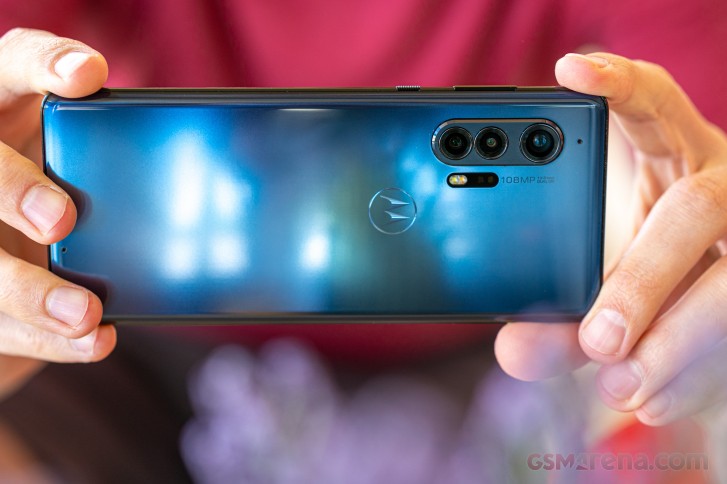
The main cam is based on a 108MP Samsung ISOCELL Bright HMX imager. It's the one found in the Xiaomi Mi 10 Pro as well, and it's a Tetracell type in Samsung speak, Quad Pixel in Motorola's book, or Quad Bayer if you prefer Sony's more publicized designation. That's not to be confused with the Nonacell sensor in the Galaxy S20 Ultra with the same nominal resolution - while both are the same size at 1/1.33" and have the same individual pixel pitch of 0.8µm, the HM1 on the Ultra groups nine pixels to form one in the resulting image (making 12MP shots), and the HMX goes the 4-in-1 route and the Edge+ takes 27MP images in its default mode.
The lens on the Moto's primary cam has an f/1.8 aperture and features OIS. The equivalent focal length isn't explicitly specified by Motorola, but the EXIF data in Manual mode says 26mm, and we're inclined to agree.
Moving on to the ultra wide. This one is shared with the Motorola Edge non-Plus and uses a 16MP sensor behind a 13mm equivalent f/2.2 lens that does have autofocus.
Which brings us to the telephoto. It has an 8MP OmniVision Type 1/4.4" sensor with 1.0µm pixels and is placed behind an f/2.4 aperture lens that gives it 3x optical zoom power when counted from the main cam's FoV. And here's one of the Edge+'s idiosyncrasies - when shooting in Auto mode, the 3x toggle gets you to a much further zoomed-in state than 3x, more like 6x in fact.
And that's on top of the fact that in Auto mode the phone spits 27MP images from all three cams - so both the ultra-wide and telephoto shots are upscaled by default. This is a strange limitation we've seen on several previous Moto phones but the upscaling facor here is huge. Imagine those 8MP shots that get upscaled more than three times to 27MP. Why would Motorola do that is beyond us.
You can access the native resolutions of the cameras by shooting in Manual mode and leaving all settings to auto. Here, the 3x toggle actually takes you to 3x, too. Only there's no AutoHDR in Manual mode so the dynamic range is less than stellar.
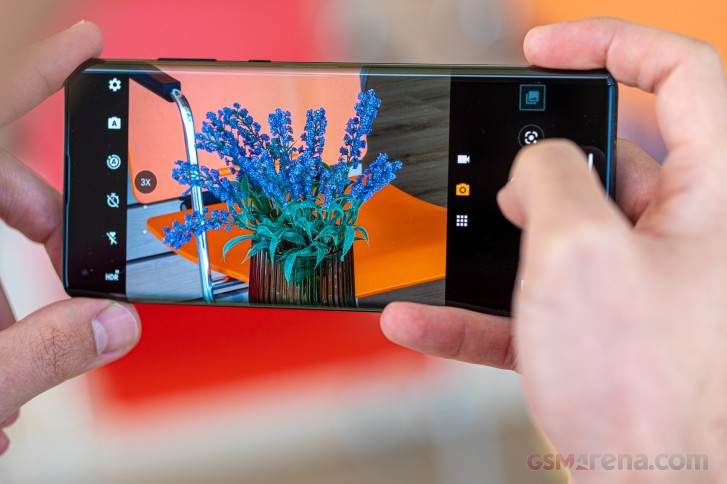
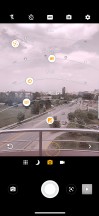
We can assume this unexplainable behavior is due to pecualirties of Motorola's custom camera app as it dpoes have a handful of other peculiarities. If you always two hands to take photos, you probably wouldn't notice, but otherwise, you'll be bugged to no end by the okacement of the zoom selector on the viewfinder. It defaults to the left side of the viewfinder regardless whether the phone is in portrait orientation or landscape it and makes accessing the zoom levels practically impossible with the right hand. Left-hand use is perfectly fine, right-hand use - not even remotely. True, sliding your right thumb along the edge does work as a zoom slider, but you don't get the pre-set magnifications that way. End of rant.
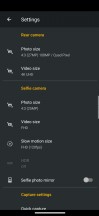
Other than that, the UI mostly doesn't get in the way and actually has a few neat touches. One of them is the memory slot of sorts for the last extra mode you've used - it's an icon that sits next to the always present photo and video modes. The toggle on the opposite end of the viewfinder for accessing Manual mode is neat too - it's always there in plain sight, as opposed to being in an extra modes panes somewhere. On the other hand, it is a two-option menu instead of a simple switch, meaning one additional tap is needed.
Manual mode is one of the more fully-featured ones, and on top of letting you access all three cameras (not all phones do that), it offers a live histogram. The basic photographic parameters are here as well - you can dial in your own ISO (100-3200), shutter speed (1/6000s-32s), or exposure compensation (-2EV to +2EV in 1/6EV increments), as well as pick a white balance by light temperature (with markings for common light types), and you can manually adjust focus - all pretty standard.
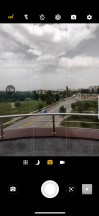
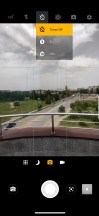
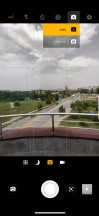
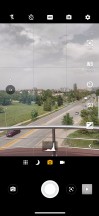
Camera app
Image quality
Image quality out of the Moto's main cam in daylight is excellent. You get a ton of detail in the 27MP shots and noise is practically non-existent. There's a very natural rendition of random textures like foliage too, which we rarely get, but really appreciate. Dynamic range is well worthy of the Edge+'s flagship stature, and the color rendition too leaves nothing to be desired.








Camera samples, main camera, 27MP
The 108MP images show more noise, and we couldn't spot meaningful increases in detail in real world shots. Dynamic range takes a hit, though it still remains fairly wide as these HDR-deprived full-res modes go, and color saturation suffers a bit as well.




Camera samples, main camera, 108MP
We already know from the Edge that the ultra-wide camera Motorola is using is a very capable performer. It comes as no surprise then that the images show excellent contrast and dynamic range and really likeable lively colors. The thing is though, on the Edge+, the ultra wide shots get upscaled to 27MP somewhat spoiling the result when you hit the 1:1 button - the detail is there, it's just that a certain softness shows in examining them up close. Still, properly good shots from this one.








Camera samples, ultra wide camera, 27MP
Now, you could get the 16MP images straight out of the ultra wide cam, but that means shooting with the Manual mode. This comes with a couple of negative implications. First up, there's no HDR, so dynamic range takes a dive as our overcast samples below clearly show. The other is that there's no distortion correction, meaning pronounced curvature to straight lines along the edges of the frame. There's a flipside though ,and that's a boost in central sharpness.








Camera samples, ultra wide camera: Auto (27MP) • Manual (16MP)
In Auto mode, the telephoto camera spits out 27MP images too, even though it's got an 8MP sensor. It would have been hard enough to make a usable image that way to begin with, but the phone also zooms in digitally a fair bit, as the field of view when engaging the 3x mode is more like 6x. Then it upscales to 27MP. Predictably these look just plain bad, and we can't really figure out why they would do it this way - it's not like they're advertising a 6x zoom, nor are they communicating it as such in the camera app. This one too may end up getting fixed with an update.







Camera samples, telephoto camera, 27MP
Here's how things would look if you opt for the Manual mode instead with side by side comparisons of 27MP and 8MP samples to illustrate both the difference in coverage and then the per-pixel detail. The 8MP Manual mode shots have the correct field of view of the 80-ish mm equivalent that is to be expected of this module. They are also sharp and detailed, to the best of what their 8MP resolution allows.








Camera samples, telephoto camera: Auto (27MP) • Manual (8MP)
Circling back from far to near, the ultra wide-angle camera of the Edge+ has autofocus and that lets it do some nice closeups.




Camera samples, ultra wide camera, macro mode, 16MP
It's not without its peculiarities - you try to take a close up shot with the ultra wide and it suggests you engage its macro mode at which point it goes into a slight crop but in the end will create a 16MP image. So to sum it up - in Auto mode the ultra-wide captures a full-width 27MP image, Manual mode captures a full-width 16MP image, whereas Macro mode captures a 16MP image with a cropped-in view. All from the same 16MP sensor. We can't even begin to untangle this mess.



Close ups: Auto mode, 27MP • Manual mode, 16MP • Macro mode 16MP
Portraits on the Moto Edge+ are taken with the primary camera at a slightly zoomed-in level around 2x, and are still 27MP in resolution. They show excellent subject detection and good blur quality.




Portrait samples
The Portrait mode works on non-human subjects too, with mostly the same high success rate, though straight lines in the background can have an abrupt edge on occasion.
The Moto Edge+ shares its selfie camera with the non-plus. It's a 25MP unit with a Quad Pixel sensor and defaults to 6.2MP images. The lens is a fixed-focus one and has an f/2.0 aperture. Selfies are quite nice coming out of the Edge+. They have excellent dynamic range and spot-on colors, and the focus distance is just right for arm's length shots.




Selfie samples, 6.2MP




Selfie samples, 25MP
Portrait mode isn't quite as capable as on the rear camera but gets the job done.




Selfie portrait samples, 6.2MP




Selfie portrait samples, 25MP
In low-light, the Motorola Edge+ fails to impress. It holds on to color well, and does a great job with noise reduction plus it defines detail well in the reasonably well-lit areas of the scene. However, images are typically underexposed and dynamic range is on the narrow side of average.




Low-light camera samples, main camera, Auto mode, 27MP
Night mode (or Night Vision on the Motos) reigns in the highlights nicely and gives a minor boost to the lower midtones but images still feel dark and don't have that Night mode pop we're used to seeing. On a positive note, the Night mode benefits in dynamic range don't come with a penalty in resolved detail, which is nice.




Low-light camera samples, main camera, Night mode, 27MP
You can't really win if you try to shoot with the Edge+'s telephoto at night. One of two things will happen in Auto mode - either it will do the 6x from the tele cam on you if it's not quite as dark, or it will respect the 3x toggle in the viewfinder but the image will be digitally zoomed in from the main cam. Sure enough, all the shots will be 27MP.




Low-light camera samples, telephoto camera, Auto mode, 27MP
Go into manual mode, and you'll be getting the 8MP native images at the native zoom level, but these will be noisy and lacking in dynamic range - it is a tiny sensor after all. Ah, there's no Night mode on the telephoto camera.




Low-light camera samples, telephoto camera, Manual mode, 8MP
There is no Night mode for the ultra wide-angle module either. The Auto mode shots are barely usable - badly underexposed, soft, noisy. That's very often the case with ultra wides, but we've been getting Night modes on these from other makers, and the multi-image stacking does make wonders for exposure to at least make the images pleasing at fit to screen magnifications. Not on the Edge+, though.




Low-light camera samples, ultra wide angle camera, Auto mode, 27MP




Low-light camera samples, ultra wide angle camera, Manual mode, 16MP
Video recording
The Motorola Edge+ can record video up to 6K resolution (6016x3384px) at 30fps with its main cam. While that's hardly a standard resolution, it allows you to do lossless zoom or pans within an otherwise static 6K frame and use that footage in a 4K timeline, which can be really handy.
As for native 4K recording, only 30fps frame rate is supported, which some may find limiting. 1080p does have both 30fps and 60fps options.
Even more limiting is the selection of modes on the ultra wide and telephoto cameras - basically it's just 1080p at 30fps - no 60fps, and no 4K.
You do get to choose between the h.264 and h.265 codecs, which is nice.
6K footage gets a generous 78Mbps bitrate when using the h.264 codec which drops to 54Mbps if you opt for h.265. It has comparable levels of per-pixel detail to the 4K30 capture, so you should be able to use portions of it in a 4K timeline shot on the Edge+ as well. You'd need to up the contrast and sharpening a bit on those chunks, as 6K has less of both when looking at clips in the resolutions side by side. Colors are the same between the two and are nicely accurate. Dynamic range is easily wide enough for our liking with our test scene having well developed detail in both the white clouds and the shadows underneath the trees.
1080p footage out of the main cam (15Mbps bitrate) has good detail at 30fps, but with a distinctly gritty overprocessed rendition. The dynamic range and color reproduction maintain the same properties as in 4K and 6K. 1080p at 60fps (20Mbps) comes with a significant drop in sharpness.
The ultra wide cam's 1080p footage manages to capture decent detail. Saturation gets a minor boost, compared to the main cam's vids but not enough to become objectionable. Dynamic range isn't as wide, but still plenty good for an ultra wide cam.
The telephoto cam's 1080p at 30fps videos are a bit soft and hazy, but usable if you need the extra reach.
Electronic stabilization is available on the Motorola Edge+ in all modes on all cams, except 6K on the main cam, where it's just the OIS in action. It's certainly better than nothing, and if you're going for the high resolution, it's probably logical that you'd have some type of support in mind. On the main and ultra-wide cameras, walking and filming is easily doable and you can expect very stable footage with only the occasional step making its way to the video as camera shake. The ultra wide may exhibit some hunting for focus as you walk. The telephoto's stabilization isn't quite as effective.
Competition
Motorola's return to flagship making with the Edge+ puts it up there with the very best on the market in terms of price. At $1000/€1200/INR75,000 it's somehow very differently positioned across the globe, but in any case its competitors remain similar, regardless of locale.
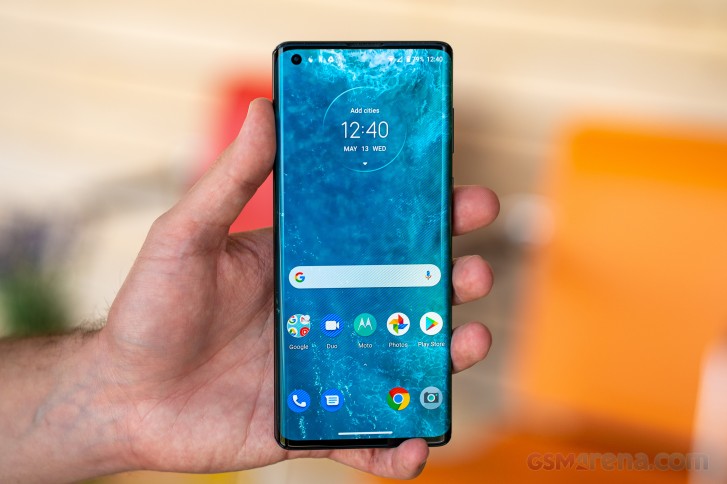
Starting off with some Galaxy S20s, in Europe you can get an Ultra for the same money and that's a superior package overall. It'll take nicer pictures with more zoom power than the Edge+, and its display is brighter, higher-res and higher refresh rate. On top of that, the Galaxy has niceties like an IP68 rating and a microSD slot. The Motorola does remain an exclusive option for those that insist on a headphone jack, and has longer battery life... and that's about all that it does better. In the US and India it's more of Galaxy S20+ that retails for Moto Edge+ money, and most of the above remains true in this bout as well.
OnePlus too will offer you a better deal with the 8 Pro the world over, even though we may have been less than ecstatic about the company's price hike this year. The areas where the Moto comes up short, the OP mostly does admirably and beats the Edge+ in terms of display, camera, and charging, and it's IP68-rated too. The Moto will win in an endurance race and will be the one you can hook up legacy headphones to but it will run you $100/€300/INR20K more.
It's a similar situation with the Mi 10 Pro, minus the global availability. The Mi 10 Pro stands out thanks to amazing speakers and two tele cameras, but it too misses out on an IP rating and a memory card slot like the Moto and two are also closely matched in terms of battery life and display hardware (though the Mi is a lot brighter). Xiaomi asks €1000 for it in our neck of the woods, and while that's arguably pretty steep for a Xiaomi, it's still 200 less than the Edge+.
The US doesn't get the P40 Pro and it isn't available in India for now. It runs for about €800 in Europe and that €400 difference may actually offset the fact that it doesn't have Google Mobile Services. It's got generally better cameras, kinda-sorta expandable storage (with close to proprietary NM cards), and an IP68 rating. The Moto edges ahead in battery life and will deliver a notably hassle-free Android experience, while the P40 Pro will need going through some hoops, and even then some apps won't work at all. But €400 cheaper. The projected Indian price of more than INR80K does make a better case for the Moto, however.



Samsung Galaxy S20 Ultra 5G • OnePlus 8 Pro • Xiaomi Mi 10 Pro 5G • Huawei P40 Pro
Verdict
Motorola's flagship game appears to have gotten rusty over these past three years of keeping to midrangers only. The Edge+ misses the mark in key areas - maybe not by much, but it adds up. Absent camera modes coupled with unremarkable low-light output, display that is okay, but not great, anachronistically slow charging, no proper dust and water resistance - it's just a whole bunch of things that we can't overlook on a phone that is priced at €1200. At INR75K, it's a tough sell against a similarly priced Galaxy S20+ in India too and even though the Mi 10 Pro and the Find X2s aren't available there (yet?), it's not like the consumers in the country are starved for choice.
We'd be slightly more inclined to give it a pass in the US, where the Samsungs are somehow pricier than in Europe and the Oppo, Xiaomi and Huawei rivals are virtually non-existent.
So yes, pricing will be a make-or-break for the Moto edge+ future and it varies a lot depending on where you reside. The Moto edge+ is a wonderful phone - just not at any cost.
Pros
- Striking design, curved displays will always look cool.
- Class-leading battery life.
- Flagship with a headphone jack, yeah!
- Versatile camera system for daytime use, 6K video recording.
- One of the better software packages - near stock looking Android with nice Moto features.
Cons
- No official water and dust resistance.
- Rather slow charging.
- Underwhelming camera performance in low light, Night mode only works on the main cam, weird quirks in the app UI.
- No 4K60 video recording, no 4K at all on the wide and tele cameras.

No comments:
Post a Comment