
Introduction
Realme often has us wondering what's what in its portfolio and where new models fit in the existing lineup. It's a bit more of that now with the X3 SuperZoom - is it an X2 Pro successor, or does it replace the plain X2 while an X3 Pro is planned for the near future? Or is it an interim model to bridge the time gap while a pair of X4s are getting put together? Or maybe it's a step to the side of the X2s, but since it comes out some 7 months after them, Realme felt the need to bump the number? We'll try to find the X3 SuperZoom's place under the sun as we move along with this review.
Let's start with that SuperZoom bit. The moniker is inspired by the phone's telephoto camera, and it's the five times zoom periscope lens setting it apart from all other Realmes - the few of which have a tele cam at all, stick to a standard 2x unit. A standout feature warrants a standout moniker then.
Does zooming out count for SuperZoom? Perhaps they didn't mean it that way, but the handset still comes with a couple of front-facing cameras, one of them ultra-wide. It's not a first for Realme, with both the cheaper 6 Pro and the pricier X50 Pro having a second selfie shooter, but it's not hurting the X3 either.
They couldn't have called it the X3 SuperZoom LCD, could they? While the periscope makes the phone unique in the Realme roster, the non-OLED display does make the SuperZoom stick out among all the other Xs, not necessarily in a good way. OLEDs do have their critics, however, and they'll be pleased to learn that this Realme's LCD is 120Hz-capable - we'll talk more about that later.
Alongside the display panel, another decision that has budgeting and market segmentation written all over it is the choice of chipset - last year's Snapdragon 855+ comes in cheaper than the current 865 and leaves enough ground to justify the X50 Pro's price premium while being plenty powerful still.
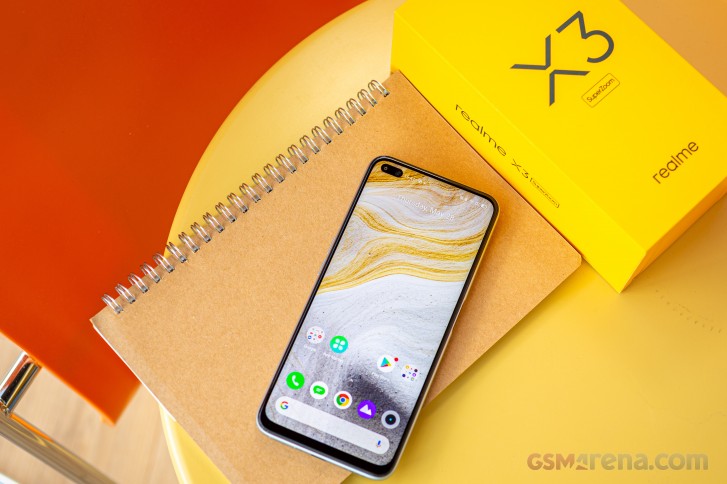
Here's what the rest of the key specs look like.
Realme X3 SuperZoom specs
- Body: 163.8x75.8x8.9mm, 202g; Gorilla Glass 5 on the front, glass back, plastic frame; Glacier Blue, Arctic White color options.
- Screen: 6.6" IPS LCD, FHD+ (1080x2400px) resolution, 120Hz refresh rate, 399 ppi.
- Camera: Primary: 64MP Quad-Bayer, 0.8µm pixel size, 1/1.72" sensor size, 26mm equivalent focal length, f/1.8 aperture, PDAF; Ultra-wide: 8MP, 1.12µm, 1/4.0", 16mm, f/2.3, fixed focus; Telephoto: 8MP, 124mm periscope lens, f/3.4, PDAF, OIS; Macro: 2MP, 1.75µm, f/2.4, fixed focus.
- Front camera: Primary: 32MP, 0.8µm, 1/2.8", 26mm, f/2.5, fixed focus; Ultra-wide: 8MP, 1.12µm, 1/4.0", 16mm, f/2.2, fixed focus.
- Chipset: Qualcomm Snapdragon 855+ (7 nm): Octa-core (1x2.96 GHz Kryo 485 & 3x2.42 GHz Kryo 485 & 4x1.78 GHz Kryo 485) CPU, Adreno 640 GPU.
- Memory: 8GB/128GB, 12GB/256GB, no microSD card slot.
- OS: Android 10, Realme UI.
- Battery: 4,200mAh, 30W Dart Charge.
- Connectivity: 4G LTE; Dual SIM; Dual-band Wi-Fi, Buetooth 5.0, dual-band GPS, USB Type-C 2.0.
- Misc:Side-mounted fingerprint sensor; single, bottom-firing loudspeaker.
Perhaps you'll notice some other peculiarities in the above list. The X3 SuperZoom doesn't have a memory card slot, while the vanilla X2 did have one, but not the X2 Pro or the X50 Pro. It's not a Pro thing either - the 6 Pro lower in the lineup does have the feature.
Speaking of, much like the 6 Pro, the SuperZoom only has a single speaker - the higher-ranked Xs have stereo setups. Only 30W charging support has made the cut too, while faster versions come with the X2 Pro and the X50 Pro, though 30 isn't half bad in this context.
Realme X3 SuperZoom unboxing
The X3 SuperZoom arrives in the same immediately recognizable yellow box as the last batch of Realmes we've had in for review recently. The contents are in line with what we've come to expect, too.
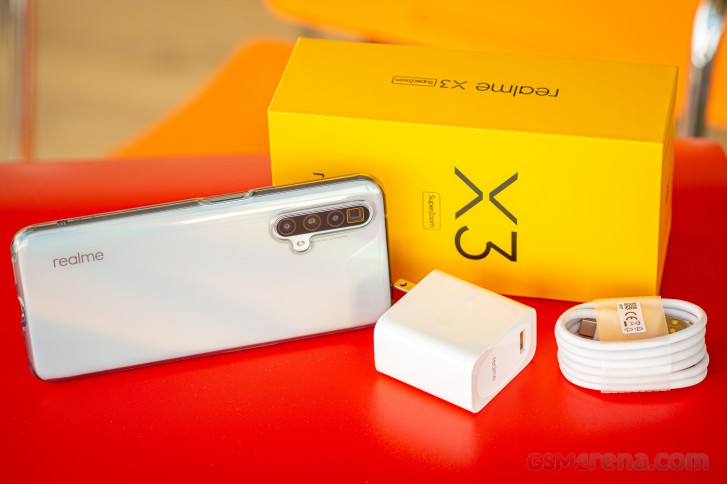
You get a 30-watt fast charger that Realme calls Dart and a cable to go with it - you need both pieces to charge the SuperZoom quickly as they have proprietary wiring. Additionally, Realme is bundling a soft silicone case for protection. There are no headphones in the box.
Design
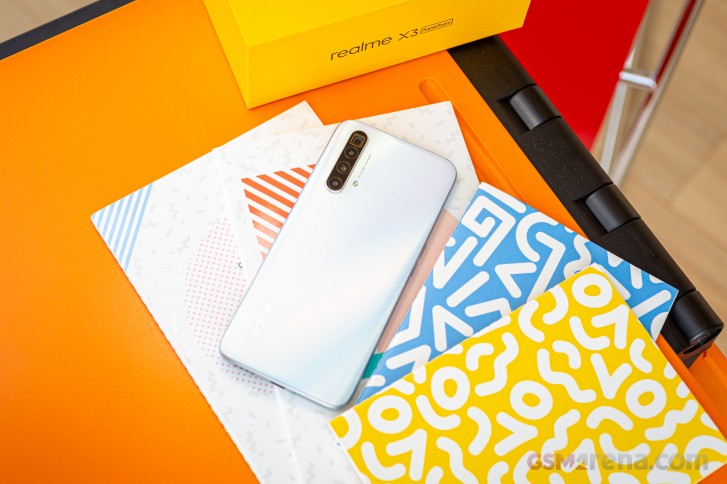
The X3 SuperZoom stays close to Realme's recent design language - so it's both recognizable as a member of the brand while remaining hard to pinpoint which exact model it is.
 Realme X3 SuperZoom next to the Realme X2 Pro
There is a subtle clue, though. You know how all smartphone periscope telephoto cameras have had this rectangular lens opening? Well, the SuperZoom does too. And Realme's been wise to give it the gold ring accent treatment to make it a touch more noticeable. We say ring out of habit, but it's a rectangle, obviously.
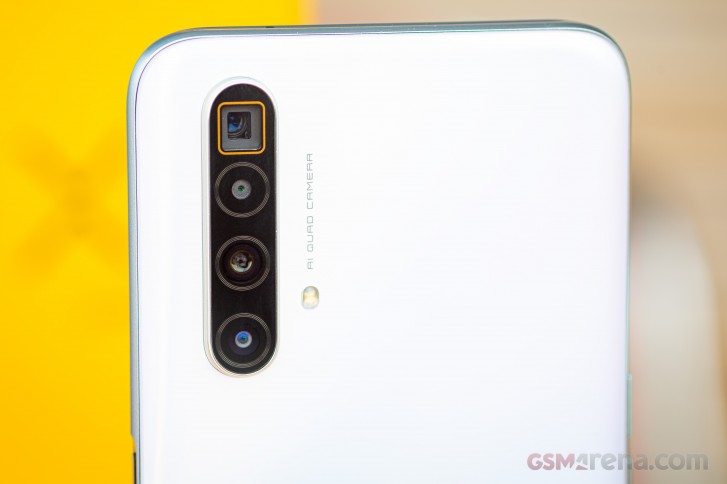
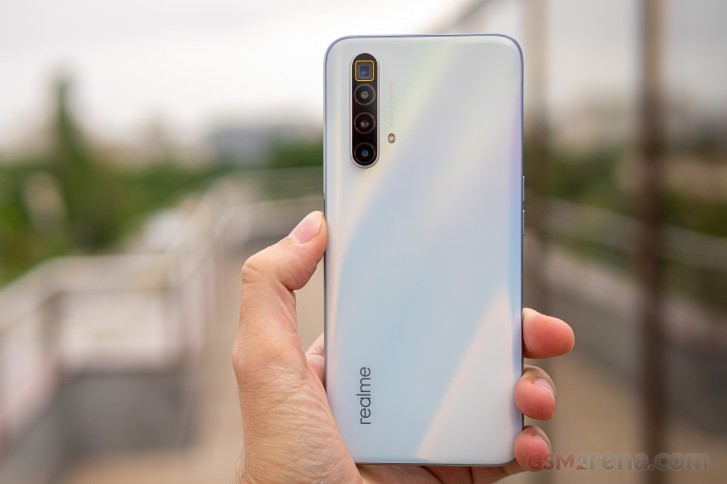
Other than that it's a quad-cam setup like most other Realmes of late. Arranged vertically, the four modules share a window, and the whole assembly is raised quite a bit. Put the X3 SuperZoom on a table and it will rock if you touch it. Such is life.

The back of the phone is made of glass, but Realme doesn't go into specifics what kind it is precisely. It's got a very smooth satin finish which feels magical to the touch and doesn't attract fingerprints but, boy, is it slippery!

The frame has a smooth matte finish too and doesn't help too much with grip. We're fairly certain that it's plastic, though it does pose for aluminum. It's got a silver coat on our Arctic White review unit, and it changes to blue-green to match the other available color option, named Glacier Blue.
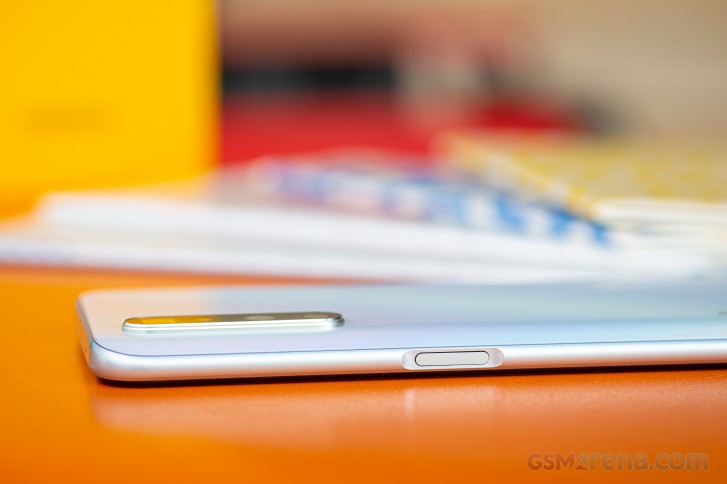
There's a recess in the frame on the right of the phone, a little above the midpoint, to house the power button. The button is well-positioned and decently sized, but it's got sharp edges that our fingertips don't appreciate one bit.
Seeing how the X3 SuperZoom's LCD isn't as friendly to under-display fingerprint readers quite as much as OLEDs are, the power button is also home to a capacitive fingerprint sensor. It doesn't discriminate between right thumbs and left index fingers, which is nice, but it's also not a 10 out of 10 experience with either hand - we had our share of unsuccessful unlock attempts regardless of finger used.

On the opposite side are the volume buttons, two discrete ones as opposed to a rocker. These have smoother edges than the power button and click nicely. On the top of the phone, there's a single pinhole for a secondary mic - so the headphone jack must be on the bottom.
Nope, there isn't one. Down on the bottom, you'll find the USB-C port, the loudspeaker, and the primary mic, as well as the SIM card tray. That takes just SIM cards, but not microSD memory cards, another missed opportunity.



Volume controls • Mic on top • No 3.5mm jack anywhere
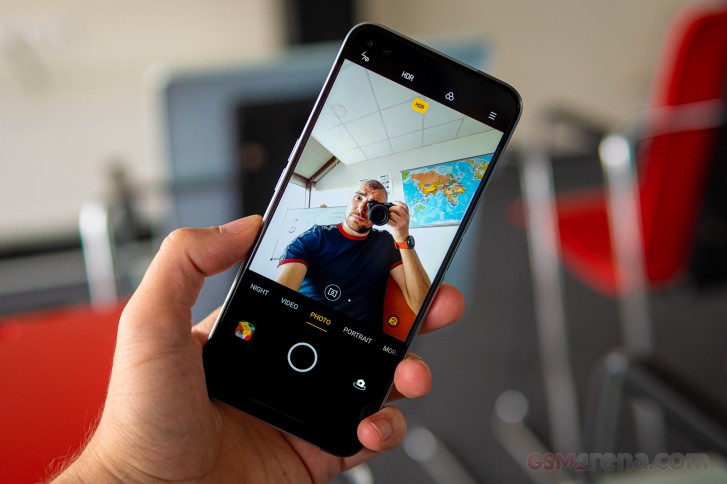
Which brings us to the front of the X3 SuperZoom. A 120Hz 6.6-inch LCD is the (not-so-bright) star of the show, a pill-shaped cutout in its top left corner to house the two selfie cams. It's covered in Gorilla Glass 5, this one we know.
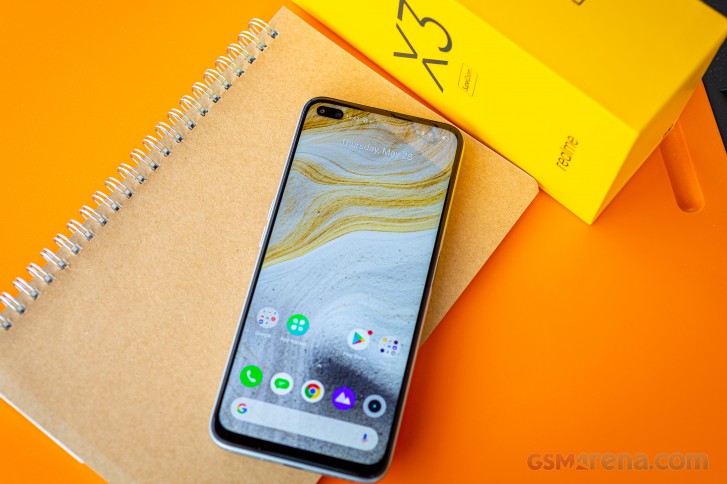
The bezels surrounding the display aren't the thinnest, but they're not too big either. The top one has a thin metal mesh through which you'll be hearing the earpiece, but that doesn't double as a loudspeaker, sadly. The window for the proximity and ambient light sensors can be seen next to it if you shine a flashlight at it.

The Realme X3 SuperZoom measures 163.8x75.8x8.9mm and weighs 202g - the exact same numbers as the Realme 6 Pro. The X50 Pro is a bit more compact in its footprint, but actually 3g heavier. The SuperZoom feels... predictable - it's neither too light, nor too heavy for a modern-day 6.6-inch smartphone.
High refresh rate, low brightness
The Realme X3 SuperZoom is fitted with a 6.6-inch FullHD display - nothing overly fancy. Particularly unimpressive for its price is the fact that it's an LCD - OLEDs can be found in similar size and resolution on phones half the price. Ah, but this LCD supports a 120Hz refresh rate, so there's that going for it.
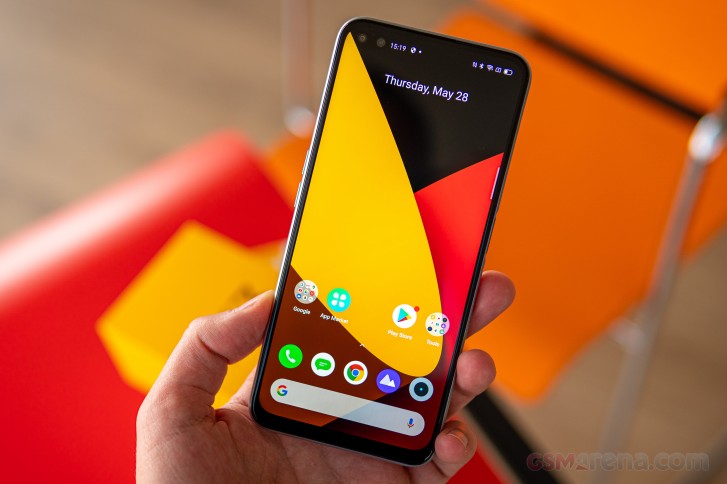
With a 20:9 aspect ratio and a resolution of 1080x2400px, the math works out to a perfectly acceptable pixel density of 399ppi.
What's barely acceptable is the maximum brightness that we got out of the X3 SuperZoom. We measured 437nits, and there was no boost with the auto brightness engaged. It's a low number for an LCD and closer to what an OLED panel is capable of, but modern OLEDs are much less reflective than LCDs so they don't need to run as bright as LCDs to remain legible. Not a very good showing here from the Realme.
This being an LCD in a world now dominated by OLEDs, the X3 SuperZoom's display also exhibited some illumination to its blacks. That resulted in a contrast ratio of 1300-ish to 1 and it's good - for an LCD. It's just that OLEDs have zero light coming out of their blacks and what is a practically infinite contrast ratio.
| Display test | 100% brightness | ||
| Black, |
White, |
||
| 0.332 | 437 | 1316:1 | |
| 0.318 | 421 | 1324:1 | |
| 0 | 500 | ∞ | |
| 0 | 708 | ∞ | |
| 0 | 525 | ∞ | |
| 0 | 635 | ∞ | |
| 0 | 516 | ∞ | |
| 0 | 854 | ∞ | |
| 0 | 522 | ∞ | |
| 0 | 854 | ∞ | |
| 0 | 416 | ∞ | |
| 0 | 595 | ∞ | |
| 0 | 525 | ∞ | |
| 0 | 743 | ∞ | |
| 0 | 410 | ∞ | |
| 0 | 622 | ∞ | |
| 0 | 400 | ∞ | |
| 0 | 705 | ∞ | |
Color reproduction on the SuperZoom is handled in the same way as other recent Realmes. That means a switch between Vivid and Gentle modes with an additional Cool-to-Warm slider.
Out of the box, the Vivid mode with the slider set to Default produces unremarkable color accuracy when examining color swatches for DCI-P3 reproduction - an average deltaE of 6.9 with a 14 maximum and whites way off towards purple (deltaE 13).
Moving the slider all the way to the warmest setting resulted in a modest improvement in whites (deltaE 9) and overall accuracy (average deltaE 5.4).
Gentle mode is a different story - it's super accurate for sRGB content with an average deltaE of 1.3.
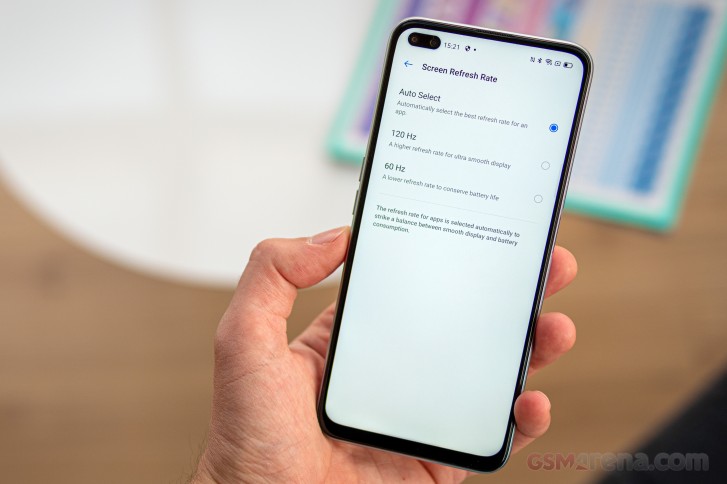
The Realme X3 SuperZoom display supports a 120Hz refresh rate. You can choose between that, the mainstream 60Hz, and an Auto setting. Its behavior is slightly more complicated than that, however.
In both 120Hz and Auto, you'll be getting the 120Hz refresh rate when browsing the Settings menu so you can enjoy the smooth scrolling. For the rest of the UI, it'll go down to 90Hz even if you've opted for the forced 120Hz setting.
If you set it to 120Hz, YouTube will be rendered in 120Hz (for both the app UI and full-screen video viewing), while in Auto state it'll be capped at 90Hz.
Meanwhile, the default video player is capped at 60Hz in all modes, which is sensible. Different browsers behave differently too - with Firefox and Opera limited to 90Hz and Chrome being able to do 120Hz when the phone is set to 120Hz. All of them run at 90Hz when in Auto.
We tried a bunch of games, and none of them ran above 60Hz in any display mode.
Realme X3 SuperZoom battery life
The Realme X3 SuperZoom is powered by a 4,200mAh battery, same capacity as the one in the Realme X50 Pro, but oddly some 100mAh less than the Realme 6 Pro with which the SuperZoom shares the same size and weight.
In light of the display refresh rate behavior we detailed above, some clarification is due about how we conducted the battery life test. Since the built-in video player always defaults to 60fps (and that's all it needs, admittedly), that's the only way we tested for video playback.
As for web browsing, we ran two tests - one in 60Hz, and one in 90Hz as that's what major browsers fall back to when in Auto mode (and in forced 120Hz mode, save for Chrome). We're assuming the refresh rate doesn't affect screen-off tests like call times and standby, and if that's not the case for some reason, it would be a weird world we're living in.
Anyway, in our testing the Realme X3 SuperZoon was good for just under 16 hours of looping videos offline - pretty nice. The high refresh rate (once again, effectively 90Hz) web browsing would kill the battery in 14 hours, while at the 60Hz setting, that number went up to 16:12. Voice call longevity was an excellent 33 hours too. The overall Endurance rating is then 103 hours (calculated for the HRR scenario).
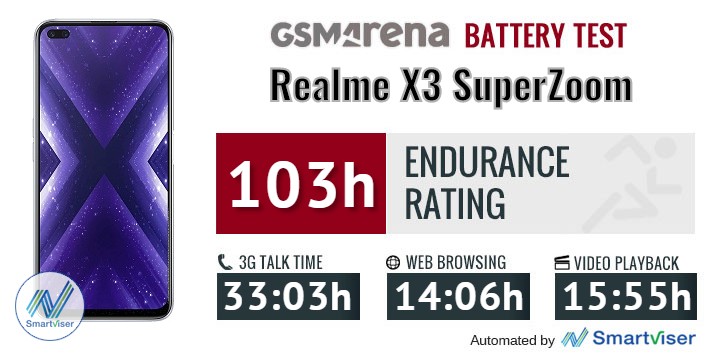
Our battery tests were automated thanks to SmartViser, using its viSer App. The endurance rating above denotes how long a single battery charge will last you if you use the Realme X3 SuperZoom for an hour each of telephony, web browsing, and video playback daily. We've established this usage pattern so that our battery results are comparable across devices in the most common day-to-day tasks. The battery testing procedure is described in detail in case you're interested in the nitty-gritty. You can check out our complete battery test table, where you can see how all of the smartphones we've tested will compare under your own typical use.
The bundled Dart adapter charges the X3 SuperZoom from flat to full in 58 minutes in our testing - 3 minutes slower than Realme's advertised number, but we won't hold it against it. At the 30-minute mark, the battery indicator read 62%. Other Realmes can do faster charging, but this is easily fast enough.
Speaker test
The Realme X3 SuperZoom has a single bottom-firing speaker, which is a lesser setup than both the cheaper X2 Pro from last year and the more expensive current X50 Pro. It's closer in this respect to the X2 and the 6 Pro.
It even posted an identical result for loudness to the one of the X2 with the 6 Pro being a little quieter overall, but in the same ballpark. The SuperZoom did make it to the Good category for loudness, while the 6 Pro fell in the Average bowl. The X50 Pro was notably louder and earned a Very good rating.
Sound quality on this phone is nothing spectacular, but still pretty decent. The SuperZoom has a bit more thump in the lows than the 6 Pro, though not as lively highs. The X50 Pro is vastly superior than both though.
Use the Playback controls to listen to the phone sample recordings (best use headphones). We measure the average loudness of the speakers in LUFS. A lower absolute value means a louder sound. A look at the frequency response chart will tell you how far off the ideal "0db" flat line is the reproduction of the bass, treble, and mid frequencies. You can add more phones to compare how they differ. The scores and ratings are not comparable with our older loudspeaker test. Learn more about how we test here.
Audio output quality
We've recently discontinued our audio output quality test.
The reason for that is that most phones that were arriving for testing were already excellent in this regard and whatever difference there was between them, it was marginal and probably indistinguishable to anything but our lab equipment.
Android 10 with Realme UI on top
Much like other recent Realmes, the X3 SuperZoom runs Android 10 with the company's custom Realme UI on top. It shares a lot of traits with the sister company Oppo's ColorOS in terms of features with a shift towards a more stock Android look, a trend Oppos have started adopting too.
The launcher's look and feel is characterized by no-nonsense homescreens, simplistic notification/toggles area, and easy-to-use task switcher. An App drawer is available, too, and it is as clutter-free as one could hope for.






Realme UI: Lockscreen • Homescreen • Folder view • App drawer • Quick toggles • Task switcher
Realme UI supports different icon packs, so if you are not happy with the default one, you can opt for material style, pebbles, or you can even fully customize them by your liking. Themes are also available.






Homescreen settings • Homescreen mode • Swipe down options • Theme store • Icon settings
You have a total of three options for navigation on the Realme X3 SuperZoom. We've already grown used to and prefer the standard Android 10 navigation (Swipe Gestures from Both Sides it's called here), which employs the side edges for going Back while upward swipes from the bottom take you Home.
Color OS used to have a gesture for quick switch between the last two apps if you swipe in for Back, but hold for a brief instant. Now that's replaced by side swiping on the bottom of the screen.
A classic three-button navigation bar is available if you're old school like that, and it lets you choose between two layouts. There's also a More option, which will take you to the Swipe-up gestures alternative - the proverbial middle option between the nav bar and real gestures.






Settings • More settings • Navigation options
Realme UI offers a Smart Sidebar feature on the edge of the screen - you can customize the actions and app shortcuts that appear there. The bar's position and opacity can be adjusted too.






Smart Sidebar
The Realme X3 SuperZoom display supports a 120Hz refresh rate, and you get a three-way setting between 120Hz, 60Hz, and Auto. As we detailed on the previous page, that setting is only ever set in stone if you have it at the 60Hz position, with the other two modes having their own specifics.
There's a system-wide dark mode, and it can be engaged permanently or according to a schedule. It'll invoke supported apps' dark themes too, but you can also enforce dark mode on third-party apps which don't have it built-in.
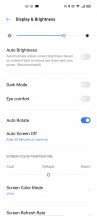




Display settings
The multimedia apps such as Gallery, Music, and Videos - are provided by Realme. There is also a redesigned File Manager, and a Phone Manager app. A few other tools are provided, including a custom calculator and a voice recorder. A Realme App Market is also present.






Gallery • Music • Videos • Phone Manager • File Manager • App Market
Synthetic benchmarks
The Realme X3 SuperZoom has the Snapdragon 855+ under the hood, the souped-up version of Qualcomm's high-end chipset for last year. It's a balancing act of trying to fit the budget while also offering flagship-grade performance. The 855+ is one better than this year's 765, particularly in the GPU department, and it isn't as expensive as the current top dog, the 865.
Meanwhile, the 5G-less 855+ leaves the 865-equipped X50 Pro 5G room to breathe in the markets where the two are available together. How big of deal 5G is right now, is a whole different topic.
The X3 SuperZoom is available in two configurations - the base model has 8GB of RAM and 128GB of storage, while our review unit is the 12GB/256GB variant. RAM is LPDDR4x and the storage is the UFS 3.0 type.
We ran the usual set of benchmarks, and the X3 SuperZoom mostly delivers. It did run neck and neck with the OnePlus 7T in single-core GeekBench, but got left behind in multi-core loads. It does comfortably outperform the Motorola Edge, standing in here for the 700-series Snapdragons of the day. The 865 devices remain out of reach for the 855+ Realme.
GeekBench 5.1 (multi-core)
Higher is better
- vivo iQOO 3 5G
3402 - OnePlus 8
3399 - Xiaomi Mi 10 5G
3322 - Realme X50 Pro
3175 - OnePlus 7T
2858 - Oppo Reno Ace
2627 - Realme X3 SuperZoom
2579 - Motorola Edge
1862 - Realme 6 Pro
1666
GeekBench 5.1 (single-core)
Higher is better
- vivo iQOO 3 5G
928 - OnePlus 8
919 - Realme X50 Pro
911 - Xiaomi Mi 10 5G
895 - OnePlus 7T
776 - Realme X3 SuperZoom
756 - Oppo Reno Ace
619 - Motorola Edge
586 - Realme 6 Pro
565
Over in Antutu, the X3 SuperZoom shows about average performance for its hardware - the OP7T is slightly ahead, the X2 Pro is slightly behind. Again, there's a visible gap between 855+ and 865-equipped handsets.
AnTuTu 8
Higher is better
- Realme X50 Pro
592447 - Xiaomi Mi 10 5G
578056 - vivo iQOO 3 5G
575601 - OnePlus 8
564708 - ZTE nubia Red Magic 3s
495229 - OnePlus 7T
485585 - Realme X3 SuperZoom
477905 - Realme X2 Pro
467653 - Oppo Reno Ace
434063 - Motorola Edge
305989 - Realme 6 Pro
268785
In GFXBench, the SuperZoom is a couple of frames per second behind other 855+ devices for one reason or another. What matters though, is that the 855+ is still much more potent in graphics-related tasks than the 765 - the Motorola Edge manages only half the frames across all tests.
GFX 3.1 Manhattan (1080p offscreen)
Higher is better
- OnePlus 8
88 - Realme X50 Pro
86 - vivo iQOO 3 5G
86 - Xiaomi Mi 10 5G
84 - OnePlus 7T
79 - ZTE nubia Red Magic 3s
79 - Realme X2 Pro
78 - Oppo Reno Ace
72 - Realme X3 SuperZoom
65 - Motorola Edge
34 - Realme 6 Pro
30
GFX 3.1 Manhattan (onscreen)
Higher is better
- Xiaomi Mi 10 5G
73 - ZTE nubia Red Magic 3s
65 - vivo iQOO 3 5G
61 - Realme X50 Pro
60 - OnePlus 8
60 - OnePlus 7T
59 - Realme X2 Pro
57 - Oppo Reno Ace
56 - Realme X3 SuperZoom
56 - Motorola Edge
32 - Realme 6 Pro
27
GFX 3.1 Car scene (1080p offscreen)
Higher is better
- OnePlus 8
52 - Realme X50 Pro
51 - vivo iQOO 3 5G
51 - Xiaomi Mi 10 5G
50 - OnePlus 7T
48 - Realme X2 Pro
47 - ZTE nubia Red Magic 3s
46 - Oppo Reno Ace
44 - Realme X3 SuperZoom
41 - Motorola Edge
19 - Realme 6 Pro
18
GFX 3.1 Car scene (onscreen)
Higher is better
- OnePlus 8
46 - Realme X50 Pro
45 - vivo iQOO 3 5G
42 - Xiaomi Mi 10 5G
42 - OnePlus 7T
41 - Realme X2 Pro
37 - ZTE nubia Red Magic 3s
37 - Oppo Reno Ace
35 - Realme X3 SuperZoom
35 - Motorola Edge
18 - Realme 6 Pro
16
Aztek Vulkan High (onscreen)
Higher is better
- Realme X50 Pro
30 - OnePlus 8
30 - Xiaomi Mi 10 5G
29 - vivo iQOO 3 5G
28 - OnePlus 7T
27 - Realme X2 Pro
25 - ZTE nubia Red Magic 3s
24 - Oppo Reno Ace
23 - Realme X3 SuperZoom
22 - Motorola Edge
12 - Realme 6 Pro
11
Aztek OpenGL ES 3.1 High (onscreen)
Higher is better
- Realme X50 Pro
31 - OnePlus 8
31 - vivo iQOO 3 5G
29 - Xiaomi Mi 10 5G
29 - OnePlus 7T
28 - Realme X2 Pro
26 - Oppo Reno Ace
26 - ZTE nubia Red Magic 3s
26 - Realme X3 SuperZoom
24 - Motorola Edge
12 - Realme 6 Pro
11
The relative differences between the chipsets remain in 3DMark in both OpenGL and Vulkan-based testing. The X3 SuperZoom with its Snapdragon 855+ is a much better choice than a 765-based competitor, with the 865-powered devices offering a further boost, but not as big. It's worth pointing out that in this particular benchmark, the SuperZoom's scores dropped significantly after the first run - by about 15%, and stayed there. We didn't observe drops quite as dramatic in the other tests.
3DMark SSE OpenGL ES 3.1 1440p
Higher is better
- OnePlus 8
7290 - vivo iQOO 3 5G
7261 - Realme X50 Pro
7221 - Xiaomi Mi 10 5G
7132 - OnePlus 7T
6296 - ZTE nubia Red Magic 3s
6196 - Realme X3 SuperZoom
6120 - Oppo Reno Ace
5392 - Realme X2 Pro
4726 - Motorola Edge
3004 - Realme 6 Pro
2506
3DMark SSE Vulkan 1440p
Higher is better
- OnePlus 8
6720 - vivo iQOO 3 5G
6675 - Xiaomi Mi 10 5G
6490 - Realme X50 Pro
6472 - OnePlus 7T
5540 - ZTE nubia Red Magic 3s
5434 - Realme X3 SuperZoom
5364 - Realme X2 Pro
5337 - Oppo Reno Ace
4905 - Motorola Edge
2801 - Realme 6 Pro
2334
Overall, we get Realme's choice of chipset for the X3 SuperZoom. The 855+ delivers performance a notch below the current flagship offerings while being significantly ahead of the latest upper-midrange chipsets.
Periscope SuperZoom
The Realme X3 SuperZoom gets its name from its telephoto camera - a periscope lens gives it (almost) 5 times zoom power over its moderately wide main cam. These two are then joined by an ultra wide angle camera, forming a classic triple-focal-length setup. Ah, there's also a 2MP 'macro' module to up the camera count to 4.
Okay, so that periscope telephoto cam is the highest mounted module on the back of the X3 SuperZoom. A prism refracts light to the right, where the sensor is installed perpendicular to the plane of the phone. The lens has an equivalent focal length of 124mm and an aperture of f/3.4, and it's stabilized. The sensor has an 8MP resolution.
The main cam is another take on the popular Quad Bayer approach (or, rather, Tetracell in this case) and uses a Samsung GW1 1/1.72" 64MP sensor that captures 16MP images by default. The lens in front of it has a 26mm equivalent focal length and an f/1.8 aperture. This one doesn't feature OIS.
The utlra wide angle cam uses another 8MP sensor. It's fitted behind a 16mm-equivalent lens with a 119-degree field of view, according to Realme, though these two numbers don't exactly correspond - a discrepancy, which we already mentioned in the 6 Pro review, with which the SuperZoom shares an ultra wide module. It is ultra wide, that's for sure.
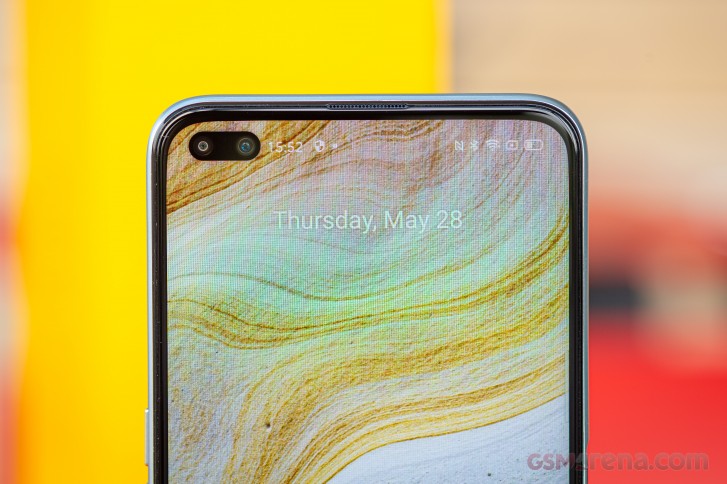
Similarly to the 6 Pro, there are two more cameras on the front of the SuperZoom. The sharing continues with the 8MP ultra-wide selfie snapper (17mm, f/2.2) but the primary cam on the X3 SuperZoom is 32MP Quad Bayer one (26mm, f/2.5) as opposed to the 16MP conventional module on the 6 Pro.
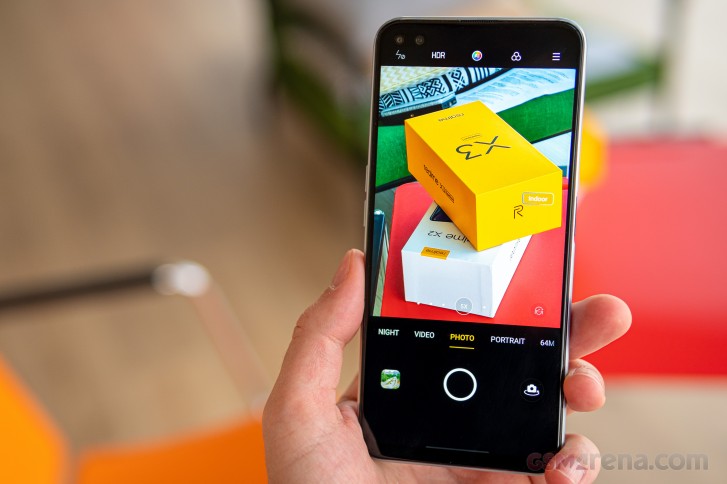
The camera app is the same as the one we found on the latest Realme 6s we reviewed a couple of months ago. Most of the modes are now on the main rolodex, which is good with the secondary ones in an additional 'More' pane. What was a Chroma boost toggle on the 6s, switches AI Dazzle mode on and off here, but is apparently the same thing - an HDR mode, that boosts colors as well. Sometimes too much.
In the Expert mode you get to tweak exposure (ISO in the 100-3200 range and shutter speed in the 1/8000s-32s range, 2s tops for the ultra wide), white balance (by light temperature, but no presets), manual focus (in arbitrary 0 to 1 units with 0 being close focus and 1 being infinity) and exposure compensation (-2EV to +2EV in 1/6EV increments).
As previously noted, you do get to shoot on all three cams in this Expert mode, but switching them doesn't cease to bewilder us. You get the familiar 1x-2x-5x selector, but that doesn't operate the actual cameras - it's digital zoom from whichever camera you've picked from the tree selector on the opposite end of the viewfinder. Indeed, the trees switch cameras and once you select a module from there, no focusing distance considerations will auto-switch it - that's good.
That, by the way, is how the app will operate in the auto Photo mode - it won't switch to the main cam if you're using the tele but you try to focus too close. Instead, it the tele viewfinder greets you with a balloon warning to stay 30cm or more from your subject.






Camera UI
Image quality
Daylight photos from the SuperZoom's main cam are very good. It captures a lot of fine detail and processes it in a comparatively natural manner, so it doesn't have an artificial look. What is fairly noticeable, however, is noise - even at base ISO in both solid color textured areas alike. Weirdly, the 6 Pro which has the same sensor, has better noise performance, though hardly perfect itself. Noise isn't typically an issue we fret about too much, it's just we're commenting on what we're seeing.
Even if we the rapidly changing weather made it a minor pain to shoot our samples, the clouds at least served to highlight the phone's wide dynamic range - that we do appreciate. It also exposes well, which in itself isn't something to point out in 2020, but we're bringing it up because the phone's dim screen doesn't quite do the photos justice when out shooting. You can trust it though.






Daylight samples, main camera
Similarly, colors are universally likeable out of the SuperZoom with just the right amount of saturation without going overboard.


Daylight samples, main camera
Now, if that's not good enough for you, engaging the AI Dazzle toggle will give you a boost in saturation (a similarly looking is called Chroma boost on other Realmes, after all), but we feel like that's too much. It does bump up the lower midtones a little too, but we don't necessarily think it's needed. AI Dazzle does produce images with extra pop if that's your thing, but the shots without it are far from dull themselves.



Daylight samples, main camera, AI Dazzle on
As with most Quad Bayer/Tetracell cameras, the main module on the SuperZoom can take photos in its nominal 64MP resolution as well. Perhaps a smidgeon extra detail can be revealed that way in well lit scene, but noise becomes all the more visible and no HDR processing is available, and the tradeoff is hardly worth it.



Daylight samples, main camera, 64MP
The seemingly unassuming 8MP ultra wide angle cam turns in a solid performance too, with good detail and wide dynamic range. The little extra color saturation compared to the main cam isn't objectionable. As on other Realmes with this particular unit, some fairly prominent color fringing can be seen along high-contrast edges, and noise is a bit more than ideal. The lack of autofocus also means you can't shoot nearby subjects.








Daylight samples, ultra wide angle camera
On to the SuperZoom part. The telephoto camera of the Realme is the real standout feature, and it doesn't disappoint. It captures sharp and detailed images with high contrast. Its shots are also somehow less noisy than ones coming out of the other two cams. Colors and dynamic range are praiseworthy as well.








Daylight samples, telephoto camera (5x)
There is a 2x toggle in the viewfinder and that'll give you a zoomed-in view form the main cam. So effectively you'd be getting the same global image quality, minus the pixel-level detail.








Daylight samples, telephoto camera (2x)
Low-light photos from the Realme X3 SuperZoom aren't quite as good. Images from the main cam are on the soft side and quite noisy too. There's this reddish color cast to warm light sources that we're not fans of either. Dynamic range isn't great and we'd also prefer to have the photos exposed a bit brighter. Oddly enough, the Realme 6 Pro that has the same sensor does an overall better job in full auto.




Low-light samples, main camera
Night mode improves things a bit on the SuperZoom by giving the shadows a much needed boost. Some added softness and an even stronger red shift to warm lights don't help get us excited about these shots.




Low-light samples, main camera, Night mode
The ultra wide angle cam's images aren't good either, but they do have one redeeming quality - detail is decent in the well lit areas. Dynamic range is pretty narrow though and exposures are dark overall.




Low-light samples, ultra wide angle camera
Night mode does marginally help with dynamic range in the highlights but it's an uphill battle with barely any boost in the shadows.



Low-light samples, ultra wide angle camera, Night mode
The Realme X3 SuperZoom respects your wishes and uses the actual telephoto camera in low light as opposed to defaulting to a zoomed in view from the main shooter - the Realme 6 Pro was also honest like that with its more modest 2x tele. To be fair, trying to get a 5x digital zoom would be a recipe for disaster anyway, but... it has been done.
Anyway, we're not implying it can do miracles. In fact, the small sensor/dim lens combo means it struggles for light in dark conditions and it underexposes badly. Night mode makes the subtlest of differences, but it's not enough.




Low-light samples, telephoto camera (5x)




Low-light samples, telephoto camera (5x), Night mode
Portraits
The Realme X3 SuperZoom captures portraits with its main cam only. It does give you a 1x/2x toggle, matching a 50-ish millimeter equivalent lens at the 2x settings, and that's achieved by digital zoom from the main cam too.
Suject separation is competent in either mode, the blur quality is nice and the intensity just right at the default 60% level. HDR is available too, which is not guaranteed on all phones and much appreciated.



Portrait samples, 1x



Portrait samples, 2x
Close-ups
A common trend recently is the inclusion of a dedicated camera for close-ups, but these are more often than not low-res and low-quality modules that do little more than bump the total number of cameras higher. That's mostly the case with the Realme X3 SuperZoom's 2MP 'macro camera'. It does let you get close, but it's fixed focus, so you need to get the distance just right. Even then it'll produce desaturated images with low dynamic range and, let's face it, how much fine detail can there be in 2MP.



Close-up samples
Selfies
The main 32MP camera of the Realme X3 SuperZoom takes really good selfies with a ton of detail. Colors are pleasing, even of there's a certain pinkish/fuchsia shift to both skin tones and otherwise - that red jacket is, in fact, rendered truer by the ultra wide. Dynamic range is really wide, almost too wide - that's some strong HDR-ing right there.




Selfie samples, primary camera
As we experienced on 6 Pro, the ultra wide angle cam produces a different look than the main one. It doesn't have quite as wide dynamic range, though it's still easily acceptable, and there's noticeably contrastier tone curve. Colors are indeed spot on.




Selfie samples, ultra wide angle camera
Selfie portraits out of the Realme X3 SuperZoom are okay. Subject detection is proficient, and the blur looks the part. HDR is missing though, which can prove an issue in high-contrast scenes, though at least the phone will prioritize for correct exposure of your face.




Selfie samples, Portrait mode
Video recording
The Realme X3 SuperZoom records video at up to 2160p 60fps with its main camera. The ultra wide is limited to 1080p 30fps, and so is the telephoto, technically, though the 5x toggle remains available in all resolutions and frame rates - you guessed it, the main camera takes over in those modes. You get to pick between the h.264 and h.265 codecs too.
The SuperZoom's main cam captures good quality video 4K30 (50Mbps bit rate). There's a high level of detail and while sharpening isn't exactly conservative, it's not the most overdone we've seen either. You'll see a healthy dose of grain, however, if you were to pixel peep. Colors and dynamic range are properly excellent. Unsurprisingly given the fact that 4K60 has the same bit rate, it comes with a sharpness penalty, but no other deficiencies. If anything, the noise gets smoothed out. 1080p maintains the colors and dynamic range of 4K footage. The 30fps mode has a strong overprocessed look but is reasonably detailed, 60fps comes with some softening as is usually the case.
The ultra wide angle cam's 1080p/30fps footage has limited dynamic range, but is overall decent with nice colors, contrast and detail.
The telephoto camera captures really good-looking 1080p 30fps footage with excellent contrast, nice colors and good detail. The other modes that are delegated to the main cam are just varying degrees of bad.
Stabilization from the main cam is properly excellent all the way to 4K60 with well removed walking-induced shake, smooth pans and little to no motion when pointing in one direction. The footage from the ultra wide cam (1080p30 only) is generally stable too, but we observed some wobble in the middle of the frame. Perhaps less detailed subjects will fare better. 1080p30 out of the telephoto is not perfectly stable, but jittery as it may be, it's still perfectly usable.
There's a dedicated Ultra steady mode that shoots in 1080p60 on the main cam but we found the regular 1080p60 to be more detailed and about as steady. The same applies to the Utlra Steady Max mode that captures 1080p30 on the ultra wide cam.
Competition
The Realme X3 SuperZoom does zoom in a lot, but just how super is it compared to rival offerings? With an official price tag of €500, it needs to be a little more than just okay to win over the consumers' hearts.
Since zoom is the name of the game, let's start off with a Huawei P30 Pro when we look at potential alternatives to give some context to the Realme X2 SuperZoom. The Huawei flagship may be a year old and then some, but that means it comes from better times for the Chinese maker when Google was still a friend, plus the Realme uses a year-old chipset anyway. The P30 Pro does 5x zoom since way back then, has an OLED display, IP68 rating, wireless charging, and a memory card slot (if NanoMemory as opposed to microSD) - all for just €550. The Realme counters with an ultra-wide selfie cam, better video recording, and sometimes-120Hz display, but our money would be on the Huawei in this bout.
A Poco F2 Pro can be had for about the same price as the X3 SuperZoom, and it comes with a few advantages - the current high-end Snapdragon, the OLED display, and the longer battery life stand out. The Poco also has a rather unique macro cam with a long-ish 50mm lens that makes for some stunning closeups. The X3 SuperZoom zooms, though, all the way to 5x, and the Poco doesn't, not one bit. The F2 Pro is also short on ultra-wide selfie cams.
Samsung put out a couple of Lites at the start of the year, and the Galaxy Note10 Lite can be had for about as much as an X3 SuperZoom. That puts it a headphone jack and microSD card slot, but also an S-Pen ahead of the Realme, not to mention the Galaxy's superior Super AMOLED display. The X3 SuperZoom does get you closer to the action with its periscope, and its ultra-wide selfie cam remains without an answer from the Samsung, but the Note's camera system is very capable itself and does better in the dark.
We're not even certain the SuperZoom would be our choice within Realme's own lineup. The 5x periscope is great, but a 2x zoom module can be more useful more often, and both the X50 Pro and the 6 Pro have one. We'll dismiss the X50 Pro on grounds of its €100 higher price, but the 6 Pro can even get you the ultra wide selfies, and it'll come in at €150 less than the new model. Sure, the X3 SuperZoom has the more powerful chipset, but the 6 Pro will do just fine outside of the heaviest of gaming. Alternatively, the X2 Pro starts at €100 less than the SuperZoom, comes with the same Snapdragon 855+, has a vastly superior display, stereo speakers, faster charging, nicer build. No periscope and no ultra wide selfies, sadly.




Huawei P30 Pro • Xiaomi Poco F2 Pro • Samsung Galaxy Note10 Lite • Realme X2 Pro
Verdict
Part of the problem with releasing a new phone every couple of months that competes in the same-but-different-but-same segment is that your other offerings are still there on the proverbial shelf. A balancing act of segmentation in an attempt to make just the right product for just the right type of customer and do so within a fixed budget.
 Realme X3 SuperZoom next to the Realme X2 Pro
Well, the Realme X3 SuperZoom is precisely that kind of a niche product. You need to value the 5x periscope zoom above everything else to be able to see past the phone's shortcomings and also turn a blind eye to how the others are better.
It's this camera alone that sets the SuperZoom apart (aptly named then) from all other Realmes and most other handsets in the price range. Perhaps the ultra-wide selfies are a bonus, or that's the exact specific set of features you're after. Good for you, the X3 SuperZoom meets those demands.
For a broader audience with more general requirements, there are superior overall packages. Realme itself makes a bunch of those too.
Pros
- 120Hz-capable display, settings menu scrolling is smoooth, sRGB accuracy is excellent.
- Excellent battery life, fast charging.
- Clean yet feature-rich software, excellent performance for the class.
- Properly good image quality across the board with minor exceptions.
- 5x periscope telephoto and a ultra wide angle selfie cam make for a unique combo.
Cons
- Dim display, quirly refresh rate limitations.
- No headphone jack or microSD slot.
- Some throttling under GPU-intensive loads.
- Uninspiring low-light performance.

No comments:
Post a Comment