
Introduction and specs
This year's Lite model from Xiaomi's numeric flagship series shapes up to be a proper Lite compared to its vanilla 13 and 13 Pro siblings. The "Lite" designation has been associated with less than stellar hardware for those on a budget, and these models often ride on the success of their true flagship alternatives in the same lineup. However, this year's Xiaomi 13 Lite seems like the real deal. There are quite a few upgrades over the Xiaomi 12 Lite as well.
The display is largely the same as last year's, except that it's curved this time around, and the diagonal is still 6.55", making it a somewhat compact mid-range solution. One of the most notable changes is the new chipset, though. This year, the Lite will be powered by the brand new Snapdragon 7 Gen 1 SoC, promising improved efficiency and performance compared to the older Snapdragon 700 series.
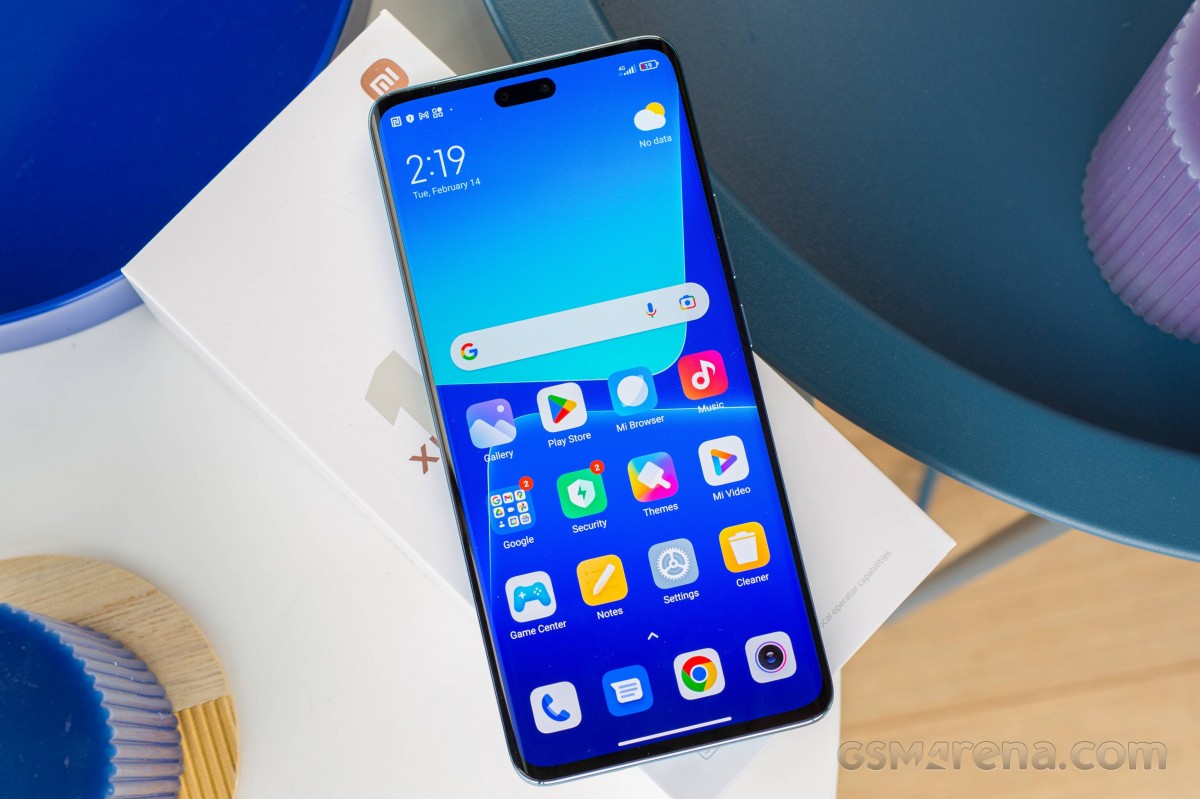
For the most part, the camera setup remains the same. Now the 50MP Sony IMX766 sensor is spearheading the setup on the back, which is just as big of a sensor as last year's 108MP one. Of course, the main shooter is assisted by the commonly used 8MP ultrawide camera, which isn't a surprise.
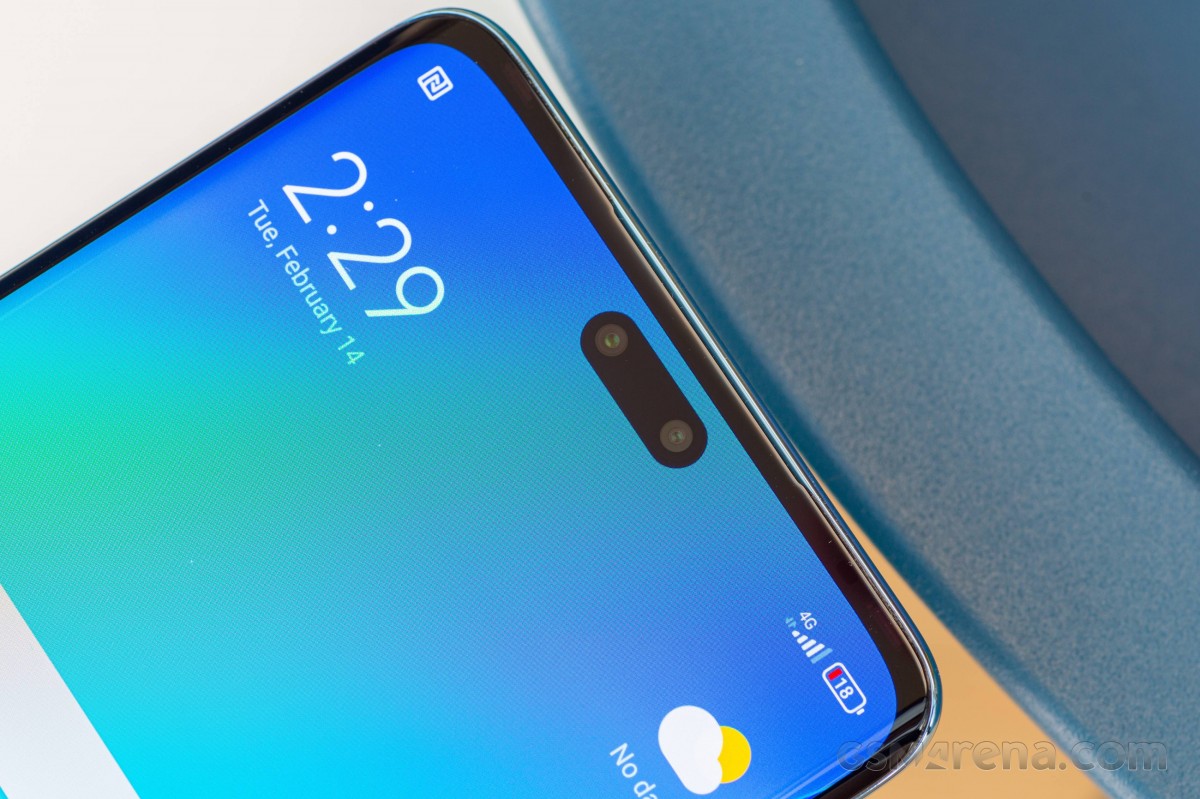
The front-facing configuration is entierly new, though. The pill-shaped notch is a home to a 32MP ultrawide angle camera with some advanced features and an 8MP depth sensor for better-looking portraits with bokeh.
Xiaomi 13 Lite specs at a glance:
- Body: 159.2x72.7x7.2mm, 171g; Glass front (Gorilla Glass 5), glass back, plastic frame; IP53, dust and splash resistant.
- Display: 6.55" AMOLED, 68B colors, Dolby Vision, HDR10+, 120Hz, 500 nits (typ), 1000 nits (peak), 1080x2400px resolution, 20:9 aspect ratio, 402ppi.
- Chipset: Qualcomm SM7450-AB Snapdragon 7 Gen 1 (4 nm): Octa-core (1x2.4 GHz Cortex-A710 & 3x2.36 GHz Cortex-A710 & 4x1.8 GHz Cortex-A510); Adreno 644.
- Memory: 128GB 8GB RAM, 256GB 8GB RAM; UFS 2.2.
- OS/Software: Android 12, MIUI 14.
- Rear camera: Wide (main): 50 MP, f/1.8, 23mm, 1/1.56", 1.0µm, PDAF; Ultra wide angle: 8 MP, f/2.2, 119˚, 1/4.0", 1.12µm; Macro: 2 MP, f/2.4.
- Front camera: Wide (main): 32 MP, f/2.4, 100˚, 1/2.74", 0.8µm; Depth: 8 MP, f/2.3.
- Video capture: Rear camera: 4K@30fps, 1080p@30/60/120fps, 720p@960fps; Front camera: 1080p@30/60fps.
- Battery: 4500mAh; 67W wired, 100% in 40 min (advertised).
- Misc: Fingerprint reader (under display, optical); Infrared port; single speaker setup.
The battery department also gets a slight bump. The cell is now 4,500 mAh instead of 4,300 mAh and still supports Xiaomi's 67W fast charging, which plays well with Power Delivery 3.0 too. Last but not least, build quality has been improved too, as the chassis is now entirely built from glass and metal while retaining lightweight and design.
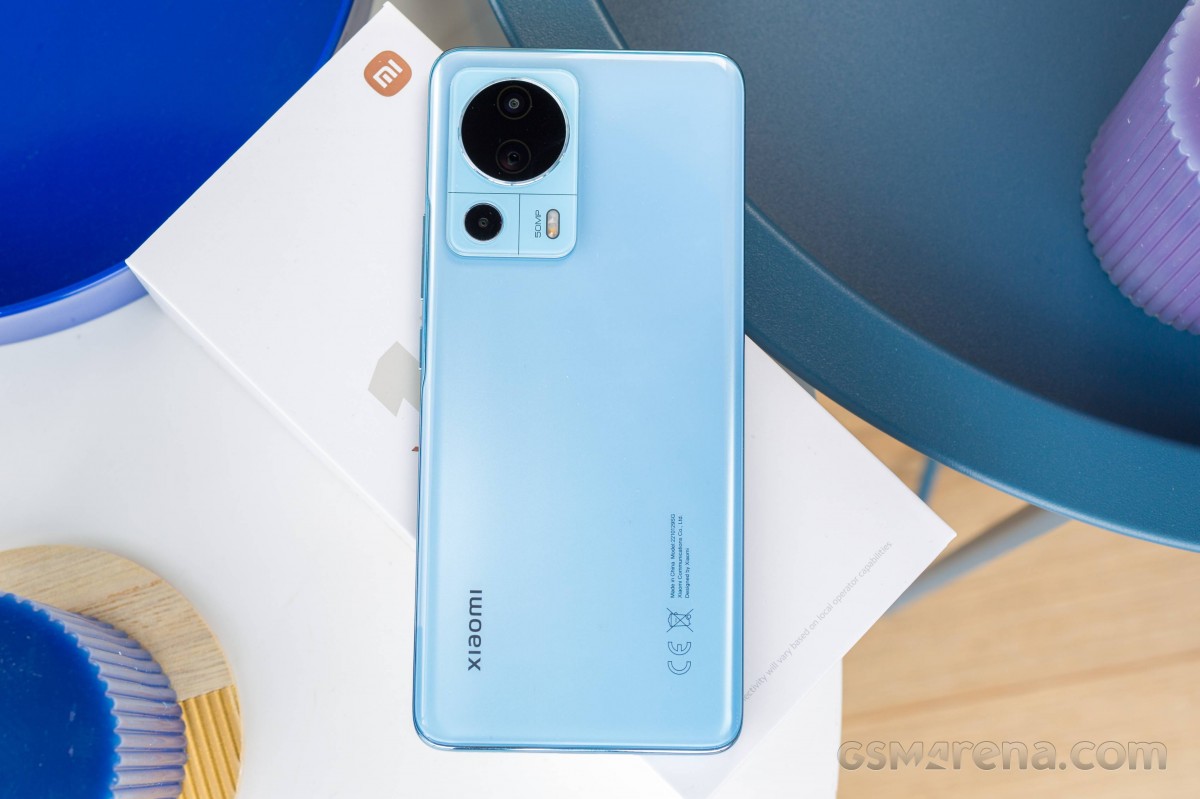
But as we all know, it's not all just specs, so we suggest that you continue reading our review to find out more about the Xiaomi 13 Lite.
Unboxing the Xiaomi 13 Lite
The Xiaomi 13 Lite ships with the usual user manuals, the corresponding 67W charger and a USB-A to USB-C cable for charging and data transfer.
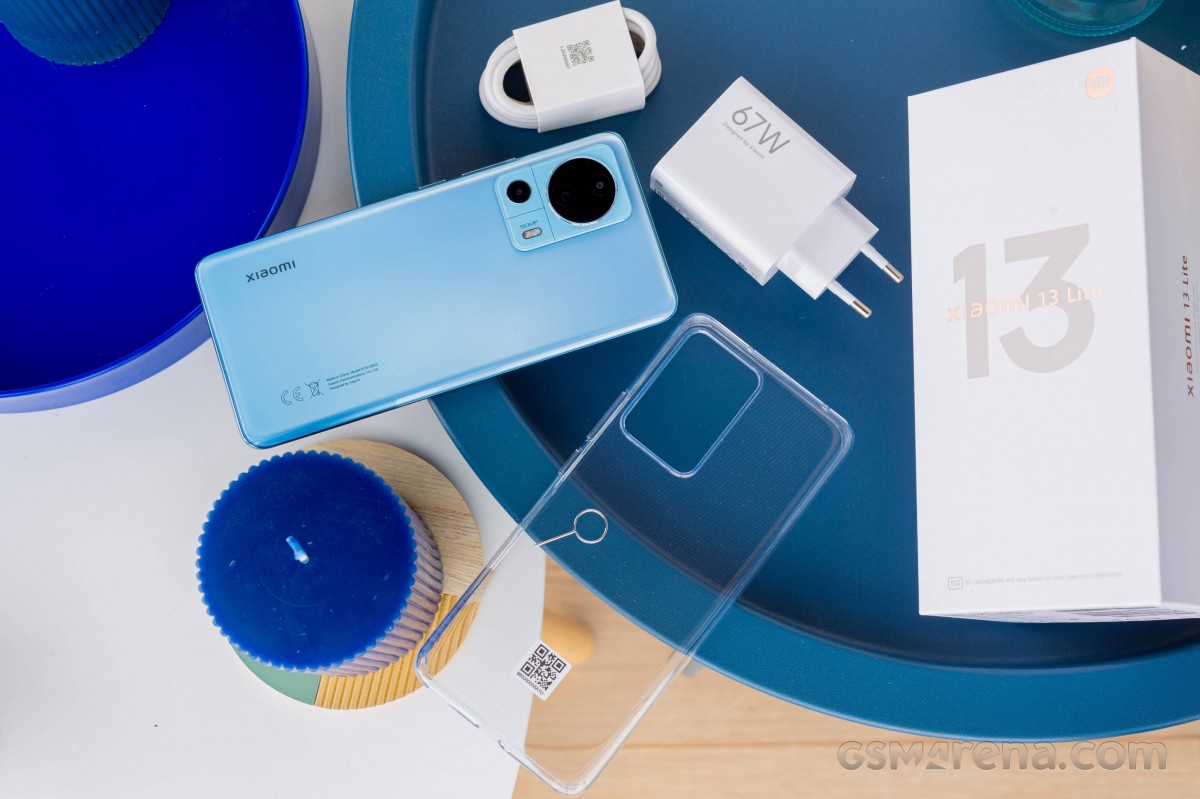
There's also an extra transparent silicone case.
Design and ergonomics
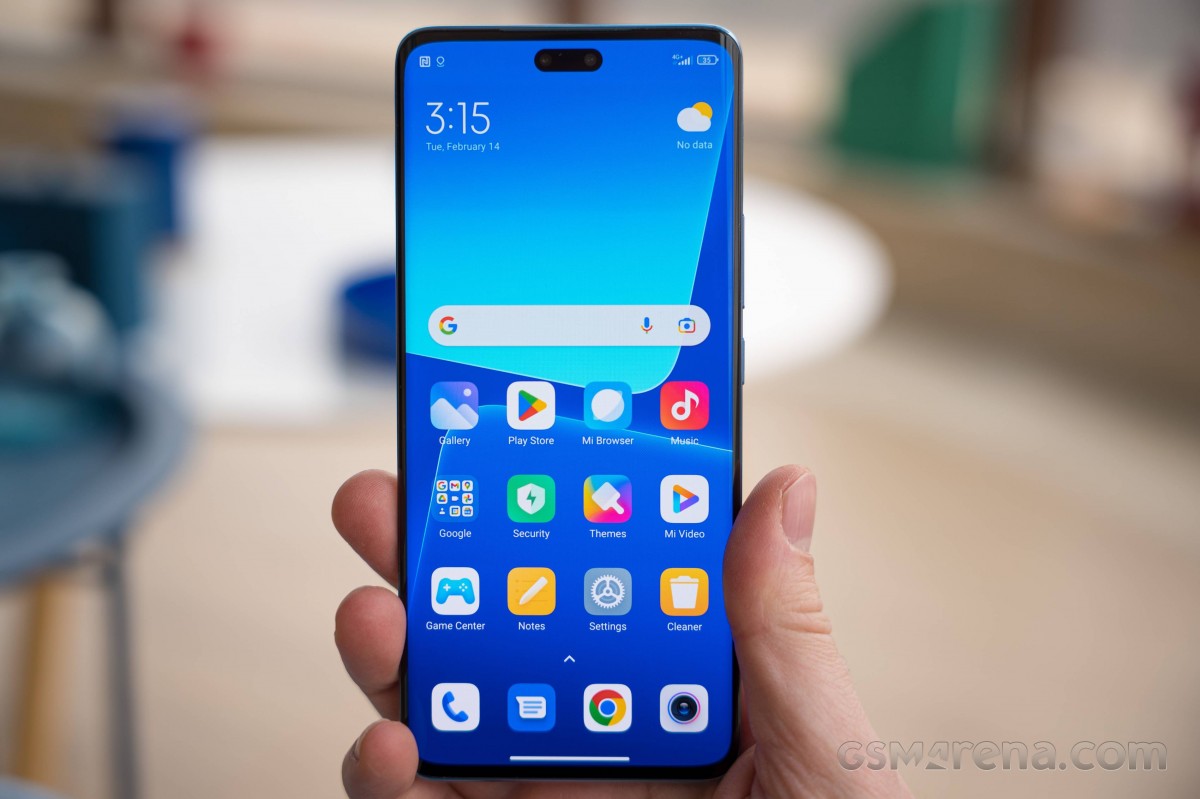
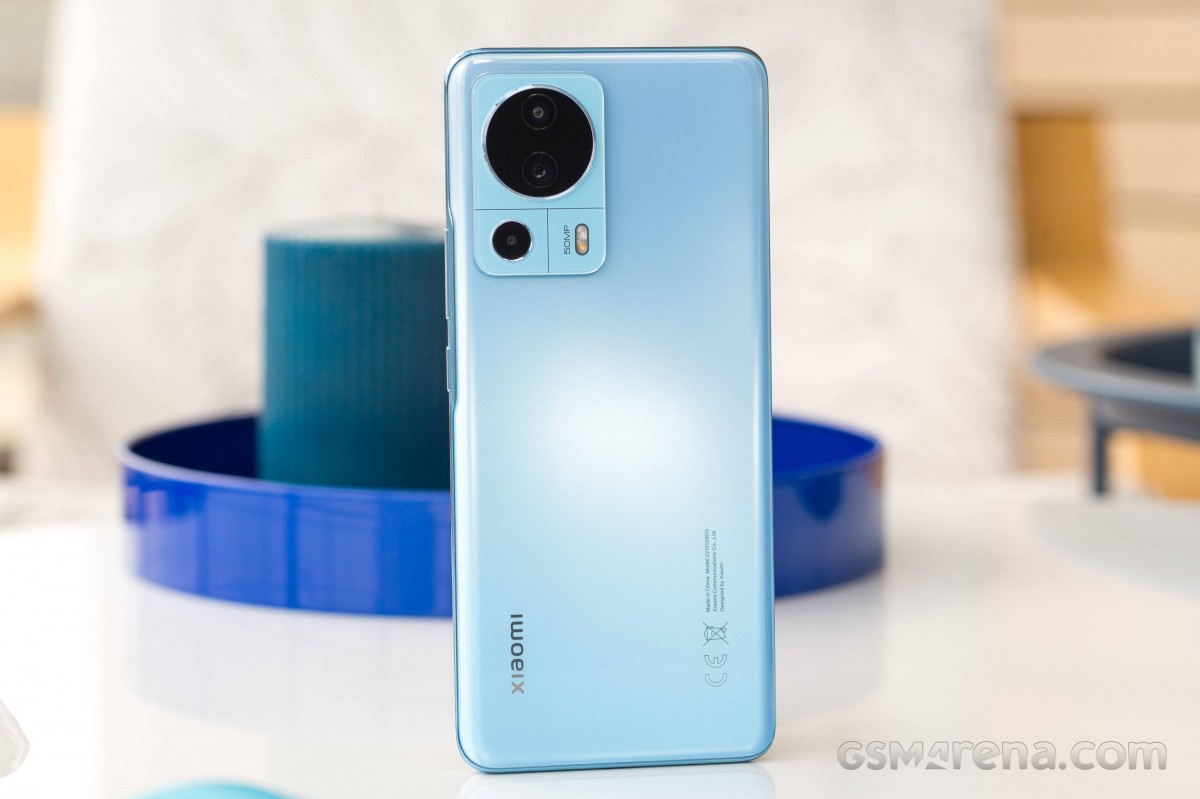
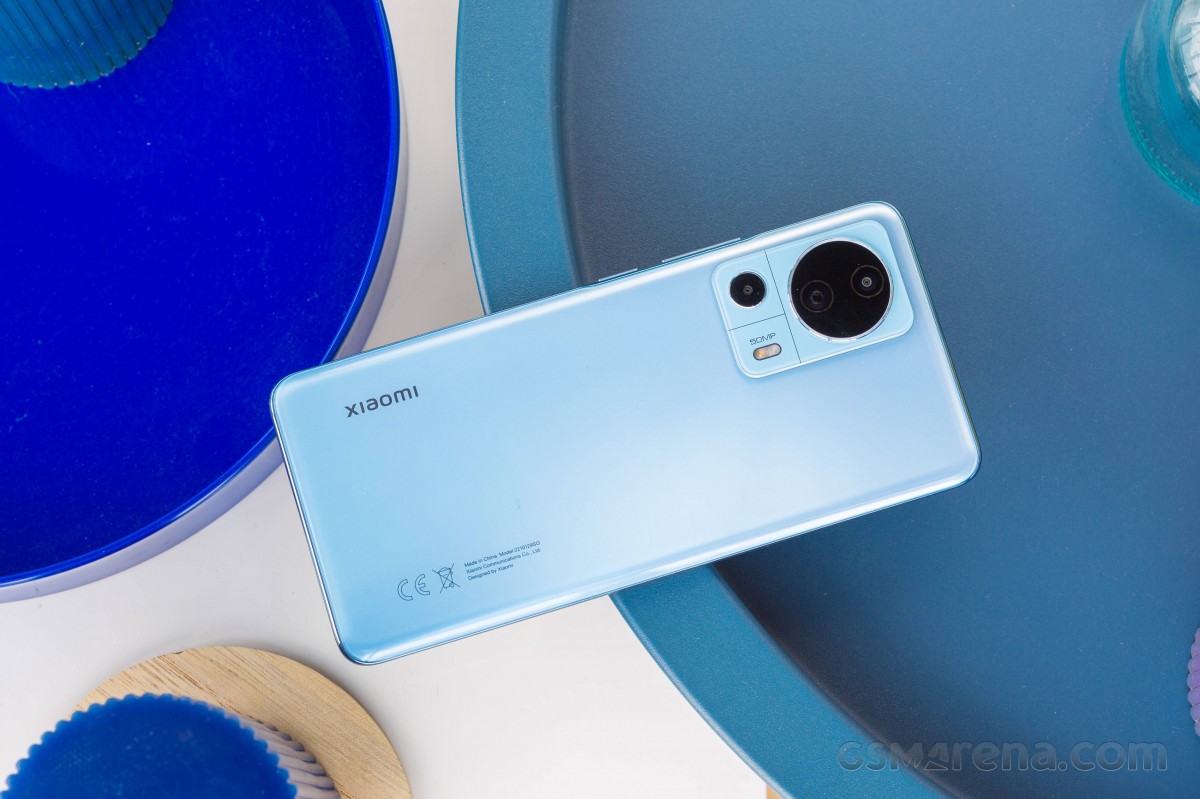
A lot has changed coming from Xiaomi 12 Lite to 13 Lite. The camera island is different, the flat edges are replaced with sharp ones and the front and back glass panels are curved, more in line with the flagship models - vanilla 13 and 13 Pro. However, it's still a phone that's easy to handle and it's even lighter than its predecessor. The curved panels help towards a better, more comfortable grip too.
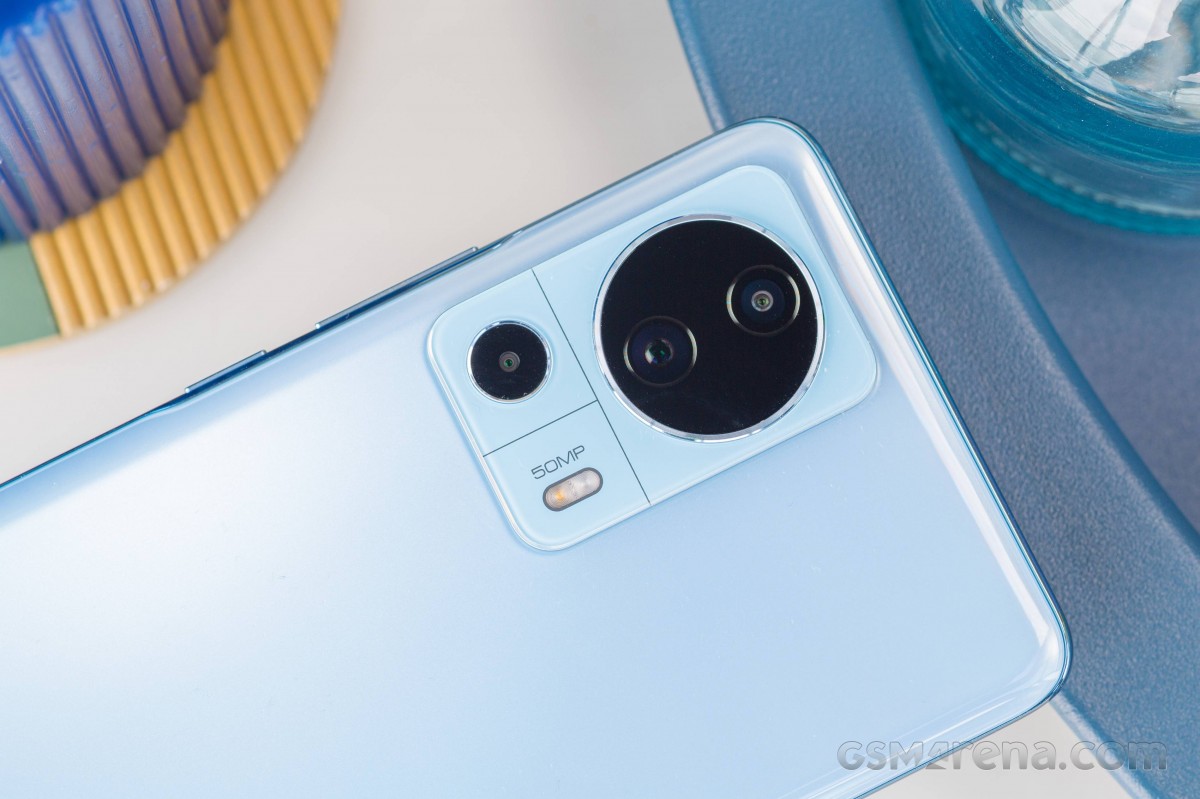
The new design is indeed a step up from last year's chassis, but the same cannot be said about the camera bump. It's a bit polarizing maybe because the two main cameras are placed inside a bigger ring, while the macro is placed next to the flash. Both, the camera island and the main and the ring are sticking out and make the phone wobble quite a bit on a flat surface.
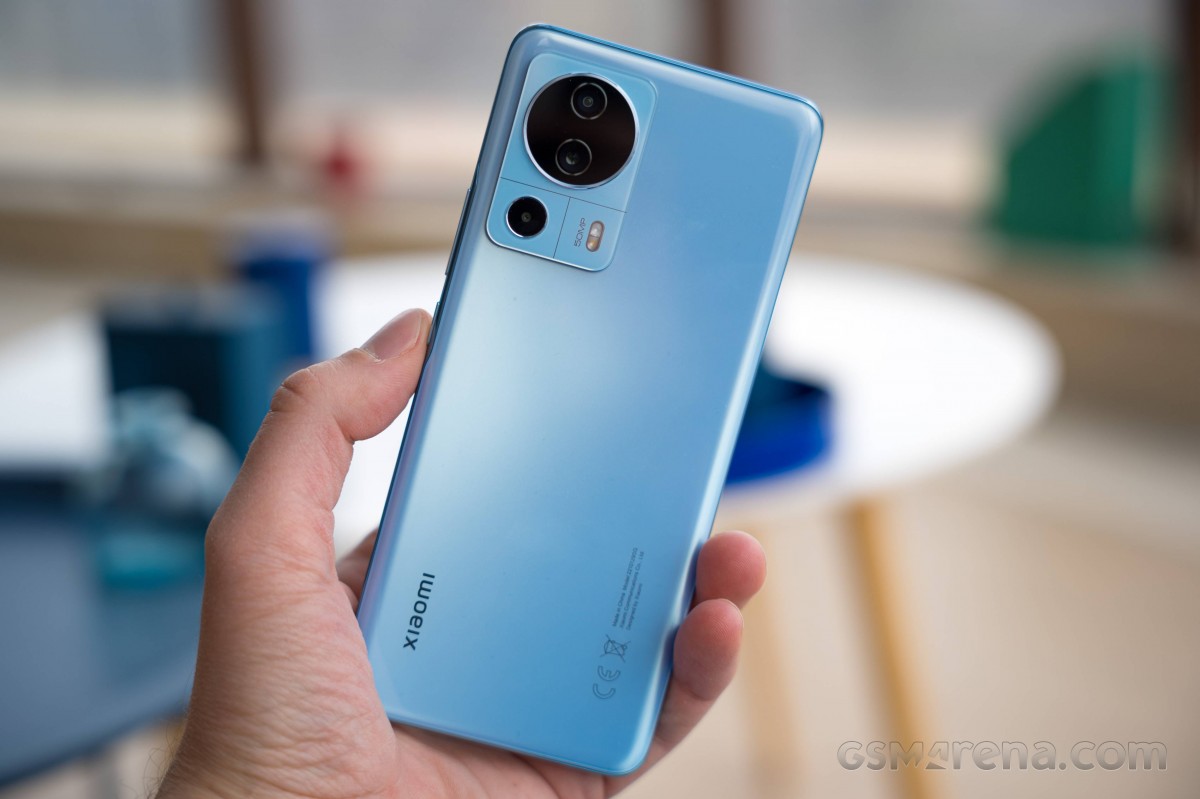
While the front is Gorilla Glass 5-portected and the back panel is plain glass, the side frame remains plastic. But it doesn't feel cheap. Quite the opposite, actually. The blue glossy frame goes well with the Lite Blue color. The 13 Lite also comes in plain Black and Lite Pink.
The volume rocker and the power button are found on the right and can be reached with the thum quite comfortably. The top is flat, for some reason, in stark contrast to oval bottom, housing the speaker grille, the SIM card tray and the USB-C connector.


Xiaomi 13 Lite
Going around the front, we see a nicely curved display with thin bezels all-around. The side ones are a tad thinner but the top and bottom bezels seem symmetrical, albeit not the thinnest ones in town. The earpiece opening is so small that it's barely noticeable, maybe because it doesn't act as a loudspeaker. Reminder that the 13 Lite comes with a single, bottom-firing speaker.
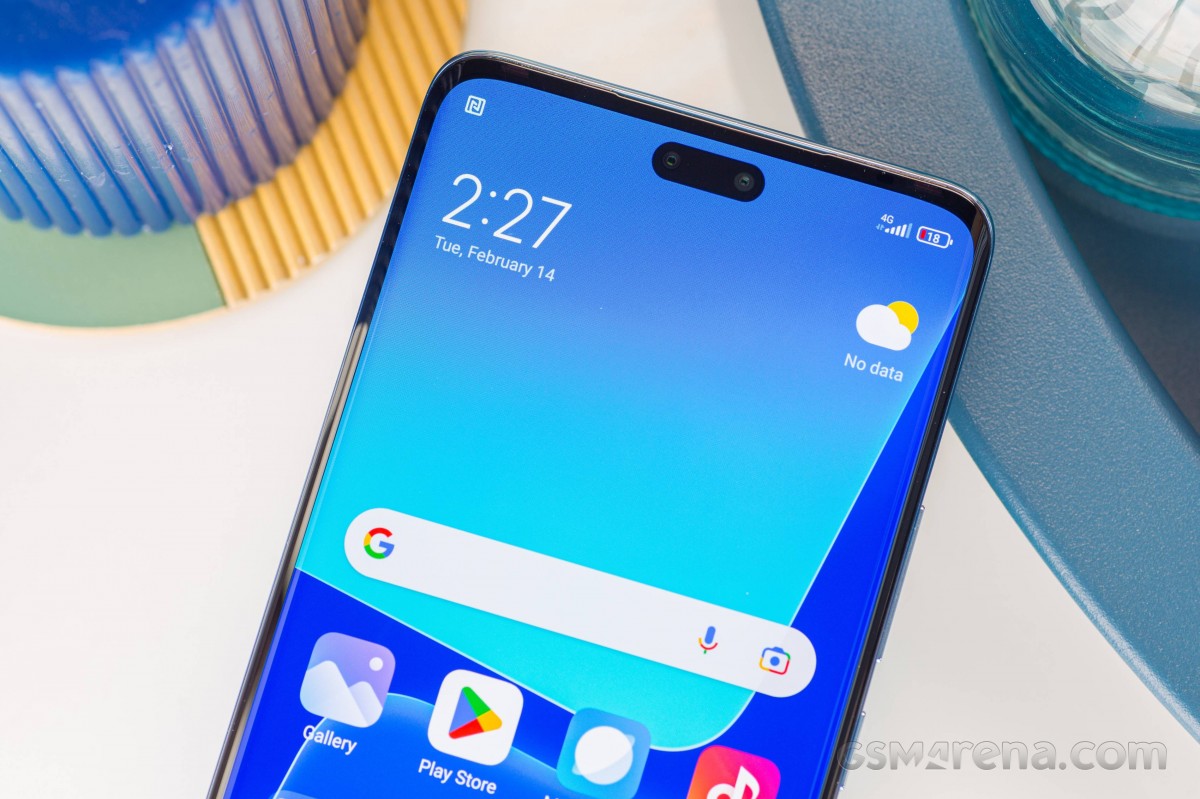
Oh, and the pill-shaped notch isn't very obtrusive but you do notice it a lot in the beginning. We are just used to seeing small, circular cutouts.
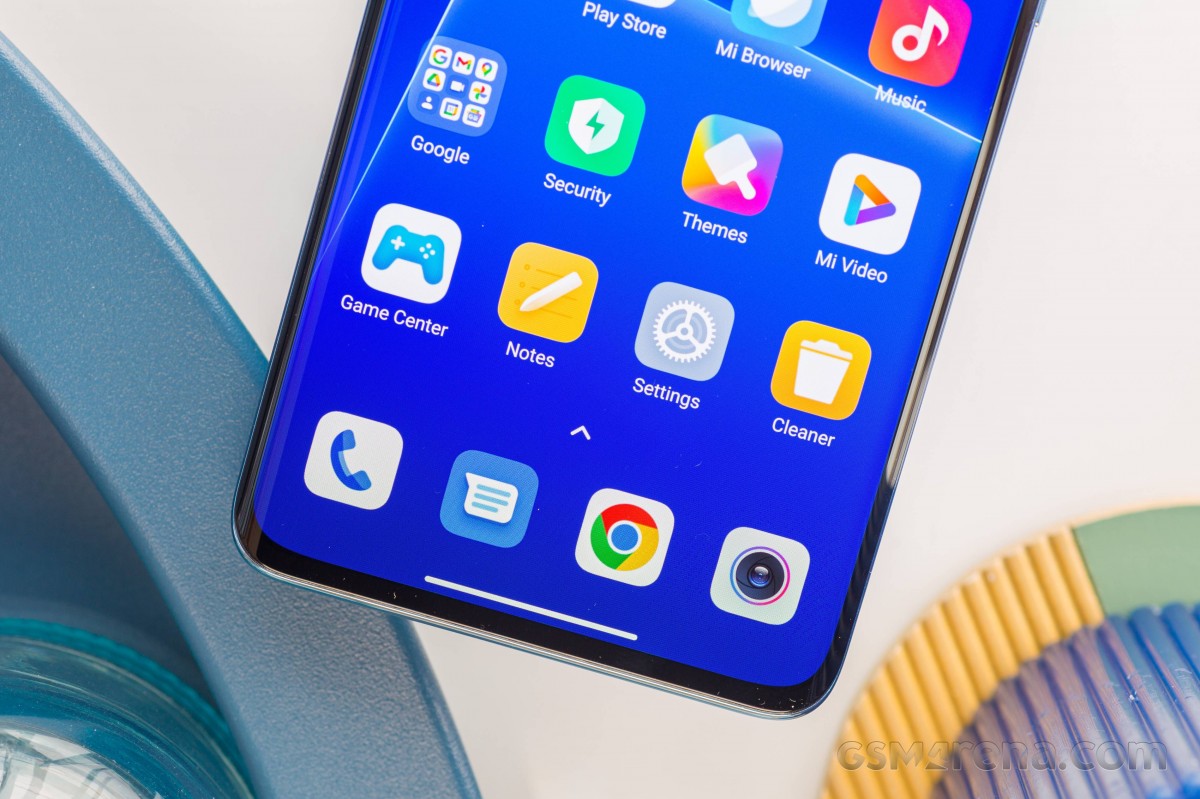
All in all, the Xiaomi 13 Lite's new design is great. It feels premium, it's lightweight, it's thin and since it's built around a 6.55-inch display, it's super easy to handle with one hand. One thing we would have liked better is the fingerprint reader positioning. It's placed too close to the bottom edge making it uncofmortable to use. We found ourselves missing the right spot when the indicator wasn't on because the thum naturally rests a bit higher than the reader.
Excellent curved OLED
The Xiaomi 13 Lite brings largely the same 6.55-inch OLED panel with 1080 x 2400px resolution, 120Hz refresh rate, 240Hz touch sampling rate and support for 12-bit color depth, although the Android system can't fully take advantage of all those shades of colors. For those who are sensitive to PWM, the screen adjusts its brightness at 1920Hz, which is conisdered not-as-aggressive PWM. More importantly, though, the display supports Dolby Vision and HDR10+ content.
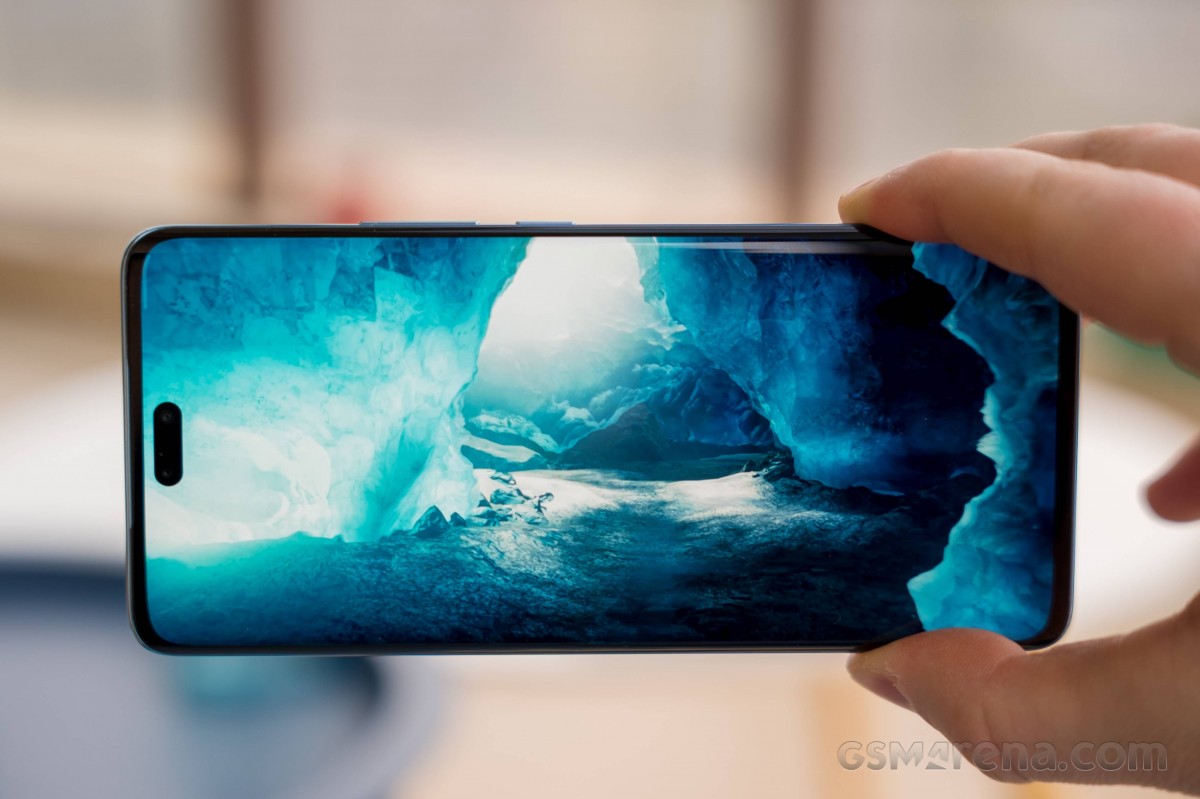
In our tests, the screen performed great and got really close to what the manufcaturer has advertised. In manual mode, the panel peaked at 512 nits while in auto mode, it got up to 938 nits. For the record, Xiaomi says the screen should peak at 500 and 1,000 nits, respectively. Either way, that's plenty bright and the display looks great in every environment imaginable.
| Display test | 100% brightness | ||
| Black, |
White, |
||
| 0 | 512 | ∞ | |
| 0 | 938 | ∞ | |
| 0 | 824 | ∞ | |
| 0 | 507 | ∞ | |
| 0 | 427 | ∞ | |
| 0 | 830 | ∞ | |
| 0 | 517 | ∞ | |
| 0 | 846 | ∞ | |
| 0 | 505 | ∞ | |
| 0 | 876 | ∞ | |
| 0 | 531 | ∞ | |
| 0 | 864 | ∞ | |
| 0 | 449 | ∞ | |
| 0 | 636 | ∞ | |
Color accuracy in the default color mode isn't great but the Original color preset produced insanely low average dE2000 of just 0.5. Maximum one was merely 1.7. Probably one of the best scores we've seen against the sRGB color space.
HRR control
Refresh rate control is pretty straightforward - leaving the display at idle will lower refresh rate to 60Hz and so will video player apps. Pretty much all apps we've tested ran at 120Hz. That's in case you leave the refresh rate mode to Default. You can choose to limit that to 60Hz if you so wish.
Battery life
Supposedly, the Xiaomi 13 Lite should have a better endurance due to its larger 4,500 mAh battery and more efficient Snapdragon 7 Gen 1 SoC based on the 4nm node. However, we were surprised to fine out that the 13 Lite falls behind not only the competitoin but when put against its predecessor. We see a small, but noticeable decline in all test scenarios - sceen-on and screen-off. We are puzzled by the screen-on results, in particular.
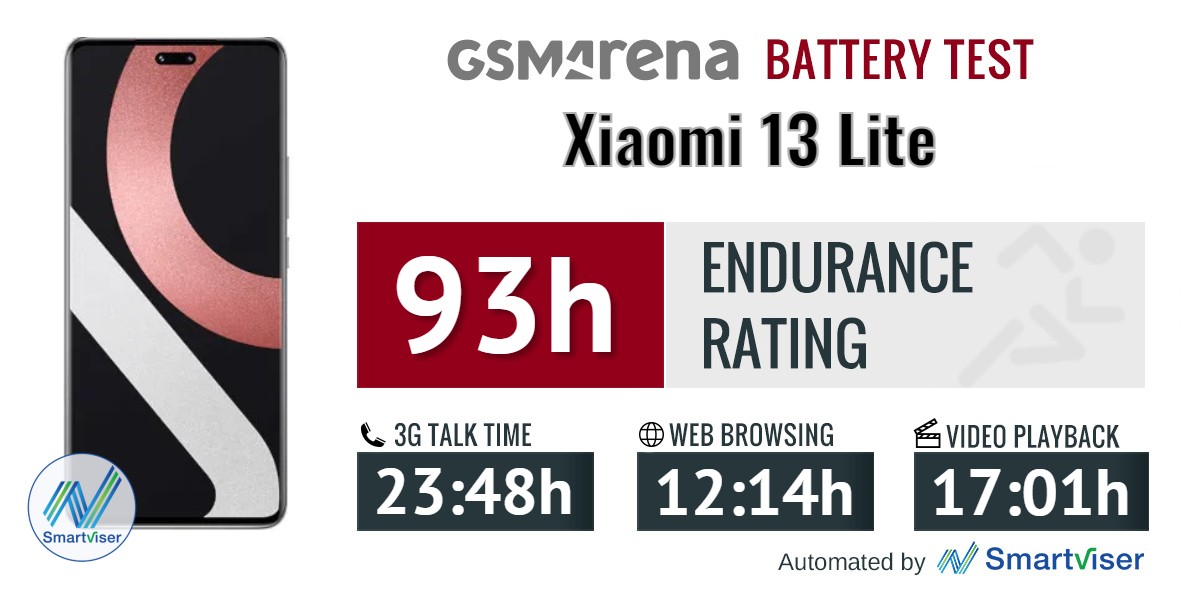
Our battery tests were automated thanks to SmartViser, using its viSerDevice app. The endurance rating denotes how long the battery charge will last you if you use the device for an hour of telephony, web browsing, and video playback daily. More details can be found here.
As you can see, most other competitors offer longer battery life and their overall endurance score reflect that. The biggest issue here, once again, are the screen-off runtimes that bring down the 13 LIte's overall score.
Video test carried out in 60Hz refresh rate mode. Web browsing test done at the display's highest refresh rate whenever possible. Refer to the respective reviews for specifics. To adjust the endurance rating formula to match your own usage patterns check out our all-time battery test results chart where you can also find all phones we've tested.
Charging speed
The Xiaomi 13 Lite has a competitive fast charging solution and the handset ships with the appropriate 67W charging brick. Additionally, the 13 Lite plays well with Power Delivery 3.0 chargers, so you will still get decently fast charging when using a non-Xiaomi plug.
The 13 Lite is second only to BBK's camp as Realme and OnePlus are famous for their fast charging protocols, so no surprises here. In the full charging test, the 13 Lite even beats the 12 Lite by 8 minutes, despite having a slightly bigger cell. Either way, you get more than 80% of the charge back in the first 30 minutes, which is excelent.
Speaker
This year's Lite settles for a single, bottom-firing speaker, which is still Dolby Atmos-tuned but it's a considerable downgrade over the 12 Lite. Last year, the 12 Lite had a pair of stereo speakers that were also louder. The 13 Lite got only -28.5 LUFS, which is far from ideal.
Quality-wise, we are not impressed either. Tracks sound flat, but mostly clean with crisp highs and vocals, even at higher volumes. Turning off the Dolby Atmos tuning will make tracks sound fuller but muffle the vocals and highs. Overall, the audio setup isn't up to the snuff and we are really susrprised to see the stereo setup gone.
Use the Playback controls to listen to the phone sample recordings (best use headphones). We measure the average loudness of the speakers in LUFS. A lower absolute value means a louder sound. A look at the frequency response chart will tell you how far off the ideal "0db" flat line is the reproduction of the bass, treble, and mid frequencies. You can add more phones to compare how they differ. The scores and ratings are not comparable with our older loudspeaker test. Learn more about how we test here.
MIUI 14 based on Android 12
To our surprise, the Xiaomi 13 Lite runs on Android 12, not 13, but MIUI is the latest version 14. This means that not all MIUI features the company showcased during the Chinese Xiaomi 13 series launch event. That puts the Xiaomi 13 Lite in a slight disadvantage because we were looking forward to seeing MIUI 14 in its full glory. It promises mostly under-the-hood changes and optimizations but there are some new features too.
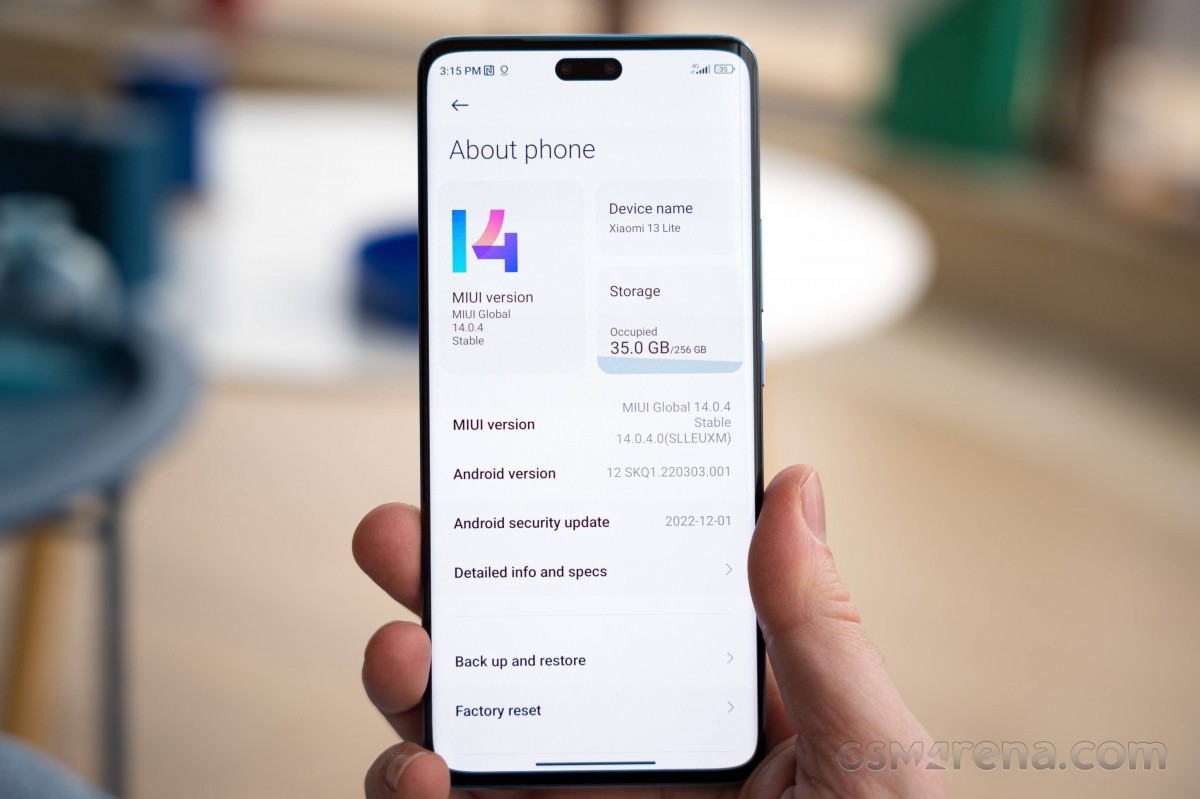
Supposedly, MIUi 14 is built almost from scratch as engineers have reworked the core architecture of the MIUI ROM down on Android's Kernel level. That includes new CPU, GPU and memory scheduling, smaller firmware size and decreased memory usage overall. As a result, Xiaomi claims 60% smoother experience and considerably optimized processes. Automatic compression for apps that are not actively used is also on the menu. Unfortunately, though, those are features that we are able to reliably test and confirm that are adopted in Xiaomi 13 Lite. They may remain exclusive to Android 13-powered handsets.
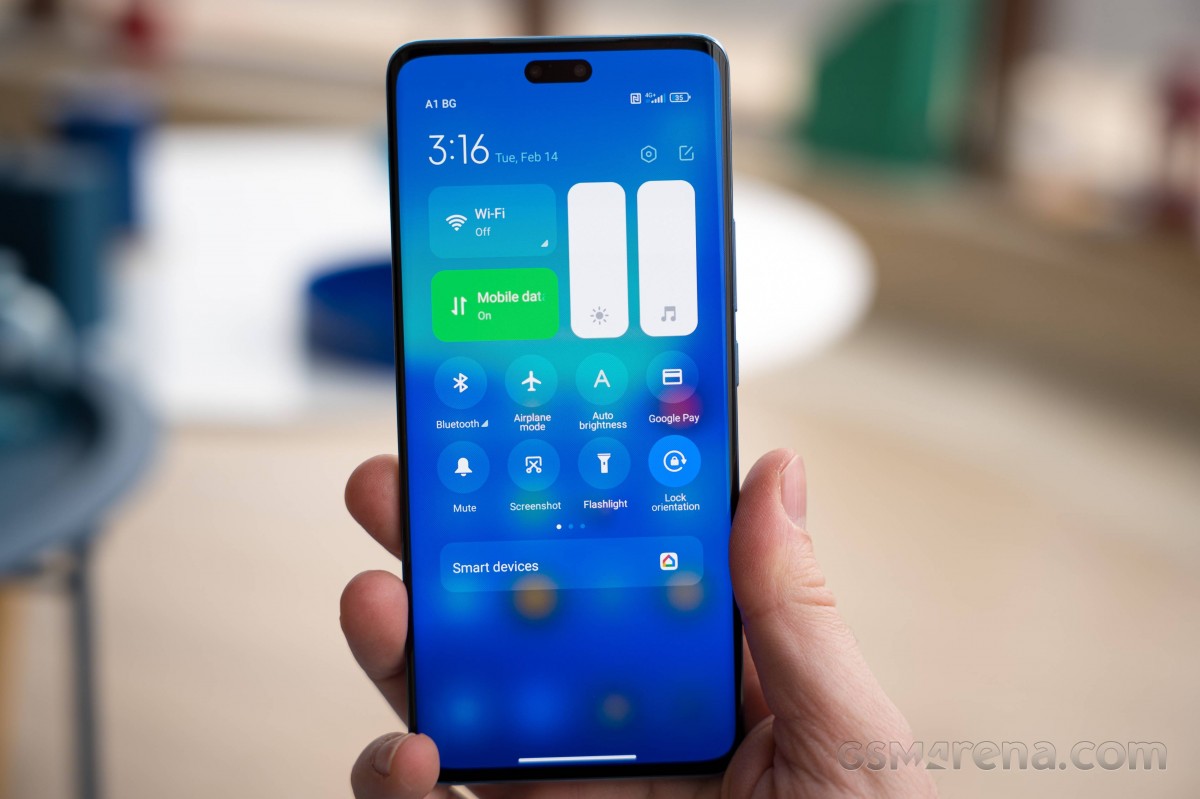
Feature-wise, we found some of the advertised functionalities of MIUI 14. The new enlarged folders are here and the Gallery app gains native text recognition in addition to the Google Lens integration. New large folders on the home screen are also available.
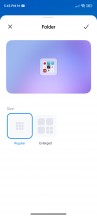


Large folders
Other features such as Smart Devices toggle for easier management of Xiaomi smart devices, new widgets and a toggle for turning off permanent notifications are nowhere to be found. We are also still waiting for the notification history option, which is Android-intrinsic feature.
The rest is business as usual and we will try to focus on features that are somewhat unique to MIUI or are standout functionalities in a way.
The split between a notification shade and Control Center is enabled by default and that's probably a good thing. We found it to be quite convenient, and it's a way to educate users about MIUI's unique approach to the UI. And in case you are not a fan, you can always revert back to the standard notification shade with quick toggles in one place.
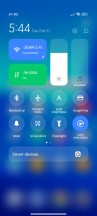

Control center and notification panel
The home screen, recent apps and the general settings remain unchanged. The app drawer is also enabled by default and we like that Xiaomi has placed the search bar at the bottom of the screen for easier reach. There are custom and preset app categories for faster navigation.



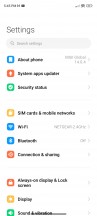


Home screen, recent apps, settings menu, app drawer
Unlike the standard recent apps menu, MIUI's one lists the apps in a vertical arrangement (you can switch to the standard horizontal alignment) and provides several useful shortcuts. That's where you can open up apps in floating windows. However, you can keep only one open at a time. In case you want a faster shortcut to apps that support free-form windows, just enable the Sidebar.
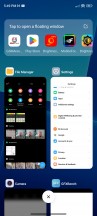

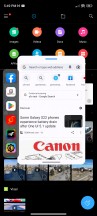
Floating windows
The sidebar becomes Video Toolbox in video player apps such as YouTube. It essentially contains the whole Sidebar functionality, but besides options for floating windows, it contains shortcuts for Screenshot, Record screen, Cast, and Play Video with the screen off, which works on YouTube, no Premium subscription needed. But, as we mentioned, you need to whitelist the apps in advance where you want the feature enabled.

Video toolbox
Themes have always been a huge part of MIUI, and they are available on MIUI 14, too. You can download new ones from the Themes store, and they can change wallpapers, ringtones, system icons, and even the always-on display style. Super Wallpapers are available too.





Themes and other customizations
Of course, Always-on display customizations are also available in addition to the presets. The Notification effect lights up the edges of the display when new notifications come in, but there's little in the way of customization other than a couple of different colors and a 'Starlight' option. This effect can work with or without the AOD.
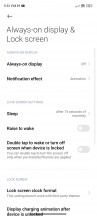

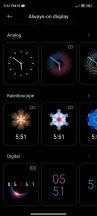
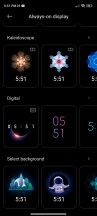

Always-on display
Moving on to privacy and security, MIUI has come with a pre-installed system Security app. Aside from the additional malware protection layer it provides, the app holds many of the app settings and privacy features in one place. It can manage your blacklist, manage or restrict your data usage, configure battery behavior, and free up some RAM. It can also manage the permissions of your installed apps, define the battery behavior of selected apps, and apply restrictions only to certain apps.



Security app
Speaking of security, the fingerprint reader seems to be fast and reliable enough. We had no issues even when outside on a bright sunny day. There's an extended functionality of the fingerprint reader, allowing you to open up an app or initiate action as soon as you unlock the device - just keep your finger on the scanner when it unlocks. It's a lot like OnePlus' OxygenOS/Oppo's ColorOS/Realme's Realme UI feature, but this one doesn't allow customization. We didn't find a way to add shortcut apps, so you are stuck with Search and QR Code scanner.
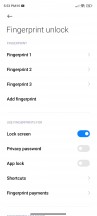
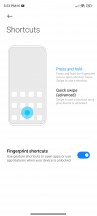

Fingerprint reader and quick shortcuts
All in all, MIUI 14 changed little over the 13th iteration in terms of overall user experience and that's not bad. it's just as snappy and customizable as ever. Xiaomi has paid special attention to the haptics on this unit, and we found the motor to be crisp, strong, accurate and responsive. It reacts to many actions across the system and when navigating. There's even a haptic feedback intensity if you find it obtrusive or not strong enough.
Benchmark performance
The Snapdragon 7 Gen 1 chipset has been announced almost a year ago but hasn't been widely adopted since. The first devices available to Western markets running the SoC are from Xiaomi's camp and in this case, the Xiaomi 13 Lite. The new chipset is based on the 4nm manufacturing process and includes Qualcomm's dedicated AI Engine. The CPU package contains an octa-core CPU with 1x2.4 GHz Cortex-A710, 3x2.36 GHz Cortex-A710 and 4x1.8 GHz Cortex-A510 cores while the GPU is the Adreno 644. The latter is supposed to be 20% faster than the older Snapdragon 778G while AI-related tasks are said to be 30% faster. In addition, the Adreno Frame Motion Engine claims to boost framerates two-fold while maintaining the same power consumption as the Snapdragon 778G. Although, that's hardly an issue for now given that most games are locked at 60 fps years after the mass adoption of HRR screens.
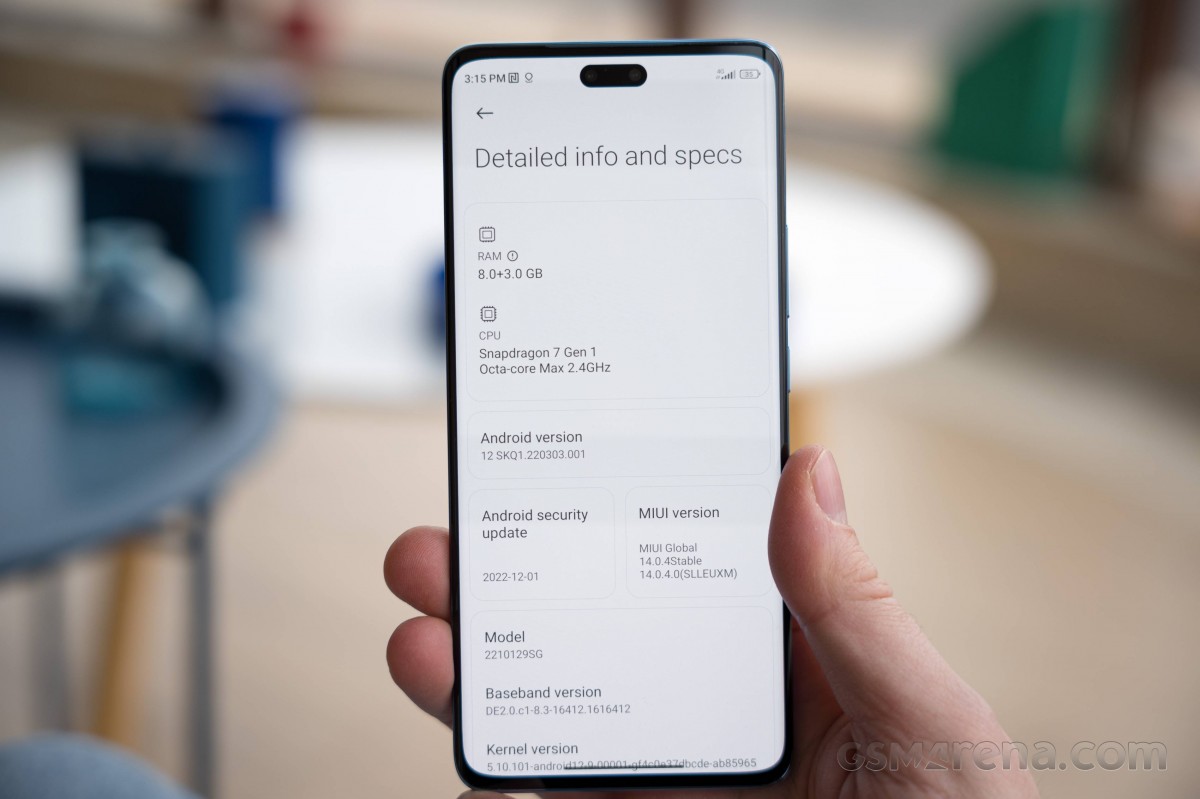
The ISP is more powerful now handling up to 200MP camera sensors and it also supports 4K HDR video recording as well as 10-bit HEIC photos.
Our unit, in particular, is paired with 8GB of RAM and 256GB of internal storage.
GeekBench 5 (single-core)
Higher is better
- Poco F4 GT
1244 - Realme GT2 Pro
1238 - Realme GT2
1131 - Google Pixel 6a
1047 - Xiaomi 12T
925 - Xiaomi 13 Lite
795 - Xiaomi 12 Lite
785 - OnePlus Nord 2T 5G
493
GeekBench 5 (multi-core)
Higher is better
- Xiaomi 12T
3756 - Poco F4 GT
3637 - Realme GT2 Pro
3501 - Realme GT2
3487 - Xiaomi 12 Lite
2943 - Xiaomi 13 Lite
2936 - Google Pixel 6a
2876 - OnePlus Nord 2T 5G
2694
AnTuTu 9
Higher is better
- Realme GT2 Pro
966251 - Poco F4 GT
952124 - Realme GT2
810512 - Xiaomi 12T
780204 - Google Pixel 6a
712092 - OnePlus Nord 2T 5G
619610 - Xiaomi 13 Lite
534143 - Xiaomi 12 Lite
528905
GFX Aztek ES 3.1 High (onscreen)
Higher is better
- Google Pixel 6a
47 - Realme GT2
40 - Realme GT2 Pro
36 - OnePlus Nord 2T 5G
31 - Xiaomi 13 Lite
23 - Xiaomi 12 Lite
19
GFX Aztek ES 3.1 High (offscreen 1440p)
Higher is better
- Realme GT2 Pro
42 - Google Pixel 6a
29 - Realme GT2
27 - OnePlus Nord 2T 5G
22 - Xiaomi 13 Lite
15 - Xiaomi 12 Lite
13
GFX Aztek Vulkan High (onscreen)
Higher is better
- Realme GT2 Pro
39 - Google Pixel 6a
39 - Realme GT2
38 - OnePlus Nord 2T 5G
30 - Xiaomi 13 Lite
23 - Xiaomi 12 Lite
19
GFX Aztek Vulkan High (offscreen 1440p)
Higher is better
- Realme GT2 Pro
46 - Google Pixel 6a
32 - Realme GT2
30 - OnePlus Nord 2T 5G
20 - Xiaomi 13 Lite
17 - Xiaomi 12 Lite
15
GFX Car Chase ES 3.1 (onscreen)
Higher is better
- Realme GT2
56 - Google Pixel 6a
51 - Realme GT2 Pro
48 - OnePlus Nord 2T 5G
42 - Xiaomi 13 Lite
33 - Xiaomi 12 Lite
29
GFX Car Chase ES 3.1 (offscreen 1080p)
Higher is better
- Realme GT2 Pro
95 - Realme GT2
68 - Google Pixel 6a
66 - OnePlus Nord 2T 5G
51 - Xiaomi 13 Lite
39 - Xiaomi 12 Lite
33
Overall, the Xiaomi 13 Lite's new Snapdragon 7 Gen 1 is a modest upgrade over the Snapdragon 778G, to say the least. CPU performance is identical whereas pure GPU performance has been slightly improved. However, that's still not enough to overtake similarly priced, or even cheaper, handsets. For the same price, you can get Snapdragon 8 Gen 1, Snapdragon 888 or even the Pixel 6a with Tensor SoC or Dimensity 8100-powered Xiaomi 12T. They are all considerably snappier than the Snapdragon 7 Gen 1.
Sustained performance
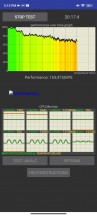
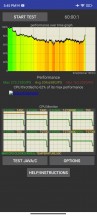
CPU throttle test: 30 min • 60 min
The usual triple-camera setup on the back, unusual dual setup on the front
The main camera uses a 50MP Sony IMX766 sensor, which is a common occurance in the price range. It's a fairly big one, measuring at 1/1.56" and offers big 1.0µm pixels. The shooter is paired with a wide f/1.8 aperture. We intend to see whether the 50MP sensor in this year's Xiaomi 13 Lite really is a downgrade compared to last year's 108MP Samsung ISOCELL HM2, 1/1.52", 0.7µm sensor.
The ultrawide camera remains unchanged from last year - 8MP, 1/4.0", 1.12µmp sensor paired with an f/2.2 lens covering a 120-degree field of view.
The third camera is a dedicated macro shooter with a tiny 2MP 1/5.0" sensor and there's no autofocus. The aperture is f/2.4.
On the front, we have a dual-camera setup with 32MP f/2.4, 1/2.74", 0.8µm ultrawide main selfie camera with 100-degree field of view. The second one is 8MP depth sensor for better bokeh shots.
Camera menus
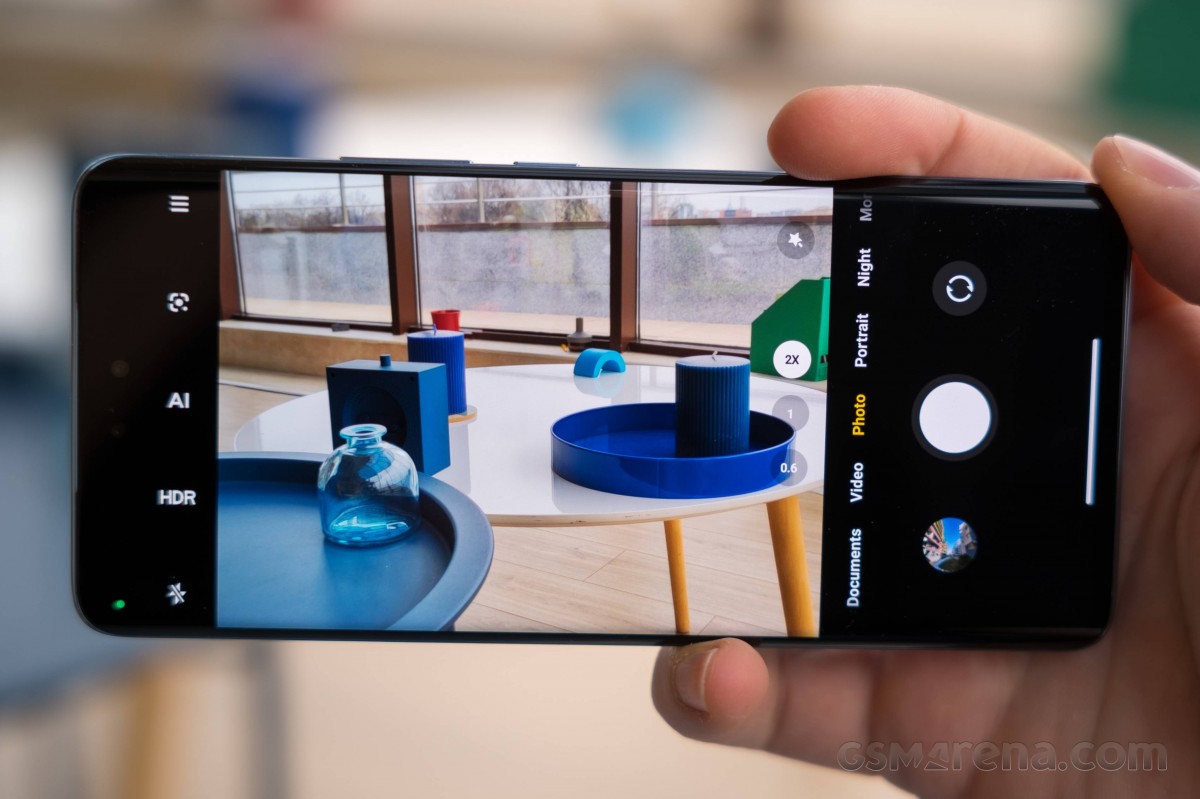
The camera app is a rather straightforward implementation, though it does have its quirks. First, basic operation for changing modes works with side swipes (on the black bezel!), and you can also tap on the modes you can see to switch to those directly. Up and down swipes don't work for switching between the front and rear cameras; only the toggle next to the shutter release does that.
You can add, remove, and rearrange modes in the main rolodex by going to the More tab and navigating to the edit button, and you can access that from the settings menu as well. The unused modes will still be in that More tab, but you can switch to a (less intuitive) pull-out pane that's summoned from a line next to the shutter release.

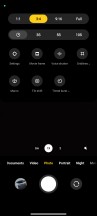




Camera modes
The hamburger menu at the far end is where you'll find additional options, including the Macro mode, which apparently still doesn't deserve a place in the main carousel with modes. Next to that hamburger menu, you have a flash mode switch, an HDR switch, an AI toggle, and a shortcut to Google Lens.
At the near end, you have the camera zoom switch that operates in one of two fashions. The first one is simply tapping on one of the three dots that represent the ultra-wide, primary, and 2x digital options. Or you can tap on the active magnification and slide sideways to reveal even more zoom levels - 2x and 10x, plus a slider for intermediate magnifications. Also around is a magic wand with beauty effects and filters.
Camera settings
There's a nicely capable Pro mode, where you can tweak the shooting parameters yourself. You can use the primary and the ultrawide cameras here. You get to pick one of 4 white balance presets or dial in the light temperature with a slider, there's a manual focusing slider, and shutter speed (1/4000s to 30s/0.8s for main/ultrawide) and ISO control with the range depending on which camera you're using. A tiny live histogram is available, and a toggle for zebras can be found next the hamburger menu.
As expected, there's a host of extra modes, including Long Exposure with its own set of different presets - moving crowd, neon trails, oil painting, light painting, starry sky, and star trails.
Night mode is available on the main and ultrawide cameras. There is also Auto Night mode enabled by default in settings.
Daylight photos
Main camera
The Xiaomi 13 Lite takes nice outdoor photos during the day. In fact, one could argue that the 13 Lite takes slightly sharper photos than its predecessor, despite having a lower-resolution camera. Dynamic range is also excellent, detail is enough and noise can only be seen under close inspection in the shadows. That's when sharpness drops dramatically, which is one of the few complaints we have.








Daylight main camera samples
Interestingly enough, the photos have a more conservative color reproduction than we are used to seeing from Xiaomi, especially mid-range ones. Contrast is also noticeably lower than usual and overall exposure tends to be a hair brighter. It's not inherently bad, but it's a soft departure from Xiaomi's typical look.








Daylight main camera samples
The indoor shots leave a little bit more to be desired if the lighting isn't ideal. Photos are considerably softer and introduce a little bit of grain in the shadows. Nothing too major, though.
All in all, the daylight shots are par for the course, falling behind only behind the Google Pixel 6a, which is a notable cameraphone in this price range.
2x zoom
Understandably, the 2x zoom mode produces less-than-ideal photos as it's a simple crop from the main camera and upscaled back to 12.5MP. They are noticeably softer with more visible noise in the shadows as well as a bit of loss in dietal. And while they are just about what you'd expect from such a phone in this price bracket, last year's Xiaomi 12 Lite offered slightly sharper, clearer and more appealing 2x zoom photos. Perhaps that's where the older 108MP sensor shines.





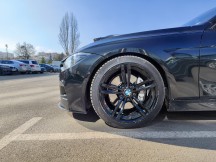





2x zoom daylight samples
Otherwise, rendition is pretty much identical to the standard 1x zoom mode.
Ultrawide camera
The Xiaomi 13 Lite takes somewhat better ultrawide shots compared to your average midranger using the same 8MP sensor. However, photos are generally softer and less detailed. You can even find some small color fringing here and there in addition to the increased noise in poorly-lit environments. The Samsung Galaxy A53 and the Google Pixel 6a are one of the few that stand out in the crowd as they use far superior ultrawide sensors to the 8MP one here.









Ultrawide daylight samples
Contrast and colors are nice, though, and dynamic range is one of the best we've seen from a phone with that sensor. This was the case with the 12 Lite as well.
Macro camera
The macro camera, as usual, isn't very impressive and produces mediocre photos with unsatisfactory detail, which is normal given the tiny 2MP sensor. You also have to make sure you take these shots in the perfect lighting conditions as quality deteriorates fast in sub-optimal conditions.


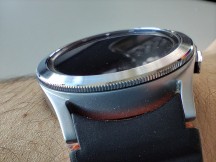
Macro camera samples
Low-light samples
Main camera
As soon as the light drops, the software automatically shoots in the dedicated Night mode. You can disable that in the camera settings if you wish to take standard Photo stills at night. However, we wouldn't recommend that and it's better to stick with the Night mode and here's why.
The low-light photos are pretty good for the price range. They are generally well-exposed with plenty of detail in the shadows, albeit a bit noisy in these areas, but that's to be expected, and with excellent highlight handling. There's a noticeable improvement in dynamic range compared to last year's Xiaomi 12 Lite. Sharpness tends to go down only in the shadows but photos are looking natural without overshaprening halos. We have a few small remarks, though - contrast and colors need a little boost as colors often look washed out, while some light sources look artificially rendered. Notice the street lights in particular.










Low-light main camera samples
The dedicated Night mode fixes most of these issues. Noise is washed away giving the images a considerably cleaner look, colors are more pleasant and closer to real-life, dynamic range is even wider with excellent handling of street lights and neon signs. We've noticed that there's some artifical sharpness at play here, but it's just the right amount so photos don't look artifical or computer-generated.










Night mode main camera samples
2x zoom
Unfortunately, with or without Night mode, the 2x zoom mode doesn't produce acceptable results. Photos without Night mode are extremely soft, have zero detail and noise is all-around. The Night mode clears up the noise, adds some contrast and color and sharpens things a little but the samples we took are still far from ideal.














Low-light 2x zoom: Normal • Night mode
Ultrawide camera
The ultrawide camera struggles at night, no matter the mode. Images are just too soft, with washed-out colors and noisy to be usable, even for social media purposes. It's a tiny 1/4.0" sensor after all, so low-light scenarios aren't its strongest suit.












Low-light ultrawide: Normal • Night mode
Here's how the primary camera on the Xiaomi 13 Lite stacks against the rest of the competition in the controlled environment of our Photo Compare Tool.
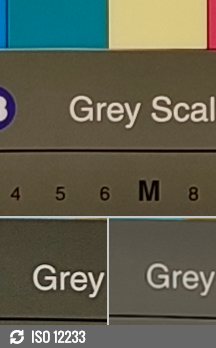
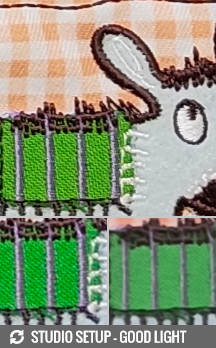
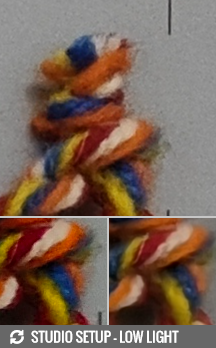
Xiaomi 13 Lite vs. Realme GT2 Pro and the Xiaomi 12T in our Photo compare tool
Portraits
The portraits leave a bit more to be desired in terms of overall sharpness and detail. Last year's 12 Lite produces better portraits overall, regardless of the lighting conditions. The 13 Lite seems to struggle with not-so-bright environments and as a result, sharpness and detail get the biggest hit. Contrast is nice, though, and so is dynamic range and color reproduction. We noticed that the subject's skin looks somewhat natural while the colors around him are a bit on the juicy side, which is good.





Potraits
Edge detection is okay as long as you aren't pixel-peeping around the subject's hair, especially if it's messy.
Selfies
Selfies are definitely underwhelming. There's no pixel binning and the main sensor takes full-resolution 32MP photos. The viewfinder offers three separate toggles - normal (1x), wide (0.8x) and ultrawide (0.6x). As you've probably guessed, all field of view options are crops from the main ultrawide camera with the 0.8x and 1x modes being upscaled back to 32MP after the crop.









Selfies: 1x • 0.8x • 0.6x
All variants are rather soft, lack the sufficient amount of detail and are a bit grainy. The good news is that the selfie camera takes shots with consistent quality across different lighting scenarios. The HDR algorithm is competent enough, colors are nice and contrast contrast is nice. Still, the selfies are definitely a downgrade over the previous generation which also had AF on its selfie.
The portrait mode seems to be just a tad better on the 13 Lite compared to your average midranger due to the extra depth sensor. Still, the difference isn't striking and you can see some of the edges around the subject being smoothed out if you look close enough. All in all, we are not convinced the extra depth sensor is worth taking the extra space on the front given the little value it adds.





Selfies: Normal • Portrait
Video recording
The video recording capabilities are business as usual - the main camera can go up to 2160p@60fps while the ultrawide one is limited to 1080p@30fps. You can take 2x zoom videos at 4K resolution as well, which is a simple crop from the main unit. As far as stabilization goes, the standard 2160p@30fps video is stabilizied but a more advanced action cam-like stabilization is also available, which limits the video's resolution to 1080p. Xiaomi calls it Steady mode.
Just like last year, the 4K footage looks great. There is a noticeable cahnge in the processing - colors are more conservative and true to life. We saw a similar overarching color processing in the stills. Aside from the a bit brighter-than-usual exposure, the video has a good amount of detail, it's sharp, has wide dynamic range and excellent contrast. The Xiaomi 13 Lite leaves little to complain about.
The 2x zoom video is looking pretty decent for a crop. Sharpness is understandably lower and it's a bit on the noisy side, but overall processing is pretty good.
The ultrawide camera fails to produce accpetalbe results. The video looks extremely soft, with narrow dynamic range, a bit noisy and with poor, washed-out colors.
We also tested out the 2160p stabiliziation and we found it to be just as good as the Steady video at 1080p. That's at least true for the standard walking-and-recording scenario. Maybe in more "extreme" use cases, the Steady video would be better but we don't think the trade-off in resolution is worth it. The 4K EIS mode is perfectly capable of handling a shaky hand. Then again, the 1080p Steady video does seem impressively sharp.
Once you are done with the real-life scenarios, take a look at our video compare tool to see how the Xiaomi 13 Lite Lite stacks against the other phones we've reviewed.
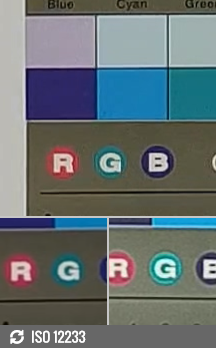


2160p: Xiaomi 13 Lite vs. Realme GT2 Pro and the Xiaomi 12T in our Video compare tool
Competition
The Xiaomi 13 Lite now competes around the €500 price point and although it has a lot to bring to the table, it may struggle to compete with the pricier handsets. The display is impeccable, flagship-grade, even with high peak brightness, 120Hz refresh rate and exceptional color accuracy in addition to the HDR10+ and Dolby Vision support. The new Snapdragon 7 Gen 1, although marginally faster than the older Snapdragon 778G, is built on a more efficient manufacturing process, offers some extra features and handles graphically-intensive tasks better. The 13 Lite also has above-average ultrawide camera performance and great main camera quality day and night. The dual selfie camera setup is a nice bonus, although we do miss the AF feature from the previous generation and overall quality.
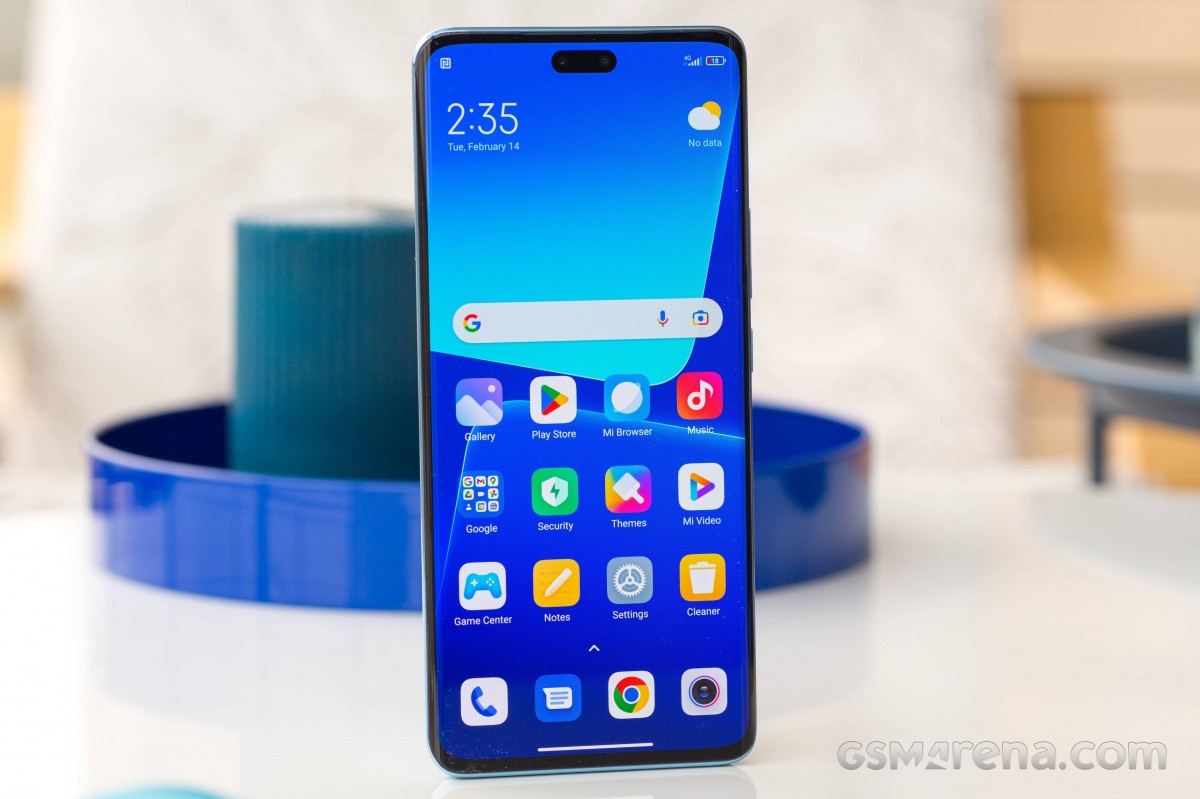
Design-wise, we think that Xiaomi couldn't have done better. The 13 Lite is every bit as sleek, premium to the touch and comfortable to hold as the true flagships in the series.
But since the Lite is released in early 2023, most of its competitors are last year's models and as such, their prices have fallen, leaving the 13 Lite in a bit of a predicament. Most competitors are cheaper. The near €100 price hike coming from 12 Lite is a bit hard to justify.
Let's start with some considerably cheaper options around the €300-400 price range. We have the Realme GT2, which is a proper flagship killer from last year, the Pixel 6a with clean Android, again with flagship SoC on board, the OnePlus Nord 2T, which is a nice, affordable all-rounder and, of course, last year's Xiaomi 12 Lite. Arguably, these phones offer the same user experience overall and sometimes better performance and battery life (Realme GT2) or better camera experience (Google Pixel 6a).


Google Pixel 6a • OnePlus Nord 2T • Realme GT2 • Xiaomi 12 Lite
In the €400-500 bracket, however, the Xiaomi 13 Lite has no chance. In fact, some of the competition is homegrown. Both the Xiaomi 12T and the Poco F4 GT are viable options with better performance, faster charging and, in the 12T's case, longer battery life too. Both devices are priced just under €400 and offer better user experience or even better in some cases.


Xiaomi 12T • Xiaomi Poco F4 GT • Realme GT2 Pro
Another Realme phone worth mentioning is the Realme GT2 Pro, which is asking around €20-30 more, but you get so much better value for money. Better display, longer battery life, Snapdragon 8 Gen 1 chipset, faster charging, an excellent camera setup with a proper ultrawide camera and a set of good-sounding stereo speakers. This is probably your best bet, even if it's a year-old device and a tad pricier.
We get that the Xiaomi 13 Lite should be compared to newer handsets in 2023, but most of the phone's direct competitors are not out yet, or they are still making their way to Western markets. This leaves the 13 Lite in a bit of a weird situation where it has to compete with considerably cheaper devices. But once Realme, Samsung, OnePlus and other OEMs release their updated versions, the 13 Lite will have a much better chance of making a dent in this market segment. Alternatively, you can go for the older Xiaomi 12 Lite, as it offers a similar user experience at a lower price. As long as you can find it lying around on store shelves.
Verdict
Pricing aside, the Xiaomi 13 Lite is a great all-rounder with an impeccable display, fast charging, capable SoC and good main camera performance. However, users will still have to choose the best value for money and with the 13 Lite being considerably more expensive than its predecessor, the Lite isn't a viable mid-range solution anymore.
The 13 Lite leaves a bit more to be desired from the speaker setup (the stereo setup is replaced by mono), battery life is somewhat uninspiring, the 2x zoom was better on the last year's 108MP main camera and the Snapdragon 7 Gen 1 chipset fails to impress with performance in the context of a €500 phone. It's only marginally better than the Snapdragon 778G, too.
At the end of the day, the Xiaomi 13 Lite needs a price correction before it can be recommended, as it's hardly an upgrade over last year's generation while being significantly pricier. And even if months go by and the price settles, we believe that the 13 Lite will still be a bit too expensive for our taste. The launch price is way too high.
Pros
- Lightweight and premium design, compact footprint.
- Flagship grade 120Hz OLED with 12-bit color depth.
- Competitive fast charging solution.
- Solid main camera performance, excellent videos.
Cons
- Battery life could be a bit better.
- Speaker setup downgraded to mono.
- Selfies aren't great, the depth sensor barely adds any value.
- Too expensive at launch.
- More capable chipsets can be found at lower prices.
- Ships with Android 12, some MIUI 14 features missing.

No comments:
Post a Comment