
Introduction
Samsung's affordable M-series may not be as varied and all-encompassing as the recent A roster, but there's still a fair bit of segmentation for you to negotiate when picking one up. We have today the Galaxy M30 - essentially a Galaxy M20, but with a Super AMOLED display.

That's not all, though. Alongside the superior screen, you'd also be getting an extra depth-sensing camera on the back joining the primary 13MP module and the 5MP ultra-wide. Over on the front, there's another upgrade - the selfie shooter's resolution has been doubled to 16MP. Then there's the M30's RAM and storage options, which start where the M20 peaks - the base model is 4/64GB, but there's also a 6/128GB version.
Some areas have remained unchanged and that includes the Exynos 7904 chipset - an efficient SoC that's not exactly a chart-topper in terms of performance. The 5,000mAh battery, on the other hand, is among the biggest you can get on a big name brand smartphone.
Samsung Galaxy M30 specs
- Body: 159x75.1x8.5mm, 174g, glass front, plastic back and sides.
- Screen: 6.4" Super AMOLED, 19.5:9 aspect, 1080x2340px resolution, 403 ppi.
- Chipset: Exynos 7904 (14nm) chipset: octa-core CPU (2x1.8GHz Cortex-A73 + 6x1.6GHz Cortex-A53); Mali-G71 MP2 GPU.
- Memory: 4/6GB RAM, 64/128GB built-in storage, dedicated microSD slot.
- OS: Android 9.0 Pie; One UI.
- Rear camera: Primary: 13MP, 1/3.1", 1.12µm; 31mm, f/1.9, PDAF. Secondary: 5MP, 1/6", 1.12µm; 12mm ultra-wide, f/2.2, fixed focus. Depth sensor: 5MP, f/2.2. LED flash, 2160p@30 video recording.
- Front camera: 16MP f/2.0; 1080p@30fps video recording.
- Battery: 5,000mAh; Samsung Adaptive Fast Charging (QC2.0 compliant).
- Connectivity: Dual-SIM; LTE Cat.12 (600Mbps) download / Cat.6 upload (50Mbps), Wi-Fi b/g/n, GPS; Bluetooth 5.0, A2DP, LE, USB-C 2.0.
- Misc: Rear-mounted fingerprint reader, down-firing loudspeaker.
Samsung Galaxy M30 unboxing
The Galaxy M30 is packaged identically to the M20 and the box contents don't differ much either. There's an AC adapter that's rated at 9V/1.67A and 5V/2A and is Qualcomm QuickCharge 2.0 compliant - or Adaptive Fast Charge as Samsung calls it. It's the same unit that ships with the S10 flagships if that will make you feel better about a charger that's been around since the S5. A USB-A-to-C cable is also included, and there's a clear silicone case to get you started on protection.

Join us on the next page where we take a deeper look at design and build quality.
Design and 360-degree view
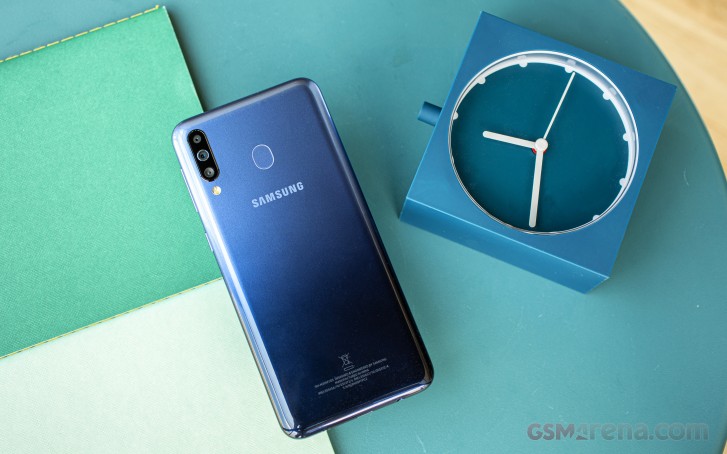
The Galaxy M-series are big on affordability and less so on premium look and feel. The M30 is built almost entirely out of plastic, which isn't bad in and of itself - it helps keep weight down and should fare better in case of a drop, it's just not overly fancy.
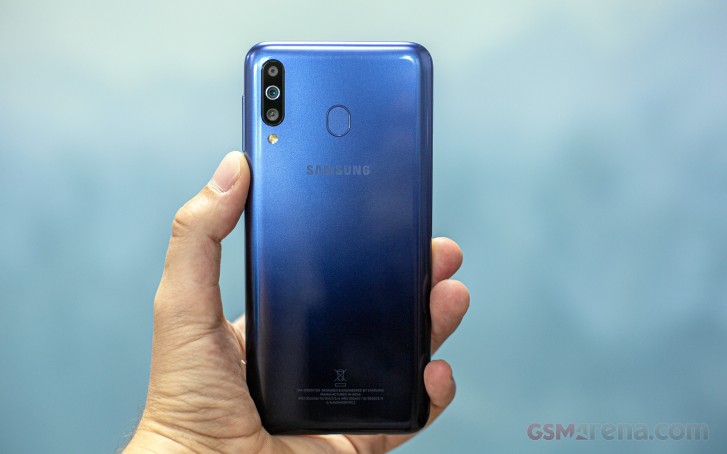
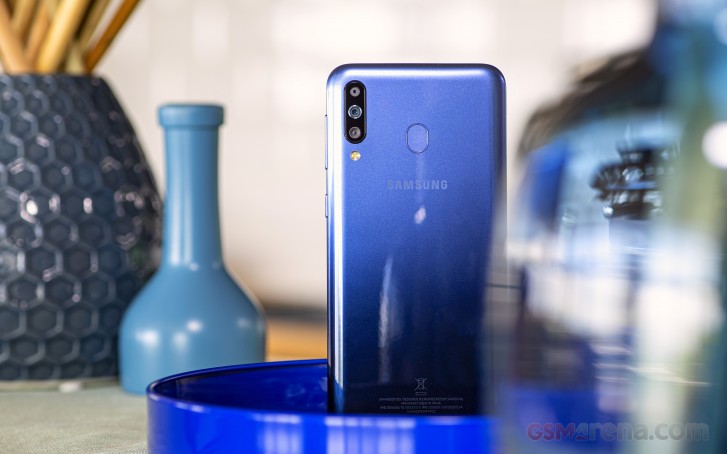
Samsung did try to spice things up with a two-tone paintjob, a couple of them. Ours is called Gradation Blue and it's navy on the bottom and lightens up towards the top. The Gradation Black option is a black to gray gradient. The glossy back does welcome fingerprints but they somehow manage to stay out of sight, so it's not too bad.
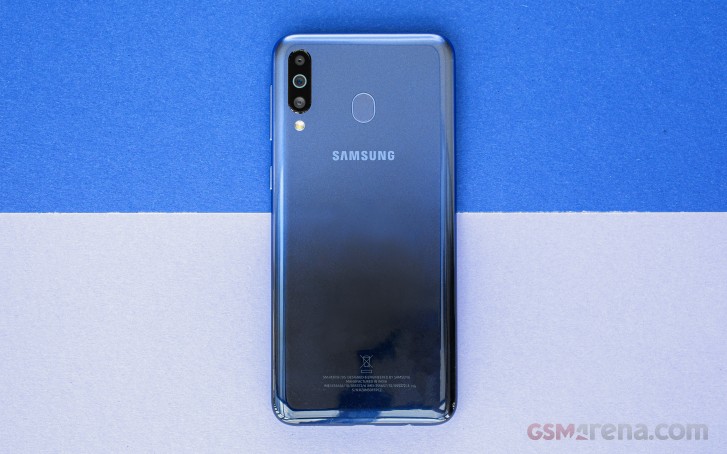
The fingerprint reader is out of sight here on the back, but it's also a little bit out of reach. We gather it had to stay out of the way of the huge 5,000mAh battery, so it ended up above it. If you're one to rest the bottom of your phone on your pinkie and have 'average' sized fingers, it may require some stretch.
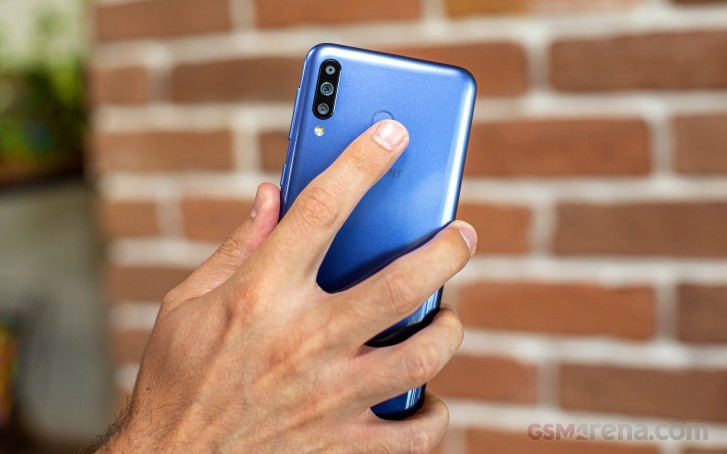
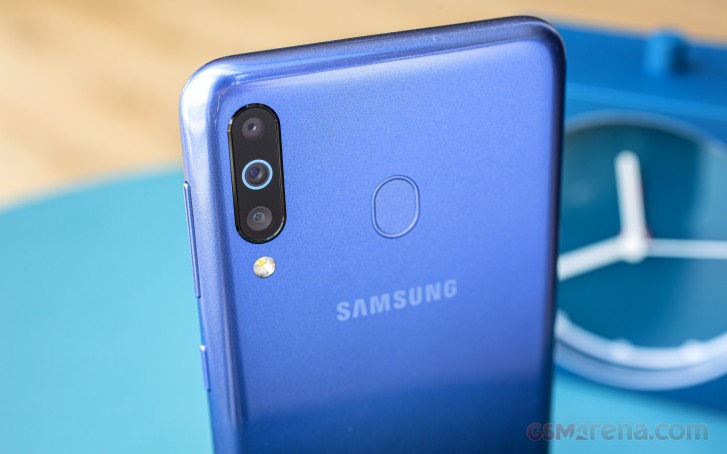
The camera trio is in the top left corner, that's where all the Ms have their cameras. The main module is the middle and to emphasize its superiority it's got a ring around the lens as a status symbol. The ultra wide is below it, and the depth sensor is above. The flash isn't a part of the camera cluster and is instead below it.
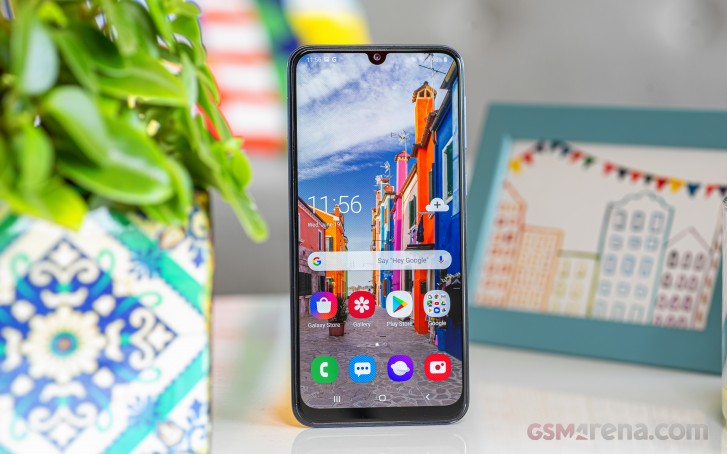
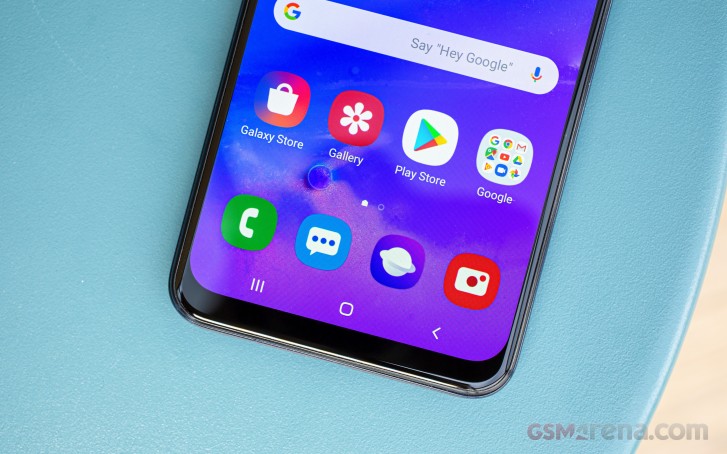
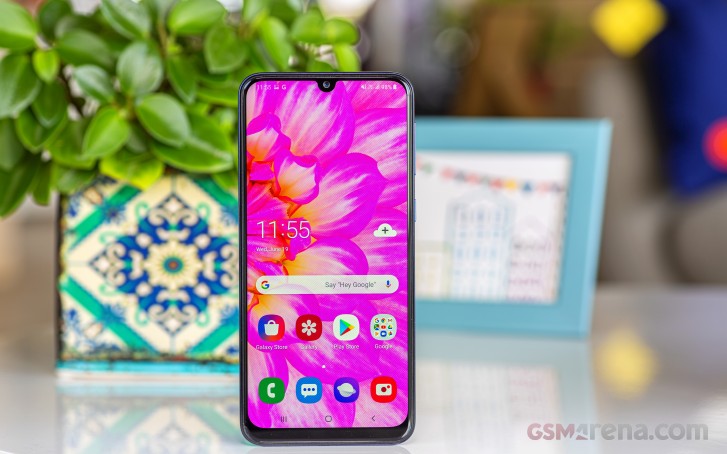
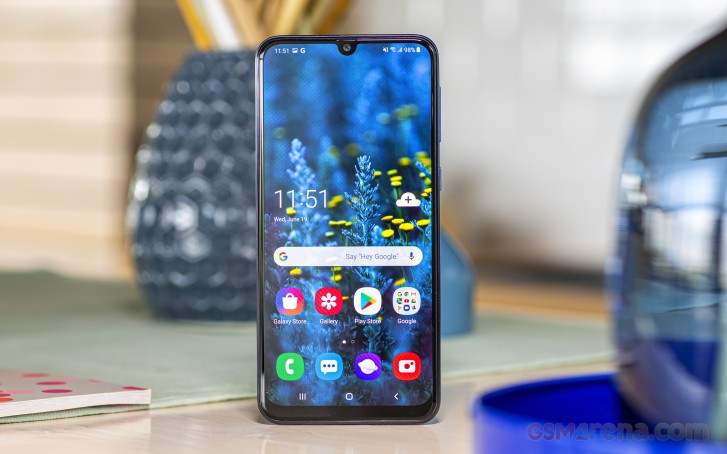
Over on the front, the 6.39-inch Super AMOLED takes center stage, a U-shaped selfie camera notch splitting its top edge. There's room for a conventional earpiece slit above the camera despite the nicely slim bezels, but the status LED didn't make it.
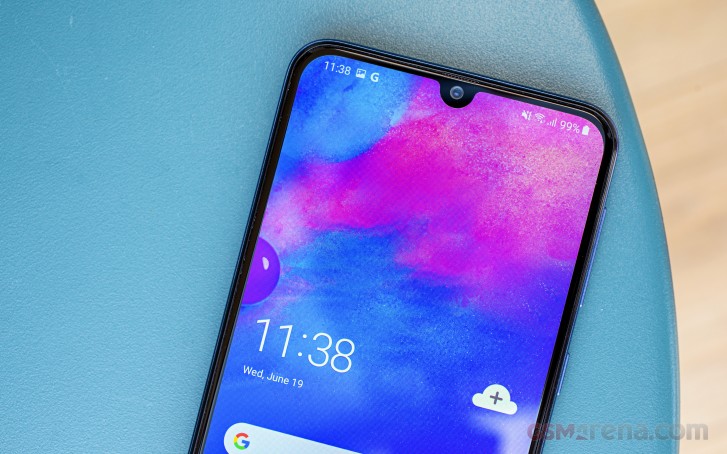
There's more meat below the display, but it's nothing out of the norm for the class - it may not be quite S10-slim, but for a phone in its segment, the M30 looks quite nice and well-proportioned head-on.
The control layout isn't different from all the other Ms or the majority of the A-series this year. The power button is on the right, a couple of centimeters above the midpoint, and the volume rocker is even further towards the top. Both are plastic but click positively and have good travel. There's no Bixby button to be found on the Ms, and we can't say we miss it.
Directly opposite the volume rocker, on the left side, is the triple card slot - the tray has cutouts for two nano SIMs and a microSD card, and we do like dedicated memory slots.
Down on the bottom, there's a USB-C port for charging and file transfer, and a 3.5mm headphone jack for audio output. The single loudspeaker is behind a grille in these quarters, and the primary mic is keeping it company (there's an extra mic up top).
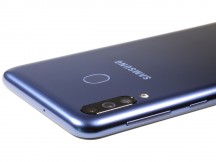
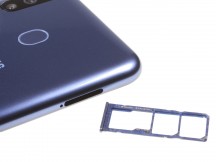
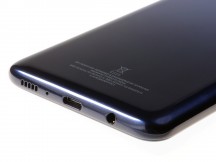
Buttons on the right • Card slot on the left • All the regular stuff on the bottom
The Galaxy M30 measures 159x75.1x8.5mm and weighs in at 174g which is quite impressive for a phone with a 5,000mAh battery, though again plastic is light. The AMOLED panel must have helped shed both weight and thickness, as the M30 is 12g lighter and 0.3mm thinner than the M20.
Side-by-side comparisons with the Realme 3 Pro and the Redmi Note 7 (Pro or otherwise) show that there's little to differentiate them in terms of bulk and heft, other than the Redmi's glass back making it heavier at 186g.
6.4-inch Infinity U Super AMOLED
The Galaxy M30 has what is the only Super AMOLED display in the lineup - even looking up the ladder (because, well, 40>30), the M40 has an IPS panel. It's also the largest panel in the M-series at 6.4 inches in diagonal, though it's barely a difference against the M20 and M40's 6.3 inches and the M10's 6.22. It's got a FullHD+ resolution, or 2340x1080px in a 19.5:9 aspect ratio, for a pixel density of 403ppi.
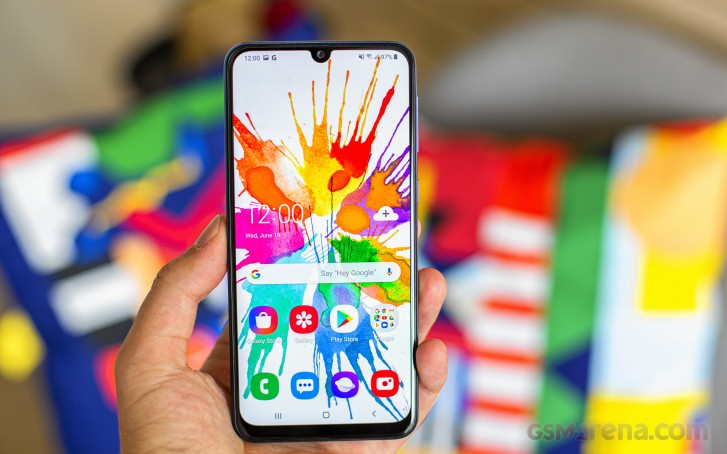
In our brightness testing, the M30 posted fairly typical Super AMOLED numbers. Operating the slider manually, we got 437nits which got a healthy boost to 641nits in auto under bright light. Since there's no ambient light sensor per se, we gather the M30 uses its front facing camera for the purposes of judging ambient light conditions. Sunlight legibility is very good, but only if you make sure to wipe the smudges off the screen, which otherwise get in the way.
| Display test | 100% brightness | ||
| Black, cd/m2 | White, cd/m2 | ||
| 0 | 437 | ∞ | |
| 0 | 641 | ∞ | |
| 0 | 433 | ∞ | |
| 0 | 548 | ∞ | |
| 0.3 | 400 | 1333 | |
| 0.358 | 479 | 1338 | |
| 0.22 | 400 | 1818 | |
| 0.232 | 430 | 1853 | |
| 0.285 | 508 | 1782 | |
| 0.39 | 480 | 1231 | |
| 0.413 | 501 | 1213 | |
| 0.39 | 464 | 1190 | |
| 0.446 | 486 | 1090 | |
| 0 | 458 | ∞ | |
| 0 | 645 | ∞ | |
Unlike Samsung's latest flagships, which adopt a Vivid/Neutral selection of display color modes, the M40 still has the previous implementation with Adaptive, AMOLED Cinema, AMOLED Photo, and Basic modes. The out-of-the-box Adaptive mode returned an average deltaE of 2.8 and a maximum of 8.9 when examining color swatches against DCI-P3 targets. It's the Cinema preset that's meant to cater to P3 content and we got the same respectable average deltaE of 2.8, but a lower maximum of 5.2. The Photo mode is tuned for AdobeRGB reproduction (average deltaE 2.9, max 4.9), while the Basic preset gets you accurate sRGB representation (average deltaE 1.7, max 2.8).
It's worth noting than in all the dedicated modes the whites remain very accurate with a deltaE below 2, which is quite remarkable. Even Adaptive had a more than decent white reproduction with a deltaE of around 3.
Samsung Galaxy M30 battery life
The Galaxy M30 relies on the same 5,000mAh battery as the M20 and that's a lot of battery. The M20 was quite the marathon runner and with the generally more efficient Super AMOLED display of the M30, we expected even better results. Which is what we got.
The Galaxy M30 lasted 15 full hours on our web browsing script vs. the M20's already pretty good 13:20h. More impressive was the nearly 19-hour result of the M30 when looping our test video - OLEDs do tend to ace that test. We clocked about the same 32 hours of voice calls and the standby draw was largely similar too.
Feeding these numbers into our formula we got an Endurance rating of 119 hours for the Galaxy M30.
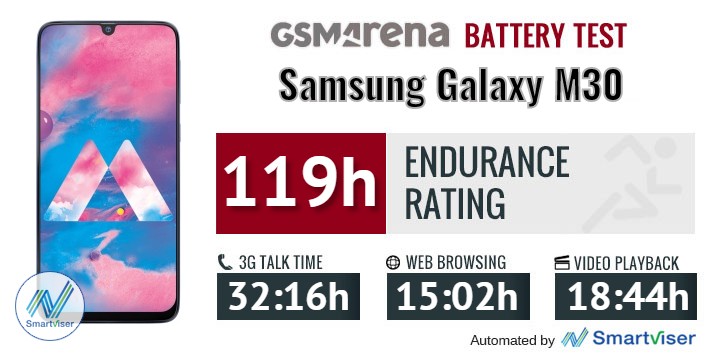
Our battery tests were automated thanks to SmartViser, using its viSerDevice app. The endurance rating above denotes how long a single battery charge will last you if you use the Samsung Galaxy A80 for an hour each of telephony, web browsing, and video playback daily. We've established this usage pattern so that our battery results are comparable across devices in the most common day-to-day tasks. The battery testing procedure is described in detail in case you're interested in the nitty-gritty. You can check out our complete battery test table, where you can see how all of the smartphones we've tested will compare under your own typical use.
The Galaxy M30 gets fully charged in 2:24h from flat, with some 24% at the half-hour mark. Oddly, the M20 required just 2 hours when we tested it with the same adaptor. Looking at the M30's charts, we saw that the charging speed tapers off past the 90% mark, while there was no such thing on the M20. Oh well, 2:24 for a 5,000mAh battery is still pretty decent.
Loudspeaker
The Galaxy M30 has a single down-firing loudspeaker on the bottom, just like the M20. These Ms are a relatively quiet bunch, with both the M30 and M20 placing in the 'Average' category in our three-pronged test. Sound quality is decent, as in there is no distortion at full volume, but then it's not very high volume, and there's little boom in the low register.
| Speakerphone test | Voice, dB | Ringing |
Overall score | |
| 65.6 | 66.2 | 70.4 | Average | |
| 67.0 | 66.8 | 68.6 | Average | |
| 66.2 | 68.3 | 73.6 | Good | |
| 66.2 | 71.7 | 80.0 | Good | |
| 66.0 | 71.8 | 81.2 | Good | |
| 67.9 | 73.5 | 80.4 | Very Good | |
| 70.8 | 73.6 | 80.7 | Very Good | |
| 70.9 | 73.3 | 81.9 | Very Good | |
| 71.5 | 73.8 | 83.1 | Excellent | |
| 73.5 | 71.3 | 85.8 | Excellent | |
| 67.5 | 73.8 | 90.5 | Excellent | |
| 69.8 | 71.5 | 90.5 | Excellent | |
| 75.8 | 75.2 | 82.5 | Excellent |
Audio quality
The Samsung Galaxy M30 did well in the active external amplifier part of our test, posting scores as good as we've come to expect from smartphones these days and maintaining above average loudness.
The volume remained good for the class with headphones, but the output lost some of its accuracy. A bit of intermodulation distortion and a slight nervousness to the frequency response appeared along with an average sized hike in stereo crosstalk. A competent performance by all means, but not one to earn the Galaxy M30 a lot of extra points.
| Test | Frequency response | Noise level | Dynamic range | THD | IMD + Noise | Stereo crosstalk |
| +0.03, -0.05 | -90.5 | 90.4 | 0.0057 | 0.016 | -90.0 | |
| +0.26, -0.20 | -92.9 | 92.4 | 0.095 | 0.249 | -59.1 | |
| +0.07, -0.01 | -91.9 | 91.8 | 0.0013 | 0.009 | -89.3 | |
| +0.50, -0.50 | -90.6 | 90.8 | 0.0049 | 0.392 | -52.3 | |
| +0.07, -0.04 | -93.5 | 93.4 | 0.0010 | 0.0067 | -91.6 | |
| +0.50, -0.17 | -92.1 | 92.2 | 0.011 | 0.401 | -52.0 | |
| +0.07, -0.01 | -90.0 | 90.1 | 0.0019 | 0.015 | -92.9 | |
| +0.16, -0.10 | -92.3 | 92.5 | 0.0069 | 0.164 | -64.8 |
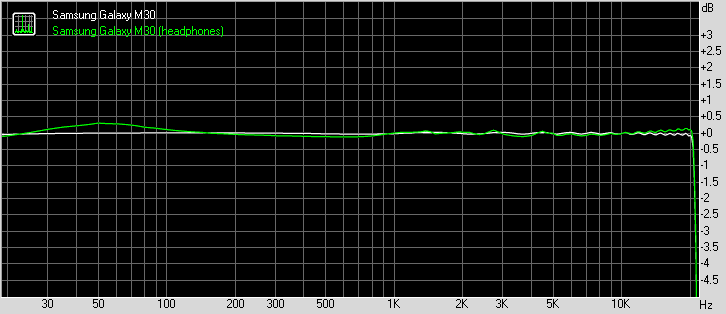
Samsung Galaxy M30 frequency response
You can learn more about the tested parameters and the whole testing process here.
OneUI to rule all Samsungs
The Galaxy M30 arrived at the office with Android Oreo on board and a Pie update waiting in the notification shade. We installed that, and we'll be looking at the Android 9.0-based Samsung OneUI that we're already quite familiar with from other handsets. For practical purposes it's the same software experience you'd get on any recent Samsung phone with Pie on it - effectively, it's as if you have the flagship S10, with a welcome twist - there's no Bixby on the M30.
There is an always on display feature, enhanced for OneUI with the option to only show when you double tap on the screen. You can set up a daily schedule as before, or keep it truly always on.
Biometric security on the M30 is two-fold - it has the fingerprint sensor on the back, and then there's a basic, camera-only face unlock. Our experience with fingerprint recognition on the M30 was identical to what we observed on the M20 - the single swipe to enroll is simple but makes us think it might be the type of reader Samsung used to put on its phones a while ago. The recognition success rate was not stellar, but unlock speed was reasonably fast as long as you give the phone a few seconds between the unlock attempts.
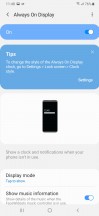

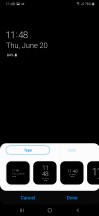
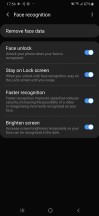
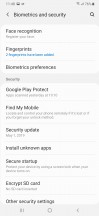

Always on display • Face unlock • Fingerprint reader settings
You're then taken to the homescreen with the large colorful OneUI icons. You'll likely appreciate the fact that the quick toggles pull all the way down for easy reach - one of OneUI's key features. Less handy is the way folders still open full-screen with the apps in them high up - not very easy to reach, no. Another thing that's changed for the worse since the previous Samsung Experience is the handling of multi-window with most of the options now missing, which is on top of the already clunky native Pie implementation, for which Google is to blame.


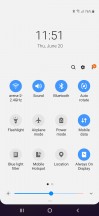
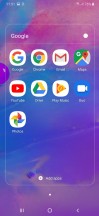


Homescreen • Notifications • Quick toggles • Folder view • Task switcher • Multi window
Pie is all about gesture navigation and Samsung's offering one take on the process. Conventional buttons are replaced by swipes from the bottom of the screen with the swipes doing what the buttons that used to be there did. Similarly to the also available navigation bar, you can swap the back and recent apps keys, and you can also hide the gesture pointers altogether. It's not quite the full-on gesture interaction you can have on a Xiaomi or a Huawei phone, but it's Gesture navigation alright.
Samsung's also implemented a Night mode, which turns UI elements black or dark gray. It works in settings and notifications as well as in-house apps like the Gallery and the Samsung browser. Open the Play Store, for example, though, and the magic is ruined. Until Google implements a system-wide Dark mode with Android Q, you would have to switch each app manually, if it has that capability in the first place.
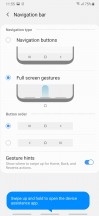

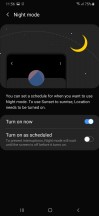


Gesture navigation options • Night mode
In line with the rest of the UI changes, the general Settings menu has been revamped too. It's pretty compact, and some of the settings you might be looking for have ended up elsewhere. For example, the Device care sub-menu now accommodates the Battery settings and information, storage and memory management and the security features.
Tapping on the Battery icon will open up the familiar battery menu full of settings and adjustments. Aside from the usual info and features which you'd find on pretty much every other Android handset, Samsung has added a couple of additional options.
You have three power modes - Optimized, Medium-power saving and Maximum power saving. Optimized is the default one with performance cranked up to the maximum. In the upper right corner of the battery menu sits another sub-menu giving you more granular control over your power consumption.
Google's push for the so-called Digital wellbeing has reached Samsung's One UI too. If you were ever wondering how much time you spend on your phone and which apps you mostly used, the Digital well-being sub-menu would give you the details. It's cool, but it will probably stay unused by most users.
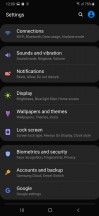
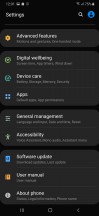
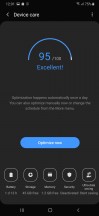
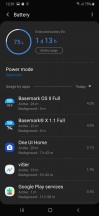
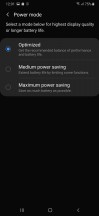
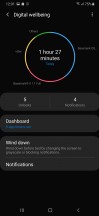
Settings • Device care • Battery modes • Digital wellbeing
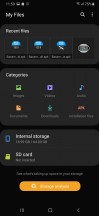
Samsung still uses its in-house Gallery app for browsing photos and videos, while music playback was outsourced to Google Play Music a while ago - but with the help of proprietary Samsung sound enhancements. There is also an FM radio app on board, a proprietary My Files file manager app, the Game launcher utility. What's missing is Bixby.
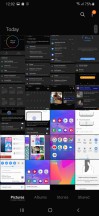

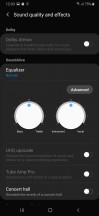
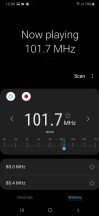
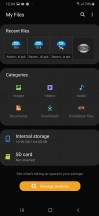

Gallery • GPM • Audio settings • FM Radio • My Files • Game Launcher
Synthetic benchmarks
The Galaxy M30 is powered by Samsung's in-house Exynos 7904 chipset, the same SoC you'd find in the M20, A30, and A40. Despite the larger number, it's essentially a downclocked 7885, and that certainly makes sense in some way to someone at Samsung. The CPU has eight cores in a 2+6 configuration - 2xCortex-A73 at 1.8GHz (2.2GHz in the 7885) and 6xCortex-A53 at 1.6GHz. The GPU is Mali-G71 MP2 all the same.
The M30 has two RAM/storage versions, and we have the base 4GB/64GB one, which should be plenty. There's also a more expensive variant with 6GB of RAM and 128GB of storage, but that seems like a waste given the dedicated microSD slot on the M30.
Having reviewed the M20, we knew very well what to expect from the M30's benchmark runs. It delivers a two times improvement over the M10 in single-core GeekBench but is relatively underpowered in such tasks and is bested by Snapdragon 710 Realmes and lagging a lot behind the Snapdragon 675-based bunch. That pretty much the case under multi-core loads too.
GeekBench 4.1 (single-core)
Higher is better
- Xiaomi Redmi Note 7 Pro
2404 - Samsung Galaxy A70
2391 - Motorola Moto Z4
2371 - Xiaomi Redmi Note 7
1650 - Xiaomi Mi 8 Lite
1628 - Huawei P30 Lite
1534 - Samsung Galaxy A8 (2018)
1532 - Realme X
1475 - Realme 3 Pro
1471 - Samsung Galaxy A40
1325 - Samsung Galaxy A30
1319 - Samsung Galaxy M20
1313 - Samsung Galaxy M30
1311 - Samsung Galaxy M10
724
GeekBench 4.1 (multi-core)
Higher is better
- Xiaomi Redmi Note 7 Pro
6620 - Samsung Galaxy A70
6584 - Motorola Moto Z4
6515 - Realme X
5915 - Xiaomi Mi 8 Lite
5894 - Realme 3 Pro
5881 - Huawei P30 Lite
5523 - Xiaomi Redmi Note 7
5411 - Samsung Galaxy A8 (2018)
4418 - Samsung Galaxy M30
4188 - Samsung Galaxy M20
4160 - Samsung Galaxy A30
4146 - Samsung Galaxy A40
4112 - Samsung Galaxy M10
3662
It's of little consolation that the M30 inches ahead of the A30 in Antutu, when competitors like the Realme 3 Pro and the Redmi Note 7 are so far ahead.
AnTuTu 7
Higher is better
- Xiaomi Redmi Note 7 Pro
180754 - Motorola Moto Z4
173234 - Samsung Galaxy A70
167750 - Realme 3 Pro
155647 - Xiaomi Mi 8 Lite
143257 - Xiaomi Redmi Note 7
139075 - Huawei P30 Lite
129887 - Samsung Galaxy M20
108658 - Samsung Galaxy A40
106388 - Samsung Galaxy M30
101651 - Samsung Galaxy A30
96550 - Sony Xperia L3
78894 - Samsung Galaxy M10
64144
The M30's GPU isn't really a powerhouse itself, and in GFXBench it hovers around half the number of frames per second that Redmi Note 7 Pro is capable of, with the Realme 3 Pro posting scores three times as high as the Galaxy.
GFX 3.1 Manhattan (1080p offscreen)
Higher is better
- Realme 3 Pro
23 - Xiaomi Redmi Note 7 Pro
17 - Samsung Galaxy A70
15 - Motorola Moto Z4
15 - Xiaomi Mi 8 Lite
15 - Xiaomi Redmi Note 7
15 - Huawei P30 Lite
14 - Samsung Galaxy A8 (2018)
9.9 - Samsung Galaxy A40
8.1 - Samsung Galaxy A30
8.1 - Samsung Galaxy M30
8.1 - Samsung Galaxy M20
8 - Sony Xperia L3
6.1 - Samsung Galaxy M10
3.2
GFX 3.1 Manhattan (onscreen)
Higher is better
- Realme 3 Pro
20 - Xiaomi Redmi Note 7 Pro
15 - Motorola Moto Z4
14 - Huawei P30 Lite
13 - Samsung Galaxy A70
13 - Xiaomi Mi 8 Lite
13 - Xiaomi Redmi Note 7
13 - Sony Xperia L3
11 - Samsung Galaxy A8 (2018)
8.7 - Samsung Galaxy A40
7.4 - Samsung Galaxy A30
7.4 - Samsung Galaxy M30
7.3 - Samsung Galaxy M20
7.1 - Samsung Galaxy M10
6.3
GFX 3.1 Car scene (1080p offscreen)
Higher is better
- Realme 3 Pro
13 - Xiaomi Mi 8 Lite
9 - Xiaomi Redmi Note 7
9 - Xiaomi Redmi Note 7 Pro
8.7 - Samsung Galaxy A70
8 - Huawei P30 Lite
7.7 - Motorola Moto Z4
7.2 - Samsung Galaxy A8 (2018)
6 - Samsung Galaxy A40
5.2 - Samsung Galaxy M30
5.2 - Samsung Galaxy M20
5 - Samsung Galaxy A30
4.5 - Sony Xperia L3
2.7 - Samsung Galaxy M10
2
GFX 3.1 Car scene (onscreen)
Higher is better
- Realme 3 Pro
11 - Motorola Moto Z4
8 - Xiaomi Mi 8 Lite
8 - Xiaomi Redmi Note 7 Pro
7.9 - Xiaomi Redmi Note 7
7.7 - Huawei P30 Lite
7 - Samsung Galaxy A70
7 - Samsung Galaxy A8 (2018)
5.2 - Sony Xperia L3
5 - Samsung Galaxy A40
4.6 - Samsung Galaxy A30
4.6 - Samsung Galaxy M30
4.6 - Samsung Galaxy M20
4.4 - Samsung Galaxy M10
3.7
The Galaxy M30 has an adequate processing power with a decently potent CPU and a GPU that's not quite up to the standard of the competition. It's not slow, but if you're looking for performance, the M30 shouldn't be on top of your list. There's the occasional stutter when you play 3D games, and honestly, Samsung could have outfitted its midrangers with more powerful chipsets to keep them more competitive.
Triple camera on the back
One of few areas where the M30 comes with upgrades over the M20 is the camera. Those upgrades include an additional 5MP depth sensor on the back and a 16MP selfie shooter replacing the 8MP unit of the M20.
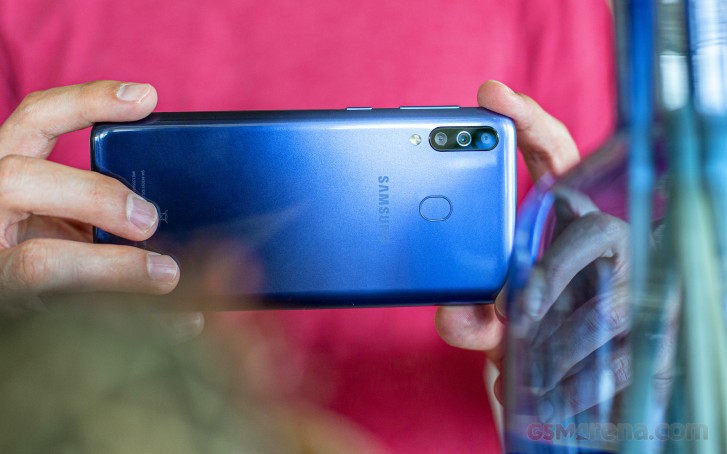
The main module is the 13MP one from the M20, with an f/1.9 aperture 27mm-equivalent lens and phase detect autofocus. There's also an ultra wide-angle camera, its modest 5MP sensor behind an anything-but-modest lens that covers a 123-degree field of view. Mind you, the images' EXIF data reports a 13mm equivalent, while the 123 degrees Samsung specifies correspond more to 12mm but it's a very ultra-wide angle camera regardless of the specific number.
The camera app is the Samsung camera you'll find on all recent Samsungs. Side swipes work for changing modes, while swiping up and down toggles between the front and rear cameras. There's a camera selector with the self-explanatory tree designation for switching between the main and ultra wide modules on the back.
The row of icons above the shutter button includes a cogwheel for accessing settings, an aspect ratio selector that toggles the full view mode (because who doesn't want 19.5:9 photos), flash mode selector, filter bank, and self-timer. There's also a front/rear toggle next to the shutter button if you're not into the gesture-based solution.
Inside the settings menu you get access to the usual stuff: resolutions for stills and video, an HDR setting (effectively Auto/On/Off, only organized differently), grid lines, the lot. There's even a watermark option if you're that type of person. Live Focus mode is present, which should benefit from the dedicated depth camera. There's no Night mode, however.
There's a Pro mode, and as with most non-flagships in Samsung's range, this one is rather barebones - you can only choose ISO (in the 100-800 range), exposure compensation (-2/+2EV in 0.1EV steps), and white balance (presets, but no light temperature). There's no shutter speed selector or manual focus.

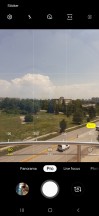
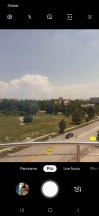
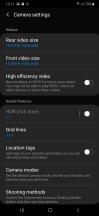
Camera UI
Image quality
The Galaxy M30 takes okay photos, but definitely not ones that'll have you go 'wow'. During the day it captures good detail with its main camera and has adequate handling of noise.
If you're shooting landscapes and greenery, you'd get pretty vivid colors but cityscapes end up missing that Galaxy pop we're used to. The M30's rendition of the iPhone mural, for example, is one of the most lifeless ones we've seen.






Camera samples, regular camera
Leaving the HDR setting in full auto - that is to say, 'On' and 'Apply when needed' the M30 captures good dynamic range for the class, particularly in the highlight region. Shadows don't benefit all that much, however, and we'd have preferred better development there. We wouldn't advise turning it off as that results in blown highlights to little practical benefit. If anything, we'd put it in the 'Always apply' state, as we encountered situation when we'd have liked to have HDR applied and the phone didn't deem it necessary.






Camera samples, regular camera
That's especially the case with the ultra wide angle cam which is in a tougher position as the extreme coverage inevitably comes with tonal extremes as well.




Camera samples, ultra wide camera: HDR Auto • HDR On • HDR Auto • HDR On
The M30's ultra wide-angle camera has a noticeably different color rendition than the main one, producing warmer and slightly more saturated colors. It's also heavily distorted, with no setting to fix that in-phone.




Camera samples, ultra wide camera
The M30's low-light performance won't win it any awards. Images have low saturation and you can count on really blown out highlights. Detail is decent in the reasonably lit areas, but there's more than a fair share of noise.






Low-light camera samples, regular camera
Low-light shots from the ultra-wide camera are even less appealing, exhibiting a general softness and blotches instead of fine detail. But it's a 5MP shooter after all, which wasn't spectacular in good light either, so everything is as expected.






Low-light camera samples, ultra wide camera
Once you're done looking at real-life samples, don't forget to head over to our Photo compare tool to check out how the Galaxy M20 deals with our studio charts. Mind you, the Redmi Note 7 we've tested is the global version which has the same camera as the Redmi Note 7 Pro sold in India, where the non-Pro comes with a different setup.



Samsung Galaxy M30 against the Realme 3 Pro and the Redmi Note 7 in our Photo compare tool
The Galaxy M30's additional camera helps it immensely in the Live focus mode. The M30 is more proficient at separating subject from background than the M20 and creates very good portraits.




Live Focus samples, people
Since it has a dedicated camera for making a scene depth map, the M30 doesn't need to recognize a face in the frame for Live focus to work. This means you can use it to isolate random stuff from the background, something you couldn't do on the M20. It generally produces great results, provided you stay within the optimal distance, though we found it sometimes didn't engage on some shots in the sequence, but did on others - take several just in case.




Live Focus samples, stuff
Not bad 16MP selfies
The Galaxy M30 has a 16MP selfie camera - twice the resolution of the M20's. The photos it takes are actually quite good with excellent detail and sharpness, true colors and decent if not amazing dynamic range.




Selfie samples
Portrait selfies end up particularly soft however, and we're not talking about the 'defocused' background. Looking at fit-to-screen magnification, however, you won't notice the lack of per-pixel sharpness and you'll likely enjoy the end results. The subject recognition is okay, of course depending on the particular set of subject and background.




Portrait selfie samples
Video recording
The Galaxy M30's video recording capabilities are identical to the M20's and they're not too vast. The phone records video up to 1080p at 30fps - no 4K, and no 1080/60 either. Electronic stabilization is also notably missing. The bit rate of 1080p videos is a rather standard 17Mbps, whether you're using the main or the ultra wide camera, while audio is recorded in stereo at 256kbps. There's an option for switching to the H.265 codec, which will bring file sizes down.
Video quality is actually quite good - as 1080p clips go, these are among the better ones we've seen. There's plenty of fine detail and very mature processing with none of the overly aggressive sharpening Samsung has been guilty of. Colors are very likeable too, and if anything, perhaps a little boost in exposure would have made for even better footage - we're finding the videos a bit underexposed.
The ultra wide camera's footage isn't quite up to the same standard, though it does take decent videos. If you make sure to stay focused on the extreme coverage and perspective, you may not notice the limited dynamic range leaving shadows pitch black.
Here's a glimpse of how the Galaxy M30 compares to rivals in our Video compare tool. Head over there for the complete picture.
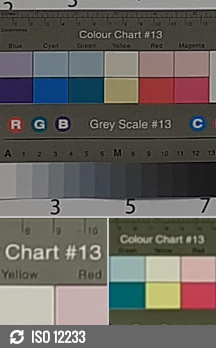


Samsung Galaxy M30 against the Realme 3 Pro and the Redmi Note 7 in our Video compare tool
Competition
The most obvious of competitors that the M30 will have to deal with is the Xiaomi Redmi Note 7 Pro. The Redmi's chipset is more potent, so it could be the choice of mobile gamers, but the M30 outlasts the Note in the battery endurance race and has the superior display, making it arguably the better choice for general use. The Redmi's main camera is better, and it can capture 4K videos unlike the M30, but we do like the Galaxy's selfies better, and it's got an ultra wide-angle cam, unlike the Redmi. The Note 7 Pro is also the most affordable of this bunch, without sacrificing too much.
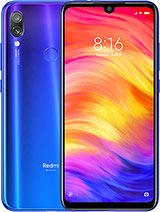
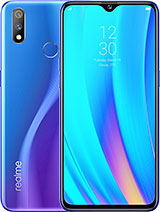
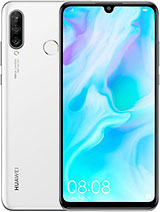
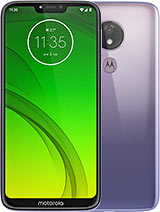
Xiaomi Redmi Note 7 Pro • Realme 3 Pro • Huawei P30 lite • Motorola Moto G7 Power
The Realme 3 Pro is one of the most well-rounded packages in the midrange. It too has a beefier chipset than the M30 with a particularly powerful GPU, so even better for gaming than the Redmi. The Realme takes nicer pictures, front and back, day and night, and it can do 4K video recording. The Galaxy does have an ultra wide-angle camera, which could be a worthy trade-off. The Realme's display is decent, and it's no slouch in battery life, but the Galaxy is just better at both. The Realme will save you some cash too when you match the RAM/storage options.
If you're willing to spend some more instead, Motorola will sell you the One Vision for about 25% on top of the M30's asking price. That'll get you slightly better camera experience all round, extra performance in all tasks thanks to a superior Exynos than what Samsung's fitted into its own phone, and vanilla Android, plus a cinematic 21:9 display (albeit with a punch hole, and the Galaxy's 19.5:9 AMOLED is still better at all other things that aren't aspect). The One Vision's battery life is nowhere near the Galaxy's, though.
The Huawei P30 lite retails around the One Vision's money, and it happens to be the only one in this bunch that has an ultra wide camera other than the Galaxy M30 - not that either is particularly great. The regular camera's images are better out of the P30 lite, but the M30 is better for video, even though neither has 4K. Once again, the Galaxy is outperformed in both CPU and GPU tasks, and once again it'll still be running when the other phone is out of juice.
Verdict
It takes an AMOLED display to make a good phone into a great one, and that's basically what's the difference between the Galaxy M20 and the M30. The M30 has a class-leading screen, which comes with the added benefit of further improved battery life - again to levels no competitor can match. The Ms all have ultra wide cameras, which set them apart from most competitors on this level, and the M30 has a depth sensor on top of that for some more refined portraits.
So far, so good, but it's not all spectacular about the Galaxy M30. For one, there's the matter of the Exynos 7904 not being entirely up to the competitors' standards - maybe you don't care, which is fine, but more performance can be had elsewhere for less. The camera image quality is nothing more than decent, and more competent cameraphones can be found in the midrange already. And while we'd maybe forgive the lack of 4K recording or stabilization at 1080p, having neither is tough to swallow.
All things considered, the Galaxy M30 is great all-rounder and makes a very compelling case for someone who doesn't find 3D gaming or camera performance particularly important. You still get to enjoy a very nice display and the outstanding battery life. There are also no deal-breakers in any other important aspect of the device and it has a reasonable price tag.
Pros
- Exceptional battery life, okay charging speed.
- One of the best displays you can have in the segment.
- An ultra wide camera is hard to find in this class.
- Good portraits, really nice selfies.
- Dedicated microSD slot.
Cons
- Plasticky build.
- Unexciting image quality from the rear cameras.
- No 4K recording even though the chipset supports it; no stabilization in 1080p either.
- You can get a more powerful chipset at this price point.

No comments:
Post a Comment